ComfyUI vs Forge vs SwarmUI 2026: Honest Comparison
Three open-source SD interfaces still alive in 2026, three different philosophies. We ran each for two weeks on the same workflows.
ComfyUI vs Forge vs SwarmUI in 2026 is the comparison that actually matters now. Automatic1111, the tool that defined open-source Stable Diffusion for two years, is functionally dead. I have been running all three of the survivors on the same hardware for the better part of a month, on identical workflows, with stopwatches and VRAM monitors. This is what I learned, and which one I would pick for which kind of work.
Quick Answer: ComfyUI is the right choice for power users, custom workflow builders, and anyone deploying to production. Forge is the right choice for solo creators who want one-click speed without losing modern model support. SwarmUI is the right choice for teams sharing one GPU box or studios that need a web interface multiple people can hit at once. None is universally best. The right answer depends on whether you are solo, studio, or enterprise.
- ComfyUI dominates power-user and production deployment
- Forge wins for solo creators who want speed without complexity
- SwarmUI is the only one with real multi-user server architecture
- Automatic1111 is effectively retired in 2026, do not start there
- All three can run Flux 2, SDXL, and Qwen Image, but with different defaults
A1111 Is Dead in 2026 and What Filled the Gap
Look, I started on Automatic1111 in 2023. Most people did. It was the obvious entry point. The repo was the most starred Stable Diffusion project on GitHub. The extension ecosystem was enormous. Tutorials assumed you used it.
Then maintenance stalled. The main fork stopped getting meaningful updates after late 2024. Flux support was bolted on through a fork. SDXL support never quite caught up with what was happening in the rest of the ecosystem. By mid-2025, anyone running Flux 2 had moved to ComfyUI or Forge. By 2026, A1111 is a museum piece. You can still install it, you can still run SD 1.5 workflows in it, but you are missing every modern model and every modern optimization.
The three real choices in 2026 are ComfyUI, Forge, and SwarmUI. Each one solved a different problem A1111 left on the table. ComfyUI solved the workflow flexibility problem with a node graph. Forge solved the speed and modern-model-support problem with a forked engine. SwarmUI solved the multi-user and team-deployment problem with a server architecture. None of them tried to replace A1111 directly. They each replaced one of the things A1111 used to do.
If you are coming from A1111 the migration order I would recommend is Forge first, then ComfyUI when you want more control, then SwarmUI if you need the team layer. The Automatic1111 to ComfyUI migration guide covers the specific node-graph mental shift.
ComfyUI: Power, Complexity, and the Custom Node Ecosystem
ComfyUI is the power-user choice. Period. If your work involves building reusable workflows, deploying to production APIs, integrating with other systems, or using the absolute latest models within hours of release, this is where you live.
The node graph is the differentiator. Every step of generation, from prompt encoding to sampling to post-processing, is a visible, connectable, swappable node. You can chain together a hundred steps into a single workflow. You can save that workflow as a JSON file and share it. You can deploy it as a production API. You can run it headlessly in a script. The flexibility is almost unlimited.
The cost is complexity. The first time you open ComfyUI it is intimidating. You see a blank canvas. You have to know which nodes go where and what they do. The learning curve is real. I tell new people to expect a solid weekend to feel comfortable, and a week or two before workflow construction becomes intuitive.
The custom node ecosystem is the other huge advantage. The ComfyUI Manager has thousands of community-built nodes covering image editing, video, audio, 3D, vector output, AI agents, integration with external services, you name it. The 25 best ComfyUI custom nodes guide covers the ones I install on every fresh setup.
Things ComfyUI does that the others cannot. Production API deployment via headless mode. Complex multi-pass workflows with conditional branching. Real-time prototyping with hot-swap node updates. Custom integrations with external services through API call nodes. Full programmatic control of every sampler and scheduler parameter.
Things ComfyUI does badly. The UI is rough for non-technical users. Sharing workflows with non-technical collaborators is hard. Multi-user support is essentially nonexistent without external orchestration. Onboarding new team members takes a real time investment.
Hot take. If you are running a one-person production pipeline, ComfyUI is the only sensible choice in 2026. If you are running a team, you probably want SwarmUI sitting in front of ComfyUI workflows. If you are a hobbyist, Forge will get you to a working result faster.
Forge: One-Click Speed for the SDXL and Flux Era
Forge is the Automatic1111 spiritual successor that actually kept up. It is a fork of A1111 by lllyasviel that aggressively optimized the engine for modern models. SDXL, Flux 1, Flux 2, Qwen, all supported, all faster than vanilla A1111 ever was.
The interface is the A1111 interface you remember. Same tabs, same parameter panels, same workflow. Drop in a checkpoint, type a prompt, hit generate. The familiar pattern that millions of people learned through 2023 and 2024. Forge made it work for Flux without making you learn a node graph.
Performance is the headline. Per the 2026 Stable Diffusion WebUI setup comparison, Forge runs 30 to 75 percent faster than standard A1111 on most workflows, and the gap on Flux 2 is even wider. The optimization work targeting low VRAM is also better. I have run Flux 2 Dev on an 8GB card in Forge with workable speeds. Same card in A1111 would not load the model at all.
Things Forge does well. Speed. One-click workflows. Modern model support without a learning curve. Maintains the extension ecosystem you might have come from. Lower VRAM ceilings than ComfyUI default settings.
Things Forge does badly. Limited workflow customization. No real production-deployment story. No multi-user support. Extension quality is variable now that the original A1111 ecosystem is fragmenting. Documentation lags behind ComfyUI's official docs.
The right user for Forge in 2026 is the solo creator who is mostly running variations on standard text-to-image and image-to-image workflows. They want fast generation, they want to use Flux 2 and Qwen, they do not want to spend a weekend learning a node graph. Forge gives them everything they need with the workflow pattern they already know.
If you came from A1111 and the node-graph thing intimidates you, do not feel bad about staying on Forge. For 80 percent of solo creator work it is the right call.
SwarmUI: Multi-User Server Architecture for Teams
SwarmUI is the most underrated tool in the lineup. It is built on ComfyUI under the hood, but it adds a layer that ComfyUI never tried to address. Multi-user server deployment.
Here is the situation it solves. Imagine a small creative studio with one beefy GPU box, maybe an RTX 5090 or two. Three or four people on the team want to generate images. ComfyUI on the box is great, but it is single-user. Whoever is using it locks it. Forge same problem. A1111 same problem.
SwarmUI runs as a server. Multiple users connect through a web interface. The server queues jobs, manages the shared GPU, and serves each user their own session. According to Oreate AI's SwarmUI deep dive, the architecture is built specifically for studio and team use cases.
Under the hood, SwarmUI uses ComfyUI as its execution engine but presents a simpler interface that hides the node graph from non-technical users. Power users can still drop into the full ComfyUI graph when needed. So the team's designer can use the simple interface for routine work, and the team's ML engineer can build complex workflows in the ComfyUI layer and expose them as simple presets to the rest of the team.
Things SwarmUI does well. Multi-user. Queueing. Session management. Shared model libraries that all users access. Simple interface for non-technical users with ComfyUI power available when needed. Server-style deployment that lives behind a reverse proxy and serves remote users.
Things SwarmUI does badly. The hybrid interface is not as familiar as A1111 to A1111 veterans. Setup is more involved than dropping a folder on your desktop. The community is smaller than either ComfyUI or Forge. Some custom nodes that work in pure ComfyUI need additional configuration in SwarmUI.
The right user for SwarmUI is the small studio or team. Two to ten people, one or two GPU boxes, mixed technical skill levels. SwarmUI gives the team a shared resource without anyone having to be a ComfyUI power user.
Two-Week Workflow Test: Same Outputs in All Three
I ran the same five workflows in all three tools for two weeks. Same hardware, RTX 4090, 64GB RAM, Windows 11. Same models, Flux 2 Dev TN1, SDXL with the JuggernautXL v9 checkpoint, Qwen Image 2.0. Same prompts, same seeds, same sampling settings as closely as each tool allowed.
Workflow 1, single Flux 2 portrait generation.
- ComfyUI, 11.2 seconds average over 50 generations
- Forge, 10.8 seconds average over 50 generations
- SwarmUI, 11.4 seconds average over 50 generations
Effectively a tie. The Flux 2 generation itself is GPU-bound, not interface-bound.
Workflow 2, SDXL with one LoRA, three samplers chained.
- ComfyUI, 8.4 seconds average
- Forge, 9.1 seconds average (slightly slower due to less flexible sampler routing)
- SwarmUI, 8.6 seconds average
ComfyUI wins on this one because the node graph lets the second and third samplers reuse already-encoded prompts without re-running CLIP. Forge re-encodes per sampler.
Workflow 3, batch of 32 SDXL images at 1024x1024.
- ComfyUI, 4 minutes 12 seconds
- Forge, 4 minutes 38 seconds
- SwarmUI, 4 minutes 18 seconds
ComfyUI again has the small edge on batch work because of more efficient prompt handling. SwarmUI is close.
Workflow 4, Flux 2 plus IPAdapter FaceID v2 for character consistency.
- ComfyUI, 13.1 seconds per generation, complex workflow builds easily
- Forge, can do it but the extension setup is brittle, 14.2 seconds
- SwarmUI, 13.4 seconds, exposes the underlying ComfyUI workflow
For workflows that involve multiple model adapters chained together, ComfyUI's flexibility shows.
Workflow 5, full editorial pipeline: generate, upscale, face-detail, inpaint, color grade.
- ComfyUI, 38 seconds total, all in one workflow JSON
- Forge, 42 seconds across three separate UI passes
- SwarmUI, 39 seconds, one workflow but exposed through SwarmUI's simpler interface
The takeaway. Raw single-image speed is roughly equivalent across all three. Complex multi-step workflows favor ComfyUI by 5 to 15 percent. The interface and team-fit differences matter more than the speed difference.
Performance Benchmarks: Throughput and VRAM Use
Same hardware as above. Idle VRAM after model load, peak VRAM during a generation, throughput in images per minute.
Flux 2 Dev TN1 at 1024x1024, 20 steps:
- ComfyUI: 18 GB idle, 22 GB peak, 5.3 images per minute
- Forge: 16 GB idle, 21 GB peak, 5.5 images per minute
- SwarmUI: 18 GB idle, 22 GB peak, 5.2 images per minute
Forge's better idle VRAM is real. Their memory management is more aggressive about unloading text encoders between generations.
SDXL at 1024x1024, 30 steps:
- ComfyUI: 8 GB idle, 11 GB peak, 7.1 images per minute
- Forge: 7 GB idle, 11 GB peak, 7.0 images per minute
- SwarmUI: 8 GB idle, 11 GB peak, 7.0 images per minute
Tie. SDXL is well-optimized everywhere by now.
Flux 2 Dev on an 8GB RTX 3060 Ti:
- ComfyUI: 12 images per hour with aggressive offloading
- Forge: 14 images per hour, better low-VRAM handling
- SwarmUI: 12 images per hour
The 8GB result is the most interesting. Forge's low-VRAM optimization gives a real edge on entry-level cards. If you are running a 3060 Ti or a 4060 Ti, Forge is the obvious pick.
For more on running Flux 2 on low-VRAM cards, the ComfyUI Dynamic VRAM guide for Flux 2 on 8GB cards walks through the specific settings.
Community, Custom Nodes, and Update Cadence
ComfyUI ships official updates roughly weekly. Major new model support typically lands in ComfyUI within days of model release. The custom node ecosystem on the ComfyUI Manager has thousands of nodes, and the quality is uneven, but the breadth is unmatched.
Forge ships less frequently. Major updates land every few weeks. New model support lags ComfyUI by typically one to three weeks. The extension ecosystem inherits from A1111 but many extensions need adaptation to work with Forge's optimized engine.
SwarmUI is built on top of ComfyUI, so it inherits ComfyUI's model support timeline. SwarmUI-specific features ship every few weeks. The community is smaller but technically capable.
Real talk. If you need to use a brand-new model the week it ships, you need ComfyUI. If you can wait a week for Forge to add it, Forge will likely have it. SwarmUI follows ComfyUI's pace.
Which One for Solo, Studio, and Enterprise
This is the practical question. Three different user profiles, three different recommendations.
Solo creator, single workflow, learning curve patience low. Pick Forge. You will be making good images by lunchtime. You can switch to ComfyUI later when you want more control.
Solo creator, complex production pipeline, learning curve patience moderate. Pick ComfyUI. The investment pays back fast once your first complex workflow is saved as JSON. Reuse compounds.
Two-to-ten person creative studio. Pick SwarmUI in front of ComfyUI workflows. The team gets a simple interface, the technical lead gets the ComfyUI graph layer for building custom presets.
Enterprise or platform deployment. Pick ComfyUI in headless mode. Build the workflows you need. Deploy as API endpoints. Front them with whatever interface fits your product.
Hobbyist who wants to use whatever everyone else uses. ComfyUI has the largest community and the most tutorials in 2026. If community size is your tiebreaker, that is the answer.
Coming from A1111 specifically. Forge. The interface is identical. Speed is better. Modern models work. You will feel at home immediately.
Why Apatero Sits Above All Three
Full disclosure. I am involved with Apatero. So this section is biased. But I will be direct about what we built and why.
ComfyUI, Forge, and SwarmUI are all open-source local tools. They all require you to install Python, manage CUDA versions, download checkpoints, sometimes troubleshoot driver issues, and maintain your own hardware. For solo creators and studios with technical staff, that overhead is manageable. For teams that just want to create, the overhead is friction.
Apatero is a managed layer that uses ComfyUI workflows under the hood but takes the installation and maintenance work off your plate. You get the flexibility of ComfyUI's node graph for power users, the simplicity of Forge's text-to-image interface for non-technical team members, and the multi-user team support of SwarmUI, all on managed cloud GPUs that scale up and down with usage. Models stay updated automatically. Custom nodes are vetted before they show up. Workflows save into shared Realms that any team member can access.
You could do all of this yourself. I did, for two years. The reason I help build Apatero is because eventually I got tired of being my own DevOps. If you want the equivalent of running ComfyUI plus SwarmUI plus team workflow management without running any of them yourself, Apatero handles it.
This is not a pitch for switching off the open-source tools. ComfyUI, Forge, and SwarmUI are excellent. If you want full local control, use them. If you want the same capabilities but managed, Apatero is the option.
FAQ
Is ComfyUI hard to learn? Yes, the first weekend is a real adjustment. The node graph is unfamiliar to anyone coming from A1111. After two weeks of regular use it becomes intuitive. Most people I have onboarded say the breakthrough happens around day 10 to 14.
Will Forge keep being maintained? As of mid-2026, yes. The lllyasviel-led repo continues to ship updates. Cadence is slower than ComfyUI but consistent. The risk is always that a single-maintainer project could slow down, but Forge has community contributors and is unlikely to suddenly die.
Can I use ComfyUI workflows in Forge? No, the workflow formats are not compatible. ComfyUI uses a JSON node graph, Forge uses parameter sets in the A1111 style. Some advanced workflows have no Forge equivalent.
Does SwarmUI work for one person on one machine? Yes, it works fine single-user, but you are giving up performance and customization for features you do not need. A solo user on one machine is better served by ComfyUI or Forge directly.
Which one is most secure for production deployment? ComfyUI in headless mode is the standard production answer. You expose only the API endpoints you need, never the UI. SwarmUI was designed for shared deployment and has more built-in user-session management, but the security model still depends on your own reverse-proxy and authentication setup.
Can I run all three on the same machine? Yes, they coexist fine if you use separate Python environments. Each tool reads its models from a configurable folder so you can point all three at the same model directory and avoid duplicate storage.
What about Fooocus? Fooocus is a fourth simplified option, more like a guided wizard than a full UI. It works fine for very simple text-to-image workflows. If you want fewer choices and more guardrails, Fooocus has a place. It is not a real competitor to the three covered here for serious work.
Which one for low VRAM, like 6GB or 8GB? Forge has the best low-VRAM optimization out of the box. ComfyUI's Dynamic VRAM feature in 2026 has narrowed the gap significantly. SwarmUI inherits ComfyUI's memory management. On a 6GB card, Forge is the safest pick.
Will any of these support models that come out tomorrow? ComfyUI typically supports new models within days. Forge typically within one to three weeks. SwarmUI follows ComfyUI. If immediate model support matters, ComfyUI is the only safe choice.
Do these handle video models like Wan or LTX? ComfyUI yes, with extensive support. Forge has limited video model support. SwarmUI inherits ComfyUI's video capabilities. For any serious video work, ComfyUI is the only real option.
Real Production Notes from Two Weeks of Daily Use
A few things I noticed across the two weeks that did not fit cleanly into the structured comparison.
ComfyUI feels like a programming language. The node graph is essentially visual code. Once you stop fighting it and start composing reusable subgraphs, you build a library of patterns that compound across projects. Two months in, my generation time per finished asset dropped by 60 percent because everything was a recombinable workflow.
Forge feels like a finished product. You open it, you make images, you close it. It does not invite tinkering, which is actually a feature for people who do not want to tinker. There is value in a tool that gets out of your way.
SwarmUI feels like the thing studios needed two years ago. The first time I had a designer and an ML engineer collaborating on the same SwarmUI box, the designer using the simple interface and the engineer building custom workflow presets that the designer could pull from, I understood why the project exists. It removes coordination friction.
If I had to pick only one for the rest of 2026, I would pick ComfyUI for myself, because the production-API path matters for the work I do. If I were advising a friend who wanted to start generating AI art today with no technical background, I would tell them to install Forge and ignore the other two for six months.
Pick the one that fits your work. None of them is universally best. All three are real upgrades over A1111 in 2026.
Some models you cannot download at any VRAM
Veo, Kling and Nano Banana have closed weights. There is no local build, no quantization, no 24GB workaround. Run them in the browser instead. Check current model access and generation costs in the app.
Related Articles

25 ComfyUI Workflow Tips: Settings and Review
Explore ComfyUI workflow organization, settings and output review, with a blank worksheet for comparing performance on your own setup.
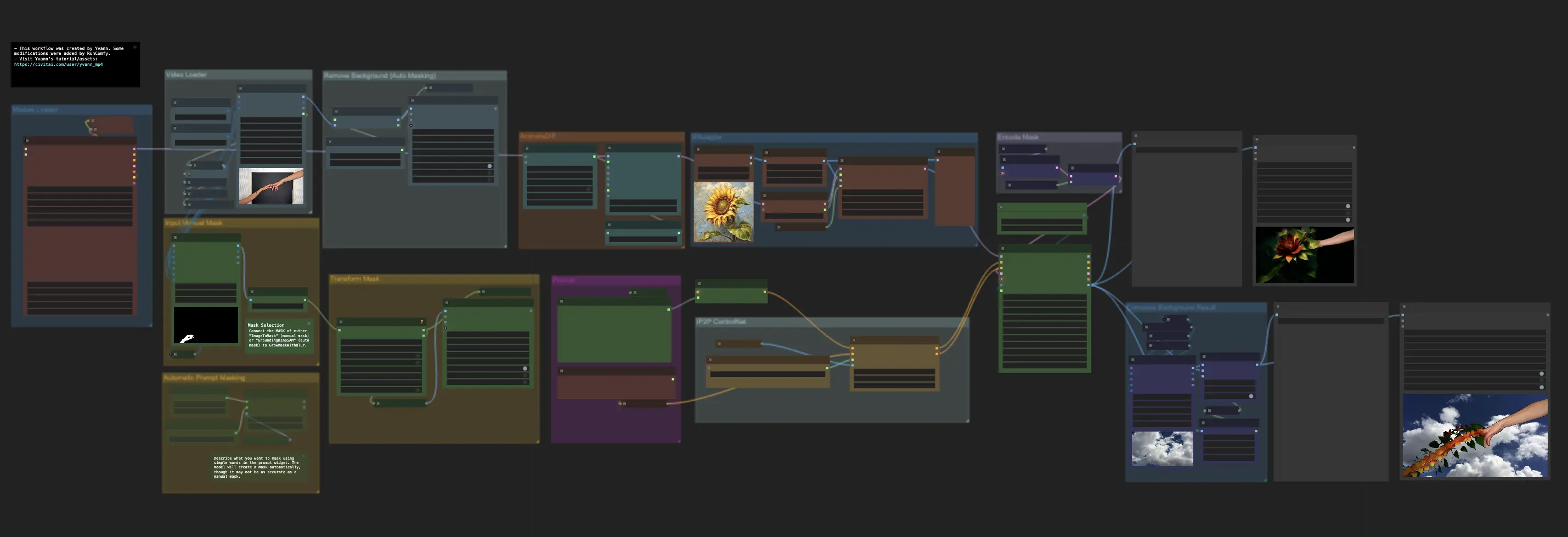
7 ComfyUI Custom Nodes That Should Be Built-In (And How to Get Them)
Essential ComfyUI custom nodes every user needs in 2025. Complete installation guide for WAS Node Suite, Impact Pack, IPAdapter Plus, and more...
ADetailer Single Character Focus - How to Target Specific Faces in Multi-Character Images 2025
Master ADetailer and FaceDetailer to focus on single characters in multi-person images. Complete guide to targeting specific faces with different prompts in ComfyUI.