Stable Video 4D 2.0 - Complete Guide to Multi-View Video Generation 2025
SV4D 2.0 generates dynamic 4D assets from single videos with 44% better consistency. Complete guide to multi-view video generation and 3D content creation.
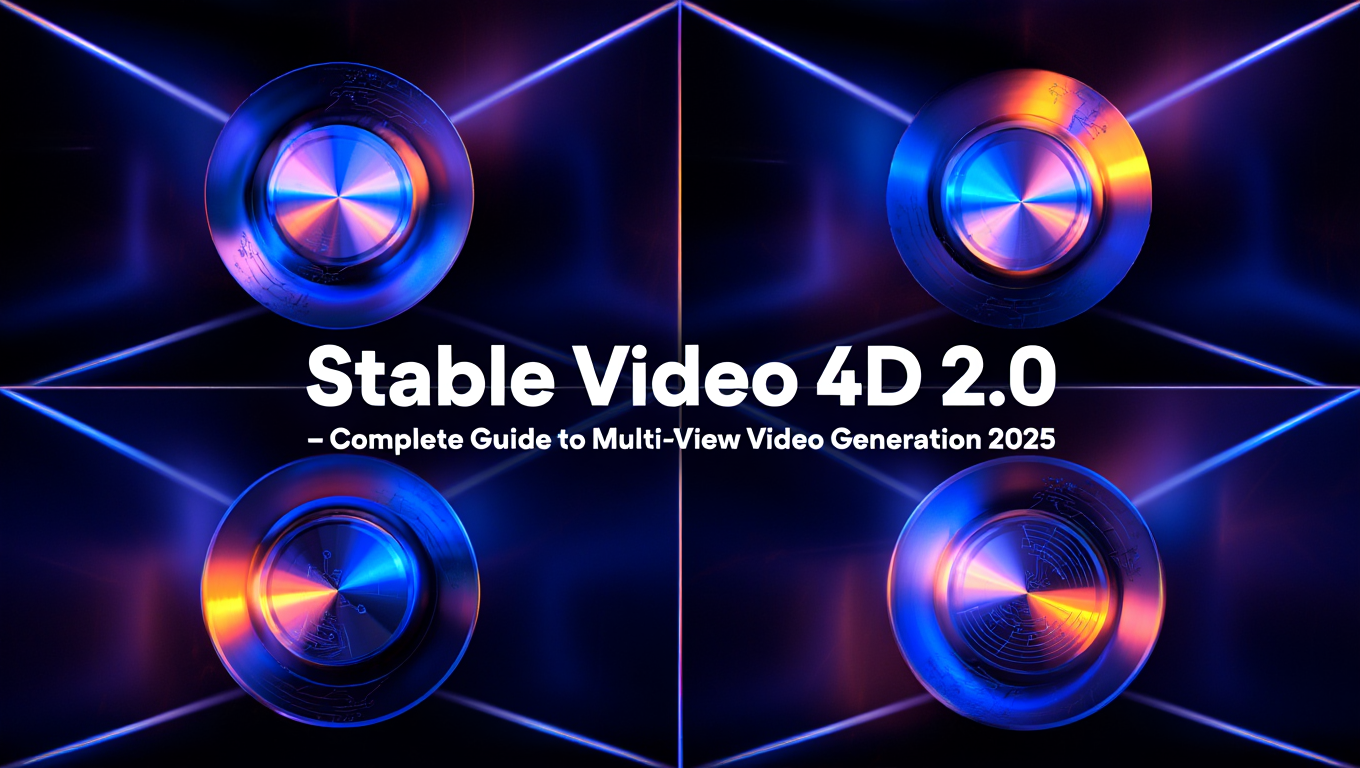
Creating 3D assets for games and VFX traditionally requires specialized modeling software, teams of artists, and weeks of work. A single character asset might take 40 hours to model, texture, and rig properly. Animation adds another layer of complexity, with motion capture sessions or hand-keyframed movements. The barrier to creating dynamic 3D content has kept these capabilities out of reach for independent creators, small teams, and rapid prototyping workflows.
Stability AI's Stable Video 4D 2.0 changes this equation completely. Released in May 2025, SV4D 2.0 takes a single video and generates multi-view perspectives that capture both spatial geometry and temporal motion. The result is what researchers call a dynamic 4D asset, meaning a 3D object that moves over time, all generated from a simple video input. This isn't just academic research. It's production-ready technology that generates 48 high-quality images at 576x576 resolution, providing multiple camera angles synchronized across 12 frames of motion.
Quick Answer: Stable Video 4D 2.0 is a multi-view video diffusion model that generates dynamic 4D assets from single videos, producing 48 images (12 frames across 4 camera views) with 44% better consistency than previous versions, enabling rapid 3D content creation without traditional modeling.
- SV4D 2.0 generates 48 images (12 frames x 4 views) or 40 images (5 frames x 8 views) from a single video
- Achieves 44% better 4D consistency and 14% better image fidelity than SV4D
- Works without reference views, handling occlusions and large motions automatically
- Free for commercial use under $1M annual revenue via Stability AI Community License
- Available now on Hugging Face with research paper published on arXiv
What Is 4D Asset Generation and Why Does It Matter?
Before exploring SV4D 2.0's capabilities, let's clarify what 4D generation actually means and why it matters for content creators.
Understanding the Dimensions
When we talk about 4D assets, we're describing content across four dimensions. Width and height give us 2D images. Adding depth creates 3D spatial understanding. The fourth dimension is time, representing motion and temporal consistency. A 4D asset is essentially a 3D object that moves predictably across time, maintaining its geometric identity while displaying dynamic behavior.
Traditional 3D workflows separate these concerns. You model the geometry, then add animation separately. Motion capture creates movement data independently from the 3D model. SV4D 2.0 learns both spatial and temporal properties together, understanding that a rotating character needs consistent geometry across viewpoints while displaying fluid motion across frames.
Multi-View Video Generation Explained
Multi-view generation creates multiple camera perspectives of the same scene simultaneously. Imagine filming an object with four cameras positioned around it, all recording at the same time. Each camera captures a different angle, but they all show the same moment. SV4D 2.0 does this computationally from a single input video.
The technical challenge is maintaining consistency. When you see the back of a character in one view and the front in another view at the same frame, both need to represent the same 3D geometry. When that character moves from frame 1 to frame 2, the motion needs to be physically plausible from all camera angles. This dual consistency requirement across space and time makes 4D generation significantly harder than standard video generation.
Real-World Applications
The practical uses for multi-view 4D assets span multiple industries. Game developers can rapidly prototype character animations without expensive motion capture setups. VFX artists can generate reference footage for complex shots from multiple angles. Product visualization teams can create 360-degree views of items in motion. Independent creators can produce 3D content for animation projects without mastering Blender or Maya.
Platforms like Apatero.com make these capabilities accessible through web interfaces, removing the technical barriers of local installation and model management. While SV4D 2.0 represents latest research, practical deployment requires infrastructure that most creators don't want to maintain themselves. Understanding the technology helps you evaluate whether cloud platforms or local deployment suits your workflow better.
How Does SV4D 2.0 Work?
The architecture behind SV4D 2.0 represents significant advances in video diffusion models. Understanding the technical approach helps you use the model effectively and troubleshoot when results don't meet expectations.
3D Attention Mechanism
The breakthrough in SV4D 2.0 comes from its novel attention mechanism that fuses spatial and temporal information. Traditional video models process frames sequentially or use 2D attention that doesn't capture geometric relationships. SV4D 2.0 implements 3D attention that simultaneously considers three critical aspects.
First, it attends across spatial locations within each frame, understanding how pixels relate to each other geometrically. Second, it attends across time, tracking how features move and transform between frames. Third, and most importantly, it attends across camera viewpoints, learning that the same 3D point appears at different image locations in different views.
This tripled attention mechanism lets the model learn true 4D consistency. When generating frame 5 from camera angle 2, the model considers what it already generated for frame 5 from camera 1, what it generated for frame 4 from camera 2, and how spatial features relate within the current frame. The computational cost is higher than standard video models, but the consistency gains make it worthwhile for 4D asset creation.
Training on Multi-View Video Data
SV4D 2.0 trained on a massive dataset of multi-view videos capturing real objects from multiple synchronized camera angles. This training data teaches the model what consistent 3D geometry looks like from different perspectives and how real objects move through space over time.
The model learns implicit 3D representations without creative geometry supervision. It never sees depth maps or 3D meshes during training. Instead, by observing thousands of examples of the same motion from different viewpoints, it learns to predict plausible geometry that explains the observed motion patterns. This is similar to how humans develop 3D understanding from 2D vision. We never have direct access to depth, but our brains learn to infer it from motion parallax and perspective cues.
The training approach means SV4D 2.0 generalizes well to diverse content types. It works on humans, animals, mechanical objects, and abstract forms because the underlying principles of multi-view consistency apply universally. The model hasn't memorized specific object categories. It learned the fundamental relationship between viewpoint, time, and appearance.
What Makes Version 2.0 Better?
The improvements in SV4D 2.0 over the original SV4D model are substantial and measurable. The research paper documents a 44% reduction in FV4D score, which measures 4D consistency across views and time. Lower is better, meaning generated frames maintain geometric coherence far more reliably.
Image quality improved with a 14% reduction in LPIPS perceptual distance. The generated views look sharper and contain fewer artifacts that break the illusion of a real 3D object. Subjectively, this manifests as cleaner textures and better-preserved fine details across viewpoints.
Most importantly, SV4D 2.0 removed the requirement for reference views. The original model needed carefully selected reference images from specific angles to anchor the generation process. Version 2.0 works from a single input video without any reference constraints. This dramatically simplifies the workflow and makes the model practical for real production use.
The model also handles challenging scenarios better. Large motions that would cause the original SV4D to lose coherence now generate successfully. Occlusions where parts of the object temporarily disappear behind other elements no longer break the 4D consistency. Real-world video with camera shake and imperfect framing produces usable results rather than requiring studio-quality input.
Using Stable Video 4D 2.0 in Production
Getting practical results from SV4D 2.0 requires understanding the input requirements, output formats, and integration workflows.
Input Requirements and Preparation
SV4D 2.0 accepts standard video files as input. The ideal input video shows an object or subject from multiple angles, either through camera movement around the subject or subject rotation. Think of it like a turntable shot where you're capturing the full 360-degree appearance of something.
Video length should be 1-3 seconds for best results. The model processes this into 12 or 5 frames depending on configuration, so longer videos just provide more source material for the model to sample from. Very short videos (under 1 second) may not capture enough motion for the model to infer 3D structure reliably.
Resolution preprocessing happens automatically. The model generates at 576x576, so input videos get resized to match this aspect ratio. If your source video is 1080p widescreen, the model crops or letterboxes to square format. Shooting in square format or planning for center cropping ensures important subject matter stays in frame.
Lighting consistency matters more than you might expect. Since the model tries to separate geometry from appearance, drastically changing lighting across frames confuses the 3D inference. Studio lighting or outdoor diffuse daylight works better than harsh directional shadows that move as the camera moves.
Output Configurations
SV4D 2.0 offers two primary output modes that trade off between frame count and view count.
4-view mode generates 12 frames from 4 different camera angles, producing 48 total images (12 x 4 = 48). This mode provides more temporal detail with smoother motion between frames. The four camera views are positioned at 0°, 90°, 180°, and 270° around the subject, giving you front, side, back, and opposite side perspectives.
8-view mode generates 5 frames from 8 different camera angles, also producing 40 total images (5 x 8 = 40). This mode provides denser spatial coverage with camera positions every 45° around the subject. You get more complete 360-degree coverage but less motion detail in the time dimension.
Choose 4-view mode when temporal motion is your priority. If you're creating an animation reference or need smooth motion, the 12 frames provide better temporal interpolation. Choose 8-view mode when you need complete spatial coverage, like for 3D reconstruction or when synthesizing novel views for viewing from any angle.
All outputs generate at 576x576 resolution. This is lower than some production requirements but sufficient for reference, preview, and many real-time applications. The consistent resolution across all views simplifies post-processing and 3D reconstruction workflows.
Integration Workflows
The multi-view outputs from SV4D 2.0 serve as inputs to downstream 3D pipelines. The most common workflow is multi-view 3D reconstruction, where specialized algorithms take the multiple camera views and compute a 3D mesh that explains all the views simultaneously.
Tools like COLMAP, RealityCapture, or neural reconstruction methods like NeRF or 3D Gaussian Splatting can consume SV4D 2.0's outputs directly. You provide the generated images and estimated camera poses (which are implicit in the known angular positions), and these tools produce textured 3D meshes or volumetric representations.
For animation workflows, the multi-view frames provide reference for traditional 3D animators. Instead of shooting expensive motion reference footage from multiple angles, artists can generate the exact perspectives they need for difficult shots. This is particularly valuable for fantasy creatures or physically impossible scenarios where real reference doesn't exist.
In game development, the generated views can train per-object neural renderers that provide real-time view synthesis during gameplay. Rather than traditional 3D rendering, modern approaches learn how to render objects from neural representations. SV4D 2.0 provides the multi-view training data these methods require without manual capture setups.
Platforms like Apatero.com simplify these workflows by handling the infrastructure for running SV4D 2.0 and connecting it to downstream 3D tools. The challenge isn't just running the model once but building repeatable pipelines that go from concept to final 3D asset reliably.
Comparing SV4D 2.0 to Other 3D Generation Methods
Understanding how SV4D 2.0 fits into the broader landscape of 3D content creation helps you choose the right tool for each project.
SV4D 2.0 vs Traditional 3D Modeling
Traditional 3D modeling in software like Blender, Maya, or 3ds Max provides complete artistic control and produces production-ready assets. You can achieve any visual style, optimize topology for real-time rendering, and hand-craft every detail. The tradeoff is time investment. Professional character models can take weeks to complete from concept to final rigged asset.
SV4D 2.0 operates at the opposite end of this spectrum. You get results in minutes instead of weeks, but with less control over final topology and more limited style flexibility. The model generates what it thinks makes sense based on the input video, which may not match your artistic vision exactly.
The sweet spot for SV4D 2.0 is rapid prototyping and reference generation. Use it to quickly visualize concepts, generate reference for manual modeling, or create background assets where perfect control isn't critical. For hero assets that players interact with closely, traditional modeling still wins. For the hundred background props that populate a scene, AI generation becomes economically compelling.
SV4D 2.0 vs Image-to-3D Methods
Single-image 3D generation methods like TripoSR, Point-E, or InstantMesh create 3D models from static images. They're fast and require minimal input, but they struggle with unseen regions and make assumptions about geometry that may not match reality.
SV4D 2.0's video input provides far more geometric information. By seeing the subject from multiple angles in the input video, the model builds better 3D understanding before it starts generating novel views. The temporal consistency in the input also teaches the model about motion, which image-to-3D methods can't access.
The practical difference appears in quality and completeness. Image-to-3D methods often produce plausible front views with nonsensical back geometry. SV4D 2.0's multi-view consistency means all angles look coherent because the model learned to maintain geometric relationships across the full 4D space.
However, image-to-3D is still faster and requires less input preparation. For static objects where you just need a quick 3D preview, single-image methods work well. When you need dynamic content or higher quality multi-view consistency, SV4D 2.0 becomes necessary despite the additional complexity.
SV4D 2.0 vs NeRF and Gaussian Splatting
Neural Radiance Fields (NeRF) and 3D Gaussian Splatting create 3D representations by optimizing on dozens to hundreds of photos of an object. They produce photorealistic renderings from novel viewpoints and handle complex lighting and materials better than any other method.
The catch is input requirements. You need to capture many high-quality photos from diverse viewpoints, often requiring specialized camera rigs or photogrammetry setups. The optimization process can take hours or days depending on scene complexity.
SV4D 2.0 works from a single short video, dramatically reducing capture complexity. You sacrifice some quality compared to NeRF trained on 100+ images, but you gain speed and accessibility. For many applications, the quality tradeoff is acceptable given the 100x reduction in capture effort.
An emerging hybrid workflow combines both approaches. Use SV4D 2.0 to generate multi-view images from simple video input, then use those generated views as training data for NeRF or Gaussian Splatting. This gives you high-quality neural rendering with minimal capture burden. Tools like Nerfstudio can consume SV4D 2.0 outputs directly.
- Rapid prototyping: Generate 3D reference for game characters and props in minutes instead of days
- Animation reference: Create multi-angle views of motion without expensive motion capture setups
- VFX previsualization: Block out complex shots with generated multi-view assets before final production
- Product visualization: Create 360-degree turntable views from simple smartphone video
- Training data generation: Produce multi-view datasets for training other 3D models or neural renderers
Technical Detailed look for Advanced Users
For developers and researchers who want to understand SV4D 2.0's architecture and implementation details, here's what makes the model work at a technical level.
Architecture Innovations
SV4D 2.0 builds on the video diffusion model foundation but adds several key architectural components for multi-view generation. The base model uses a 3D U-Net architecture that processes video as 3D tensors with time as the third dimension. The innovation comes in the attention layers.
Standard video models use separate temporal attention (across frames) and spatial attention (within frames). SV4D 2.0 introduces view attention that attends across different camera perspectives of the same temporal moment. The attention mechanism becomes three-way, with attention blocks that consider view, time, and space simultaneously.
This is computationally expensive. The attention complexity scales with the product of views, frames, and spatial resolution. For 4 views and 12 frames at 576x576, that's 12.7 million tokens that need attention computation. The model uses efficient attention implementations and strategic downsampling to make this tractable on modern GPUs.
Camera conditioning provides another critical component. The model needs to know which viewpoint it's generating to produce consistent geometry. SV4D 2.0 encodes camera parameters (azimuth angle, elevation, distance) as additional input channels that concatenate with the noisy image during denoising. This lets the model learn view-dependent appearance effects like specular highlights while maintaining geometric consistency.
Training Methodology
The training dataset combines synthetic and real multi-view videos. Synthetic data from 3D asset libraries provides perfect multi-view ground truth with known camera parameters. Real multi-view capture datasets add diversity and help the model generalize to real-world video quality and motion.
Training uses a modified diffusion objective that encourages multi-view consistency. Standard diffusion models optimize each frame independently. SV4D 2.0's loss function includes terms that penalize geometric inconsistencies across views and motion discontinuities across frames.
The research team found that training in stages worked better than end-to-end training. Initial stages train on static multi-view images to learn geometric consistency without temporal complexity. Later stages add motion by training on video sequences. This curriculum learning approach helps the model learn the harder 4D consistency problem more effectively.
Data augmentation plays a crucial role. Random camera jitter, lighting variations, and motion speed changes during training help the model generalize to diverse input videos. Without this augmentation, the model overfits to the specific camera trajectories and lighting conditions in the training set.
Performance Characteristics
SV4D 2.0 requires significant computational resources. Generating a full 4-view, 12-frame output takes approximately 2-3 minutes on an NVIDIA A100 GPU. Consumer GPUs like the RTX 4090 take 5-7 minutes for the same generation. Memory requirements peak around 24GB VRAM for the 4-view configuration and 32GB for 8-view mode.
These requirements make local deployment challenging for many users. Cloud inference platforms like Apatero.com provide access without the hardware investment and handle batching and optimization automatically. For research use or occasional generation, cloud inference makes more economic sense than purchasing A100 hardware.
The model size is approximately 5GB for the checkpoint weights. Inference requires loading the full model into GPU memory, plus activation memory for the forward pass. Quantization to FP16 or INT8 could reduce memory requirements but hasn't been officially released yet by Stability AI.
Batching multiple generations doesn't provide linear speedup due to the attention mechanism's quadratic complexity. Generating 4 outputs in a batch takes about 2x longer than a single output, not 4x, but it's still more efficient than 4 separate generations.
Licensing and Commercial Use
Understanding the licensing terms for SV4D 2.0 is critical before incorporating it into commercial projects.
Stability AI Community License
SV4D 2.0 releases under the Stability AI Community License, which provides free use for most creators and small businesses. The key restriction is revenue based. If your organization's annual gross revenue is under $1 million USD, you can use SV4D 2.0 for commercial purposes without licensing fees.
This covers independent creators, small studios, and startups in their early growth phases. You can generate assets for client work, include them in products you sell, or use them in commercial content. The only requirement is that your total company revenue stays below the $1M threshold.
Once your organization exceeds $1M in annual revenue, you need to contact Stability AI for a commercial license. The terms and pricing for these licenses are individually negotiated based on use case and scale. This ensures the model remains accessible to small creators while providing Stability AI with revenue from larger commercial deployments.
Attribution and Output Ownership
The license doesn't require attribution in final outputs. You don't need to credit Stability AI or mention that assets were generated with SV4D 2.0 in your game credits, video descriptions, or product documentation. This is different from some other AI model licenses that mandate attribution.
You own the outputs you generate with SV4D 2.0. The generated images are yours to use, modify, and distribute according to the overall license terms. This is important for asset libraries, stock content, or any workflow where you're creating content for third parties.
However, you can't redistribute the model weights themselves or create derivative models based on SV4D 2.0 without separate permission from Stability AI. The license grants usage rights for inference but not modification or redistribution of the model architecture and weights.
Research and Educational Use
Academic researchers and educators have additional flexibility. Research publications can use SV4D 2.0 for experiments and include generated examples in papers without restriction. Educational institutions can use the model for teaching and student projects regardless of the institution's overall revenue.
This aligns with Stability AI's broader mission of making AI research accessible. If you're publishing research on multi-view generation, 3D reconstruction, or related topics, SV4D 2.0 provides a strong baseline for comparison and a capable tool for experimental work.
- Free commercial use for organizations under $1M annual revenue
- No attribution required in outputs
- You own the generated content
- Academic and educational use is unrestricted
- Contact Stability AI for commercial licenses above $1M revenue
Getting Started with SV4D 2.0
Ready to start generating multi-view 4D assets? Here's how to access and use SV4D 2.0 effectively.
Accessing the Model
Stability AI released SV4D 2.0 through multiple channels. The official model weights are available on Hugging Face for download. This is the best option if you're setting up local inference or conducting research that requires model access.
The GitHub repository contains the inference code, example scripts, and documentation for using SV4D 2.0. The repository includes the full generation pipeline with camera parameter setup, video preprocessing, and multi-view rendering.
For users who want to experiment without local setup, cloud platforms like Apatero.com offer instant access through web interfaces. You upload a video, configure the output parameters, and receive the multi-view results without managing infrastructure. This is ideal for testing whether SV4D 2.0 fits your workflow before committing to local deployment.
Local Installation Guide
Setting up SV4D 2.0 locally requires Python 3.10 or newer with CUDA support for GPU acceleration. Start by cloning the official repository and installing dependencies.
Install PyTorch 2.0 or newer with CUDA 11.8 or 12.1. The model requires GPU acceleration and won't run at practical speeds on CPU. Install the remaining dependencies from the requirements file included in the repository.
Download the model checkpoint from Hugging Face. The main model file is approximately 5GB. Place it in the checkpoints directory specified in the config files. The repository includes multiple config options for 4-view vs 8-view modes.
Test the installation by running the provided example script with a sample video. The repository includes a short test video that should generate successfully if everything is configured correctly. Expect the first run to take longer as PyTorch compiles optimized kernels for your specific GPU.
Creating Your First Generation
For your first generation, choose a simple input video with clear subject motion. A person slowly rotating in place or an object on a turntable works well. Avoid complex scenes with multiple subjects or rapid motion until you're familiar with the model's behavior.
Prepare the video by trimming to 1-3 seconds of smooth motion. Ensure the subject stays in frame throughout and lighting remains relatively constant. Save as MP4 with standard codecs. The model accepts most common video formats but H.264 MP4 has the broadest compatibility.
Run the generation script with default parameters for your first attempt. The script handles video loading, preprocessing, and multi-view generation automatically. With default settings on a 4090 GPU, expect results in 5-7 minutes.
Review the output carefully. SV4D 2.0 generates either 48 or 40 images depending on configuration, organized by view and frame. Check that geometry looks consistent across views when comparing the same frame from different angles. Check that motion looks smooth when comparing sequential frames from the same view.
Common first-time issues include geometric inconsistencies if the input video had too much camera shake, blurry outputs if the input resolution was too low, or odd artifacts if the subject left the frame during the input video. The model is reliable but works best with clean input.
Tips for Better Results
Input quality determines output quality more than any other factor. Shoot with good lighting, stable camera work, and clear subject visibility. Even smartphone video works well if you follow these principles.
Subject centering matters. The model assumes the subject is roughly centered in the frame and rotates around it. If your subject moves across frame or the camera pans rather than orbits, the multi-view consistency will suffer.
Motion speed affects results. Slow, smooth rotation gives the model more frames to work with and produces better geometric inference. Rapid motion or jerky movement makes it harder for the model to separate motion from geometry.
Background complexity introduces challenges. Plain backgrounds work better than busy environments because the model can focus on the subject rather than trying to generate consistent multi-view backgrounds. If you need complex backgrounds, consider generating the subject separately and compositing later.
Iteration helps. Your first generation might not be perfect. Try adjusting the input video based on what you learned from the first result. Shoot from a slightly different angle, adjust lighting, or change the rotation speed. SV4D 2.0 is deterministic given the same input, so if results aren't good, modify the input rather than just regenerating.
Frequently Asked Questions
What's the difference between SV4D 2.0 and regular video generation models?
Regular video generation models create new video content from prompts or images but only from a single camera viewpoint. SV4D 2.0 generates multiple synchronized camera views of the same scene, capturing 3D geometry and motion together. This multi-view output enables 3D reconstruction and novel view synthesis that single-view video models can't provide.
Can I use SV4D 2.0 outputs to create 3D models for games?
Yes, the multi-view outputs work as input to 3D reconstruction pipelines that create mesh models. Tools like COLMAP or neural methods like NeRF can process SV4D 2.0's generated views into textured 3D meshes suitable for game engines. The quality and topology may require cleanup for hero assets but work well for background props and rapid prototyping.
How much does it cost to run SV4D 2.0?
The model itself is free under the Stability AI Community License for organizations under $1M revenue. Running costs depend on your approach. Local inference requires a high-end GPU (24GB+ VRAM), which costs $1000-$5000 for consumer cards or $10,000+ for professional cards. Cloud inference through platforms like Apatero.com charges per generation, typically $0.50-$2.00 per output depending on configuration, avoiding the upfront hardware cost.
What video formats and resolutions does SV4D 2.0 accept?
The model accepts standard video formats including MP4, MOV, and AVI. Input videos are automatically resized to 576x576 for processing, so source resolution above this doesn't improve output quality. Aspect ratios other than 1-to-1 get cropped to square, so shoot in square format or plan for center cropping of widescreen footage.
Does SV4D 2.0 work with animated content or only real footage?
The model works with any video input including animated content, CGI renders, or stylized video. It learns 3D structure from motion and appearance patterns regardless of whether the source is photographic. However, highly abstract or non-physical animations may produce inconsistent results since the model expects motion that follows real-world physics.
Can I generate more than 12 frames or 8 views?
The released model generates either 12 frames with 4 views or 5 frames with 8 views. Generating additional frames or views requires multiple generations or custom model modifications. Some users chain multiple generations together or use interpolation, but this isn't officially supported and may introduce inconsistencies.
How does SV4D 2.0 handle transparent or complex objects?
The model handles solid objects best. Transparent materials like glass or water can produce unpredictable results because multi-view consistency is harder to maintain when appearance changes dramatically based on viewing angle and background. Hair, fur, and fine details generally work but may lack perfect consistency across all views.
What's the computational requirement for running SV4D 2.0 locally?
Minimum requirements are a GPU with 24GB VRAM for 4-view mode and 32GB for 8-view mode. This typically means RTX 4090, RTX 6000 Ada, or A100 GPUs. CPU and RAM requirements are standard for deep learning inference, with 32GB system RAM and a modern multi-core CPU recommended. Generation time ranges from 2-7 minutes depending on GPU performance.
Can I fine-tune SV4D 2.0 on my own data?
The Stability AI Community License permits inference but not model modification or fine-tuning for commercial use. Research institutions may explore fine-tuning for academic purposes. For commercial applications requiring custom training, contact Stability AI for licensing options. Fine-tuning requires substantial computational resources and multi-view training data.
How does SV4D 2.0 compare to commercial solutions like Luma AI or NeRF Studio?
SV4D 2.0 works from single videos while commercial NeRF solutions require multiple photos from precise camera positions. The tradeoff is that multi-photo NeRF methods produce higher quality when set up correctly. Luma AI's video-to-3D pipeline provides simpler workflows with comparable quality to SV4D 2.0 but as a paid service rather than open model. Your choice depends on whether you prefer open-source control or managed service convenience.
Conclusion
Stable Video 4D 2.0 represents a significant leap forward in accessible 3D content creation. The ability to generate multi-view 4D assets from simple video input removes barriers that have kept dynamic 3D creation limited to specialists with expensive tools and extensive training. The 44% improvement in consistency over the original SV4D model and removal of reference view requirements make this a production-ready tool rather than just research technology.
The practical applications span game development, VFX production, product visualization, and creative experiments that combine 3D and AI generation. Whether you're prototyping character designs, generating reference footage for manual modeling, or creating 360-degree product views, SV4D 2.0 provides capabilities that would require specialized capture equipment and significant time investment through traditional methods.
Getting started requires either local setup with high-end GPU hardware or cloud access through platforms like Apatero.com that handle the infrastructure complexity. The free licensing for organizations under $1M revenue makes the technology accessible to independent creators and small teams who can benefit most from reduced asset creation costs.
As 4D generation technology matures, expect integration with real-time rendering engines, improved resolution outputs, and tools that bridge the gap between AI generation and traditional 3D workflows. SV4D 2.0 provides a foundation to build on, both technically and for understanding how multi-view consistency enables new creative possibilities. Start experimenting with simple turntable videos and iterate based on results. The learning curve is gentler than mastering Blender, and the time savings become apparent after your first successful generation.
Render the video you just read about
Kling, Veo, Seedance and more, in your browser, no queue to build. Check your welcome allowance and the displayed cost before generating.
Related Articles
AI Documentary Creation: Generate B-Roll from Script Automatically
Transform documentary production with AI-powered B-roll generation. From script to finished film with Runway Gen-4, Google Veo 3, and automated...
AI Making Movies in 2026: The Current State and What's Actually Possible
Realistic assessment of AI filmmaking in 2026. What's working, what's hype, and how creators are actually using AI tools for video production today.

AI Music Videos: How Artists Are changing Production and Saving Thousands
Discover how musicians like Kanye West, A$AP Rocky, and independent artists are using AI video generation to create stunning music videos at 90% lower costs.