Shots AI - Cinematic Multi-Angle Generation from Single Images 2025
Master Shots AI for instant cinematic multi-angle generation from single images. Complete guide to creating professional 9-panel storyboards and camera angle variations.
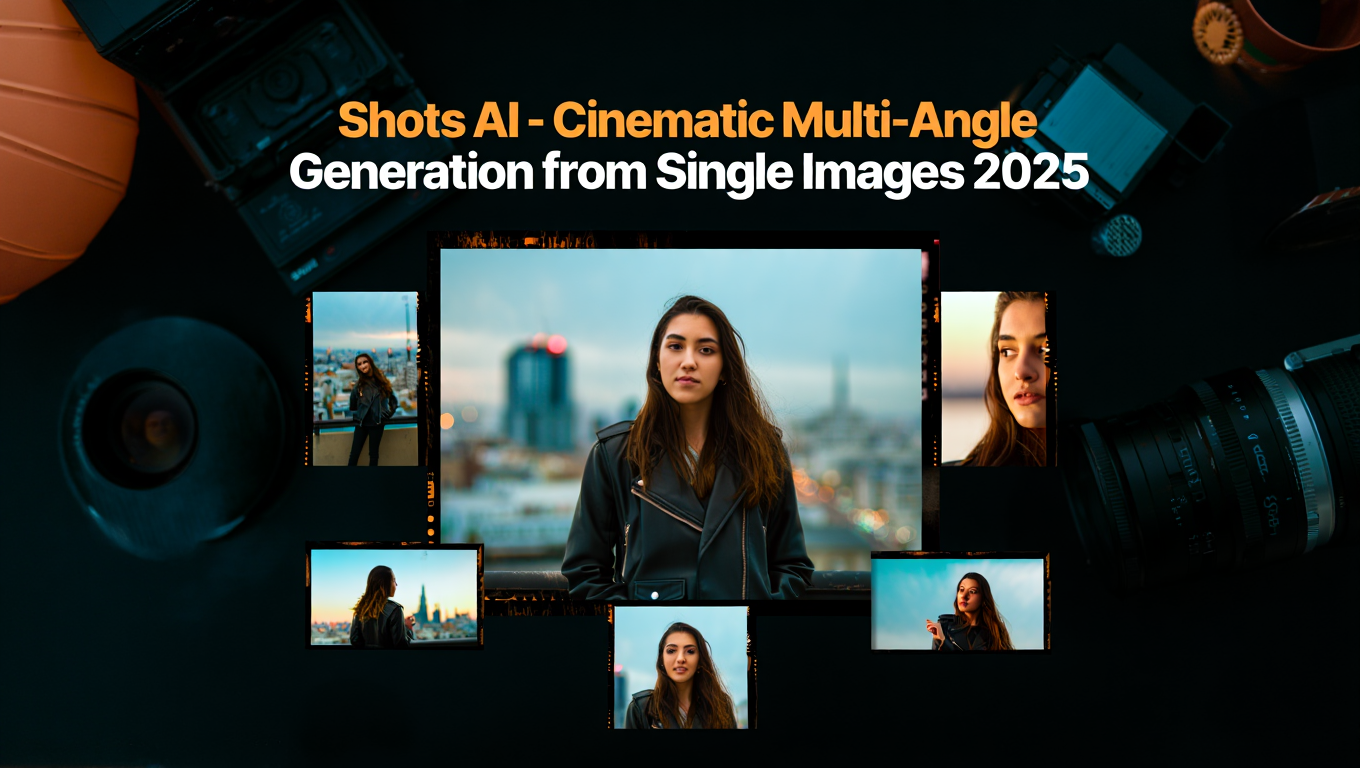
Creating multiple camera angles for a single scene traditionally requires either expensive production setups or hours of manual work. Shots AI from Higgsfield changes this completely, taking a single static image and instantly expanding it into a 9-panel cinematic grid offering every essential camera angle automatically.
Quick Answer: Shots is Higgsfield's AI Director of Photography feature that analyzes a single image and generates 9 different camera angles automatically. It understands cinematic language, logically choosing the most useful angles for each specific scene without manual configuration.
- Single image expands to 9-panel cinematic grid instantly
- AI analyzes composition and chooses optimal camera angles
- Understands cinematic language automatically
- Ideal for storyboarding, pitch decks, and pre-visualization
- No technical camera knowledge required
What Is Shots AI?
Shots acts as your personal AI Director of Photography. Upload a single image, and the system analyzes composition, subject, lighting, and scene characteristics, then generates the 9 most cinematically useful variations.
This isn't random angle generation - Shots understands the language of cinema. It recognizes what makes a scene work visually and provides angles that a professional cinematographer would choose.
- How Shots analyzes and generates camera angles
- The 9-panel grid and what each position represents
- Best practices for source image selection
- Integrating Shots into production workflows
- Comparison with manual multi-angle approaches
How Does Shots Generate Camera Angles?
Shots uses scene understanding to determine appropriate angles rather than applying generic transformations.
The Analysis Process:
When you upload an image, Shots identifies the primary subject and its position in frame. It analyzes lighting direction and quality. It evaluates background elements and depth. It determines scene type (portrait, action, landscape, etc.). Based on this analysis, it selects the 9 most useful camera positions.
Angle Selection Logic:
| Scene Type | Priority Angles | Reasoning |
|---|---|---|
| Portrait | Close-up, medium, establishing | Character focus |
| Action | Wide, tracking, POV | Motion coverage |
| Product | Detail, 3/4, straight-on | Feature showcase |
| Landscape | Wide, panoramic, detail | Scale and atmosphere |
Automatic Adaptation:
The same underlying system produces different angle sets for different scene types. A portrait generates face-focused variations while an action scene generates motion-appropriate angles - all automatically.
What Does the 9-Panel Grid Include?
The output grid provides comprehensive coverage for most cinematographic needs.
Typical Grid Contents:
| Position | Angle Type | Usage |
|---|---|---|
| Top-Left | Wide/Establishing | Context setting |
| Top-Center | Medium Wide | Scene orientation |
| Top-Right | Medium | Standard coverage |
| Middle-Left | Medium Close | Subject focus |
| Middle-Center | Original/Hero | Primary shot |
| Middle-Right | Close-Up | Detail/emotion |
| Bottom-Left | Low Angle | Drama/power |
| Bottom-Center | High Angle | Overview/vulnerability |
| Bottom-Right | Over-Shoulder/POV | Perspective variation |
Grid Customization:
While the default grid works for most purposes, understanding the positions helps you select specific angles for your needs. Not every project requires all 9 angles - choose the ones that serve your story.
What Makes a Good Source Image?
Source image quality directly impacts the quality and usefulness of generated angles.
Optimal Source Characteristics:
Clear, well-lit primary subject. Sufficient resolution (1024px+ recommended). Moderate complexity - not too simple or cluttered. Good depth information (foreground/background separation). Consistent lighting without harsh shadows.
What to Avoid:
Very tight crops that leave no room for wider angles. Extremely busy backgrounds that confuse scene analysis. Low resolution images that can't support zoom-in variations. Images with multiple competing focal points.
Scene Type Considerations:
For portraits, include some environment context for establishing shots. For products, ensure clean backgrounds that won't distract in detail shots. For action scenes, capture at moments with clear motion indication.
How Do You Integrate Shots Into Workflows?
Shots serves multiple production workflow needs.
Storyboarding:
Generate instant storyboard variations from concept images. Visualize scenes before committing to production. Communicate director vision to crew through angle options.
Pitch Decks and Presentations:
Show potential coverage for proposed scenes. Demonstrate visual sophistication without full production. Provide clients with coverage options for decision-making.
Pre-Visualization:
Plan complex shots before production day. Identify potential coverage gaps in advance. Coordinate between departments using shared visual reference.
Content Planning:
Map social media content from single hero images. Create variety from limited original assets. Maintain visual interest across platforms.
For users wanting cinematic multi-angle capabilities without specialized tools, Apatero.com provides access to similar multi-view generation features.
How Does Shots Compare to Alternatives?
Understanding the landscape helps choose the right tool.
Shots vs. Manual Photography:
| Aspect | Shots AI | Manual |
|---|---|---|
| Time | Seconds | Hours/Days |
| Cost | Minimal | Significant |
| Consistency | High | Variable |
| Physical Constraints | None | Many |
| Authenticity | Generated | Real |
Shots vs. Other AI Multi-Angle Tools:
Shots specifically focuses on cinematic understanding rather than generic angle generation. The automatic scene analysis and intelligent angle selection differentiate it from tools that simply apply geometric transformations.
When Manual Is Better:
Final production photography still benefits from real camera work. Shots excels at pre-visualization and planning, not necessarily replacing production photography for finished work.
What Related Tools Exist?
The multi-angle AI space includes several complementary tools.
PixVerse V5.5:
Supports multi-shot generation with intelligent camera control for video. Automatically applies professional camera movements and switches between shot types.
HoloCine:
Generates minute-long cinematic sequences with consistent characters and environments. Focuses on narrative structure and cross-cut consistency.
LlamaGen Multi-Shot:
Creates four distinct cinematic shots with different angles, perspectives, and framing. Generates detailed descriptions for each shot.
ShotDirector:
Research on directorially controllable multi-shot video generation with cinematographic transitions. Emphasizes shot/reverse shot, cut-in, cut-out, and multi-angle switching.
Each tool has specific strengths. Shots excels at instant single-image expansion; others focus on video or specific production needs.
Frequently Asked Questions
Does Shots maintain subject identity across angles?
Shots preserves subject characteristics across generated angles. Minor variations may occur in extreme angle changes, but identity consistency is a core capability.
Can I request specific angles instead of automatic selection?
Shots emphasizes automatic intelligent selection. For specific angle control, consider tools designed for directed camera positioning.
What resolution do generated angles have?
Output resolution depends on the platform and plan. Check Higgsfield specifications for current capabilities.
Does Shots work with any image type?
Works with most photographic and rendered images. Highly abstract or stylized images may produce less predictable results.
Can I use Shots outputs commercially?
Review Higgsfield's terms of service for current commercial usage policies.
How does Shots handle complex multi-subject scenes?
The system identifies the primary focal point. Scenes with multiple equal subjects may produce varied results as the system chooses focus.
Can Shots generate more than 9 angles?
The 9-panel grid is the standard output. For additional angles, process with different source crops or configurations.
Does Shots preserve lighting direction?
Shots maintains logical lighting consistency across generated angles. Light sources remain coherent with the original image.
Conclusion
Shots AI democratizes cinematic multi-angle generation by automating what previously required expensive equipment, skilled crew, and significant time. The automatic scene analysis and intelligent angle selection make professional coverage accessible instantly.
Key Benefits:
Instant 9-panel cinematic grids from single images. Intelligent angle selection based on scene understanding. No technical cinematography knowledge required. Immediate storyboarding and pre-visualization capability.
Best Applications:
Storyboarding and shot planning. Pitch decks and client presentations. Pre-visualization for production planning. Content multiplication from limited source assets.
Getting Started:
Upload a clear, well-composed source image. Review the generated grid for useful angles. Select and export angles that serve your project needs.
For users wanting multi-angle capabilities integrated with broader generation features, Apatero.com provides comprehensive image generation including multi-view options.
The barrier between concept and visual communication continues to fall. Shots represents another step toward making cinematic visualization accessible to everyone with a story to tell.
Make the shot you just saw
The same photoreal models, in your browser, with availability and generation times shown in the app. Check your welcome allowance and the displayed cost before generating.
Related Articles

5 Proven AI Influencer Niches That Actually Make Money in 2025
Discover the most profitable niches for AI influencers in 2025. Real data on monetization potential, audience engagement, and growth strategies for virtual content creators.

AI Background Replacement: Professional Guide 2025
Master AI background replacement for professional results. Learn rembg, BiRefNet, and ComfyUI workflows for smooth background removal and replacement.

AI Character Consistency: How to Maintain Virtual Persona Identity Across Content
Learn techniques for maintaining AI character consistency across hundreds of images. Master the art of creating recognizable virtual personas with consistent visual identity.