Amazing Z-Comics Workflow 2.1 - Complete Comic and Anime Generation Guide 2025
Master the Amazing Z-Comics Workflow 2.1 for stunning comic and anime style image generation. Complete guide to predefined styles, GGUF optimization, and creative workflows.
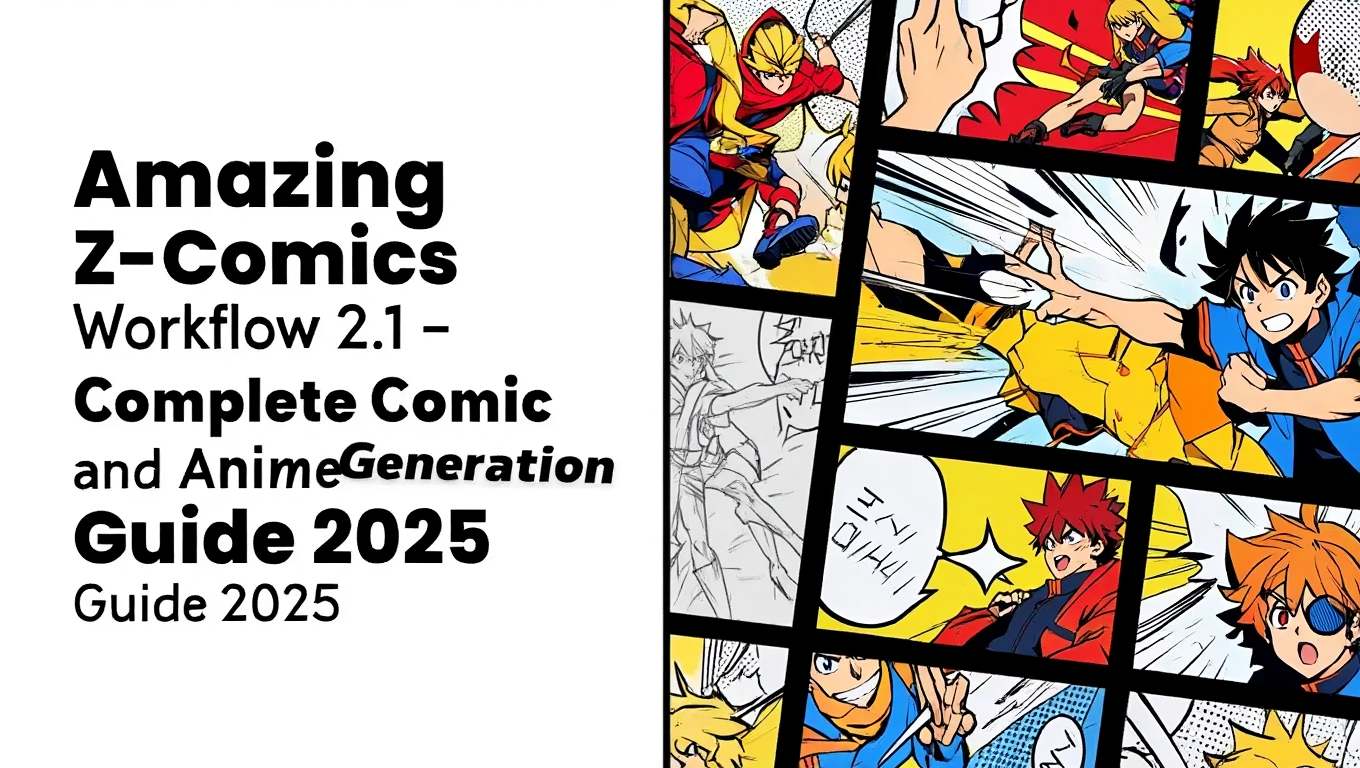
Creating consistent comic art and anime illustrations with AI has always been challenging. Style drift between panels, inconsistent characters, and generic outputs plague most workflows. Amazing Z-Comics Workflow 2.1 solves these problems with predefined styles specifically optimized for sequential art and illustration.
Quick Answer: Amazing Z-Comics Workflow 2.1 is a specialized ComfyUI workflow built on Z-Image that includes predefined comic, anime, and illustration styles with automatic CivitAI prompt detection and GGUF support for GPUs with 12GB or less VRAM. It organizes outputs by date in a dedicated ZImage folder for simplified production.
- Predefined styles optimized for comics, anime, and illustrations
- GGUF version runs on 12GB VRAM GPUs
- SafeTensors version for higher-end systems
- Automatic CivitAI prompt detection built-in
- Organized output system with date-based file structure
What Is Amazing Z-Comics Workflow 2.1?
Amazing Z-Comics Workflow represents a curated extension of Z-Image capabilities specifically targeting sequential art and illustration styles. Created by martin-rizzo and available on GitHub, this workflow packages optimized configurations for comic and anime generation.
The workflow family includes two main variants. Amazing-Z-Image serves as the original general-purpose workflow with diverse image styles, while Amazing-Z-Comics focuses specifically on comics, anime, and illustration aesthetics.
Each workflow comes in two versions based on your hardware. The GGUF version is recommended for GPUs with 12GB or less VRAM, while the SafeTensors version is based directly on ComfyUI examples for systems with more memory.
- Installing and configuring Amazing Z-Comics 2.1
- Understanding predefined style options
- Optimizing for your specific hardware
- Creating consistent comic panels and characters
- Using automatic prompt detection features
How Do You Install Amazing Z-Comics Workflow 2.1?
Installation involves downloading the workflow files and ensuring your Z-Image base installation is complete. The process takes approximately 15 minutes for first-time setup.
Step 1 - Clone or Download the Repository
Access the workflow from GitHub at github.com/martin-rizzo/AmazingZImageWorkflow. Download the complete repository to access both GGUF and SafeTensors variants.
Step 2 - Choose Your Workflow Version
Select based on your VRAM. Files are named accordingly with amazing-z-comics_GGUF.json for optimized memory usage and amazing-z-comics_SAFETENSORS.json for full-quality operation.
Step 3 - Ensure Z-Image Base Models
Verify your Z-Image installation includes all required components. The workflow builds on standard Z-Image Turbo files and won't function without the base model, text encoder, and VAE properly installed.
Step 4 - Load the Workflow
Import the JSON workflow file into ComfyUI through the standard workflow loading interface. The workflow should populate with all necessary nodes configured for immediate use.
Step 5 - Verify Output Directory
The workflow saves generated images to a "ZImage" folder organized by date. Ensure this directory exists or will be created with appropriate permissions.
What Styles Are Available in Z-Comics 2.1?
The predefined styles in Z-Comics target specific visual aesthetics common in sequential art and illustration. Each style optimizes prompt interpretation and generation parameters for consistent results.
Available Style Categories:
| Style Type | Description | Best For |
|---|---|---|
| Classic Comic | Bold lines, dynamic shading | Superhero, action comics |
| Manga | Clean lines, expressive features | Japanese-style sequential art |
| Anime | Vibrant colors, stylized proportions | Character illustrations |
| European BD | Detailed backgrounds, realistic proportions | Graphic novels |
| Cartoon | Simplified shapes, bright colors | Humorous content |
| Illustration | Detailed rendering, painterly effects | Cover art, posters |
Switching Between Styles:
The workflow includes a style selector node that applies appropriate prompting prefixes and parameter adjustments. Select your target style before generation to ensure consistent aesthetic treatment.
Style Consistency Across Panels:
For comic creation requiring multiple panels, maintain the same style setting throughout your project. The predefined configurations ensure visual coherence that manual prompting struggles to achieve.
How Does the GGUF Version Optimize for Lower VRAM?
GGUF quantization allows Z-Image to run efficiently on hardware that couldn't otherwise handle the full model. Understanding these optimizations helps you maximize quality within hardware constraints.
GGUF Memory Savings:
| Model Version | VRAM Required | Quality Impact |
|---|---|---|
| Full SafeTensors | 16-20GB | Maximum quality |
| GGUF Q8 | 10-12GB | Minimal loss |
| GGUF Q4 | 6-8GB | Noticeable but usable |
When to Use GGUF:
Choose the GGUF workflow if your GPU has 12GB or less VRAM, you want to run other models simultaneously, you're generating at lower resolutions, or speed matters more than maximum quality.
When to Use SafeTensors:
The SafeTensors version makes sense when you have 16GB+ VRAM available, maximum quality is essential, you're creating final production artwork, or you're upscaling to high resolutions.
The quality difference between versions is subtle for most comic and anime styles, where bold lines and stylized rendering mask minor detail losses from quantization.
What Can You Create With Z-Comics Workflow?
The workflow enables diverse creative applications beyond simple image generation. Understanding its capabilities helps you use its full potential.
Comic Panel Generation:
Create individual panels with consistent style settings. Generate backgrounds separately from characters for layered composition. The predefined styles maintain visual coherence across multiple generations.
Character Design Sheets:
Generate multiple views of characters using consistent prompts with varied angle descriptions. The style consistency helps maintain character identity across different poses and expressions.
Cover Art and Illustrations:
The illustration styles produce standalone artwork suitable for covers, posters, and promotional materials. Higher resolution generation combined with upscaling creates print-ready outputs.
Storyboard Development:
Quickly visualize scenes before committing to detailed artwork. The workflow's speed enables rapid iteration on composition and staging decisions.
Style Exploration:
Test how different visual approaches affect your story's mood. The predefined styles provide quick access to varied aesthetics without extensive prompt engineering.
For creators wanting comic generation without workflow management, Apatero.com offers improved access to similar capabilities through intuitive interfaces.
How Do You Maintain Character Consistency?
Consistent characters across multiple images remains challenging in AI art. Z-Comics Workflow 2.1 provides several approaches to improve consistency.
Detailed Character Prompts:
Create comprehensive character descriptions including physical features, clothing, and distinctive elements. Use these descriptions consistently across all generations featuring that character.
Reference Image Techniques:
Combine the workflow with image-to-image approaches where possible. Using a generated character as reference for subsequent generations improves consistency significantly.
LoRA Integration:
For important recurring characters, train dedicated LoRAs. The workflow supports LoRA loading, allowing custom character models to integrate with predefined styles.
Seed Management:
Record seeds for successful generations. Similar seeds with modified prompts often produce consistent character interpretations while allowing pose and expression variation.
For advanced character consistency techniques, our VNCCS visual novel character creation guide covers specialized approaches for sequential art.
What Are the CivitAI Prompt Detection Features?
The workflow incorporates automatic CivitAI prompt detection, simplifying the process of replicating styles from community-shared images.
How It Works:
When you encounter images on CivitAI with embedded prompt data, the detection feature can extract and apply those prompts within your workflow. This enables learning from successful generations and adapting community techniques.
Using Detected Prompts:
Copy prompts from CivitAI images and paste them into the workflow's prompt field. The workflow processes these prompts through its style system, adapting them to your selected aesthetic.
Limitations:
Prompt detection works best with images that include complete generation metadata. Some images may have partial or missing prompt data, limiting what can be extracted.
Frequently Asked Questions
What's the difference between Z-Comics and standard Z-Image?
Z-Comics includes predefined style configurations optimized for sequential art and illustration, while standard Z-Image focuses on general photorealistic generation. Z-Comics adds comic-specific prompting, parameter optimization, and organized output handling.
Can I create my own style presets for Z-Comics?
Yes, the workflow is editable in ComfyUI. Study the existing style configurations and create custom presets by modifying prompt prefixes, CFG scales, and other parameters to match your desired aesthetic.
Does Z-Comics work with ControlNet for pose control?
The workflow can integrate with ControlNet nodes. Add pose or depth ControlNet to maintain consistent character positioning across comic panels while applying predefined styles.
How do I handle speech bubbles and text?
Generate images without text, then add speech bubbles and dialogue in post-processing software. Z-Image's text rendering works but comic lettering benefits from dedicated tools.
Can Z-Comics create full comic pages with multiple panels?
Generate panels individually then composite in design software. The workflow ensures style consistency across separate generations, making manual composition straightforward.
What resolution should I use for comic work?
Generate at 1024x1024 minimum, then upscale for print requirements. Comic panels often benefit from higher initial resolution to capture line detail that defines the medium.
Does the GGUF version support all styles equally?
All predefined styles work with both versions. Quality differences appear primarily in fine detail rather than style interpretation, making GGUF suitable for most comic applications.
How do I update to new workflow versions?
Download updated workflow files from the GitHub repository. Your Z-Image base models remain unchanged between workflow updates, simplifying the upgrade process.
Conclusion
Amazing Z-Comics Workflow 2.1 bridges the gap between Z-Image's powerful generation capabilities and the specific needs of comic and anime creators. Predefined styles eliminate guesswork, GGUF support democratizes access, and organized outputs simplify production workflows.
Key Advantages:
The combination of quality, accessibility, and specialization makes Z-Comics ideal for sequential art projects. Style consistency across multiple generations addresses the core challenge of AI-assisted comic creation.
Getting Started:
Download the workflow from GitHub, select your hardware-appropriate version, and experiment with predefined styles. The organized output system and automatic features reduce friction, letting you focus on creative decisions.
For creators preferring managed solutions, Apatero.com provides access to similar comic and illustration capabilities without workflow configuration requirements.
The future of AI-assisted comic creation depends on tools that understand the medium's specific needs. Z-Comics Workflow 2.1 represents meaningful progress toward making AI a practical tool for sequential artists.
Some models you cannot download at any VRAM
Veo, Kling and Nano Banana have closed weights. There is no local build, no quantization, no 24GB workaround. Run them in the browser instead. Check current model access and generation costs in the app.
Related Articles

25 ComfyUI Workflow Tips: Settings and Review
Explore ComfyUI workflow organization, settings and output review, with a blank worksheet for comparing performance on your own setup.
7 ComfyUI Custom Nodes That Should Be Built-In (And How to Get Them)
Essential ComfyUI custom nodes every user needs in 2025. Complete installation guide for WAS Node Suite, Impact Pack, IPAdapter Plus, and more...
ADetailer Single Character Focus - How to Target Specific Faces in Multi-Character Images 2025
Master ADetailer and FaceDetailer to focus on single characters in multi-person images. Complete guide to targeting specific faces with different prompts in ComfyUI.