VNCCS: Visual Novel Character Creation Suite Guide
Create consistent visual novel characters with VNCCS in ComfyUI. Complete workflow for character sheets, expressions, and pose variations.
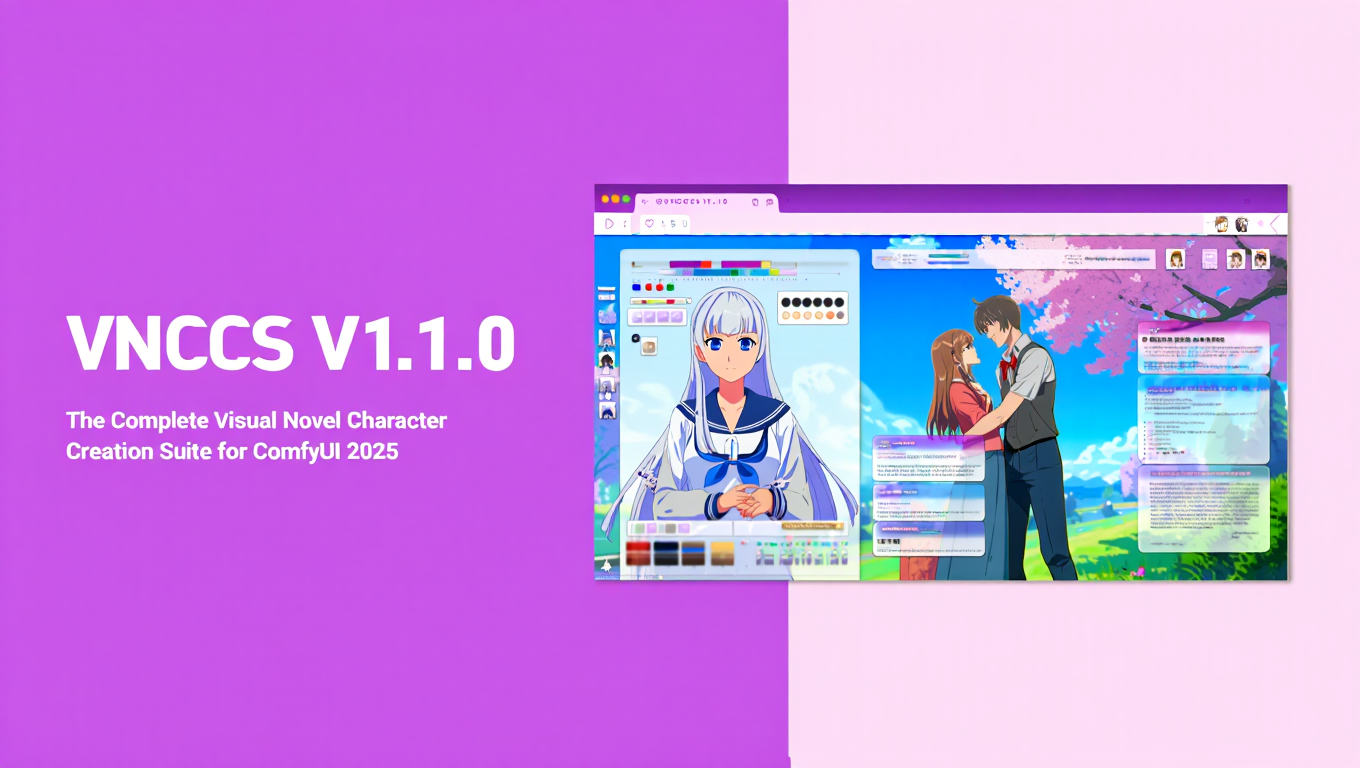
Quick Answer: VNCCS ComfyUI (Visual Novel Character Creation Suite) is a specialized ComfyUI toolset that creates consistent visual novel characters across multiple expressions and poses. It uses a 4-stage workflow: character sheet generation, costume creation, emotion generation, and final sprite production. The VNCCS ComfyUI workflow works with Illustrious-based models and requires 8GB+ VRAM.
- What it is: 4-stage workflow for consistent VN character creation
- Requirements: ComfyUI, 8GB+ VRAM, Illustrious-based models
- Key benefit: Same character across 50+ sprites without identity drift
- Best for: Visual novel developers needing character consistency
- Time savings: 10-15 hours vs 40-60+ hours for 50 sprites
Visual novel developers face a brutal consistency challenge. Generate a character portrait and it looks amazing. Try to generate the same character with a different expression and you get a completely different person. Maintaining character consistency across dozens of sprites was nearly impossible with standard AI generation - until VNCCS ComfyUI.
Visual Novel Character Creation Suite (VNCCS ComfyUI) brings professional character consistency to ComfyUI specifically designed for visual novel development. Create one character design and generate unlimited expressions, poses, and variations that actually look like the same person. If you're new to ComfyUI, start with our ComfyUI basics guide to understand the fundamentals.
This guide walks you through the complete VNCCS workflow from initial character creation through final sprite generation for your visual novel project.
:::tip[Key Takeaways]
- Follow the step-by-step process for best results with vnccs: visual novel character creation suite
- Start with the basics before attempting advanced techniques
- Common mistakes are easy to avoid with proper setup
- Practice improves results significantly over time :::
What Is VNCCS ComfyUI and How Does It Solve Character Consistency?
VNCCS ComfyUI addresses the fundamental challenge of AI-generated visual novel content - creating unique characters with consistent appearance across all images. The VNCCS ComfyUI workflow provides a structured approach that standard generation methods simply cannot match.
The Visual Novel Consistency Challenge:
| VN Requirement | Standard AI Generation | Problem |
|---|---|---|
| Same character, different expressions | Each generation slightly different | Character identity drifts |
| Multiple outfit variations | Inconsistent facial features | Looks like different people |
| Consistent across 50+ sprites | Impossible to maintain | Unacceptable for VN use |
| Professional character sheets | No structured approach | Workflow chaos |
What VNCCS Provides: A comprehensive toolset for creating character sprites for visual novels that allows you to create unique characters with consistent appearance across all images. This was previously a challenging task when using standard neural networks.
The 4-Stage VNCCS Workflow:
| Stage | Purpose | Output |
|---|---|---|
| 1. Character Sheet Generation | Define base character | Reference character design |
| 2. Costume Creation | Design outfit variations | Consistent costume library |
| 3. Emotions Generator | Create expression set | Multiple emotional states |
| 4. Sprites Generator | Produce final sprites | Production-ready VN assets |
Why This Matters: Visual novels require 10-50+ sprites per character. Manually managing consistency across this many images is nearly impossible with standard workflows. VNCCS automates consistency while maintaining creative control.
Technical Approach: VNCCS uses specialized workflows that capture character features early and propagate them through all subsequent generations. This creates a "character identity anchor" that prevents drift across variations.
How Do I Install VNCCS ComfyUI?
Getting VNCCS ComfyUI running requires specific setup, but the process is straightforward with ComfyUI Manager. Proper installation ensures the VNCCS ComfyUI workflow functions correctly from the start.
System Requirements:
| Component | Minimum | Recommended | Notes |
|---|---|---|---|
| VRAM | 8GB | 12GB+ | Higher for batch processing |
| ComfyUI Version | Recent | Latest | Compatibility |
| Base Model | Illustrious-based | Illustrious XL | Best results |
| Storage | 10GB+ | 20GB+ | Models and outputs |
If you're working with lower VRAM, check our VRAM optimization guide for optimization strategies that work with VNCCS ComfyUI.
Installation Steps:
- Open ComfyUI Manager
- Search for "VNCCS" or "Visual Novel Character Creation"
- Install "ComfyUI_VNCCS" package
- Restart ComfyUI
- Verify VNCCS ComfyUI nodes appear in node menu
Alternative Manual Installation: Navigate to ComfyUI/custom_nodes/, clone the VNCCS repository from GitHub, install any Python requirements, and restart ComfyUI. For more on managing custom nodes, see our ultimate ComfyUI custom nodes guide.
Required Models: VNCCS works with any Illustrious-based model, should work on any SDXL model (not extensively tested), and won't work properly with SD 1.5 models (different architecture).
Download recommended Illustrious models from HuggingFace or CivitAI.
Verifying VNCCS ComfyUI Installation:
| Check | Expected Result | Action if Missing |
|---|---|---|
| VNCCS ComfyUI nodes in menu | VN_Step1, VN_Step2, etc. | Reinstall package |
| Example workflows | Included in package | Download from GitHub |
| Model compatibility | Illustrious loads correctly | Verify model placement |
If you encounter red boxes or node errors, our ComfyUI troubleshooting guide covers common installation issues and fixes.
Community Resources: VNCCS has an official Discord server with 100+ members for support, workflow sharing, troubleshooting help, and character showcase.
Stage 1 - Character Sheet Generation
The foundation of VNCCS workflow is creating a comprehensive character sheet that defines your character's base appearance.
Character Sheet Purpose: Establish baseline character features including face structure, eye color and style, hair color and style, body type and proportions, and distinctive characteristics.
This sheet becomes the reference for all subsequent generations.
VN_Step1_CharSheetGenerator Workflow:
Key Parameters:
| Parameter | Purpose | Typical Value |
|---|---|---|
| Character prompt | Define base appearance | Detailed description |
| Expression variety | Number of base expressions | 4-8 expressions |
| Angle variations | Different viewing angles | Front, 3/4, side |
| Resolution | Output size | 512x512 or 1024x1024 |
Crafting Effective Character Prompts: Be specific about distinctive features (unusual eye color, specific hairstyle, unique accessories), include personality indicators that influence appearance, specify art style preferences (anime, semi-realistic, etc.), and mention any character archetype (cheerful, mysterious, shy, confident). For advanced prompting techniques, explore ComfyUI wildcards for generating variations.
Example Strong Prompts:
- "Young woman, long silver hair with blue highlights, bright amber eyes, confident expression, school uniform, anime style"
- "Male character, short messy black hair, tired purple eyes, casual hoodie, introverted demeanor, detailed shading"
Character Sheet Review: Generate the initial character sheet and review all variations carefully. Look for consistency across different angles and expressions, verify distinctive features appear in all images, and check that the character matches your creative vision.
Iteration Strategy: If the initial sheet isn't perfect, adjust prompts and regenerate, save successful sheets as references, and document what prompting works for your specific character type.
Multiple Characters: For visual novels with multiple characters, generate separate character sheets for each character using distinct prompts and save each character's reference sheet independently.
Stage 2 - Costume and Outfit Creation
Once you have a solid character base, create costume variations while maintaining character consistency.
Costume Creation Workflow: VNCCS Stage 2 workflows allow you to dress your character in different outfits without losing facial and body feature consistency.
Outfit Variation Types:
| Outfit Category | Examples | Use Case |
|---|---|---|
| Casual wear | T-shirt, jeans, hoodies | Daily scenes |
| Formal wear | Suits, dresses, uniforms | Special events |
| Season-specific | Summer clothes, winter coats | Time progression |
| Themed costumes | Fantasy armor, historical dress | Genre-specific |
| Sleepwear | Pajamas, nightgowns | Bedroom scenes |
Maintaining Character Consistency: Feed the character sheet from Stage 1 as reference, specify outfit changes in prompts while keeping character features constant, and use consistent style and quality tags across all generations. Learn more about seed management for reproducible results.
Costume Prompt Structure: Character base description (from Sheet), plus outfit specification, plus scene/context, plus art style consistency.
Example: "Silver-haired girl with amber eyes (character base), wearing red and black school uniform (outfit), standing in classroom (context), anime style high quality (consistency)"
Common Costume Pitfalls:
| Problem | Cause | Solution |
|---|---|---|
| Face changes with outfit | Weak character reference | Strengthen base character description |
| Outfit inconsistency | Vague outfit descriptions | Be specific about clothing details |
| Style drift | Inconsistent style tags | Use identical quality/style tags |
Building Costume Library: Create and save 5-10 core outfits for each character, document which outfits work best for which scenes, and maintain consistent naming for easy organization.
Stage 3 - Emotions and Expressions Generator
Visual novels require characters expressing multiple emotions. Stage 3 focuses on generating consistent emotional expressions.
VN_Step3_EmotionsGenerator: This workflow creates multiple emotional states while preserving character identity. Feed your character base with specific costume, specify desired emotion, and generate expression variations.
Essential VN Emotions:
| Emotion | VN Usage Frequency | Implementation Notes |
|---|---|---|
| Neutral | Very High | Default expression |
| Happy/Smiling | High | Positive scenes |
| Sad/Crying | Medium | Dramatic moments |
| Angry | Medium | Conflict scenes |
| Surprised | Medium-High | Plot reveals |
| Embarrassed/Blushing | High (romance VNs) | Romantic content |
| Worried/Anxious | Medium | Tension scenes |
| Disgusted | Low-Medium | Specific situations |
Expression Intensity Levels: For key emotions, generate multiple intensity variations. Light smile vs beaming smile, slight worry vs intense anxiety, and mild annoyance vs furious anger.
This provides subtle emotional control in your visual novel.
Consistency Techniques: Use identical lighting and angle for expression set, maintain character features constant across emotions, and verify eyes, hair, and distinctive marks remain consistent.
Expression Testing: Place all generated expressions side by side, check for character consistency across set, and verify each emotion reads clearly.
Advanced Expression Variations:
| Variation Type | Purpose | Example |
|---|---|---|
| Combination emotions | Complex feelings | Happy but embarrassed |
| Subtle expressions | subtle reactions | Slight skepticism |
| Exaggerated emotions | Comedy moments | Over-the-top surprise |
Stage 4 - Final Sprite Generation
The final stage produces production-ready sprites for your visual novel engine.
VN_Step4_SpritesGenerator: This workflow creates finished sprites with consistent quality, proper resolution for VN engines, and optimized file sizes.
Sprite Specifications:
| Setting | Value | Reason |
|---|---|---|
| Resolution | 1024x1024+ | HD visual novels |
| Format | PNG with transparency | VN engine compatibility |
| Aspect ratio | Portrait (2:3 or similar) | Character focus |
| Background | Transparent or solid | Easy compositing |
Batch Sprite Generation: For efficient production, batch process expression sets, maintain consistent parameters across batch, and organize output by character and emotion.
Quality Control Checklist: Verify consistency across all character sprites, check that expressions are clear and readable, ensure technical specs match VN engine requirements, and test sprites in actual VN engine before finalizing.
Post-Processing: Some VN developers apply consistent post-processing including subtle sharpening for clarity, color correction for consistency, and edge cleanup for professional appearance. The ComfyUI Impact Pack offers powerful face enhancement tools for final polish.
Sprite Organization System: Organize sprites in a hierarchical folder structure with a main sprites folder, subfolders for each character, then subfolders for each outfit (casual_outfit, school_uniform, etc.), and individual PNG files for each emotion (neutral.png, happy.png, sad.png, angry.png, etc.) within outfit folders.
Structured organization prevents production chaos with many sprites.
How Can I Optimize VNCCS Workflows for Production?
Real visual novel development requires efficient workflows processing dozens or hundreds of sprites.
Workflow Optimization Strategies:
| Strategy | Time Savings | Implementation |
|---|---|---|
| Batch processing | 50-70% | Process expression sets together |
| Template workflows | 30-50% | Save configured workflows |
| Parameter presets | 20-30% | Document successful settings |
| Automated organization | 40-60% | Script-based file management |
Multi-Character Projects: For VNs with 5+ characters, stagger character development (complete one before starting next), maintain separate workflows per character, and document successful settings for each character type.
Iteration Management: Visual novel development involves iteration. Keep version control for character designs, save milestone sprite sets, and maintain changelog of character evolution.
Performance Considerations:
| Hardware | Realistic Throughput | Notes |
|---|---|---|
| 8GB VRAM | 10-15 sprites/hour | Acceptable for small projects |
| 12GB VRAM | 20-30 sprites/hour | Good for medium projects |
| 16GB+ VRAM | 30-50 sprites/hour | Professional production pace |
Cloud Processing Alternative: For large sprite generation needs, cloud platforms provide faster processing without local hardware constraints. Learn how to deploy ComfyUI workflows to production APIs for scalable generation.
VNCCS vs Alternative Approaches
How does VNCCS compare to other character consistency methods?
Character Consistency Methods Comparison:
| Approach | Consistency | Flexibility | Setup Time | Best For |
|---|---|---|---|---|
| VNCCS | Excellent | High | Moderate | Visual novels specifically |
| Character LoRA | Excellent | Very high | High (training) | Any use case |
| IPAdapter | Good | High | Low | Quick projects |
| Prompt engineering only | Poor | Maximum | Minimal | Not recommended for VNs |
When to Use LoRA Instead: If you need maximum consistency across hundreds of images, want to use character in non-VN contexts, or have time to train custom character LoRAs.
See our complete LoRA training guide for detailed character LoRA creation strategies.
When VNCCS Excels: Specifically targeting visual novel sprite creation, need structured workflow for multiple expression sets, want balance of consistency and iteration speed, or working with multiple characters in parallel.
Hybrid Approaches: Some developers use VNCCS for initial character development, then train LoRAs on VNCCS-generated sprites for maximum consistency in final production.
Conclusion - Professional Visual Novel Character Creation with VNCCS ComfyUI
VNCCS ComfyUI transforms visual novel character creation from frustrating inconsistency into simplified, professional production. For beginners starting their AI generation journey, our complete beginner's guide to AI image generation provides essential context.
Key Advantages: The VNCCS ComfyUI structured 4-stage workflow eliminates guesswork, character consistency that actually works for production, designed specifically for visual novel requirements, and significantly faster than manual consistency management.
Getting Started: Install VNCCS via ComfyUI Manager, start with single character to learn workflow, master Stage 1 character sheets before advancing, and gradually build complete character sprite sets.
Production Reality: Creating 5 characters with 10 expressions each (50 sprites total) takes 10-15 hours with VNCCS versus 40-60+ hours with standard approaches.
Community Support: Join the VNCCS Discord for workflow help, share character designs for feedback, and learn from other VN developers using the suite.
Beyond VNCCS: For complete visual novel development including backgrounds and effects, VNCCS integrates with other ComfyUI workflows for comprehensive asset creation. Check out our ComfyUI for game assets guide for additional VN production techniques.
For VN developers wanting improved character creation without ComfyUI technical complexity, Apatero.com provides character generation capabilities with professional consistency built-in.
Final Thoughts: VNCCS is purpose-built for visual novel developers who struggled with character consistency. If you're creating a VN, this suite solves one of your biggest production challenges.
Create characters once, generate unlimited variations, and maintain professional consistency throughout your entire visual novel project.
Advanced VNCCS Techniques for Professional Development
Once you've mastered basic VNCCS workflows, these advanced techniques improve your visual novel production to professional standards.
Character Relationship Consistency
Visual novels often feature characters interacting together. Maintaining consistency between multiple characters creates cohesive scenes.
Shared Style Parameters:
- Use identical quality and style tags across all characters
- Maintain consistent lighting descriptions
- Apply same resolution and aspect ratio settings
- Keep art style modifiers identical
Relationship Visualization: When generating scenes with multiple characters, generate each separately then composite. This maintains individual consistency while allowing creative scene composition.
Integrating with ControlNet for Poses
VNCCS handles expression consistency, but combining with ControlNet techniques provides precise pose control.
ControlNet Integration Workflow:
- Generate character sheet with VNCCS Stage 1
- Use OpenPose ControlNet for specific body poses
- Apply VNCCS character conditioning to maintain identity
- Generate posed variations with consistent appearance
This hybrid approach gives you both VNCCS's character consistency and ControlNet's pose precision.
Scene Background Integration
Characters need backgrounds. Coordinate character generation with background creation for cohesive visual novels.
Background Consistency Tips:
- Generate backgrounds separately with consistent style tags
- Match lighting direction between characters and backgrounds
- Use consistent perspective across all assets
- Consider character placement when designing backgrounds
Lighting Coordination: If your character has "soft lighting from left," backgrounds should have consistent light sources. Mismatched lighting creates jarring compositions that break immersion.
Creating Character Variants
Beyond expressions, visual novels often need character variants - aged versions, alternate timeline appearances, or transformed states.
Variant Generation Strategy:
- Start with base character sheet
- Modify distinctive features systematically
- Maintain core identity markers (eye shape, face structure)
- Document variant relationships for consistency
Examples:
- Younger/older versions: Adjust age indicators while keeping core features
- Injured variants: Add specific damage while maintaining recognition
- Powered-up forms: Enhance elements without losing base identity
Seasonal and Time-Based Variations
Many visual novels span seasons or time periods requiring appropriate costume changes.
Seasonal Costume Planning:
- Design core wardrobe pieces that appear across seasons
- Maintain consistent color preferences for each character
- Use recognizable accessories as identity anchors
- Plan outfit changes that reflect character development
Time Skip Consistency: When characters age or change over time skips, gradual modifications maintain recognition while showing progression.
Integration with Other VN Development Tools
VNCCS exists within a larger visual novel development ecosystem. Understanding integration points maximizes productivity.
Ren'Py Integration
Ren'Py is the most popular visual novel engine. Optimize VNCCS output for Ren'Py workflows:
Image Specifications:
- Export as PNG with transparency
- Use consistent naming conventions
- Organize by character then expression
- Match Ren'Py's expected directory structure
Layered Sprites: Some Ren'Py projects use layered sprites (separate images for body, outfit, expression). VNCCS can generate these components separately for maximum flexibility.
Unity/Godot Integration
For VNs using game engines:
Technical Requirements:
- Higher resolution assets (2K+) for scaling
- Alpha channel transparency
- Sprite sheet formats for animation
- Consistent anchor points for positioning
Performance Considerations:
- Balance quality with file size
- Use appropriate compression
- Consider loading times for large sprite sets
Audio Integration
Character sprites often need to match voice acting timing and emotion:
Audio-Visual Coordination:
- Generate expressions matching recorded dialogue
- Time sprite changes to voice emotion shifts
- Create transition expressions for natural flow
Batch Production Strategies
Large visual novel projects require efficient batch production strategies.
Pipeline Automation
Automate repetitive VNCCS tasks:
Automation Opportunities:
- Standardized parameter loading
- Consistent file naming and organization
- Quality check workflows
- Backup and versioning
Tool Integration: Python scripts can orchestrate VNCCS workflows, processing multiple characters or expressions automatically.
Quality Control Processes
Maintain quality across large sprite sets:
QC Checklist:
- Verify character consistency across all sprites
- Check expression readability at intended display size
- Confirm technical specs match engine requirements
- Test sprites in actual VN engine before finalizing
Review Stages:
- Initial generation review
- Post-processing review
- Engine integration review
- Final approval
Collaborative Workflows
Multiple people contributing to visual novel asset creation:
Workflow Distribution:
- Clear ownership of character designs
- Standardized parameter documentation
- Centralized asset repository
- Version control for iterations
Documentation Requirements:
- Character design documents
- VNCCS parameter settings per character
- Style guide adherence notes
- Change logs for revisions
Optimizing for Different VN Styles
Visual novels span genres and art styles. VNCCS can serve all of them with appropriate configuration.
Anime Style Optimization
Most visual novels use anime-influenced art:
Anime Style Tips:
- Use anime-focused base models
- Include anime-specific style tags
- Balance detail levels appropriately
- Consider cel-shading consistency
Semi-Realistic Style
Some VNs use more realistic character designs:
Realistic Style Approach:
- Use photorealistic base models
- Increase detail in features
- Pay attention to lighting accuracy
- Consider uncanny valley avoidance
Unique Art Styles
For distinctive visual identities:
Style Development:
- Create custom LoRAs for unique styles
- Document style-specific parameters
- Test consistency before committing
- Consider production feasibility
For performance optimization strategies that apply to large VNCCS production runs, speed improvements compound significantly over hundreds of sprites.
Production Management for Visual Novel Projects
Managing VNCCS within larger visual novel production requires project management discipline.
Asset Tracking
Track all generated assets systematically:
Tracking Information:
- Character name and variant
- Expression/emotion type
- Generation parameters
- File location and naming
- Approval status
- Revision history
Tools:
- Spreadsheets for simple projects
- Asset management software for complex projects
- Version control systems for team projects
Timeline Planning
Plan sprite generation within overall VN development:
Production Phases:
- Character design and approval
- Stage 1 character sheets
- Costume design and generation
- Expression set creation
- Final sprite production
- QC and revision
- Engine integration
Time Estimates: Factor VNCCS generation time into project timelines. A 50-sprite character set requires 10-15 hours of active work plus generation time.
Budget Considerations
For commercial VN projects:
Cost Factors:
- Hardware investment or cloud computing costs
- Time investment for learning and production
- Revision cycles and iteration
- Quality assurance resources
ROI Comparison: VNCCS versus commissioned artwork or purchased assets. For projects needing many consistent sprites, VNCCS typically provides significant cost savings.
Frequently Asked Questions
How many sprites can I realistically generate with VNCCS ComfyUI?
VNCCS ComfyUI handles 50+ sprites per character easily. For a typical visual novel with 5 characters and 10 expressions each (50 total sprites), expect 10-15 hours of work. The limiting factor is your VRAM and patience, not the VNCCS ComfyUI system itself.
Can VNCCS work with SD 1.5 models?
No, VNCCS requires Illustrious-based or SDXL models due to architectural differences. SD 1.5 lacks the necessary structure for VNCCS workflows. If you only have SD 1.5 models, consider alternative character consistency methods like LoRA training.
What's the minimum VRAM requirement for VNCCS?
8GB VRAM is the absolute minimum for basic operation. 12GB VRAM is recommended for comfortable production work. 16GB+ VRAM allows batch processing and larger resolution outputs without optimization concerns.
How does VNCCS compare to training a character LoRA?
VNCCS provides faster iteration (no training time) and good consistency for visual novel sprites. Character LoRAs offer maximum consistency across hundreds of images and work in any context, but require 2-4 hours of training. For VN-specific work, VNCCS is faster; for multi-purpose characters, LoRA training is better.
Can I use VNCCS-generated sprites commercially?
Yes, if your base model license allows commercial use. Illustrious models generally permit commercial use, but verify your specific model's license. VNCCS itself doesn't restrict commercial usage.
What resolution should I generate sprites at?
Generate at 1024x1024+ for HD visual novels. Most VN engines display sprites at 720p-1080p, so 1024x1024 provides good quality with reasonable generation time. You can always upscale later if needed.
How do I handle multiple characters in one scene?
Generate each character separately using VNCCS, then composite them in your VN engine or image editor. Attempting to generate multiple characters simultaneously reduces consistency. VNCCS excels at single-character consistency.
Can I create custom expressions beyond the standard set?
Absolutely. In Stage 3 (emotions generator), specify any expression in your prompts: skeptical, smug, drowsy, determined, etc. VNCCS isn't limited to happy/sad/angry basics. The more specific your prompt, the more subtle the expression.
What if my character's features drift between stages?
Feature drift usually indicates weak base character description or inconsistent style tags. Strengthen your Stage 1 character sheet prompt with distinctive features. Use identical quality/style tags across all stages. If drift persists, save successful generations as reference images for future stages.
How long does it take to create a complete character sprite set?
For one character with 10 expressions and 2-3 outfits (20-30 sprites total), expect 4-6 hours from start to finish. This includes initial character sheet generation, testing iterations, costume variations, emotion generation, and final sprite output. Batch processing can reduce per-sprite time significantly.
Some models you cannot download at any VRAM
Veo, Kling and Nano Banana have closed weights. There is no local build, no quantization, no 24GB workaround. Run them in the browser instead. Check current model access and generation costs in the app.
Related Articles

25 ComfyUI Workflow Tips: Settings and Review
Explore ComfyUI workflow organization, settings and output review, with a blank worksheet for comparing performance on your own setup.
7 ComfyUI Custom Nodes That Should Be Built-In (And How to Get Them)
Essential ComfyUI custom nodes every user needs in 2025. Complete installation guide for WAS Node Suite, Impact Pack, IPAdapter Plus, and more...
ADetailer Single Character Focus - How to Target Specific Faces in Multi-Character Images 2025
Master ADetailer and FaceDetailer to focus on single characters in multi-person images. Complete guide to targeting specific faces with different prompts in ComfyUI.