ComfyHub Guide: Share, Discover, and Run AI Workflows Without Node Graphs
Complete guide to ComfyHub, the new workflow sharing platform for ComfyUI. Learn how to discover, share, and run AI workflows using App Mode without touching node graphs.

Some models you cannot download at any VRAM
Veo, Kling and Nano Banana have closed weights. There is no local build, no quantization, no 24GB workaround. Run them in the browser instead. First generation free.
I've been telling people for months that ComfyUI's biggest problem isn't its power. It's the fact that sharing workflows feels like emailing someone a zip file of spaghetti. You share a JSON, they load it up, half the custom nodes are missing, they spend 45 minutes installing dependencies, and then the workflow breaks because they're running a different version of some obscure node pack. We've all been there. I've lost count of how many times I've rage-closed ComfyUI after trying to get someone else's workflow running.
That changes today. ComfyHub launched on March 10, 2026, and it's the missing piece the ComfyUI ecosystem has needed since day one. Think of it as a proper app store for AI workflows, living at comfy.org/workflows, where creators can publish finished workflows and anyone can run them without understanding a single node connection.
Quick Answer: ComfyHub is ComfyUI's new official platform for sharing and discovering AI workflows, available at comfy.org/workflows. It works hand in hand with App Mode, letting anyone run shared workflows through a clean, simplified interface without seeing or understanding node graphs. While the Comfy Node Registry is for developers publishing custom nodes, ComfyHub is for creators publishing finished, ready-to-use apps and workflows.
- ComfyHub launched March 10, 2026 as the official workflow sharing platform for the ComfyUI ecosystem
- It works alongside App Mode to let anyone run workflows without touching node graphs
- ComfyHub is for finished apps and workflows. The Comfy Node Registry is for developers publishing custom nodes. They serve different purposes
- Creators can publish polished, self-contained workflows that auto-install all dependencies
- The platform lives at comfy.org/workflows and integrates directly with ComfyUI desktop and cloud
- This dramatically lowers the barrier to ComfyUI adoption by removing the biggest install friction
If you're still getting comfortable with ComfyUI basics, you might want to read my guide on common ComfyUI beginner mistakes first. But honestly, ComfyHub is built for people who don't want to learn the node system at all, so stick around either way.
What Exactly Is ComfyHub and Why Does It Matter?
Let me paint a picture of what the ComfyUI workflow sharing landscape looked like before March 10, 2026. It wasn't pretty.
If you wanted to share a workflow, you had a handful of options. You could export the JSON and post it on Reddit. You could upload it to Civitai. You could stick it on a GitHub repo. Some people put them on OpenArt or other third-party platforms. And in every single case, the person on the receiving end had to pray that their ComfyUI setup matched yours closely enough that the thing would actually run.
I remember spending an entire Sunday afternoon last year trying to run an upscaling workflow someone shared on Discord. It required 7 custom node packs, a specific model that had been taken down from HuggingFace, and a ControlNet preprocessor that only existed in a fork of someone's personal GitHub repo. Three hours later, I got it working. Three hours I'll never get back. That's the reality of workflow sharing that ComfyHub is trying to fix, and from what I've seen so far, it's doing a solid job.
ComfyHub is the official, first-party platform built by the Comfy team specifically for sharing finished workflows. It lives at comfy.org/workflows, and it's designed from the ground up to solve the dependency nightmare. When a creator publishes a workflow to ComfyHub, the platform handles all the packaging. Custom nodes, model references, configuration settings, everything gets bundled together so the end user can run it with one click.
The key distinction that people keep getting confused about is this. ComfyHub is not the same thing as the Comfy Node Registry. The Node Registry is for developers who build custom nodes, like the people creating IP-Adapter implementations or specialized sampler nodes. ComfyHub is for creators who build complete workflows, the finished product that combines dozens of nodes into something that actually does a specific task. Different audiences, different purposes, same ecosystem.
The ComfyHub browsing interface lets you filter workflows by category, popularity, and use case.
How Does App Mode Change the Game for Non-Technical Users?
Here's my hot take: ComfyUI without App Mode is a power tool that scares away 90% of potential users. The node graph interface is incredible for people like me who enjoy wiring things together, but it's an absolute brick wall for artists, marketers, small business owners, and basically anyone who just wants to generate good images or videos without earning an engineering degree first.

App Mode is the answer to that problem, and ComfyHub is what makes it actually useful at scale. When you open a ComfyHub workflow in App Mode, you don't see nodes. You don't see connections. You don't see a canvas full of colorful rectangles. Instead, you see a clean application interface with just the controls that matter: input fields, sliders, dropdown menus, and a generate button. It's the difference between handing someone an airplane cockpit and handing them an iPad.
I tested this with my partner last week. She's a photographer, technically savvy in her own domain, but she's never touched ComfyUI and has zero interest in learning what a KSampler does. I pulled up a portrait retouching workflow from ComfyHub, opened it in App Mode, and she was generating results within 60 seconds. No tutorial. No hand-holding. Just upload a photo, adjust a few sliders, and hit generate. That's the experience ComfyHub plus App Mode delivers, and it's honestly the first time I've been able to hand off ComfyUI to a non-technical person without writing a custom instruction manual first.
The workflow creator decides what gets exposed in App Mode. They choose which parameters are visible, set sensible defaults, and write descriptions for each control. So the person running the workflow only sees what they need to see. Everything else stays hidden under the hood. It's an elegant solution that respects both the creator's expertise and the user's time.
For anyone running ComfyUI in the cloud, App Mode through ComfyHub workflows is especially compelling. You don't need a beefy local GPU. You don't need to install anything. You just browse, pick a workflow, and run it.
How to Find and Run Workflows on ComfyHub
Getting started with ComfyHub is refreshingly simple compared to the old way of hunting down workflows across half a dozen different platforms. Let me walk you through the actual process.
Step 1: Navigate to ComfyHub. Open your browser and go to comfy.org/workflows. You'll land on the main hub, where workflows are organized by category, recency, and popularity. There's no account required just to browse, though you'll need one to run or save workflows.
Step 2: Browse or search for what you need. The categories cover the major use cases: image generation, video generation, upscaling, inpainting, style transfer, LoRA workflows, ControlNet setups, and more. The search is actually competent, unlike some other platforms I won't name. You can filter by things like model type, output resolution, and whether the workflow supports batch processing.
Step 3: Preview the workflow. Click on any workflow to see its detail page. This is where ComfyHub really shines. Each workflow listing includes sample outputs, a description of what it does, the required models and custom nodes (auto-installed), and user ratings. You can see the node graph if you're curious, but you don't have to.
Step 4: Run it in App Mode. Hit the run button and the workflow opens in App Mode. If you're using ComfyUI desktop, it'll launch there. If you're on the cloud version, it runs in your browser. All dependencies get installed automatically. I can't emphasize enough how different this is from the old experience. No more manual node pack installations. No more "node not found" errors. No more version conflicts.
Step 5: Adjust and generate. The App Mode interface shows you only the controls the creator exposed. Adjust your settings, upload your inputs if the workflow requires them, and generate. That's it. The whole process from browsing to first generation takes about 2 minutes for most workflows. Compare that to the 30-60 minutes it used to take to get someone else's workflow running and you'll understand why I'm so excited about this.
App Mode transforms complex node graphs into simple, user-friendly interfaces with just the controls that matter.
What Can You Share on ComfyHub as a Creator?
If you're on the other side of this equation, the person building workflows rather than consuming them, ComfyHub opens up some interesting possibilities. This isn't just about sharing your work with the community (though that alone is valuable). It's about building an audience, getting feedback, and potentially monetizing your workflow expertise down the road.
Here's what the publishing process looks like based on my early testing.
First, you build your workflow in ComfyUI the way you normally would. Nodes, connections, all the usual stuff. Then you configure the App Mode interface by marking which inputs should be visible to end users. This is where you need to think like a product designer, not an engineer. What does the user actually need to control? What should stay at its default value? What needs a clear label and description?
Free ComfyUI Workflows
Find free, open-source ComfyUI workflows for techniques in this article. Open source is strong.
Next, you package and publish through the ComfyHub submission process. The platform automatically detects your custom node dependencies and model requirements. You add a title, description, sample outputs, and category tags. Think of it like publishing an app to an app store. The listing quality matters because it determines whether people actually click on your workflow or scroll past it.
Tips for creating great ComfyHub listings:
- Include 3-5 sample outputs showing the range of what your workflow can do
- Write a clear, specific description. "AI Image Generator" is bad. "Photorealistic Portrait Generator with LoRA Support and Automatic Face Detailing" is good
- Set sensible defaults so first-time users get good results without tweaking anything
- Test your workflow's App Mode interface with someone who's never used ComfyUI. If they can't figure it out in under 2 minutes, simplify it
- Add descriptive labels to every exposed control. "CFG Scale" means nothing to a non-technical user. "Image Detail Level (higher = more detailed, slower)" tells them exactly what they need to know
One thing I appreciate about ComfyHub's approach is that the workflow itself remains fully accessible in node graph mode. So technical users can download it, inspect how it works, learn from it, and modify it. The App Mode layer is additive. It doesn't hide the technical substance, it just provides an alternative way to interact with it. This keeps ComfyUI's core strength, its transparency and hackability, fully intact.
ComfyHub vs Other Workflow Sharing Platforms
Let me give you my honest comparison here. I've used most of the major workflow sharing options, and each has its own strengths and frustrations.

ComfyHub vs Civitai: Civitai has been the default place to share ComfyUI workflows for a while, but it's primarily a model hosting platform. Workflow sharing is a secondary feature. The dependency management is basically nonexistent. You share a JSON and hope for the best. ComfyHub, by contrast, was built specifically for workflows with automatic dependency resolution. That alone makes it a significant upgrade.
ComfyHub vs OpenArt: OpenArt offers workflow sharing with some nice features, but it's a third-party platform. ComfyHub is first-party, built by the same team that makes ComfyUI. That means tighter integration, guaranteed compatibility, and direct support. When the core ComfyUI team updates something, ComfyHub will keep pace because they're the same people.
ComfyHub vs GitHub/Reddit/Discord sharing: This is the wild west approach, and it's how most of us have been sharing workflows up to this point. You post a JSON file, maybe write a quick readme, and pray that the person on the other end can figure it out. It works for technical users sharing with other technical users. It fails completely for anything resembling mainstream adoption. ComfyHub replaces this with a structured, discoverable, dependency-managed system.
Here's my second hot take: ComfyHub's launch marks the moment ComfyUI starts competing directly with closed-source platforms like Midjourney and DALL-E for mainstream users. Not because the image quality suddenly got better (it's been superior for a while), but because the accessibility barrier finally dropped low enough for normal people to walk over it. At Apatero.com, I've been watching this space closely, and the gap between "technically possible" and "actually usable by regular people" has been ComfyUI's biggest challenge. ComfyHub closes that gap.
What Are the Best Workflows to Try on ComfyHub First?
If you're logging into ComfyHub for the first time, here are some workflow categories worth exploring to get a feel for the platform. I've been testing various workflows since the launch, and these stood out.
Image generation workflows are the obvious starting point. Look for workflows that combine a checkpoint model with a refiner, upscaler, and face detailing in a single pipeline. Before ComfyHub, setting up a complete generation pipeline with all these components took real effort and a bunch of trial and error. Now you just find one that someone's already optimized and run it.
Style transfer workflows are where things get really interesting. I found a workflow that takes a reference style image and applies it to any subject while maintaining structural consistency. In App Mode, it's just two upload boxes and a strength slider. Behind the scenes, it's using IP-Adapter, ControlNet, and a bunch of custom preprocessing nodes. That complexity is totally invisible to the user, and that's exactly how it should be.
Want to skip the complexity? Apatero gives you professional AI results instantly with no technical setup required.
Video generation workflows using models like Wan 2.2 or Hunyuan Video are starting to appear, and they're particularly valuable on ComfyHub because video workflows tend to be the most complex to set up manually. If you've ever tried to build a video generation pipeline from scratch in ComfyUI, you know the pain. Having pre-built, tested workflows that just work is a massive time saver.
Batch processing workflows for production use are another category worth watching. If you're generating content at scale for a business, client work, or social media, these workflows let you process dozens of images with consistent settings. I was talking with someone on the Apatero.com community who uses batch workflows to process entire product photography catalogs, and they were thrilled about ComfyHub making their setups easier to share with their team.
For more workflow optimization tips, check out my article on 25 ComfyUI tips and tricks that pro users don't share. A lot of those techniques apply to building better ComfyHub workflows.
How Does ComfyHub Handle Dependencies and Custom Nodes?
This is the technical question that matters most, and it's where ComfyHub earns its keep. Let me explain what's actually happening behind the scenes when you click "run" on a ComfyHub workflow.
When a creator publishes a workflow, ComfyHub analyzes the node graph and creates a complete dependency manifest. This includes every custom node pack used, the specific versions that the workflow was tested with, and any model files required. Think of it like a package.json in the JavaScript world or a requirements.txt in Python. The platform knows exactly what needs to be installed.
When you run that workflow, ComfyHub checks your local ComfyUI installation (or cloud instance) against the manifest. Anything missing gets installed automatically. Anything that's the wrong version gets flagged. The goal is zero manual intervention between clicking "run" and seeing your first result.
I ran into this firsthand when testing a workflow that used the WAS Node Suite, ComfyUI Impact Pack, and a couple of other custom node packages I didn't have installed. In the old world, I would've seen a wall of red error boxes. Instead, ComfyHub quietly installed everything, restarted my ComfyUI backend, and loaded the workflow clean. The whole process took about 90 seconds, most of which was downloading the node packages. Compared to the old experience, where I might spend 20 minutes manually installing nodes and debugging conflicts, it's a night-and-day improvement.
This dependency management also works with the Comfy Node Registry, which is the platform's existing system for publishing and versioning custom nodes. ComfyHub pulls from the Registry, so it's using the same trusted, versioned packages that developers maintain. Everything stays in the ecosystem.
What about models? Model handling is a bit different because model files can be enormous. ComfyHub doesn't auto-download 10GB checkpoint files without your permission (that would be rude). Instead, it tells you exactly which models the workflow needs, links you to where to get them, and verifies they're in the right directory once you've downloaded them. For cloud users, the models are often already available on the server, which makes the experience even smoother.
ComfyHub automatically resolves custom node dependencies, bridging the gap between creator and user.
Real-World Use Cases That Make ComfyHub Worth Your Time
Let me share some specific scenarios where ComfyHub solves problems I've actually experienced. These aren't hypotheticals.
Earn Up To $1,250+/Month Creating Content
Join our exclusive creator affiliate program. Get paid per viral video based on performance. Create content in your style with full creative freedom.

Team collaboration. I work with a small group of creators, and we're constantly sharing workflows with each other. Before ComfyHub, this meant Slack messages with JSON files attached, followed by 30 minutes of "did you install X?" back and forth. Now we publish to ComfyHub, share a link, and everyone's running the same workflow with the same configuration in minutes. The consistency alone is worth it.
Client delivery. If you're doing AI-powered creative work for clients, ComfyHub lets you hand off a workflow that they can run themselves. Package your workflow with the right presets, publish it, and your client can generate variations without calling you every time they need a new image. This is particularly powerful for ongoing relationships where the client needs a steady stream of content.
Learning and education. I've learned more about ComfyUI by studying other people's workflows than from any tutorial. ComfyHub makes this easier because you can browse workflows by category, see what nodes they use, and study the graph structure. It's like having a library of working examples organized by topic.
Production pipelines. For anyone building production AI pipelines, whether through Apatero.com or directly, ComfyHub workflows provide tested, community-validated starting points. Instead of building every pipeline from scratch, you can find a workflow that does 80% of what you need and customize the remaining 20%.
The community aspect shouldn't be underestimated either. Ratings, comments, and usage statistics help surface the best workflows. Over time, this creates a natural quality filter that makes the ecosystem better for everyone.
What Should Creators Keep in Mind When Publishing Workflows?
Publishing to ComfyHub is straightforward, but there's a difference between dumping a workflow on the platform and publishing something that people actually want to use. I've been thinking about this a lot, and here's what I think separates good ComfyHub listings from great ones.
Think about your audience first. Who is going to use this workflow? If it's a highly specialized tool for LoRA training experts, your App Mode interface can assume some knowledge. If it's a general-purpose image generator, assume the user has never seen ComfyUI before. Design the exposed controls accordingly.
Document your outputs. Nothing sells a workflow like showing what it can do. Include diverse sample outputs that demonstrate the range of your workflow. Show it working with different prompts, different input images, different settings. One impressive cherry-picked example isn't as convincing as five varied outputs that show consistency.
Version your workflows. As models and custom nodes update, your workflow might need adjustments. ComfyHub supports versioning, so publish updates rather than abandoning old workflows and creating new listings. Your users will appreciate the continuity, and your download stats carry over.
Test on different hardware. What runs perfectly on your RTX 4090 might choke on someone's RTX 3060. If you can, test your workflow on lower-end hardware and note the minimum requirements in your description. Bonus points if you include VRAM-saving alternative configurations.
Respond to feedback. ComfyHub has a community element with comments and ratings. Engaging with users who have questions or issues builds trust and improves your workflow over time. The best open-source projects thrive on feedback loops, and ComfyHub workflows are no different.
Common Questions About Using ComfyHub
If you're still on the fence about ComfyHub or just want clarity on the specifics, here are the questions I keep hearing from the community.
Is ComfyHub Free to Use?
Yes, ComfyHub itself is free to browse, discover, and run workflows. You need ComfyUI installed (desktop or cloud) to actually run them, but the hub platform doesn't charge for access. This aligns with ComfyUI's open-source philosophy, and I'd be shocked if that changed.
Do I Need to Understand Node Graphs to Use ComfyHub?
No, and that's the entire point. App Mode lets you run workflows through a simplified interface without seeing the underlying node graph. If you're curious about how a workflow works, you can always switch to graph mode, but it's never required.
What's the Difference Between ComfyHub and the Comfy Node Registry?
The Node Registry is for developers who create and publish individual custom nodes, the building blocks. ComfyHub is for creators who build and share complete workflows using those nodes, the finished products. The Registry is like npm for JavaScript packages. ComfyHub is like an app store. They're complementary, not competitive.
Can I Monetize My Workflows on ComfyHub?
As of launch day, ComfyHub is community-focused and free. Whether paid workflows or a marketplace model comes later is anyone's guess. My personal prediction is that some form of monetization will eventually be introduced, but the free sharing model is what matters right now for building the ecosystem.
Does ComfyHub Work with ComfyUI Cloud Services?
Yes. If you're running ComfyUI on a cloud platform, ComfyHub workflows integrate the same way. The dependency resolution and App Mode interface work whether your ComfyUI instance is local or remote. Cloud users actually benefit more because model files are often pre-loaded.
How Do I Report a Broken or Low-Quality Workflow?
ComfyHub includes reporting and feedback mechanisms. If a workflow doesn't work, produces poor results, or violates guidelines, you can flag it. The community moderation model is similar to other creative platforms, combining automated checks with user reports.
Can I Fork or Modify Someone Else's Workflow?
Yes. You can load any workflow in full node graph mode, make modifications, and either save it locally or publish your modified version (with proper attribution). This is in keeping with the open-source spirit of ComfyUI. The ability to learn from, modify, and improve on other people's work is what makes the ecosystem grow.
What Happens if a Custom Node in a Workflow Gets Deprecated?
This is a real concern, and ComfyHub addresses it through versioning. When you run a workflow, it installs the specific versions of custom nodes that the creator tested with. If a node pack gets deprecated, the pinned version continues to work. The creator can then update their workflow to use alternative nodes and publish a new version.
Is There an API for ComfyHub?
The platform is still fresh, so API access is limited at launch. But given that the Comfy ecosystem is developer-friendly by nature, I'd expect API endpoints for searching, downloading, and integrating ComfyHub workflows to appear relatively quickly. This would be especially valuable for building automated pipelines.
How Does ComfyHub Compare to Sharing Workflows on Civitai?
ComfyHub is purpose-built for ComfyUI workflows with automatic dependency management, App Mode integration, and first-party support. Civitai is a broader platform focused primarily on model hosting where workflow sharing is a secondary feature. For ComfyUI-specific workflows, ComfyHub offers a significantly better experience for both creators and users.
Where Does ComfyHub Go from Here?
I want to close with some thoughts on what ComfyHub means for the broader ComfyUI ecosystem and AI generation tools in general.
ComfyUI has always been the most powerful option for AI image and video generation. The node-based system gives you total control over every aspect of the pipeline. But power without accessibility is just complexity, and complexity limits adoption. I've watched talented artists bounce off ComfyUI because the learning curve was too steep, even though the results it produces are objectively better than what they were getting from simpler tools.
ComfyHub, combined with App Mode, solves this problem without sacrificing any of the underlying power. Technical users still get their node graphs. Non-technical users get a clean, simple interface. Everyone benefits from a central repository of tested, dependency-managed workflows. It's the kind of pragmatic solution that moves an ecosystem forward without alienating its existing user base.
At Apatero.com, we'll be tracking the best ComfyHub workflows as they emerge and incorporating them into our recommendations. If you're building workflows and want to reach a wider audience, ComfyHub is now the best place to publish. And if you're someone who's been intimidated by ComfyUI's complexity, this is your sign to give it another shot. The barrier to entry just dropped significantly.
The AI generation space moves fast, and tools that make powerful technology accessible to more people are the ones that win in the long run. ComfyHub is exactly that kind of tool. Go try it at comfy.org/workflows and see for yourself.
Some models you cannot download at any VRAM
Veo, Kling and Nano Banana have closed weights. There is no local build, no quantization, no 24GB workaround. Run them in the browser instead. First generation free.
Related Articles
10 Most Common ComfyUI Beginner Mistakes and How to Fix Them in 2025
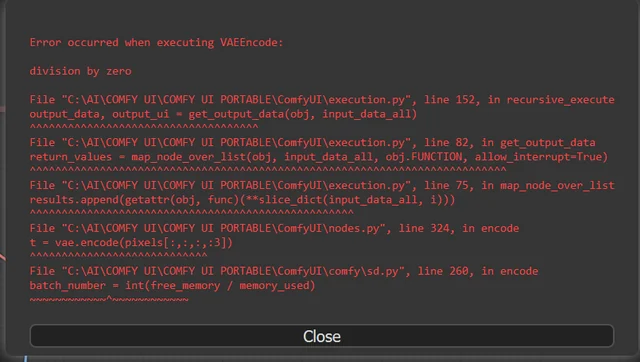
Avoid the top 10 ComfyUI beginner pitfalls that frustrate new users. Complete troubleshooting guide with solutions for VRAM errors, model loading...

25 ComfyUI Tips and Tricks That Pro Users Don't Want You to Know in 2025
Discover 25 advanced ComfyUI tips, workflow optimization techniques, and pro-level tricks that expert users use.

360 Anime Spin with Anisora v3.2: Complete Character Rotation Guide ComfyUI 2025
Master 360-degree anime character rotation with Anisora v3.2 in ComfyUI. Learn camera orbit workflows, multi-view consistency, and professional...