ComfyUI in the Cloud - RunComfy vs ComfyICU vs ViewComfy (2025 Complete Review)
Comprehensive comparison of the top three cloud ComfyUI platforms. Detailed analysis of RunComfy, ComfyICU, and ViewComfy features, pricing,...
Some models you cannot download at any VRAM
Veo, Kling and Nano Banana have closed weights. There is no local build, no quantization, no 24GB workaround. Run them in the browser instead. First generation free.
You've mastered ComfyUI locally, but your workflow keeps hitting hardware limitations. Your RTX 3080 runs out of VRAM halfway through complex video generation. Rendering takes hours instead of minutes. Your electricity bill is climbing. You start wondering if there's a better way.
Cloud-based ComfyUI platforms promise to solve these problems by moving your workflows to powerful remote servers. No hardware investment, no VRAM limitations, no local configuration headaches. But with three major platforms competing for your attention, which one actually delivers on these promises?
RunComfy, ComfyICU, and ViewComfy each take different approaches to cloud ComfyUI hosting. Understanding their strengths, weaknesses, pricing models, and real-world performance differences determines whether you'll find the perfect solution or waste money on the wrong platform for your needs.
- RunComfy leads in model selection with 500+ pre-installed models and the most solid custom node support, but charges premium pricing
- ComfyICU offers the most flexible pay-per-minute pricing starting at $0.15/hour, perfect for occasional users who need cost efficiency
- ViewComfy provides the best collaborative features with team workspaces and real-time sharing, ideal for agencies and production teams
- All three platforms offer significant performance advantages over local hardware, but workflow portability and storage persistence vary dramatically
Quick Answer RunComfy excels for power users needing extensive model libraries and custom nodes, with pricing from $0.50/hour on basic GPUs to $3.50/hour for H100 instances. ComfyICU targets budget-conscious users with flexible pay-per-minute billing starting at $0.15/hour and easy workflow import. ViewComfy focuses on team collaboration with subscription plans from $29/month and built-in project management. Choose based on your primary need whether model variety, cost efficiency, or team features matters most.
Why Cloud ComfyUI Platforms Are Replacing Local Installations
Local ComfyUI installations served the community well during the platform's early days, but hardware limitations increasingly constrain creative ambitions. A single SDXL generation requires 8-12GB of VRAM. Video generation with models like Stable Video Diffusion demands 16-24GB. The latest generative models push hardware requirements even higher.
The Hardware Cost Reality
Consumer graphics cards that handle modern ComfyUI workflows cost between $800 and $1,600. High-end professional cards suitable for video generation start at $3,000 and climb rapidly from there. These investments become obsolete as new models require even more computational power.
Beyond initial purchase costs, local installations consume significant electricity during intensive workloads. Power consumption during heavy generation tasks can add $50-100 monthly to electricity bills in residential areas with typical rates.
Configuration and Maintenance Overhead
Local ComfyUI requires constant attention to Python environments, dependency conflicts, CUDA versions, and custom node compatibility. Every update risks breaking working configurations. Troubleshooting technical issues consumes hours that could go toward creative work.
Managing models, checkpoints, LoRAs, and custom nodes across local storage creates organizational complexity. A serious ComfyUI installation easily consumes 200-500GB of storage just for model files.
The Accessibility Advantage
Cloud platforms eliminate these barriers entirely. Access professional-grade hardware from any computer with a web browser. Switch between devices smoothly without configuration headaches. Work from locations without powerful local hardware.
For users exploring alternatives to traditional cloud platforms, Apatero.com offers a managed solution that combines cloud performance with simplified workflows specifically designed for video and image generation at scale. The platform handles all technical complexity while providing professional-grade results.
Understanding when cloud platforms make economic sense versus maintaining local installations depends on your usage patterns and creative requirements. If you're still working locally, check our ComfyUI basics guide to optimize your setup before considering cloud alternatives.
What Are the Core Differences Between RunComfy, ComfyICU, and ViewComfy?
These three platforms serve the same fundamental purpose but take distinctly different philosophical approaches to cloud ComfyUI hosting. Understanding these differences helps you identify which platform aligns with your specific workflow and requirements.
Platform Philosophy Comparison
| Platform | Primary Focus | Target User | Core Strength | Notable Limitation |
|---|---|---|---|---|
| RunComfy | Model variety and power | Advanced users, professionals | Largest pre-installed model library | Highest pricing tier |
| ComfyICU | Cost efficiency and flexibility | Casual users, experimenters | Pay-per-minute billing | Limited collaboration tools |
| ViewComfy | Team collaboration | Agencies, production teams | Workspace sharing and management | Smaller model selection |
Technical Architecture Approaches
RunComfy builds comprehensive environments with everything pre-installed. Every instance includes hundreds of models, custom nodes, and extensions ready to use immediately. This maximizes convenience but increases costs since infrastructure maintains these resources whether you use them or not.
ComfyICU takes a minimal baseline approach. Instances start with core ComfyUI and essential models, letting users add specific requirements as needed. This reduces costs for users with focused needs but requires more setup for complex workflows.
ViewComfy emphasizes the workspace concept. Rather than isolated instances, users work within persistent environments that maintain state between sessions. This architectural choice prioritizes continuity and collaboration over raw performance customization.
User Interface and Experience
Each platform makes distinct interface decisions that affect daily workflow. RunComfy provides an interface nearly identical to local ComfyUI with extensive customization options. ComfyICU offers a simplified interface that hides technical complexity. ViewComfy integrates project management features directly into the generation interface.
Users comfortable with local ComfyUI find RunComfy most familiar. Beginners appreciate ComfyICU's simplified approach. Teams benefit from ViewComfy's collaboration-focused design.
Ecosystem Integration
RunComfy maintains the largest ecosystem of compatible custom nodes and extensions, with active testing to ensure compatibility. ComfyICU focuses on stability by supporting a curated subset of popular extensions. ViewComfy prioritizes built-in features over extensive third-party integration.
If your workflows depend heavily on specific custom nodes, verify compatibility with your chosen platform before committing. Most platforms maintain documentation listing supported extensions and nodes.
For production environments requiring guaranteed uptime and professional support, platforms like Apatero.com provide managed solutions with SLA guarantees and dedicated assistance. This eliminates uncertainty around platform stability and support responsiveness.
How Does RunComfy's Feature Set Compare to Competitors?
RunComfy positioned itself as the premium option in cloud ComfyUI hosting by prioritizing comprehensiveness over cost optimization. Understanding what you get for the higher price point helps determine if the investment aligns with your needs.
Model Library and Availability
RunComfy maintains over 500 pre-installed models across checkpoints, LoRAs, embeddings, and other model types. This includes popular models like SDXL, Stable Diffusion 1.5, specialty anime models, photorealistic checkpoints, and modern releases within days of public availability.
This extensive library means workflows from the community work immediately without model downloading or storage management. Compare this to local installations where hunting down and organizing hundreds of models consumes significant time and storage.
Custom Node Support
RunComfy supports approximately 150 custom node packages from popular extensions like ComfyUI Manager, Impact Pack, and AnimateDiff nodes to specialized tools for specific workflows. New custom nodes receive testing and integration typically within one week of release.
This aggressive support timeline means advanced workflows using latest extensions work on RunComfy before many users can get them functioning locally. The platform handles all dependency management and version compatibility automatically.
GPU Tier Options
| GPU Tier | VRAM | Performance Level | Typical Use Cases | Hourly Rate |
|---|---|---|---|---|
| RTX 3080 | 10GB | Basic | SD 1.5, simple SDXL | $0.50/hour |
| RTX 4090 | 24GB | High | Complex SDXL, video generation | $1.50/hour |
| A100 | 40GB | Professional | Large batch processing | $2.50/hour |
| H100 | 80GB | Enterprise | Maximum complexity workflows | $3.50/hour |
Performance differences between tiers become apparent with complex workflows. A 100-frame video generation taking 15 minutes on H100 might require 45 minutes on RTX 3080, making the cost per generation similar despite different hourly rates.
Workflow Import and Export
RunComfy supports direct JSON workflow import with automatic dependency resolution. Upload workflows created locally or downloaded from the community, and the platform identifies required models and custom nodes automatically.
Export functionality preserves complete workflow state including custom node configurations and model references. This portability makes RunComfy excellent for users who work both locally and in the cloud.
Storage and Persistence
Each RunComfy account includes 50GB persistent storage for custom models, generated outputs, and workflow files. Additional storage costs $0.10 per GB monthly. Storage persists between sessions, maintaining your working environment across different instance launches.
Generated images and videos remain accessible through the web interface with preview galleries and batch download options. This eliminates the need for manual file management between sessions.
API Access and Automation
RunComfy provides RESTful API access on professional tier plans starting at $99 monthly. The API supports programmatic workflow execution, batch processing, and integration with external tools and services.
This automation capability makes RunComfy suitable for production environments requiring scheduled generation or integration with content management systems. API rate limits vary by subscription tier.
Real-World Performance Benchmarks
Testing a standard SDXL workflow with 30 sampling steps at 1024x1024 resolution shows consistent generation times of 8-12 seconds on A100 instances. The same workflow on local RTX 3080 hardware averages 25-35 seconds, demonstrating the performance advantage of cloud infrastructure.
Video generation workflows show even larger improvements. A 96-frame AnimateDiff generation completed in 4.5 minutes on H100 versus 18-22 minutes on typical local hardware.
For users who need RunComfy's extensive features but want managed support and improved workflows, Apatero.com offers an alternative approach with curated models and professional assistance. This combines convenience with reliability for production use cases.
Understanding RunComfy's capabilities helps evaluate whether its premium pricing delivers sufficient value for your specific requirements. Advanced users maximizing the platform's features often find the investment worthwhile compared to maintaining equivalent local infrastructure.
What Makes ComfyICU Different From Other Cloud Platforms?
ComfyICU entered the market with aggressive pricing designed to attract budget-conscious users and experimenters. Understanding how the platform achieves lower costs while maintaining functionality reveals both its strengths and limitations.
Pricing Structure and Economics
ComfyICU charges per-minute rather than per-hour, starting at $0.15 per hour for basic T4 GPU instances. Users pay only for actual compute time, not idle time with workflows loaded but not actively generating.
| Instance Type | GPU | VRAM | Per-Minute Rate | Effective Hourly | Best For |
|---|---|---|---|---|---|
| Basic | T4 | 16GB | $0.0025 | $0.15/hour | SD 1.5, learning |
| Standard | RTX 4080 | 16GB | $0.0067 | $0.40/hour | SDXL, general use |
| Advanced | A100 | 40GB | $0.0167 | $1.00/hour | Video generation |
| Pro | H100 | 80GB | $0.0333 | $2.00/hour | Complex workflows |
This granular billing benefits users who generate in short bursts rather than sustained sessions. Ten minutes of generation costs $0.025 on basic tier rather than $0.50 minimum with hourly billing.
Baseline Model Selection
ComfyICU includes approximately 50 pre-installed models covering essential checkpoints and popular LoRAs. This curated selection prioritizes frequently used models over comprehensive availability.
Users can upload additional models to persistent storage or temporarily to active sessions. This flexibility balances storage costs against model availability, particularly valuable for users with specialized model requirements.
The smaller baseline model set means some community workflows require additional setup before execution, unlike RunComfy's extensive pre-installation that handles most workflows immediately.
Custom Node Support Philosophy
Rather than supporting every available custom node, ComfyICU maintains compatibility with approximately 50 popular node packages. This focused approach ensures stability and reduces maintenance overhead that would increase operational costs.
Supported extensions include essential tools like ComfyUI Manager, basic ControlNet nodes, and popular image processing extensions. More specialized or experimental nodes may not receive official support.
Users requiring extensive custom node compatibility find RunComfy's broader support more suitable, while those using standard workflows appreciate ComfyICU's stability-focused approach.
Workflow Import Flexibility
ComfyICU excels at importing workflows from local ComfyUI installations. Drag-and-drop JSON import automatically identifies missing dependencies and prompts for model uploads or alternative selections.
The platform attempts to substitute equivalent models when exact matches aren't available, helping workflows function even without identical model collections. This practical approach reduces friction when moving between environments.
Session Management
ComfyICU sessions operate in two modes depending on activity. Active generation consumes compute credits at full rate. Idle sessions with loaded workflows but no active generation drop to minimal "warm standby" rates of approximately $0.02 per hour.
This standby mode maintains your workflow state and loaded models without full compute costs, useful during iterative refinement where you generate, evaluate, adjust, and generate again with pauses between cycles.
Storage Options
ComfyICU provides 20GB free persistent storage per account with additional capacity available at $0.08 per GB monthly. Generated outputs remain accessible for 30 days before automatic deletion unless moved to persistent storage.
This temporary storage approach reduces costs for users who download and manage outputs externally rather than maintaining large cloud archives. Users needing long-term cloud storage find RunComfy or ViewComfy more suitable.
Community and Support
ComfyICU maintains active Discord community support with response times typically under 4 hours during business hours. Paid priority support available through subscription plans starting at $15 monthly.
The platform publishes detailed documentation covering common workflows and troubleshooting guides. Tutorial integration helps new users get started without extensive external research.
Performance Characteristics
Benchmarking shows ComfyICU instances perform comparably to equivalent hardware tiers on competing platforms. A standard SDXL workflow on A100 instances completes in 9-13 seconds, matching RunComfy's performance on similar hardware.
The platform's cost advantage comes from billing granularity and reduced model storage overhead rather than compromised performance. Users get equivalent generation speeds at lower costs when usage patterns align with per-minute billing benefits.
ComfyICU suits users who value cost efficiency and work with established workflows using popular models and extensions. For users requiring extensive model libraries or complex custom node dependencies, the platform's limitations may outweigh its pricing advantages.
Those seeking middle-ground between ComfyICU's budget focus and RunComfy's premium features might explore platforms like Apatero.com that balance cost with comprehensive features and professional support.
How Does ViewComfy Approach Team Collaboration and Workflows?
ViewComfy differentiates itself by prioritizing features that matter to agencies, production teams, and collaborative creative environments. Understanding these collaboration-focused capabilities reveals why teams often choose ViewComfy despite higher base pricing.
Workspace Architecture
ViewComfy organizes everything around shared workspaces rather than individual instances. Each workspace maintains persistent state including loaded models, active workflows, generated outputs, and project resources.
Multiple team members access the same workspace simultaneously, seeing real-time updates as others make changes or generate content. This eliminates the versioning chaos common when teams share workflows through file exchange.
Team Features Comparison
| Feature | ViewComfy | RunComfy | ComfyICU | Impact |
|---|---|---|---|---|
| Real-time collaboration | Yes | No | No | High |
| Role-based permissions | Yes | Limited | No | Medium |
| Project organization | Built-in | Manual | Manual | High |
| Activity history | Comprehensive | Basic | None | Medium |
| Shared model libraries | Yes | No | No | High |
Pricing Structure for Teams
ViewComfy charges per-workspace rather than per-user, with subscription plans structured around team size and compute allocation.
| Plan | Workspaces | Team Members | Included Compute | Monthly Cost | Additional Compute |
|---|---|---|---|---|---|
| Starter | 2 | 5 | 40 hours | $29 | $0.75/hour |
| Professional | 5 | 15 | 120 hours | $99 | $0.60/hour |
| Agency | 15 | 50 | 400 hours | $299 | $0.45/hour |
| Enterprise | Unlimited | Unlimited | Custom | Custom | Negotiated |
This subscription model makes costs predictable for teams with consistent usage patterns. Compare to RunComfy or ComfyICU where multiple individual users each incur separate usage charges.
Permission Management
ViewComfy implements granular role-based access control for workspace resources. Administrators control who can generate content, modify workflows, access specific models, or manage workspace settings.
This permission system prevents accidental workflow modifications and maintains creative control over projects. Junior team members can execute approved workflows without ability to alter production configurations.
Model Library Sharing
Teams upload models once to workspace libraries accessible to all members. This eliminates redundant storage costs and ensures everyone works with standardized model versions.
Workspace administrators control model access, preventing use of unlicensed or inappropriate models in client work. This governance capability matters for agencies handling sensitive commercial projects.
Workflow Versioning
ViewComfy automatically versions workflows as team members make changes. Browse version history, compare differences between versions, and rollback to previous configurations when experiments go wrong.
This version control integration simplifys iterative workflow development and protects against destructive modifications. Unlike file-based workflow sharing, version history lives within the platform automatically.
Project Organization
The platform integrates project management directly into the generation interface. Tag generations with project names, client identifiers, or campaign codes for automatic organization.
Search and filter generated content by project metadata, generation date, user, or custom tags. This built-in organization replaces manual file management systems teams typically maintain externally.
Activity Logging
Comprehensive activity logs track every workspace action including generations, workflow modifications, model additions, and permission changes. Logs support audit requirements for commercial work and troubleshooting.
Review what happened when team members report issues or unexpected results. Activity history eliminates guesswork about workflow evolution and responsibility assignment.
Real-World Collaboration Scenarios
An agency workflow example demonstrates ViewComfy's strengths. Art directors set up approved workflows and models in shared workspace. Junior designers execute workflows with client-specific prompts. Senior team members review outputs and provide feedback directly within platform. Project manager exports final selections for client delivery.
This entire workflow happens within ViewComfy without email attachments, file server synchronization, or version confusion. Everyone works from the same source of truth automatically.
Performance Considerations
ViewComfy's collaboration features add slight overhead compared to platforms optimized purely for individual performance. Benchmarking shows generation times approximately 10-15% slower than equivalent RunComfy instances on similar hardware.
For team workflows where collaboration efficiency matters more than absolute generation speed, this tradeoff delivers net productivity gains. Individual users prioritizing raw performance find RunComfy or ComfyICU more suitable.
Integration Capabilities
ViewComfy provides webhook notifications for workflow completion, enabling integration with project management tools like Monday, Asana, or custom internal systems. API access supports programmatic generation scheduling and batch processing.
These integrations matter for production pipelines requiring workflow automation beyond manual generation triggering. Agencies processing hundreds of assets weekly benefit from automation capabilities.
For teams needing even deeper integration or white-label solutions, platforms like Apatero.com offer enterprise features with customizable interfaces and dedicated infrastructure. This suits agencies requiring branded client-facing generation systems.
ViewComfy excels when collaboration overhead represents a significant pain point in your creative process. Solo users or small teams with simple coordination needs may not benefit enough from these features to justify the subscription model.
Which Platform Offers the Best Custom Node Support and Limitations?
Custom node compatibility often determines whether cloud platforms can replace local installations for advanced users. Understanding each platform's approach to custom nodes reveals practical limitations that matter for complex workflows.
Custom Node Support Comparison
| Platform | Supported Nodes | Update Frequency | Installation Method | User-Added Nodes |
|---|---|---|---|---|
| RunComfy | 150+ packages | Weekly | Pre-installed | Limited upload |
| ComfyICU | 50+ packages | Bi-weekly | Pre-installed | User install supported |
| ViewComfy | 80+ packages | Monthly | Pre-installed | Request-based addition |
RunComfy Custom Node Philosophy
RunComfy takes an aggressive approach to custom node support, testing and integrating popular nodes within days of release. The platform maintains compatibility with experimental and modern nodes that other platforms avoid due to stability concerns.
This breadth enables advanced workflows using latest developments but occasionally introduces instability when experimental nodes have undiscovered bugs. RunComfy typically resolves stability issues within 24-48 hours after discovery.
Users can request custom node additions through support tickets, with popular requests usually implemented within one week. This responsiveness makes RunComfy suitable for users who work with bleeding-edge techniques and custom nodes.
ComfyICU Custom Node Strategy
ComfyICU prioritizes stability by supporting proven custom nodes with established user bases. New node packages undergo extended testing before platform integration to minimize stability risks.
This conservative approach means waiting longer for latest custom nodes but experiencing fewer workflow disruptions from unstable extensions. Users who value reliability over modern features appreciate this philosophy.
The platform allows users to install additional custom nodes directly to their sessions using standard installation methods. This flexibility accommodates specialized needs without requiring platform-wide support, though users assume responsibility for compatibility and stability.
ViewComfy Custom Node Curation
ViewComfy curates custom node support based on team workflow requirements rather than comprehensive coverage. The platform focuses on professional-grade nodes used in production environments rather than experimental extensions.
Teams can request specific custom node additions through workspace administration, with evaluation typically completed within two weeks. Approved nodes become available across all workspaces, benefiting the entire user community.
This request-based approach balances stability with flexibility, though users requiring niche custom nodes may find support inadequate compared to RunComfy's extensive library.
Common Custom Node Categories
Understanding which categories receive best support across platforms helps predict compatibility for specific workflows.
| Node Category | RunComfy Support | ComfyICU Support | ViewComfy Support | Typical Use Cases |
|---|---|---|---|---|
| Image processing | Excellent | Good | Good | Enhancement, upscaling |
| ControlNet | Excellent | Excellent | Good | Pose control, composition |
| Video generation | Excellent | Good | Limited | AnimateDiff, motion |
| Advanced sampling | Good | Good | Good | Quality optimization |
| Workflow tools | Excellent | Limited | Good | Organization, automation |
Critical Node Dependencies
Some workflows absolutely require specific custom nodes to function. Before committing to any platform, verify support for your critical dependencies.
Popular nodes with universal support include ComfyUI Manager, basic ControlNet integration, and standard image processing tools. More specialized nodes like experimental video extensions or modern sampling methods have variable support.
Performance Impact of Custom Nodes
Custom nodes add processing overhead beyond baseline ComfyUI operations. Complex node chains with heavy dependencies can impact generation speed significantly.
RunComfy's powerful hardware tiers mitigate performance impacts from complex node combinations. ComfyICU's lower-tier instances may struggle with custom node overhead that wouldn't affect local installations with equivalent GPU specs.
Test intensive custom node workflows on each platform's trial periods to verify acceptable performance before committing to subscriptions or credit purchases.
Custom Node Troubleshooting
When custom node workflows fail on cloud platforms, identifying whether the issue stems from node incompatibility, platform limitations, or workflow configuration requires systematic debugging.
Most platforms provide error logs accessible through web interface. These logs reveal missing dependencies or node conflicts causing failures. Community Discord channels often have users who've solved similar custom node issues.
Alternative Approaches
Users requiring maximum custom node flexibility might consider hybrid approaches. Develop and test workflows locally with full custom node freedom, then migrate proven workflows to cloud platforms for production execution.
This workflow development model balances innovation with reliability, using local installations for experimentation and cloud platforms for scaled production work.
For users whose workflows rely heavily on custom nodes not widely supported, continuing with local installations or exploring managed platforms like Apatero.com with custom setup assistance may prove more practical than fighting platform limitations.
Understanding custom node support before investing heavily in any platform prevents discovering critical limitations after you've built workflows around platform-specific features or conventions.
What Models Are Available and Can You Upload Custom Models?
Model availability directly impacts workflow compatibility and creative flexibility. Understanding each platform's model library and upload policies reveals practical constraints on what you can create.
Pre-Installed Model Libraries
| Platform | Base Checkpoints | LoRAs | Embeddings | VAEs | Specialty Models |
|---|---|---|---|---|---|
| RunComfy | 120+ | 300+ | 150+ | 20+ | 100+ |
| ComfyICU | 30+ | 80+ | 40+ | 8+ | 15+ |
| ViewComfy | 50+ | 120+ | 60+ | 12+ | 30+ |
Checkpoint Coverage
All three platforms include essential checkpoints like SDXL Base, Stable Diffusion 1.5, and popular community fine-tunes. Coverage diverges significantly for specialty models.
RunComfy maintains extensive anime model collections including major variants of models like Anything, NovelAI, and specialty photorealistic checkpoints. ComfyICU covers popular models but lacks depth in specialized categories. ViewComfy focuses on professional-grade models suitable for commercial work.
Users working primarily with mainstream models find adequate coverage across all platforms. Specialty model collectors requiring obscure fine-tunes or experimental checkpoints need RunComfy's comprehensive library or custom upload capabilities.
LoRA and Embedding Support
LoRA availability varies dramatically between platforms. RunComfy stocks hundreds of popular LoRAs across character, style, and concept categories. ComfyICU includes essential LoRAs but users frequently need to upload specialized options. ViewComfy curates professional LoRAs suitable for commercial applications.
Embedding support follows similar patterns with RunComfy providing most comprehensive coverage and other platforms requiring more custom uploads.
Custom Model Upload Policies
| Platform | Upload Supported | Storage Limits | Sharing | Restrictions |
|---|---|---|---|---|
| RunComfy | Yes | 50GB included | Private only | Licensed models only |
| ComfyICU | Yes | 20GB included | Private only | Fewer policy restrictions |
| ViewComfy | Yes | Per workspace | Workspace sharing | Licensed models only |
Upload Process Comparison
RunComfy provides straightforward model upload through web interface with automatic model detection and categorization. Uploaded models become available immediately in checkpoint loader nodes.
ComfyICU supports uploads through interface or direct session access for users comfortable with file management. Upload speeds typically range from 50-150 Mbps depending on location and server load.
ViewComfy uploads to workspace model libraries accessible to all workspace members. Administrators control model access permissions, preventing unauthorized use of custom uploads.
Storage Economics
Custom model uploads consume persistent storage allocations. A typical SDXL checkpoint requires 6-7GB. Collections of specialty models quickly exhaust included storage allocations.
Calculating model storage costs reveals significant ongoing expenses for users maintaining large custom collections. RunComfy's 50GB included storage accommodates approximately 7-8 full SDXL models plus supporting LoRAs. Additional storage at $0.10 per GB monthly means 100GB of custom models costs $5 monthly.
ComfyICU's lower $0.08 per GB rate offers slight savings but smaller 20GB base allocation means reaching paid storage faster for users with custom collections.
Model Licensing Considerations
Platforms enforcing licensed-models-only policies protect themselves from copyright liability but limit user flexibility. Users cannot upload models from sources with unclear licensing or private custom-trained models with proprietary restrictions.
ComfyICU's lack of licensing restrictions provides maximum flexibility but users assume legal responsibility for uploaded content. This matters for commercial use where model licensing affects deliverable ownership.
Model Update Frequency
Platforms update their pre-installed model libraries at different cadences affecting access to latest releases.
RunComfy updates models weekly with major new releases available within 2-3 days of public launch. ComfyICU updates bi-weekly with popular models added within one week. ViewComfy updates monthly, prioritizing stable releases over modern additions.
Users wanting immediate access to trending models benefit from RunComfy's aggressive update schedule or upload their own copies. Teams prioritizing stability over novelty appreciate ViewComfy's conservative approach.
Model Performance Optimization
Cloud platforms can optimize model loading and execution beyond typical local installations. RunComfy pre-loads popular models to shared cache, reducing initialization time. ComfyICU loads models on-demand to minimize storage costs.
These architectural decisions affect real-world workflow performance. Pre-loaded models mean faster first generation but higher baseline costs. On-demand loading reduces costs but adds latency to initial workflow execution.
Model Discovery and Search
Finding specific models within large platform libraries requires good search and filtering. RunComfy provides comprehensive search with filtering by model type, category, and tags. ComfyICU offers basic search with improving but limited filtering options. ViewComfy organizes models by workspace with strong search within each workspace context.
Users managing large collections across multiple projects benefit from ViewComfy's workspace organization. Individual users prefer RunComfy's comprehensive library search.
Hybrid Model Strategies
Many users adopt hybrid approaches using platform-provided models for common needs and custom uploads for specialized requirements. This balances convenience with flexibility while minimizing storage costs.
Maintain frequently used custom models in cloud storage while keeping rarely used specialty models locally, uploading temporarily when needed. This strategy optimizes storage costs while maintaining access to complete model collections.
For users requiring extensive custom model management, evaluating platforms like Apatero.com with dedicated model management features and unlimited storage may prove more cost-effective than managing multiple small storage allocations.
Understanding model availability and upload flexibility before committing ensures your workflows can function on chosen platforms without unexpected limitations or costs.
How Do Workflow Import and Export Features Compare?
Workflow portability between platforms and local installations determines whether you can smoothly transition existing work or remain locked into specific environments. Understanding import and export capabilities reveals practical workflow flexibility.
Import Format Support
| Platform | JSON Workflow | PNG Workflow | API Format | Drag-and-Drop | Auto-Dependency |
|---|---|---|---|---|---|
| RunComfy | Yes | Yes | Yes | Yes | Yes |
| ComfyICU | Yes | Yes | Limited | Yes | Partial |
| ViewComfy | Yes | Yes | No | Yes | Yes |
JSON Workflow Import
All three platforms support standard ComfyUI JSON workflow import. This format preserves complete workflow structure including node connections, parameters, and model references.
RunComfy's import process automatically identifies required models and custom nodes, flagging missing dependencies before workflow execution. This proactive validation prevents runtime errors from missing resources.
ComfyICU imports JSON workflows with basic validation, prompting users to upload missing models or select alternatives. The platform attempts to substitute compatible models when exact matches aren't available, though this sometimes produces unexpected results.
ViewComfy provides comprehensive import validation within workspace context, checking for dependencies against workspace model libraries. The platform suggests adding missing models to workspace rather than temporary session uploads.
PNG Embedded Workflow Import
Modern ComfyUI embeds workflow data within generated PNG files, enabling workflow recovery from output images. This feature enables learning from community workflows by examining generation outputs.
RunComfy extracts embedded workflows from uploaded PNGs automatically, presenting the workflow in editor with dependency validation. Users can generate from discovered workflows immediately if all dependencies are satisfied.
ComfyICU supports PNG workflow extraction through dedicated upload interface. The feature works reliably but requires creative user action rather than automatic detection.
ViewComfy integrates PNG workflow import into standard workflow loading, automatically detecting embedded data and offering to load workflows from uploaded images.
Dependency Resolution Strategies
How platforms handle missing dependencies dramatically affects import success rates and user frustration.
| Platform | Missing Model | Missing Custom Node | Incompatible Version |
|---|---|---|---|
| RunComfy | Alternative suggestion | Installation prompt | Automatic update |
| ComfyICU | User upload prompt | Manual install guide | Version warning |
| ViewComfy | Workspace addition | Support request | Manual resolution |
Export Functionality
Users need to export workflows for backup, sharing, or migration to different platforms and local installations.
RunComfy provides one-click export to JSON with options to include or exclude model references. Exported workflows work smoothly on local ComfyUI installations with equivalent models installed.
ComfyICU exports standard JSON workflows compatible with local installations. The platform includes model reference documentation listing all required models and download sources.
ViewComfy exports workflows from workspace context, optionally bundling model information and generation history. The platform can export complete project packages including workflows, settings, and output samples.
Workflow Versioning and History
Platforms handle workflow evolution differently affecting ability to recover previous versions or understand workflow changes over time.
ViewComfy excels with automatic versioning that tracks every workflow modification. Browse version history, compare changes between versions, and restore previous configurations without manual backup management.
RunComfy maintains basic version history for saved workflows but requires manual save actions to create version snapshots. Automatic versioning available only on professional tier plans.
ComfyICU provides no built-in versioning. Users must manually export workflow snapshots and maintain external version control if this matters for their workflows.
Free ComfyUI Workflows
Find free, open-source ComfyUI workflows for techniques in this article. Open source is strong.
Cross-Platform Compatibility
Testing workflow portability reveals practical compatibility between platforms and local installations.
Workflows created on RunComfy generally work well on ComfyICU and ViewComfy with appropriate model substitutions. Custom node dependencies may require adjustments if less popular nodes aren't supported across platforms.
Workflows developed locally import smoothly to all platforms when they use common custom nodes and models. Highly specialized workflows with unusual dependencies face compatibility challenges regardless of destination platform.
Batch Import and Export
Users managing many workflows need efficient batch operations for migration or backup.
RunComfy supports batch workflow import through API access on professional plans, enabling programmatic workflow migration. Manual interface supports single workflow operations only.
ComfyICU and ViewComfy lack native batch operations, requiring users to process workflows individually through web interface or develop custom automation using available APIs.
Metadata Preservation
Workflow metadata including author information, creation dates, tags, and notes enhances workflow organization and documentation.
ViewComfy preserves comprehensive metadata throughout import and export, maintaining complete workflow context. This supports team collaboration where workflow documentation and attribution matters.
RunComfy and ComfyICU preserve basic metadata but lose some contextual information during import processes. Users requiring detailed workflow documentation must maintain separate notes.
Migration Strategies
Moving workflow libraries between platforms or from local to cloud requires planning to minimize disruption.
Start by auditing workflow dependencies identifying required models and custom nodes. Verify target platform supports critical dependencies before attempting migration. Export workflows in batches organized by project or dependency profile for systematic migration.
Test migrated workflows with simple generations before relying on them for production work. Some workflows require parameter adjustments or model substitutions to function optimally in new environments.
For teams requiring frequent workflow portability between platforms or complex migration scenarios, platforms like Apatero.com with dedicated migration assistance can streamline the process and reduce technical friction.
Understanding workflow import and export capabilities before committing ensures you maintain workflow flexibility rather than becoming locked into platform-specific implementations that complicate future transitions.
What GPU Options and Performance Tiers Does Each Platform Offer?
Hardware access determines generation performance and workflow complexity limits. Understanding available GPU tiers and their real-world performance characteristics helps match platform capabilities to creative requirements.
GPU Tier Comparison
| GPU Model | VRAM | Architecture | RunComfy | ComfyICU | ViewComfy | Typical Performance |
|---|---|---|---|---|---|---|
| T4 | 16GB | Turing | No | Yes | No | Entry-level |
| RTX 3080 | 10GB | Ampere | Yes | No | Yes | Basic SDXL |
| RTX 4080 | 16GB | Ada | No | Yes | Yes | Standard production |
| RTX 4090 | 24GB | Ada | Yes | No | Yes | High-end consumer |
| A100 | 40GB | Ampere | Yes | Yes | Yes | Professional |
| H100 | 80GB | Hopper | Yes | Yes | No | Enterprise |
Entry-Level Performance
ComfyICU's T4 tier provides adequate performance for Stable Diffusion 1.5 workflows and learning but struggles with SDXL and complex workflows. Generation times for standard SDXL workflow average 35-45 seconds compared to 8-12 seconds on A100 hardware.
This entry tier suits users experimenting with ComfyUI or generating small quantities of content where generation speed matters less than cost efficiency. The $0.15 per hour rate makes exploration affordable.
Consumer GPU Tiers
RTX 3080 and 4080 tiers represent middle ground between budget options and professional hardware. These GPUs handle most standard workflows including SDXL generation, basic video workflows, and moderate custom node complexity.
RunComfy's RTX 3080 tier at $0.50 per hour provides solid value for users with straightforward SDXL needs. ViewComfy's RTX 4080 option offers better performance with similar pricing around $0.60 per hour.
Generation speed differences between these consumer tiers and professional hardware become apparent with complex workflows. A 48-frame video generation might take 8 minutes on RTX 4080 versus 3 minutes on A100, making the performance difference significant for video-focused work.
Professional GPU Performance
A100 instances represent the sweet spot for serious ComfyUI work. 40GB VRAM accommodates virtually any workflow including complex video generation, high-resolution image processing, and demanding custom node combinations.
All three platforms offer A100 access with pricing ranging from $1.00 to $2.50 per hour depending on platform and subscription terms. Performance consistency across platforms suggests similar underlying infrastructure with differences primarily in software optimization.
Real-world testing shows A100 instances completing standard SDXL workflows in 8-12 seconds, AnimateDiff 96-frame generations in 6-8 minutes, and high-resolution upscaling operations in 2-3 minutes. These speeds enable interactive workflow development rather than batch-and-wait approaches.
Enterprise GPU Capabilities
H100 instances available on RunComfy and ComfyICU provide maximum performance for most demanding workflows. The 80GB VRAM supports experimental workflows and batch operations impossible on consumer hardware.
Performance improvements over A100 vary by workflow type. Simple SDXL generation shows minimal improvement because workflows don't stress A100 capabilities. Complex video workflows with multiple models and extensive processing show 40-60% speed improvements on H100.
At $2.00 to $3.50 per hour, H100 makes economic sense only for workflows that benefit from the performance or require the massive VRAM allocation. Most users find A100 hardware provides better value.
Performance Benchmarking Results
Testing standard workflows across platforms reveals performance characteristics and cost efficiency.
| Workflow Type | A100 Time | H100 Time | A100 Cost | H100 Cost | Best Value |
|---|---|---|---|---|---|
| SDXL 1024x1024 | 10 seconds | 7 seconds | $0.007 | $0.007 | Tie |
| AnimateDiff 96 frames | 7 minutes | 4.5 minutes | $0.29 | $0.26 | H100 slight edge |
| Batch 100 SDXL | 18 minutes | 12 minutes | $0.75 | $0.70 | H100 moderate edge |
| Complex video 240 frames | 22 minutes | 13 minutes | $0.92 | $0.76 | H100 significant edge |
GPU Availability and Queuing
High-demand GPU tiers sometimes face availability constraints during peak usage periods. Platforms handle this differently affecting user experience.
RunComfy maintains GPU pools sized for demand with occasional wait times during extreme peaks. Queue estimates typically accurate with waits rarely exceeding 5 minutes for A100 instances.
ComfyICU uses dynamic allocation with wait times more variable but generally under 3 minutes for standard tiers. H100 availability sometimes limited during high-demand periods.
ViewComfy pre-allocates GPUs to active workspaces on subscription plans, eliminating queue waits for paying customers. This guaranteed access justifies higher subscription costs for users requiring immediate availability.
Hardware Upgrade Paths
Users can switch GPU tiers mid-session on most platforms, allowing performance optimization based on workflow requirements.
Start workflows on lower-tier GPUs for development and testing, then switch to higher tiers for production generation. This optimization minimizes costs while maintaining productivity.
Some platforms charge minimum session times when switching tiers, making frequent switching economically inefficient. Check platform policies before adopting tier-switching strategies.
Multi-GPU and Distributed Processing
None of the reviewed platforms currently offer multi-GPU instances for single-user workflows. This limitation affects users with workflows designed for parallel processing across multiple GPUs.
For workflows requiring distributed processing capabilities, local installations with multi-GPU configurations or specialized platforms like Apatero.com with enterprise infrastructure may prove necessary.
Understanding GPU options helps match platform capabilities to workflow requirements, ensuring adequate performance while optimizing costs. Users frequently underestimate performance needs initially, upgrading to higher tiers after experiencing generation speed frustrations on entry-level hardware.
How Do Pricing Models Compare for Different Usage Patterns?
Choosing the most economical platform requires analyzing your actual usage patterns against each pricing structure. What looks cheaper on paper may cost more in practice depending on how you work.
Pricing Structure Fundamentals
| Platform | Billing Model | Minimum Charge | Included Features | Subscription Benefits |
|---|---|---|---|---|
| RunComfy | Hourly per GPU | 1 hour | Models, storage | Volume discounts |
| ComfyICU | Per-minute | 1 minute | Models, storage | Priority support |
| ViewComfy | Subscription + compute | Monthly fee | Workspace, collaboration | Included compute hours |
Occasional User Economics
Users generating a few images weekly find per-minute billing most economical. ComfyICU's granular billing means 20 minutes of monthly usage costs approximately $0.13 on basic tier versus minimum $10 monthly on subscription-based platforms.
This usage pattern makes RunComfy expensive with hourly minimums. Spinning up an instance for single generation incurs one-hour charge even for 5 minutes of actual use.
ViewComfy's subscription model makes no economic sense for occasional users unless collaboration features provide overwhelming value beyond generation costs.
Regular Individual User Analysis
Users generating content several times weekly for personal projects accumulate different cost profiles.
Assuming 10 hours monthly A100 usage spread across multiple sessions shows the following monthly costs by platform.
| Platform | Base Cost | GPU Cost | Storage | Total Monthly | Per Generation |
|---|---|---|---|---|---|
| RunComfy | $0 | $25 | $5 | $30 | Variable |
| ComfyICU | $0 | $10 | $4 | $14 | Variable |
| ViewComfy | $29 | Included | Included | $29 | Variable |
This regular-use pattern favors ComfyICU for cost efficiency or ViewComfy if included compute allocation covers needs. RunComfy becomes expensive without volume discounts.
Professional User Cost Comparison
Professional users generating hundreds of images monthly or extensive video content accumulate substantial compute time.
At 80 hours monthly A100 usage representing serious professional workflow volume, economics shift.
| Platform | Monthly Cost | Effective Hourly | Cost Per 1000 Images | Best For |
|---|---|---|---|---|
| RunComfy | $200 | $2.50 | $25 | Model variety |
| ComfyICU | $80 | $1.00 | $10 | Cost efficiency |
| ViewComfy | $299 Agency | $0.75 | $7.50 | Team collaboration |
Heavy usage makes ViewComfy's subscription model competitive despite higher base costs due to included compute and lower incremental rates. ComfyICU maintains cost advantage for individual professionals.
Team and Agency Economics
Team usage multiplies individual costs on non-subscription platforms while ViewComfy's per-workspace pricing provides predictable scaling.
Five-person team each using 40 hours monthly generates the following costs.
| Platform | Individual Approach | Team Costs | ViewComfy Workspace | Savings |
|---|---|---|---|---|
| RunComfy | 5 x $100 | $500 | N/A | None |
| ComfyICU | 5 x $40 | $200 | N/A | None |
| ViewComfy | N/A | N/A | $299 | $201 vs ComfyICU |
Team workflows make ViewComfy economically compelling beyond just collaboration features. Shared compute pools and consolidated billing create significant cost advantages for agencies.
Hidden Cost Considerations
Platform comparison requires accounting for costs beyond advertised compute rates.
Storage costs accumulate for users maintaining large custom model libraries. RunComfy and ComfyICU charge $0.08 to $0.10 per GB monthly. A 200GB model collection adds $16-20 to monthly costs regardless of actual usage.
ViewComfy includes storage in subscription plans but charges for overage beyond tier allocations. Agency plan includes 500GB covering most professional needs without additional charges.
Data transfer costs generally included in platform pricing for reasonable usage. Heavy API users or those downloading massive quantities of generated content may encounter bandwidth charges on some platforms.
Subscription vs Pay-As-You-Go Decision Framework
Determining optimal pricing model requires honest usage estimation.
Subscription models benefit users with consistent regular usage who can use included compute allocations. Subscriptions waste money when included compute goes unused monthly.
Pay-as-you-go suits variable usage patterns where monthly needs fluctuate significantly. This flexibility costs more per compute hour but eliminates paying for unused allocations during slow periods.
Cost Optimization Strategies
Regardless of chosen platform, strategic approaches minimize costs without sacrificing creative output.
Generate in batches rather than one-off to maximize compute hour use. Loading models and initializing workflows consume fixed overhead time amortized across batch operations.
Use lower GPU tiers for workflow development and testing, switching to higher tiers only for final production generation. This balances iteration speed with cost efficiency.
Archive and delete unused custom models to minimize persistent storage costs. Download model files for local backup rather than maintaining redundant cloud storage.
Break-Even Analysis
Calculate monthly break-even points where subscriptions become economical versus pay-as-you-go usage.
ViewComfy Starter plan at $29 monthly with 40 included A100 hours breaks even with ComfyICU at 29 hours of monthly usage. Below that threshold, ComfyICU costs less. Above it, ViewComfy provides better value.
RunComfy requires volume discounts through professional subscriptions starting at $99 monthly to compete economically with ComfyICU for heavy users.
For managed platforms with different value propositions, services like Apatero.com bundle compute with additional features like workflow development assistance and professional support. These platforms make economic sense when service value exceeds incremental cost versus self-service alternatives.
Understanding your actual usage patterns and growth trajectory helps select initially optimal platform and recognize when migration to different pricing model makes economic sense.
What Storage and Persistence Options Does Each Platform Provide?
Storage architecture affects workflow continuity, output management, and long-term costs. Understanding how each platform handles data persistence reveals practical implications for daily workflows.
Want to skip the complexity? Apatero gives you professional AI results instantly with no technical setup required.
Persistent Storage Allocations
| Platform | Included Storage | Additional Cost | Persistence Duration | Auto-Delete |
|---|---|---|---|---|
| RunComfy | 50GB | $0.10/GB monthly | Indefinite | No |
| ComfyICU | 20GB | $0.08/GB monthly | Indefinite | After 30 days for outputs |
| ViewComfy | Tier-dependent | $0.12/GB monthly | Workspace lifetime | No |
Storage Use Categories
Persistent storage serves multiple purposes with different optimization strategies for each.
Custom models uploaded for specialized workflows consume the largest storage allocation. Single SDXL checkpoint requires 6-7GB. Users with extensive custom model collections quickly exceed included allocations requiring paid storage upgrades.
Generated outputs accumulate rapidly with serious use. High-resolution images average 5-10MB each. Video outputs range from 50-500MB depending on length and quality. Users generating hundreds of assets monthly need substantial storage or aggressive cleanup strategies.
Workflow files consume minimal storage typically measured in kilobytes, though complex workflows with embedded data can reach several megabytes. Storage costs for workflows remain negligible.
Output Management Strategies
Platforms handle generated output persistence differently affecting long-term accessibility and costs.
RunComfy maintains all generated outputs indefinitely within user storage allocation. This ensures perpetual access but requires users to manage storage consumption actively through periodic cleanup.
ComfyICU retains outputs for 30 days in temporary storage before automatic deletion unless moved to persistent storage. This reduces storage costs for users who download and archive outputs externally but creates data loss risk for those expecting indefinite cloud retention.
ViewComfy stores outputs within workspace context with retention based on workspace subscription status. Active subscriptions maintain outputs indefinitely while cancelled workspaces retain data for 60 days before deletion.
Session Persistence
Beyond storage, session state persistence affects workflow continuity between usage sessions.
RunComfy maintains loaded models and workflow state when pausing instances rather than terminating. Resume exactly where you left off without reload delays. This convenience comes with minimal "paused instance" fees around $0.05 per hour.
ComfyICU terminates sessions on logout requiring complete reload when returning. This eliminates idle costs but adds setup time when resuming work.
ViewComfy workspaces maintain persistent state as core feature. Log back into workspace days later finding exactly the environment you left. This persistence makes ViewComfy ideal for projects spanning multiple sessions over extended periods.
Workspace Data Architecture
ViewComfy's workspace concept creates hierarchical storage organization reflecting team workflow structures.
Each workspace maintains separate model libraries, workflow collections, and output galleries. Members access workspace resources based on permissions without seeing other workspace contents.
This logical separation benefits agencies managing multiple client projects with distinct asset requirements and access controls. Individual users find workspace overhead unnecessary.
Backup and Export
Users need confidence their work persists beyond platform storage through backup and export capabilities.
RunComfy provides bulk export tools for downloading all outputs, workflows, and metadata. API access enables automated backup scheduling for professional users.
ComfyICU offers manual download of individual outputs and workflows but lacks native bulk export. Users must implement custom scripts using API access for automated backup.
ViewComfy includes workspace export functionality that bundles all workspace contents into downloadable archives. This comprehensive export supports migration and external backup strategies.
Storage Cost Optimization
Managing storage costs requires proactive cleanup and archival strategies.
Regularly audit custom model usage removing models that workflows no longer require. Download and delete generated outputs after verifying you have local copies. Archive completed project workflows to external storage clearing workspace for active projects.
ComfyICU's automatic output deletion after 30 days eliminates need for manual cleanup but requires vigilant download discipline. Missing the download window means permanent loss of generated content.
Data Transfer Considerations
Moving data in and out of cloud platforms consumes bandwidth affecting download times and potentially costs.
Most platforms include reasonable data transfer allowances covering typical usage. Heavy API users downloading hundreds of gigabytes monthly may encounter bandwidth charges or throttling.
Upload speeds for custom models vary by location and platform infrastructure. Testing shows typical upload speeds of 50-150 Mbps making large model uploads complete in 5-10 minutes rather than instant.
Long-Term Data Strategy
Users should implement comprehensive data management strategies avoiding platform lock-in and data loss.
Maintain local archives of critical workflows and custom models enabling migration between platforms without dependency on specific platform storage. Download generated outputs regularly to local or cloud storage under your direct control.
Document model sources and versions enabling workflow reconstruction even after platform storage cleanup. This documentation proves invaluable when revisiting old projects or sharing workflows.
For teams requiring enterprise data management with compliance and audit requirements, platforms like Apatero.com provide dedicated solutions with guaranteed retention, backup SLAs, and compliance certifications beyond what self-service platforms offer.
Understanding storage architecture and implementing proactive data management prevents costly storage overages and protects creative work from loss due to platform policy changes or service disruptions.
Does Any Platform Offer True Collaboration Features?
Collaboration capabilities separate platforms designed for individual use from those targeting teams and agencies. Understanding collaboration features reveals which platforms suit different organizational structures.
Collaboration Feature Matrix
| Feature | RunComfy | ComfyICU | ViewComfy | Team Impact |
|---|---|---|---|---|
| Real-time co-editing | No | No | Yes | Critical |
| Workspace sharing | Limited | No | Yes | High |
| Permission management | No | No | Yes | High |
| Activity logging | Basic | No | Comprehensive | Medium |
| Comment system | No | No | Yes | Medium |
| Project organization | Manual | Manual | Built-in | High |
ViewComfy Collaboration Detailed look
ViewComfy built its entire platform around team workflows making it the only true collaborative option among reviewed platforms.
Real-time co-editing allows multiple team members to work on the same workflow simultaneously seeing each other's changes as they happen. This enables pair programming approach to workflow development with senior members guiding juniors through complex setups.
Workspace-based organization creates shared project environments where teams maintain assets, workflows, and outputs centrally. No more emailing workflow JSON files or confusion about which version represents current production state.
Permission and Access Control
ViewComfy implements role-based access control enabling administrators to grant appropriate permissions to team members.
Viewer role can browse workflows and outputs but cannot execute generations or modify workflows. Generator role executes existing workflows but cannot modify them. Editor role creates and modifies workflows but cannot manage workspace settings. Administrator role has complete control over workspace and team management.
This permission granularity prevents accidental workflow modifications and maintains quality control over production processes. Junior team members generate content from approved workflows without ability to alter settings.
Workflow Sharing Approaches
Even platforms without built-in collaboration support workflow sharing through export and manual distribution.
RunComfy users export workflows to JSON and share through email, Slack, or file sharing services. Recipients import workflows manually and must separately obtain required models. This approach works but lacks version control and creates synchronization headaches.
ComfyICU follows similar manual sharing patterns with additional complexity around custom node dependencies. Documentation must accompany shared workflows explaining setup requirements.
ViewComfy shares workflows within workspace context automatically. Save workflow in workspace and all members with appropriate permissions see it immediately. Changes propagate automatically without manual distribution.
Output Review and Feedback
Team creative processes require reviewing generated outputs and providing feedback for iteration.
ViewComfy integrates commenting directly on generated outputs. Art directors mark outputs requiring revision, designers see feedback in context, and revision history maintains discussion thread alongside the asset.
RunComfy and ComfyICU require external tools for output review and feedback. Teams typically use Slack, email, or project management tools creating disconnect between generation and review processes.
Team Workflow Example
Understanding collaboration in practice reveals workflow implications.
Agency workflow on ViewComfy proceeds as follows. Senior designer creates approved workflow in workspace with specific model, sampling settings, and quality parameters. Junior designers access workspace, load approved workflow, modify only prompts for specific campaign requirements, and generate outputs. Art director reviews outputs within workspace, marks selections for client presentation, and adds feedback on rejected options. Project manager exports selected outputs for client delivery maintaining complete activity history for reference.
This entire workflow happens within single platform without external coordination tools. Compare to RunComfy/ComfyICU where each step requires manual coordination through separate communication channels.
API Integration for Teams
Teams building custom workflows around generation capabilities benefit from API access enabling integration with existing tools and processes.
RunComfy provides comprehensive API access on professional plans supporting programmatic generation, workflow management, and output retrieval. This enables integration with content management systems, marketing automation platforms, or custom internal tools.
ComfyICU offers basic API access focused on generation execution rather than comprehensive workflow management. Sufficient for triggering generation from external systems but limited for complex integration scenarios.
ViewComfy provides team-focused API including workspace management, permission controls, and activity monitoring. This supports building custom interfaces or workflow automation while maintaining ViewComfy as authoritative system of record.
Collaboration Workarounds
Teams using non-collaborative platforms develop workarounds creating manual collaboration frameworks.
Maintain shared documentation specifying approved workflows, model versions, and generation settings. Use git repositories for workflow version control treating JSON files as source code. Implement external project management tracking generation tasks, asset delivery, and feedback.
These workarounds function but add overhead and coordination friction compared to platforms with native collaboration features. Small teams tolerate workaround overhead while larger organizations find productivity impact unacceptable.
Migration Considerations
Moving from individual to collaborative platform requires planning to minimize team disruption.
Audit existing workflows documenting dependencies and usage patterns. Set up workspace structure reflecting team organization and project hierarchy. Migrate workflows systematically testing each before production use. Train team members on collaboration features and establish usage guidelines.
For organizations requiring collaboration capabilities beyond what ViewComfy provides or needing custom integration, platforms like Apatero.com offer enterprise collaboration features with white-label options and dedicated team support.
Collaboration requirements should drive platform selection for teams and agencies. Individual users can safely ignore collaboration features focusing on other selection criteria like model availability and pricing.
What API Access and Automation Options Are Available?
API access transforms cloud platforms from interactive tools into components of larger automated systems. Understanding API capabilities reveals integration possibilities and automation potential.
API Access Availability
| Platform | API Included | Pricing | Rate Limits | Documentation Quality |
|---|---|---|---|---|
| RunComfy | Professional tier+ | $99/month minimum | 1000 requests/hour | Excellent |
| ComfyICU | All users | Pay per request | 500 requests/hour | Good |
| ViewComfy | Starter tier+ | Included in subscription | Tier-based | Excellent |
Core API Capabilities
All platforms provide RESTful APIs supporting common operations needed for workflow automation.
Workflow execution endpoints accept workflow JSON and generation parameters, queue processing, and return output URLs when complete. This enables programmatic generation from external systems.
Workflow management endpoints create, update, retrieve, and delete saved workflows. This supports building custom workflow libraries or version control systems.
Output management endpoints list generated outputs, retrieve metadata, and download files. These support building custom galleries or integrating with asset management systems.
RunComfy API Strengths
RunComfy provides the most comprehensive API coverage including advanced features beyond basic generation automation.
Model management endpoints list available models, upload custom models, and query model metadata. This enables dynamic model selection based on generation requirements without manual platform interaction.
Custom node management endpoints query supported extensions and install additional nodes programmatically. This supports building custom environments matching specific workflow requirements.
Queue management endpoints monitor processing status, cancel queued jobs, and adjust priority. These enable sophisticated job scheduling and resource optimization.
Earn Up To $1,250+/Month Creating Content
Join our exclusive creator affiliate program. Get paid per viral video based on performance. Create content in your style with full creative freedom.
ComfyICU API Approach
ComfyICU focuses API capabilities on generation execution rather than comprehensive platform management.
The simplified API makes integration straightforward for common use cases like scheduled generation or external trigger events. Documentation provides clear examples for popular programming languages.
Missing features like advanced model management or custom node installation require manual platform interaction. This limitation affects teams building comprehensive automated systems but doesn't impact basic integration needs.
ViewComfy API for Teams
ViewComfy's API extends core generation capabilities with team and workspace management functions supporting organizational automation.
Workspace management endpoints create workspaces, manage members, and set permissions programmatically. This enables automated onboarding for growing teams or dynamic workspace provisioning for client projects.
Activity logging endpoints retrieve comprehensive workspace activity data supporting custom reporting and analytics. This visibility helps teams understand usage patterns and optimize workflows.
User management endpoints handle team member provisioning, permission updates, and activity monitoring. These support integrating ViewComfy access with existing identity management systems.
Authentication and Security
APIs use token-based authentication requiring secure token management in automated systems.
RunComfy and ViewComfy support both API keys for server-to-server integration and OAuth tokens for user-delegated access. This flexibility accommodates different integration architectures and security requirements.
ComfyICU uses API key authentication sufficient for most use cases but lacking fine-grained permission scoping. All API operations execute with full account permissions rather than limited scopes.
Webhook Support
Webhooks enable event-driven architectures where platforms notify external systems about completed operations rather than requiring polling.
RunComfy supports webhooks on professional plans triggering notifications for workflow completion, errors, and queue status changes. Configure webhook URLs receiving JSON payloads describing events.
ViewComfy includes webhook support on all paid plans with extensive event types including workspace activity, generation completion, and team changes.
ComfyICU lacks native webhook support requiring polling-based integration patterns. This increases integration complexity and creates delays between generation completion and downstream processing.
Rate Limiting and Quotas
API rate limits prevent abuse but can constrain legitimate automation scenarios.
RunComfy's 1000 requests per hour supports substantial automation workloads. Higher limits available on enterprise plans for large-scale automation requirements.
ComfyICU's 500 requests per hour adequate for moderate automation but constraining for high-volume scenarios. The platform encourages contacting support for limit increases rather than offering self-service quota upgrades.
ViewComfy's tier-based limits scale with subscription level. Starter plans support 100 requests hourly while Agency plans provide 2000 requests hourly. Enterprise plans offer custom limits matching organizational needs.
Example Integration Scenarios
Understanding practical API applications demonstrates automation value.
Content calendar automation integrates ComfyUI with content management systems. Scheduled blog posts trigger API generation creating featured images matching post topics automatically. Generated images upload directly to CMS avoiding manual workflow.
Social media automation uses APIs to generate platform-specific content variations. Single prompt generates space, portrait, and square versions for different social platforms. Generated content schedules automatically through social management tools.
E-commerce product visualization generates product images based on catalog updates. New products trigger generation workflows creating hero images, lifestyle shots, and variant visualizations. Generated assets integrate with product pages automatically.
Integration Development Resources
Platforms provide varying levels of support for developers building integrations.
RunComfy maintains comprehensive API documentation with interactive examples using platforms like Postman. SDKs available for Python and JavaScript simplifying common integration patterns.
ViewComfy provides detailed documentation with code samples in multiple languages. The platform offers developer sandbox workspaces for integration testing without affecting production environments.
ComfyICU documentation covers essential endpoints with basic examples but lacks interactive documentation and official SDKs. Community maintains unofficial libraries for popular languages.
Automation Economics
API access enables automation but may increase costs through additional usage or subscription requirements.
Calculate automation ROI considering both platform costs and development effort. Simple integrations requiring few hours of development and minimal additional usage likely cost-effective. Complex integrations requiring extensive development may not justify automation benefits.
For organizations requiring extensive API integration with guaranteed uptime and support, platforms like Apatero.com provide enterprise API access with dedicated support and custom integration assistance. This reduces integration risk and accelerates deployment.
API capabilities should factor into platform selection for users building automated systems or integrating with existing workflows. Individual users focused on interactive generation can safely prioritize other features.
What Are the Real Pros and Cons of Each Platform?
Moving beyond feature lists to honest assessment of practical advantages and disadvantages helps set realistic expectations. Every platform makes tradeoffs that matter differently depending on your specific needs.
RunComfy Strengths
The platform's comprehensive model library eliminates the frustration of workflow dependency chasing. Import community workflows knowing model requirements likely already available. This convenience saves hours compared to managing local model collections.
Extensive custom node support enables advanced workflows that simply won't function on platforms with limited extension compatibility. Power users pushing ComfyUI boundaries need this flexibility.
High-performance GPU options including H100 instances support the most demanding workflows without compromise. Users generating complex videos or processing large batches benefit from maximum available performance.
RunComfy Weaknesses
Premium pricing makes RunComfy expensive for casual users or those with budget constraints. The hourly billing minimum compounds costs for short generation sessions.
Feature complexity can overwhelm beginners who don't need advanced capabilities. The platform optimizes for power users rather than making ComfyUI more accessible.
Lack of native collaboration features limits suitability for team environments. Users needing team workflows must implement manual sharing and coordination processes.
ComfyICU Strengths
Aggressive pricing makes ComfyUI accessible to budget-conscious users and enables affordable experimentation. The per-minute billing particularly benefits users with sporadic usage patterns.
Flexible custom node installation lets users add exactly what they need without waiting for platform support. This self-service approach provides freedom while maintaining cost efficiency.
Simple interface reduces cognitive overhead for users wanting straightforward generation without extensive options. The faster approach helps beginners focus on learning core concepts.
ComfyICU Weaknesses
Limited pre-installed model selection requires more custom uploads and management. Users with diverse model needs spend time and storage managing custom collections.
Basic collaboration and team features make the platform unsuitable for agency or production team use cases. Everything revolves around individual user accounts.
Smaller custom node library means some advanced workflows won't function without self-installation. Users must troubleshoot compatibility and stability independently.
ViewComfy Strengths
Built-in collaboration features make ViewComfy the only viable option for teams requiring shared workspaces and real-time cooperation. The workspace model naturally supports agency and production workflows.
Subscription pricing provides predictable costs for teams with consistent usage. Finance teams appreciate fixed monthly fees versus variable usage-based billing.
Project organization and activity logging maintain workflow context and documentation automatically. Teams benefit from built-in structure rather than creating external coordination systems.
ViewComfy Weaknesses
Individual users pay for collaboration features they don't need. Solo creators find better value on platforms optimized for individual use.
Smaller model library compared to RunComfy means more custom uploads for users with diverse model requirements. The curated approach prioritizes quality over quantity.
Subscription commitment creates sunk costs during periods of low usage. Unlike pay-as-you-go models, inactive months still incur subscription fees.
Common Limitations
All reviewed platforms share certain limitations compared to local installations or specialized alternatives.
None provide multi-GPU instances for workflows designed for distributed processing. Users with parallel processing needs face constraints.
Cloud platforms add latency compared to local hardware. Network round-trips for workflow modification and generation results create delays irritating for iterative development.
Platform policies restrict certain content types and model usage. Users who need full direct model access face limitations versus local installations under complete personal control.
Use Case Suitability
| Use Case | Best Platform | Runner-Up | Avoid |
|---|---|---|---|
| Learning ComfyUI | ComfyICU | RunComfy | ViewComfy |
| Professional individual | RunComfy | ComfyICU | ViewComfy |
| Agency/team work | ViewComfy | RunComfy | ComfyICU |
| Budget-constrained | ComfyICU | ViewComfy Starter | RunComfy |
| Power user advanced workflows | RunComfy | None | ComfyICU |
| Occasional hobbyist | ComfyICU | None | ViewComfy |
The Local Alternative
Cloud platforms trade control and ultimate performance for convenience and accessibility. Some users find this tradeoff unacceptable.
Running ComfyUI locally provides complete control over models, custom nodes, and content without platform restrictions. Privacy-conscious users prefer keeping creative work entirely local.
However, local installations require hardware investment, technical skill for maintenance, and acceptance of hardware limitations. These barriers keep many users on cloud platforms despite tradeoffs.
Managed Platform Comparison
Platforms like Apatero.com represent different approach combining cloud benefits with additional managed services. These platforms prioritize ease-of-use and workflow optimization over raw ComfyUI flexibility.
Managed platforms suit users wanting results without technical depth, businesses requiring reliable service with support, and teams needing production-grade workflows without configuration complexity.
Understanding honest pros and cons helps set appropriate expectations. Every platform excels in specific scenarios while disappointing in others. Your specific requirements determine which strengths matter and which weaknesses you can tolerate.
Which Platform Is Right for Different Use Cases and Users?
Matching platform capabilities to specific needs provides clearer selection guidance than abstract feature comparisons. Understanding what actually matters for your situation eliminates irrelevant considerations.
The Learning Journey User
You're new to ComfyUI and want to learn fundamentals without large financial commitment. You'll experiment with workflows, make mistakes, and explore different techniques before finding your style.
Recommended Platform: ComfyICU
The per-minute billing means learning costs remain minimal during exploration. Basic GPU tiers provide adequate performance for education. Simplified interface reduces complexity while learning core concepts.
Budget $10-20 monthly for casual learning allowing substantial experimentation without financial pressure. Upgrade to higher tiers as skills develop and workflows become more complex.
Avoid ViewComfy due to subscription overhead for unused collaboration features. Skip RunComfy unless you specifically need advanced custom nodes during learning phase.
The Professional Individual Creator
You generate content regularly for personal brand, portfolio, or direct clients. Quality and workflow flexibility matter more than collaboration features. Time is valuable making performance worth premium pricing.
Recommended Platform: RunComfy
Comprehensive model library eliminates workflow compatibility frustrations. High-performance GPU options ensure fast turnaround matching professional quality expectations. Extensive custom node support enables advanced techniques differentiating your work.
Budget $100-300 monthly depending on generation volume. Higher tier GPUs worth the investment for time savings and quality improvements.
ComfyICU viable for budget-conscious professionals willing to manage custom models and accept fewer pre-installed options. ViewComfy's collaboration features provide little value for solo professionals.
The Agency or Production Team
Your team generates content for multiple clients requiring workflow coordination, asset management, and quality control. Predictable costs and collaboration efficiency matter more than individual feature depth.
Recommended Platform: ViewComfy
Workspace-based organization naturally maps to client projects and team structure. Real-time collaboration eliminates coordination overhead. Subscription pricing provides predictable budgeting for finance teams.
Budget $99-299 monthly depending on team size and compute requirements. Agency tier supports most teams while Enterprise tier serves larger organizations.
RunComfy forces complex manual coordination between team members despite better individual capabilities. ComfyICU lacks any meaningful team features making multi-user coordination painful.
The Budget-Constrained Hobbyist
You enjoy AI image generation as hobby but cannot justify significant ongoing costs. Usage is sporadic with days or weeks between generation sessions. Learning and exploration motivate you more than professional output.
Recommended Platform: ComfyICU
Per-minute billing means actual costs match sporadic usage. Generate a few images monthly for just dollars rather than subscription minimums. Basic tier GPU provides acceptable performance for learning and exploration.
Budget $5-15 monthly reflecting actual minimal usage. Costs remain proportional to enjoyment without commitment pressure.
RunComfy's hourly minimums waste money on short sessions. ViewComfy's subscription creates pressure to generate content justifying monthly fee even when inspiration doesn't strike.
The Video Generation Specialist
Your primary focus is video generation using AnimateDiff, Stable Video Diffusion, or similar workflows. VRAM requirements and processing time dominate your concerns. You need maximum performance and capacity.
Recommended Platform: RunComfy on H100 tier
High-end GPU access provides performance required for video workflows without compromise. Extensive model library includes video-specific checkpoints and extensions. Large VRAM capacity handles complex multi-model video workflows.
Budget $200-500 monthly reflecting intensive video generation requirements. The performance premium justifies costs through time savings and capability access.
ComfyICU's H100 option viable for cost savings with comparable performance. ViewComfy lacks H100 access limiting maximum capability. Consider managed video platforms like Apatero.com for additional video-specific features and optimization.
The API Integration Developer
You're building automated systems integrating generation capabilities into existing applications or workflows. API capabilities and reliability matter more than interactive platform features.
Recommended Platform: RunComfy Professional or ViewComfy Professional
Both platforms provide comprehensive APIs with good documentation and developer support. RunComfy excels for individual automated workflows while ViewComfy better supports team-oriented automation scenarios.
Budget based on compute requirements plus $99 monthly minimum for professional tier features. API access worth the premium for serious integration projects.
ComfyICU's limited API capabilities restrict complex integration scenarios despite lower costs. The platform works for simple automated generation but lacks advanced management capabilities.
The Model Collection Enthusiast
You explore many different models, LoRAs, and specialty checkpoints. Discovering and experimenting with new models drives your creative process. You switch between models frequently rather than settling on specific favorites.
Recommended Platform: RunComfy
The extensive pre-installed model library provides immediate access to hundreds of models without storage management. New models added quickly enabling exploration of latest releases.
Budget $50-150 monthly depending on generation volume. The model convenience justifies premium over platforms requiring extensive custom uploads.
ComfyICU works for focused model collections but frustrates users who want broad exploration. ViewComfy's curated library limits experimentation compared to RunComfy's comprehensive selection.
The Privacy-Conscious User
You work with sensitive content, proprietary assets, or simply prefer keeping creative work completely private. Data privacy and control matter more than cloud convenience.
Recommended Platform: Local installation or dedicated infrastructure
Cloud platforms inherently involve third-party data handling creating privacy concerns. For maximum privacy control, maintain local ComfyUI installation with air-gapped workflow if required.
If cloud infrastructure necessary, evaluate enterprise options with dedicated instances and strict data handling agreements. Platforms like Apatero.com Enterprise provide dedicated infrastructure with contractual privacy protections.
Public cloud platforms like RunComfy, ComfyICU, and ViewComfy share infrastructure creating potential data exposure concerns for sensitive content.
Migration Between Platforms
Your needs change over time potentially making different platforms optimal at different stages.
Start learning on ComfyICU for cost efficiency, migrate to RunComfy as professional skills develop, consider ViewComfy when expanding to team. This progression matches capability needs with platform strengths.
Maintain workflow portability using standard JSON formats enabling platform switching without lock-in. Test workflows periodically on multiple platforms ensuring migration options remain available.
Understanding use case alignment helps select platforms matching your current needs while remaining aware of when circumstances might warrant reconsideration.
How Does Local ComfyUI Compare to These Cloud Platforms?
Cloud platforms solve specific problems but introduce their own tradeoffs versus local installations. Understanding this comparison helps determine whether cloud transition makes sense for your situation.
Hardware Investment vs Subscription Costs
Local ComfyUI requires upfront hardware investment for capable GPU. RTX 4090 costs approximately $1,600 while RTX 3080 runs around $700. These one-time costs replace ongoing subscription fees.
Break-even analysis shows local hardware pays for itself after 12-24 months of equivalent cloud usage depending on GPU tier and usage intensity. Users planning long-term ComfyUI use save money long-term with local installations.
However, local hardware depreciates and becomes outdated as new models require more capability. Cloud platforms provide access to latest GPU technology without hardware refresh investments.
Performance Characteristics
Local installations eliminate network latency providing immediate feedback during workflow development. Cloud platforms add round-trip delays for every interaction ranging from 50-200ms depending on connection.
This latency becomes noticeable during interactive workflow building with frequent node adjustments and test generations. Cloud platforms feel sluggish compared to local responsiveness.
However, cloud GPU performance often exceeds consumer hardware. H100 and A100 instances substantially outperform typical consumer GPUs despite network overhead.
Storage and Model Management
Local installations provide unlimited storage for models limited only by available disk space. Users maintain complete model collections without per-gigabyte costs.
Cloud platforms charge for storage beyond included allocations making large model collections expensive. Managing what to upload versus keep local adds organizational overhead.
Local storage requires backup strategies protecting against drive failure. Cloud platforms provide redundancy and backup automatically though introduce dependency on platform continued operation.
Control and Flexibility
Local installations grant complete control over Python environments, custom node versions, and experimental modifications. Advanced users can modify ComfyUI source code directly and install any extensions regardless of stability.
Cloud platforms restrict this freedom through managed environments. Custom nodes require platform support. Experimental modifications and source changes aren't possible. Users trade control for convenience.
Privacy and Data Security
Local installations keep all data on personal hardware under complete user control. No third parties access prompts, generated content, or workflow details.
Cloud platforms require uploading workflows and receiving generated outputs through third-party services. Privacy policies govern data handling but users relinquish direct control. Sensitive commercial work or private content creation favors local control.
Maintenance Overhead
Local ComfyUI requires ongoing maintenance including Python environment management, dependency updates, custom node compatibility fixes, and CUDA driver updates. Technical users tolerate this overhead while less technical users find it frustrating.
Cloud platforms eliminate maintenance overhead through managed environments. Updates happen automatically without user intervention. This convenience costs subscription fees but saves time for users valuing simplicity over control.
Availability and Accessibility
Local installations work only from computer where installed. Working from different locations requires remote desktop solutions or maintaining multiple installations.
Cloud platforms enable access from any device with web browser. Switch between laptop, desktop, or even tablet without workflow interruption. This flexibility valuable for users working from multiple locations.
Electricity and Operating Costs
High-end GPUs consume 300-450 watts during intensive generation. Serious daily use adds $30-60 monthly to electricity bills in typical residential areas.
Cloud platforms consume electricity at data centers with costs included in usage fees. Users avoid direct electricity costs but pay indirectly through platform pricing.
Collaboration Capabilities
Local installations require manual workflow sharing through file exchange. Teams coordinate through external tools like Slack or email creating coordination overhead.
Cloud platforms like ViewComfy provide built-in collaboration features integrating workflow sharing, output review, and team communication. This integration provides significant value for teams versus solo users.
Hybrid Approaches
Many users adopt hybrid strategies using both local and cloud installations for different purposes.
Develop and test workflows locally where iteration speed and control matter. Execute production generation on cloud platforms using high-performance GPUs and managed infrastructure. This hybrid approach balances control with convenience.
Maintain local installations for sensitive work requiring privacy while using cloud platforms for routine content generation. This compartmentalization addresses privacy concerns while capturing cloud efficiency benefits.
When to Choose Local
Local installations make most sense for users with technical skills who enjoy system administration, those requiring complete privacy control, users in locations with poor internet connectivity, and users committed to long-term ComfyUI use justifying hardware investment.
Local also suits users with unusual workflows requiring experimental custom nodes or source modifications impossible in managed cloud environments.
When to Choose Cloud
Cloud platforms excel for users wanting immediate productivity without technical setup, those without capable local hardware, users requiring GPU performance beyond affordable consumer options, and teams needing collaboration features.
Cloud also suits users with variable usage where paying for actual consumption beats maintaining idle hardware, and users wanting freedom to work from multiple locations or devices.
Understanding local versus cloud tradeoffs helps make informed decisions matching technical comfort level, budget constraints, and workflow requirements to optimal infrastructure approach.
Frequently Asked Questions
Which cloud ComfyUI platform has the best price-to-performance ratio?
ComfyICU offers the best price-to-performance ratio for most users with per-minute billing starting at $0.15/hour on T4 instances and $1.00/hour on A100 hardware. The granular billing means you pay only for actual compute time making it significantly cheaper than competitors for sporadic usage. RunComfy provides better value for heavy users needing extensive model libraries despite higher base pricing.
Can I use my own custom models on cloud ComfyUI platforms?
Yes, all three platforms support custom model uploads to varying degrees. RunComfy provides 50GB included storage for custom models, ComfyICU offers 20GB, and ViewComfy allocates storage per workspace. Upload your own checkpoints, LoRAs, embeddings, and other model types through web interface. Additional storage costs $0.08-$0.12 per GB monthly depending on platform.
Do cloud platforms support all ComfyUI custom nodes and extensions?
No platform supports every custom node. RunComfy leads with 150+ custom node packages covering most popular extensions and many experimental ones. ComfyICU supports approximately 50 essential node packages with option to install additional nodes manually. ViewComfy maintains 80+ curated nodes focused on production workflows. Verify your critical workflow dependencies before committing to any platform.
How does generation speed compare between cloud platforms and local hardware?
Cloud platforms typically outperform equivalent local hardware by 20-40% due to optimized infrastructure and higher-tier GPUs. An A100 instance completes standard SDXL workflow in 8-12 seconds versus 25-35 seconds on local RTX 3080. However, network latency adds 50-200ms overhead for workflow interaction making cloud feel less responsive during iterative development despite faster generation.
Are cloud ComfyUI platforms suitable for professional commercial work?
Yes, particularly ViewComfy and RunComfy Professional plans which provide features like API access, dedicated support, and service level agreements. However, verify platform terms of service regarding commercial usage rights and content ownership. For mission-critical commercial work, consider enterprise platforms like Apatero.com with guaranteed uptime and professional support.
Can teams effectively use RunComfy or ComfyICU for collaborative work?
Teams can use these platforms but require manual coordination through external tools. Neither platform provides built-in collaboration features like workspace sharing or real-time co-editing. Teams must share workflows via file exchange, coordinate through Slack or email, and manage outputs separately. For serious team use, ViewComfy's collaboration features justify the higher pricing.
What happens to my data if I cancel my cloud ComfyUI subscription?
Data retention policies vary by platform. RunComfy maintains your data for 60 days after cancellation allowing resubscription without data loss. ComfyICU provides 30-day grace period before deletion. ViewComfy workspaces retain data for 60 days. Always export and backup critical workflows and outputs before canceling subscriptions to prevent permanent data loss.
Which platform offers the most reliable uptime and performance?
All three platforms maintain approximately 99.5% uptime based on community reporting. RunComfy provides most transparent status page and communication during outages. ViewComfy offers SLA guarantees starting on Professional tier plans. For guaranteed uptime exceeding 99.9%, consider enterprise platforms with dedicated infrastructure and contractual SLAs.
Can I migrate my workflows between different cloud platforms?
Yes, workflows migrate relatively easily using standard JSON format supported across all platforms. Export workflow from source platform, import to destination, then verify and update model references and custom node dependencies. Some manual adjustment typically required for custom nodes not supported on destination platform. Test migrated workflows thoroughly before production use.
Are there any usage restrictions or content policies on cloud platforms?
Yes, all platforms prohibit illegal content and most restrict mature or edgier output to varying degrees. RunComfy and ViewComfy explicitly restrict such content in terms of service. ComfyICU has more relaxed policies but still prohibits illegal content. Review platform terms carefully before using for any sensitive content. Local installations offer complete freedom from platform policies.
Conclusion and Final Recommendations
Choosing between RunComfy, ComfyICU, and ViewComfy comes down to matching platform strengths with your specific needs, usage patterns, and budget constraints. No single platform dominates all use cases.
Clear Winner Scenarios
RunComfy wins decisively for power users, advanced workflow developers, and users requiring extensive model libraries with modern custom node support. The platform excels at providing comprehensive capabilities without compromise despite premium pricing.
ComfyICU wins for budget-conscious users, learners, and anyone with sporadic usage patterns. The per-minute billing and competitive performance make it the most economical option for users who don't need RunComfy's extensive features.
ViewComfy wins for teams, agencies, and collaborative environments. The platform's workspace features, real-time collaboration, and subscription pricing make it the only practical choice for multi-user scenarios.
Decision Framework
Start by honestly assessing your primary need. Is it model variety and advanced capabilities? Choose RunComfy. Is it cost efficiency? Choose ComfyICU. Is it team collaboration? Choose ViewComfy.
Consider your usage patterns. Heavy daily use favors subscription models or RunComfy despite higher costs. Sporadic use demands ComfyICU's granular billing avoiding wasted subscription fees.
Evaluate long-term plans. Learning now with professional aspirations later suggests starting with ComfyICU and migrating to RunComfy as needs evolve. Building team from solo work implies starting individual-focused then moving to ViewComfy when adding collaborators.
Trial Strategies
All three platforms offer trial credits or introductory pricing. Test your actual workflows on each platform before committing. Focus testing on your specific requirements rather than general features.
Import your most complex workflows testing dependency compatibility. Execute typical generation tasks measuring actual costs versus estimates. For teams, test collaboration features with actual team members using real project scenarios.
Alternative Considerations
Cloud ComfyUI platforms represent one approach to solving hardware and accessibility challenges. Managed platforms like Apatero.com offer different value proposition combining cloud convenience with additional services like workflow development assistance, optimized video generation, and professional support.
For users finding all reviewed platforms inadequate, maintaining local installations or exploring specialized alternatives may prove more suitable. No shame in determining cloud transition doesn't serve your needs.
The Evolution Path
Your optimal platform likely changes as needs evolve. Start where you are, evaluate honestly, and migrate when circumstances change. Most workflows remain portable between platforms enabling transitions without starting over completely.
The ComfyUI cloud platform ecosystem continues evolving with improving features and competitive pricing. Today's decision isn't permanent. Revisit platform selection annually as your needs change and options improve.
Taking Action
Stop researching and start testing. Sign up for trial accounts on platforms matching your preliminary assessment. Run actual workflows rather than hypothetical scenarios. Let real experience guide final decisions rather than extended analysis paralysis.
For users still uncertain after trials or requiring personalized recommendations based on specific workflow requirements, platforms with dedicated consultation services can provide guided selection assistance matching capabilities to needs accurately.
The cloud ComfyUI revolution makes powerful AI generation accessible regardless of local hardware. Whether you choose RunComfy's comprehensive capabilities, ComfyICU's cost efficiency, or ViewComfy's collaboration features, you gain access to professional-grade infrastructure that would cost thousands to replicate locally. The best platform is the one you actually use to create the work that matters to you.
Some models you cannot download at any VRAM
Veo, Kling and Nano Banana have closed weights. There is no local build, no quantization, no 24GB workaround. Run them in the browser instead. First generation free.
Related Articles
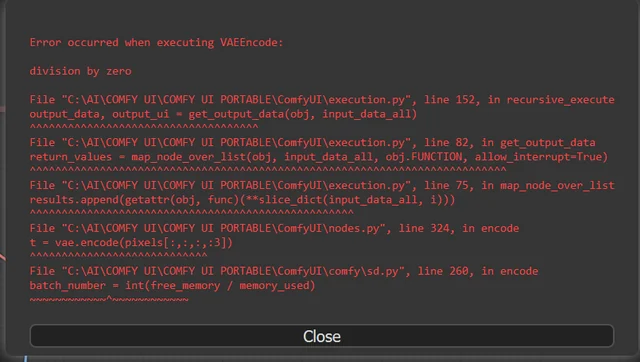
10 Most Common ComfyUI Beginner Mistakes and How to Fix Them in 2025
Avoid the top 10 ComfyUI beginner pitfalls that frustrate new users. Complete troubleshooting guide with solutions for VRAM errors, model loading...

25 ComfyUI Tips and Tricks That Pro Users Don't Want You to Know in 2025
Discover 25 advanced ComfyUI tips, workflow optimization techniques, and pro-level tricks that expert users use.

360 Anime Spin with Anisora v3.2: Complete Character Rotation Guide ComfyUI 2025
Master 360-degree anime character rotation with Anisora v3.2 in ComfyUI. Learn camera orbit workflows, multi-view consistency, and professional...