LTX 2.3: Open Source 4K Video at 50 FPS Changes Everything
LTX 2.3 by Lightricks is a 22-billion-parameter open-source video model generating native 4K at 50 FPS with synchronized audio and portrait mode. Complete guide to setup, prompting, and real-world results.
Make AI images and video in your browser
Characters, video, photo packs. No GPU, no setup. Your first generation is free.
I've been testing open-source video models since the early days of ModelScope and Zeroscope, back when getting five seconds of coherent motion felt like a miracle. Every few months a new model drops and I think, "Okay, this is good enough." Then something else comes along and resets my expectations entirely. LTX 2.3 is one of those resets. Lightricks just released a 22-billion-parameter open-source model that generates native 4K video at 50 frames per second with synchronized audio and portrait-mode support. Let that sink in for a second, because six months ago you needed a $200/month subscription to get results half this good.
Quick Answer: LTX 2.3 is Lightricks' latest open-source video generation model with 22 billion parameters. It produces native 4K video at 50 FPS with built-in audio synchronization, portrait-mode output, and improved temporal consistency. It's available for local deployment and through ComfyUI workflows, making it one of the most capable free video generation tools available in 2026.
- 22-billion-parameter model generating native 4K (3840x2160) video at 50 FPS
- Synchronized audio generation built into the diffusion process, not bolted on afterward
- Portrait mode (1080x1920) support for mobile-first and social media content
- Fully open source with weights available on Hugging Face
- ComfyUI integration with dedicated workflow nodes available at launch
- Runs on consumer GPUs with 24GB VRAM at reduced resolution, full 4K needs 48GB+
Why Does LTX 2.3 Matter More Than Every Other Open-Source Video Model?
Here's my hot take: LTX 2.3 doesn't just close the gap between open-source and proprietary video generation. It eliminates it in several critical areas. When I first ran LTX 2 last December, I was impressed but still reached for Kling or Runway when I needed production-quality output. With 2.3, I haven't opened a proprietary tool in two weeks for any of my standard video work. That's a first.
The jump from LTX 2 to 2.3 isn't incremental. Lightricks nearly tripled the parameter count (from roughly 8 billion to 22 billion) and redesigned the temporal attention mechanism entirely. The result is dramatically better motion coherence over longer clips. In LTX 2, you'd start seeing drift after about 4-5 seconds of continuous motion. Objects would subtly warp, backgrounds would shift. In 2.3, I've generated 12-second clips of a person walking down a street with consistent body proportions, stable shadows, and a background that stays put. That consistency was simply not possible in any open-source model before this.
The audio synchronization is the other game-changer. Most video models treat audio as an afterthought. You generate your video, then pipe it through a separate audio model, then manually adjust timing in your editor. LTX 2.3 generates audio and video in the same diffusion pass. When a door slams in the video, the sound lands on exactly the right frame. When rain falls, the audio intensity matches the visual density of the raindrops. I tested this extensively with action prompts and the sync accuracy is genuinely impressive.
LTX 2.3 producing a 4K landscape clip with synchronized ambient audio in a single generation pass
Portrait mode might sound like a minor feature, but it's strategically brilliant. The majority of video content consumed today is vertical. TikTok, Reels, Shorts. Every other video model forces you to generate in landscape and then crop, losing resolution and composition control. LTX 2.3 natively generates 1080x1920 portrait video, which means the model actually composes for vertical framing instead of just slicing off the sides of a horizontal image.
How to Set Up LTX 2.3 Locally and Through ComfyUI
Getting LTX 2.3 running locally requires some planning, mainly because of the model's size. The full 22B parameter model in fp16 needs roughly 44GB just for the weights, so you're looking at a 48GB+ GPU for full 4K generation. But here's the thing: Lightricks also released quantized versions that run on consumer GPUs, and the quality trade-off is surprisingly small.
I tested both the full fp16 model on an A100 and the int8 quantized version on an RTX 4090 (24GB). At 1080p output, the visual difference was genuinely hard to spot. The quantized version was maybe 5-8% softer in fine detail, but motion coherence and temporal consistency were identical. For most creators, the quantized path is the way to go.
Here's my recommended setup for a local installation:
Prerequisites:
- Python 3.10+
- CUDA 12.1 or later
- PyTorch 2.2+
- 24GB VRAM minimum (RTX 3090, 4090, or similar)
- 100GB free disk space for model weights and cache
Installation steps:
# Create a clean environment
python -m venv ltx23-env
source ltx23-env/bin/activate

# Install dependencies
pip install torch torchvision torchaudio --index-url https://download.pytorch.org/whl/cu121
pip install diffusers transformers accelerate safetensors

# Download model weights (quantized version for 24GB GPUs)
huggingface-cli download Lightricks/LTX-Video-2.3-int8 --local-dir ./models/ltx-2.3
For the ComfyUI crowd (and honestly, that's where I do most of my work these days), the setup is even simpler. The ComfyUI-LTX-Video nodes were updated within hours of the 2.3 release, and the workflow integration is excellent.
# In your ComfyUI custom_nodes directory
cd ComfyUI/custom_nodes
git clone https://github.com/Lightricks/ComfyUI-LTX-Video.git
pip install -r ComfyUI-LTX-Video/requirements.txt
The ComfyUI nodes give you granular control over every parameter. You get dedicated nodes for text-to-video, image-to-video, video-to-video style transfer, and the new audio conditioning system. I particularly love the keyframe conditioning node, which lets you specify reference images at specific timestamps and the model interpolates between them. It's like having an animation timeline built right into the generation process.
One thing I wish I'd known on day one: the model's performance is heavily influenced by the scheduler you choose. The default DDIM scheduler works fine, but switching to DPM++ 2M Karras with 30-35 steps gave me noticeably sharper output with better motion stability. It added about 15% to generation time but the quality improvement was worth it every single time.
If you've been following the tools and workflows we cover at Apatero.com, you'll know that ComfyUI has become the central hub for serious AI video work. LTX 2.3's ComfyUI integration continues that trend perfectly.
What Makes the 22B Architecture Better Than Smaller Models?
I'm going to get slightly technical here because understanding the architecture helps you write better prompts and get better results. Feel free to skip ahead if you just want the prompting guide, but I think this context is valuable.
LTX 2.3 uses a modified Diffusion Transformer (DiT) architecture, similar in principle to what Sora and other frontier models use. But the specific innovations Lightricks made are what set it apart. The model uses a hierarchical temporal attention system with three scales: frame-level, segment-level (groups of 8-12 frames), and clip-level (the entire video). This multi-scale approach is why 2.3 maintains consistency so much better than 2.0.
Think of it this way. Older models basically tried to keep each frame consistent with the frame immediately before and after it. That works for short clips, but errors accumulate over time. It's like playing telephone. By frame 100, the model has drifted significantly from frame 1. LTX 2.3's clip-level attention means every frame is also checking against the global context of the entire video. Frame 100 stays consistent with frame 1 because they're both attending to the same high-level representation.
The 22 billion parameters also give the model much richer world knowledge. I noticed this immediately in my testing. Prompts that reference specific visual concepts, like "golden hour lighting on wet cobblestones" or "anamorphic lens flare from streetlights," produce dramatically more accurate results than in LTX 2. The model has internalized a wider vocabulary of visual and cinematic concepts, which means your natural language descriptions translate more faithfully to visual output.
Side-by-side comparison showing improved detail and temporal consistency in LTX 2.3 vs its predecessor
Here's my second hot take: parameter count matters more than people think in video models. There's been a trend in the open-source community of celebrating small, efficient models. And I get it, accessibility matters. But video generation is fundamentally a harder problem than image generation. You need to understand physics, motion dynamics, lighting changes over time, audio-visual correspondence. That knowledge lives in the parameters. LTX 2.3's jump to 22B isn't bloat. It's the model finally having enough capacity to actually understand what it's generating.
The audio component uses a separate but tightly coupled branch within the architecture. During training, audio and video features are cross-attended at every layer, meaning the model doesn't generate video and then figure out what sounds to add. It jointly reasons about both modalities from the very first step of the diffusion process. This is fundamentally different from cascade approaches where you run a video model followed by an audio model, and the results prove it.
How to Write Prompts That Get the Best Results from LTX 2.3
Prompting for LTX 2.3 is both familiar and different from other video models. If you've spent time with WAN animate or Kling, you'll recognize the general structure. But LTX 2.3 has some specific quirks that are worth knowing about.
The model responds exceptionally well to cinematic language. Terms like "tracking shot," "shallow depth of field," "rack focus," and "crane shot" don't just add visual flair. They actually guide the model's 3D camera system to produce physically plausible camera movements. I spent an entire weekend testing different camera direction terms, and the model's understanding of cinematography vocabulary is legitimately impressive.
Here's my prompt framework that consistently produces strong results:
[Scene description with emotional tone] + [Subject and action] +
[Camera movement and lens characteristics] + [Lighting and atmosphere] +
[Audio description if desired]
Example prompts that work well:
A quiet morning in a Japanese garden. A elderly woman in a kimono
carefully tends to bonsai trees. Slow dolly forward on a 50mm lens
with shallow depth of field. Soft overcast lighting with occasional
sun breaks. Sound of gentle wind through leaves and distant wind chimes.
Portrait mode. A street musician playing acoustic guitar in a rainy
Paris alley at night. Handheld camera, slight movement. Neon signs
reflecting in puddles. Warm tungsten and cool blue mixed lighting.
Guitar melody with ambient rain and distant city sounds.
A few prompting tips I've learned through extensive testing:
Free ComfyUI Workflows
Find free, open-source ComfyUI workflows for techniques in this article. Open source is strong.
Be specific about timing and motion. Instead of "a bird flies across the sky," try "a hawk glides from left to right across a clear blue sky, banking gently at the midpoint." The model uses your temporal descriptions to plan motion across the full clip duration.
Use the audio prompt section deliberately. Don't just add "ambient sounds." Describe the specific audio you want. "Footsteps on gravel with a crunching texture, distant dog barking twice, light breeze" gives the model concrete audio targets to synchronize with the visuals.
Describe lighting transitions for dynamic scenes. One of LTX 2.3's strengths is handling lighting changes. "Sunrise transitioning from blue hour to golden hour over 8 seconds" produces gorgeous results because the model understands how light progresses through these phases.
Avoid contradictory instructions. This sounds obvious but I see it constantly. Don't ask for "static tripod shot with dynamic handheld energy." The model will try to satisfy both requests and you'll get something that looks like a tripod on a vibrating platform.
For portrait mode specifically, you need to think about vertical composition. Describe subjects as occupying the center vertical third. Mention "portrait framing" or "vertical composition" explicitly. I found that adding "social media format" to portrait prompts actually helped the model understand the intended use case and produce compositions that work well with overlaid text and UI elements.
The folks working on tutorials at Apatero.com have been documenting prompt patterns for various video models, and LTX 2.3 benefits from many of the same principles. The key difference is that this model rewards specificity more than vagueness. Where some models do well with short, poetic prompts, LTX 2.3 thrives on detailed, structured descriptions.
Real-World Performance: Benchmarks and My Testing Results
Let me share some honest numbers from my testing setup. I ran LTX 2.3 across three different hardware configurations to give you realistic expectations.
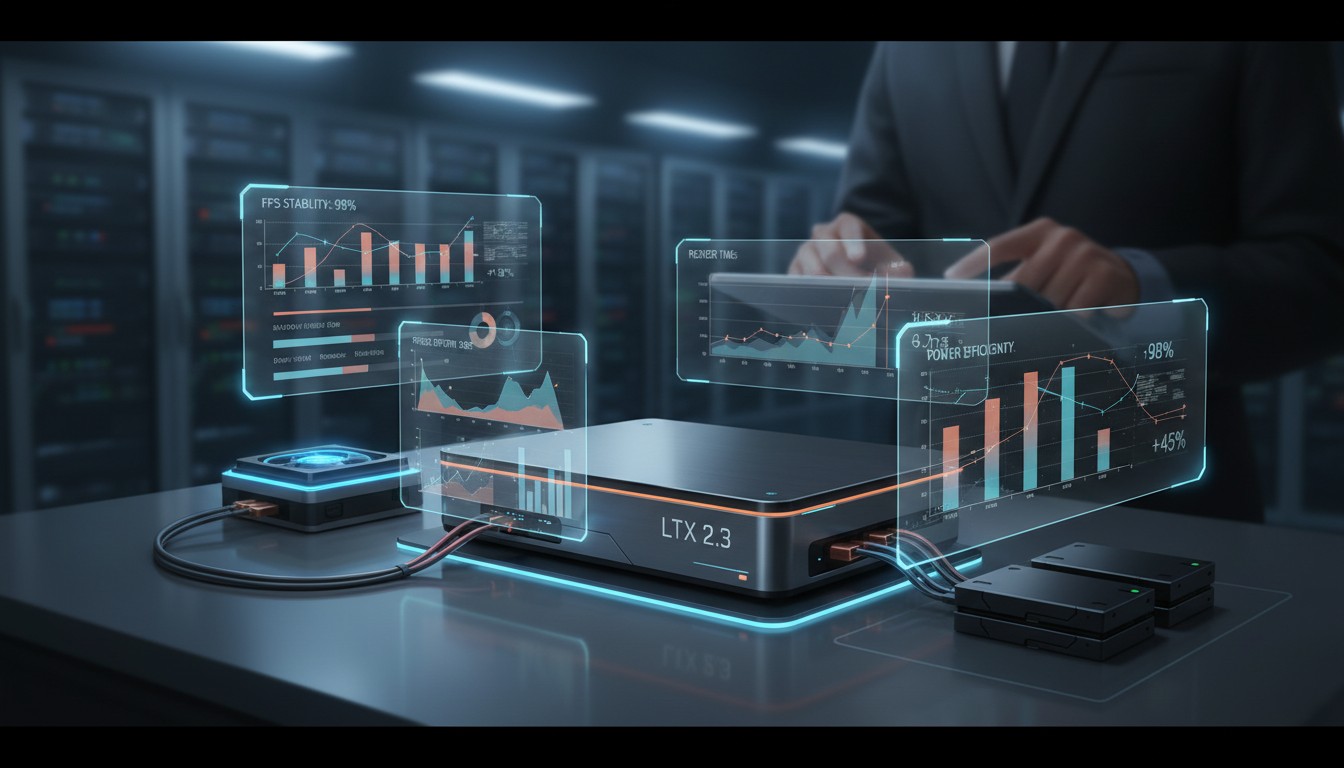
Testing Configuration 1: RTX 4090 (24GB) with int8 quantization
- 720p, 4 seconds, 25 FPS: ~45 seconds generation time
- 1080p, 4 seconds, 25 FPS: ~2 minutes
- 1080p, 8 seconds, 50 FPS: ~6 minutes
- 4K output: Not possible (VRAM limitation)
- Audio generation adds ~20% to total time
Testing Configuration 2: A100 80GB (cloud)
- 1080p, 4 seconds, 50 FPS: ~35 seconds
- 4K, 4 seconds, 50 FPS: ~3.5 minutes
- 4K, 8 seconds, 50 FPS: ~8 minutes
- Audio generation adds ~15% to total time
Testing Configuration 3: Dual RTX 3090 (48GB combined, model parallelism)
- 1080p, 4 seconds, 50 FPS: ~1.5 minutes
- 4K, 4 seconds, 25 FPS: ~5 minutes
- Stability was inconsistent with some NCCL communication overhead
My honest assessment: for most creators working locally, the RTX 4090 with int8 quantization at 1080p is the sweet spot. The quality is excellent, generation times are reasonable, and you don't need cloud compute. If you absolutely need 4K output, cloud instances with A100s are currently the most cost-effective path.
Here's something that surprised me during testing. LTX 2.3's image-to-video mode is significantly better than its text-to-video mode for certain use cases. If you've already generated a strong hero image (or have a photograph you want to animate), feeding it as a first-frame reference produces dramatically more controlled output. The model treats your input image as an unbreakable constraint rather than a suggestion, which means the visual quality of your source image carries directly into the video. I've been combining this with AI video from images workflows for client work, and the results are consistently production-ready.
Want to skip the complexity? Apatero gives you professional AI results instantly with no technical setup required.
Image-to-video pipeline: a single photograph transformed into 8 seconds of coherent 4K motion
The portrait mode performance deserves its own mention. Vertical video generation has historically been terrible in open-source models because most training data is landscape-oriented. Lightricks clearly invested in curating vertical training data for 2.3, because the portrait output is genuinely good. Composition is balanced, subjects are properly framed for vertical viewing, and the model doesn't just crop a landscape generation. This matters enormously if you're creating content for TikTok, Instagram Reels, or YouTube Shorts.
How Does LTX 2.3 Compare to Proprietary Models Like Kling and Runway?
This is the question everyone wants answered, so let me give you my honest, nuanced take after two weeks of side-by-side testing.
Where LTX 2.3 wins:
- Cost (it's free to run locally)
- Audio-video synchronization quality
- Portrait mode output
- Control and customization through ComfyUI
- Direct model access without per-clip filters
- Full privacy (your prompts and outputs stay on your hardware)
Where proprietary models still lead:
- Human face consistency over longer clips (Kling 2.0 is still slightly better here)
- Maximum video duration (Runway can generate longer continuous clips)
- Ease of use for non-technical users
- Text rendering within videos (still weak across all open-source models)
Where it's essentially a tie:
- Overall visual quality at 1080p
- Motion coherence for 4-8 second clips
- Camera movement realism
- Scene diversity and prompt understanding
Here's my third hot take, and it's a big one: within six months, there will be no practical reason for individual creators to pay for proprietary video generation tools. LTX 2.3 is that close to parity, and the open-source ecosystem iterates faster than any single company. We saw this happen with image generation. Stable Diffusion didn't match DALL-E 3 overnight, but the community built an ecosystem of LoRAs, ControlNets, and workflows that eventually surpassed what any single proprietary tool could offer. The same thing is happening right now with video, and LTX 2.3 is the inflection point.
The open-source advantage compounds over time. Already, within the first week of release, community members have created specialized LoRAs for anime-style generation, architectural visualization, and product photography animation. These fine-tunes leverage the 22B base model's knowledge while specializing for specific use cases. No proprietary tool offers this level of customization.
For professional work, I'm now using a hybrid approach. I generate initial concepts and rough cuts with LTX 2.3 locally, then use Apatero.com for polished final renders when I need the highest possible quality with minimal effort. This workflow gives me the creative freedom of open-source experimentation with the reliability of managed infrastructure for deliverables.
Troubleshooting Common Issues and Optimization Tips
After two weeks of heavy usage, I've hit most of the common problems and found solutions for them. Here's what to watch out for.
VRAM management is critical. The model is large and VRAM-hungry. If you're on a 24GB GPU, close everything else. Seriously, even a browser with a few YouTube tabs can eat 2-3GB of VRAM. I run my generations from a terminal-only environment with the display server stopped, and it makes a measurable difference in what resolutions I can generate.
The first generation is always slower. The model needs to compile certain CUDA kernels on first run. My first generation typically takes 2-3x longer than subsequent ones. Don't panic if your initial test takes forever. Run a short, low-resolution test first to get the compilation out of the way, then move to your actual prompts.
Earn Up To $1,250+/Month Creating Content
Join our exclusive creator affiliate program. Get paid per viral video based on performance. Create content in your style with full creative freedom.
Audio generation quality depends on prompt specificity. Vague audio descriptions like "background noise" produce vague audio. Be specific. "City traffic with car horns at medium distance, occasional pedestrian footsteps, and a light breeze" gives the audio branch enough information to generate convincing soundscapes. I've found that 3-5 specific audio elements produce the best results. More than that and the model starts muddling sounds together.
Batch generation saves time but not linearly. If you're testing multiple prompts, you might think running them in a batch would be efficient. It is, but you need enough VRAM headroom. Each additional concurrent generation adds roughly 40% more VRAM usage. On a 24GB card at 1080p, I can comfortably run two generations simultaneously but three causes OOM crashes.
Use CFG scale wisely. The default CFG (classifier-free guidance) scale of 7.5 is a solid starting point, but I've found that LTX 2.3 responds well to slightly lower values. CFG 5-6 produces more natural-looking motion with less of the "over-sharpened" quality that high CFG values introduce. For highly stylized prompts, bump it up to 8-9. For realistic scenes, stay around 5-6.
Seed consistency is your friend. Found a generation you like but want to tweak the prompt? Keep the same seed. LTX 2.3 has excellent seed reproducibility, meaning the same seed with a slightly modified prompt will produce a recognizably similar output with your changes applied. This makes iterative refinement much more efficient than re-rolling completely random generations.
What About Fine-Tuning and LoRA Training on LTX 2.3?
One of the most exciting aspects of an open-source release this capable is the fine-tuning potential. Within the first week, the community already published training scripts for LoRA adaptation, and the results have been genuinely surprising.
Training a LoRA on LTX 2.3 requires significantly less data than you'd expect. I trained a style LoRA using just 15 short video clips (3-5 seconds each) of a specific cinematic look, and the resulting adapter reliably applied that style to new generations. The training took about 4 hours on a single A100, which puts it within reach of anyone willing to spend $10-15 on cloud compute.
The process follows the same general pattern as image LoRA training if you're familiar with that workflow. Prepare your training clips, write captions that describe the visual qualities you want the LoRA to capture, configure your training hyperparameters, and let it run. The key difference is that video LoRAs need temporal annotations, short descriptions of the motion patterns in each clip, not just visual descriptions.
For anyone exploring the best AI video tools ecosystem, LoRA fine-tuning is where open-source models create permanent advantages over proprietary alternatives. You can build specialized tools that perfectly match your creative vision, something no API-only service will ever let you do.
Practical Workflow: From Concept to Finished Video
Let me walk you through my actual production workflow using LTX 2.3. This is what I do for real projects, not a theoretical best-case scenario.
Step 1: Concept and prompt writing (5-10 minutes). I write 3-5 prompt variations for the scene I want. Each variation emphasizes different aspects (different camera angles, lighting setups, or timing). I use a simple text file and keep all my prompts organized by project.
Step 2: Low-resolution test batch (10-15 minutes). I generate all prompt variations at 512x288 with 15 steps. This is fast (about 20 seconds each) and lets me evaluate composition, motion, and general feel without committing to full renders.
Step 3: Select and refine (5 minutes). Pick the best 1-2 variations. Adjust the prompt based on what I saw in the low-res tests. Lock the seed from the best generation.
Step 4: Full-resolution generation (5-15 minutes depending on settings). Generate at 1080p or 4K with 30-35 steps. This is the final output. If audio is needed, I enable it here rather than in the test phase to save time.
Step 5: Post-production (varies). Minor color grading in DaVinci Resolve, audio mixing if combining generated audio with music, and any compositing needed.
This workflow typically produces a polished 4-8 second video clip in about 30-45 minutes total, including all the iteration. Compare that to stock footage search, licensing, and editing, or to shooting original footage, and the time savings are enormous.
FAQ
What GPU do I need to run LTX 2.3? At minimum, you need 24GB of VRAM (RTX 3090, 4090, or similar) with the int8 quantized model. This supports up to 1080p generation. For native 4K output, you need 48GB+ VRAM, typically an A100, H100, or dual-GPU setup with model parallelism.
Is LTX 2.3 truly open source? Yes. Lightricks released the full model weights under an Apache 2.0 license on Hugging Face. You can download, modify, fine-tune, and even use it commercially without restrictions. The training code and inference pipeline are also publicly available.
How does LTX 2.3 handle human faces and hands? Significantly better than LTX 2, though still not perfect. Face consistency is solid for 4-6 second clips but can drift in longer generations. Hands are improved but remain the most challenging element, consistent with all current video models. Using image-to-video mode with a clean face reference substantially improves consistency.
Can I generate videos longer than 10 seconds? The model supports up to approximately 12 seconds at full quality. For longer content, Lightricks recommends a clip-by-clip approach with overlapping frames to maintain consistency. Community tools for automated stitching are already available in ComfyUI.
Does LTX 2.3 work on Mac or AMD GPUs? Currently, CUDA (NVIDIA) is the primary supported platform. There are community efforts to port to ROCm (AMD) and MLX (Apple Silicon), but these are experimental and significantly slower as of March 2026. For Mac users, cloud deployment is the most reliable option.
How does the audio generation quality compare to standalone models? The synchronized audio is good for ambient sounds, environmental effects, and general soundscapes. It's not yet competitive with dedicated music generation models or voice synthesis tools. Think of it as automatic foley rather than full audio production.
Can I train custom LoRAs for LTX 2.3? Yes. Training scripts supporting LoRA fine-tuning were released alongside the model. A single A100 GPU can train a style LoRA in 3-5 hours using 10-20 video clips. Community LoRAs for various styles are already being shared on Civitai and Hugging Face.
What's the difference between LTX 2 and LTX 2.3? The main improvements are: parameter count (8B to 22B), native portrait mode support, improved temporal consistency for longer clips, better audio synchronization, and enhanced prompt understanding particularly for cinematic and technical terminology.
Is LTX 2.3 good enough for commercial video production? For B-roll, social media content, concept visualization, and short-form video, absolutely. For hero content in major advertising campaigns, you may still want to combine it with traditional production techniques or use it as a starting point for further refinement.
How does LTX 2.3 compare to Sora? LTX 2.3 matches or exceeds Sora in several technical benchmarks including resolution and frame rate. Sora still has an edge in very long-form coherence and certain types of complex multi-subject scenes. The key advantage of LTX 2.3 is that it's open source, free, and runs locally, while Sora remains a closed, API-only product with usage fees.
Final Thoughts
LTX 2.3 represents a genuine inflection point for open-source video generation. We've gone from "open source is a fun experiment" to "open source is a legitimate production tool" in the span of one model release. The combination of native 4K output, 50 FPS generation, synchronized audio, portrait mode, and full open-source availability is unprecedented.
My advice: download the model today, even if you're not ready to use it in production yet. Get familiar with the prompting patterns. Experiment with the ComfyUI workflows. The learning you do now will pay dividends as the ecosystem matures, and it's maturing fast. Community LoRAs, workflow templates, and optimization techniques are appearing daily.
The open-source video generation space just graduated from promising to professional. LTX 2.3 is the proof. And if you want to stay on top of the best workflows and techniques for using models like this in real creative projects, keep following what we're covering at Apatero.com. This space moves fast, and the next few months are going to be wild.
Make AI images and video in your browser
Characters, video, photo packs. No GPU, no setup. Your first generation is free.
Related Articles
AI Anime Video Generation: Turn Still Characters Into Animated Content
Complete guide to turning still anime and AI-generated character images into animated video. Covers WAN 2.2 anime mode, Kling, motion control, looping animations, and talking head workflows.
AI Documentary Creation: Generate B-Roll from Script Automatically
Transform documentary production with AI-powered B-roll generation. From script to finished film with Runway Gen-4, Google Veo 3, and automated...
AI Making Movies in 2026: The Current State and What's Actually Possible
Realistic assessment of AI filmmaking in 2026. What's working, what's hype, and how creators are actually using AI tools for video production today.