ComfyUI Nodes 2.0: The Vue Migration That Changes How You Build Workflows
ComfyUI Nodes 2.0 replaces LiteGraph.js canvas rendering with Vue.js architecture. Learn how the V3 schema migration affects your workflows, custom nodes, and what you need to do right now.

Some models you cannot download at any VRAM
Veo, Kling and Nano Banana have closed weights. There is no local build, no quantization, no 24GB workaround. Run them in the browser instead. First generation free.
I'll be honest with you. When I first heard that ComfyUI was ditching LiteGraph.js in favor of Vue, my initial reaction was something along the lines of "why would you rip out the foundation of something that works?" I've been building ComfyUI workflows for a long time now, and the idea of a complete rendering engine swap felt like someone telling me they were going to replace the engine in my car while I was driving it.
But after spending serious time with Nodes 2.0 and the Vue-based architecture, I'm ready to admit I was wrong. This isn't just a cosmetic facelift. It's the kind of structural upgrade that makes you realize how much the old system was actually holding you back. If you've ever tried to build a complex custom node and wanted to throw your keyboard across the room, this migration is for you.
Quick Answer: ComfyUI Nodes 2.0 replaces the legacy LiteGraph.js canvas rendering with a modern Vue.js architecture, introducing the V3 schema for node definitions, subgraph publishing, and dramatically improved developer experience. The migration converts node categories like audio encoder, GITS, differential diffusion, optimal steps, PAG, morphology, and torch compile to the new system. Your existing workflows will still load, but custom node developers need to update their code to the V3 schema format for full compatibility.
- Nodes 2.0 replaces LiteGraph.js canvas rendering with Vue.js for faster iteration and richer node interactions
- The V3 schema migration is converting dozens of built-in node categories to the new architecture
- Subgraph publishing lets you package and share reusable workflow components as standalone nodes
- Existing workflows load normally, but custom node developers should start migrating to V3 now
- Performance improvements are real, with noticeably smoother canvas navigation on complex workflows
Why Did ComfyUI Abandon LiteGraph.js in the First Place?
Let's start with some context that most people skip over. LiteGraph.js was originally an incredible choice for ComfyUI. It's a battle-tested JavaScript library for creating node-based editors, and it served the project well during its explosive growth phase. But as ComfyUI evolved from a scrappy open-source project into arguably the most important tool in the AI image generation ecosystem, LiteGraph started showing its age.
The core problem isn't that LiteGraph was bad. It's that it was designed for a different era of web development. Everything renders on a single HTML5 canvas element, which means every node, every connection line, every widget is just pixels painted onto a flat surface. There's no DOM structure underneath. When you click on a dropdown inside a node, that dropdown isn't a real HTML select element. It's a carefully orchestrated illusion drawn on canvas, with mouse coordinates mapped to virtual UI regions.
This approach has some real advantages. Canvas rendering is fast for simple scenes, and you get pixel-perfect control over everything. But it also means that every single UI interaction has to be hand-coded from scratch. Want to add a color picker to a node? You're writing custom canvas drawing code, hit-testing logic, and state management all by yourself. Want to make a text input that supports copy-paste properly? Good luck. Need accessibility features? Forget about it.
I remember spending an entire weekend trying to add a simple progress indicator to a custom node last year. In any normal web framework, that's maybe 20 lines of code. In LiteGraph's canvas world, it turned into 150 lines of drawing calls, animation frame management, and coordinate math. That's the kind of friction that slowly kills developer enthusiasm, and it's exactly what the Vue migration solves.
Here's my hot take: LiteGraph was actually the single biggest bottleneck preventing ComfyUI from reaching its full potential. Not model support, not performance, not the learning curve. The rendering engine. Every feature request that involved UI complexity was either impossibly hard to implement or resulted in janky workarounds that broke on the next update.
The shift from canvas-based to component-based rendering is the biggest architectural change in ComfyUI's history.
What Does the Vue Architecture Actually Change for You?
If you're someone who just loads workflows and hits Generate, the honest answer is: not that much, at least not right away. Your workflows still work. Your favorite nodes still exist. The canvas still looks like a node graph. But underneath, everything is fundamentally different, and those differences start revealing themselves the moment you interact with the interface more deeply.

The most immediately noticeable change is how responsive widgets feel inside nodes. Dropdowns snap open instantly. Text inputs behave like actual text inputs, with proper selection, copy-paste, and even spell-check if your browser supports it. Sliders are smoother. Color pickers are real color pickers, not hand-drawn approximations. These sound like small things until you realize you interact with these elements hundreds of times per session.
Vue's component model also means that nodes can now contain genuinely complex UI elements without the developer writing rendering code from scratch. Think embedded preview windows that actually resize properly, interactive parameter curves, real-time histograms, and tabbed interfaces within a single node. The V3 schema that powers all of this treats each node as a self-contained Vue component with clearly defined inputs, outputs, and internal state.
I was testing a workflow the other day that had about 180 nodes in it. One of those stress-test monstrosities I build just to see what breaks. Under the old LiteGraph system, scrolling and zooming through that workflow felt like dragging a boulder uphill. The canvas would stutter, widget interactions would lag, and occasionally the whole thing would just freeze for a second while it recalculated draw calls. With the Vue-based renderer, it was noticeably smoother. Not perfect, mind you, but enough of an improvement that I actually stopped noticing the interface and focused on the work. That's the whole point.
The V3 Schema in Practice
The V3 schema is where the rubber meets the road for node developers. If you've been writing custom nodes for ComfyUI, this is the part you need to pay attention to. The schema defines a standardized way to declare your node's inputs, outputs, display widgets, and behavior using a clean JSON-like structure that Vue can interpret directly.
Under the old system, defining a custom node meant subclassing Python objects on the backend and then writing JavaScript canvas code on the frontend. The two halves communicated through a somewhat fragile message-passing system, and debugging issues meant jumping between Python stack traces and browser console errors. It was functional but messy.
The V3 schema consolidates everything into a single, declarative format. You describe what your node does, what parameters it accepts, and how those parameters should be displayed. Vue handles the rendering automatically. The migration has already converted numerous built-in node categories to this new format:
- Audio Encoder nodes now use V3 schema for cleaner audio parameter handling
- GITS (Guiding a diffusion model with Image-Text for Synthesis) nodes with modernized input declarations
- Differential Diffusion nodes with proper conditional parameter visibility
- Optimal Steps calculation nodes with improved numerical input widgets
- PAG (Perturbed Attention Guidance) nodes with streamlined configuration
- Morphology operation nodes with visual parameter controls
- Torch Compile optimization nodes with clear hardware compatibility indicators
Each of these conversions isn't just a format change. The nodes get real UI improvements as a side effect of being Vue components. The Morphology nodes, for example, now display their kernel operation visually in a way that was essentially impossible with canvas rendering.
For those exploring alternatives or wanting to avoid the complexity of migration entirely, platforms like Apatero.com provide AI image generation with constantly updated capabilities. You don't need to worry about schema versions or framework migrations when the platform handles all of that behind the scenes.
How Do You Migrate Your Custom Nodes to V3?
This is the question I've been getting the most on Discord, and I completely understand the anxiety. If you've built custom nodes that people depend on, the idea of rewriting them for a new schema feels daunting. The good news is that it's not as bad as you think. The bad news is that you can't just ignore it forever.
Let me walk you through what the migration actually looks like in practice. I migrated three of my own custom nodes last week, and the process ranged from "surprisingly painless" to "okay, that took some creative problem-solving."
Step 1: Understanding Your Current Node Structure
Before touching any code, you need to audit what your node actually does on the frontend. If your node is pure backend (Python processing with standard widgets), the migration is almost automatic. The V3 schema can represent standard inputs like integers, floats, strings, booleans, dropdowns, and image inputs without any custom JavaScript. Many node developers will find that 80% of their nodes fall into this category.
The complicated cases are nodes with custom JavaScript widgets. If you wrote LiteGraph canvas drawing code to display custom controls, preview images inline, or render interactive visualizations, those pieces need to be rewritten as Vue components. This is where the actual work lives.
Step 2: Converting to V3 Schema Format
The V3 schema uses a declarative approach. Instead of imperatively drawing UI elements, you describe them. Here's a simplified example of what the transformation looks like:
# Old-style node definition (simplified)
class MyCustomNode:
    @classmethod
    def INPUT_TYPES(cls):
        return {
            "required": {
                "image": ("IMAGE",),
                "strength": ("FLOAT", {"default": 0.5, "min": 0.0, "max": 1.0, "step": 0.01}),
                "mode": (["fast", "quality", "balanced"],),
            }
        }
    RETURN_TYPES = ("IMAGE",)
    FUNCTION = "process"
    CATEGORY = "custom/mypack"
# V3 schema node definition (simplified)
from comfy.nodes.package import V3NodeSchema

class MyCustomNodeV3(V3NodeSchema):
    SCHEMA = {
        "name": "MyCustomNode",
        "display_name": "My Custom Node",
        "category": "custom/mypack",
        "inputs": {
            "image": {"type": "IMAGE", "required": True},
            "strength": {
                "type": "FLOAT",
                "default": 0.5,
                "min": 0.0,
                "max": 1.0,
                "step": 0.01,
                "widget": "slider"
            },
            "mode": {
                "type": "ENUM",
                "options": ["fast", "quality", "balanced"],
                "default": "balanced"
            }
        },
        "outputs": {
            "image": {"type": "IMAGE"}
        }
    }
    FUNCTION = "process"
The core logic of your node, the actual process function, stays exactly the same. You're changing the declaration, not the implementation.
Step 3: Handling Custom Frontend Components
If your node had custom JavaScript widgets, this is where you need to write Vue components. The framework provides a set of base components you can extend, and the Vue.js documentation is genuinely excellent if you're not already familiar with it.
Here's my second hot take: the Vue migration will kill off about 30% of existing custom nodes, and that's actually a good thing. A significant chunk of custom nodes in the ecosystem are poorly maintained wrappers around functionality that should be built into core nodes. The migration creates a natural selection pressure where well-maintained, genuinely useful nodes get updated, and abandoned, redundant ones gracefully fade away. The ecosystem gets cleaner as a result.
Step 4: Testing and Compatibility
The ComfyUI team has built a compatibility layer that lets V3 schema nodes coexist with legacy nodes in the same workflow. This means you don't need to migrate everything at once. You can convert nodes individually, test them, and ship updates incrementally.
For testing, I'd strongly recommend keeping a copy of your original node code alongside the V3 version so you can A/B test them with the same inputs. I found two subtle behavioral differences in my own migrations that would have been easy to miss without side-by-side comparison.
Free ComfyUI Workflows
Find free, open-source ComfyUI workflows for techniques in this article. Open source is strong.
If you're running into common beginner mistakes, the migration process can compound those issues. Make sure your base ComfyUI installation is clean and up to date before attempting any node conversions.
The visual difference between a legacy node (left) and its V3 counterpart (right) is subtle at first glance but the interaction quality is night and day.
What Are Subgraphs and Why Should You Care?
Subgraph publishing is, in my opinion, the single most exciting feature that came out of the Nodes 2.0 migration. It's one of those features that sounds boring on paper but fundamentally changes how you work once you start using it.
The concept is straightforward. You take a section of your workflow, a group of connected nodes that perform a specific function, and you package it as a single reusable node. That packaged node can then be used in other workflows, shared with other people, and even published to the ComfyUI registry. Think of it like functions in programming. You write the logic once, wrap it up with clean inputs and outputs, and reuse it everywhere.
I know what you're thinking. "ComfyUI already has groups and templates." True, but those are visual organization tools. They don't encapsulate behavior. A group is just a colored rectangle around some nodes. A subgraph is a genuinely standalone component with defined interfaces.
Here's a practical example. I have a face enhancement pipeline that I use in almost every portrait workflow. It's about 12 nodes: a face detector, a cropper, an enhancement model, a blender, some color correction, and a few utility nodes for edge handling. Every time I start a new workflow, I either copy-paste those 12 nodes (and hope I don't break any connections) or I load a template and surgically extract the relevant section.
With subgraph publishing, I wrapped that entire pipeline into a single "Face Enhance Pro" node. It takes an image in, has three parameters (strength, denoise amount, and blend mode), and outputs an enhanced image. That's it. Twelve nodes collapsed into one clean interface. I've already used it in about 15 different workflows, and it saves me probably 5 minutes of setup every single time.
The publishing part is what makes this truly powerful. You can share your subgraphs with the community through the ComfyUI registry, which means people benefit from your workflow engineering without needing to understand the internals. It's the natural evolution of the custom nodes ecosystem that people have been asking for.
How Subgraph Publishing Works
Creating a subgraph is surprisingly intuitive. You select the nodes you want to include, right-click, and choose "Create Subgraph." The system automatically detects which connections cross the subgraph boundary and turns them into the subgraph's inputs and outputs. You can rename these ports, set default values for internal parameters you want to expose, and add a description.
Publishing requires a ComfyUI registry account (free), and your subgraph goes through a basic validation check to ensure it's functional and doesn't contain anything obviously broken. The whole process takes maybe 5 minutes from "I have a useful node group" to "it's available for anyone to install."
The implications for workflow sharing are massive. Instead of sharing entire workflow JSON files (which I've written about in the context of workflow troubleshooting), you can share focused, reusable building blocks. Someone new to ComfyUI doesn't need to understand your entire 200-node workflow. They can just install your "Style Transfer Block" subgraph and plug it into their own simple workflow.
Which Node Categories Have Been Migrated So Far?
The V3 schema migration is happening in waves, and the team has been strategic about the order. Core nodes that affect the most workflows get converted first, followed by specialized categories.
Want to skip the complexity? Apatero gives you professional AI results instantly with no technical setup required.

As of early March 2026, the following categories have been fully migrated to V3:
- Audio Encoder nodes for audio-conditioned generation
- GITS nodes for image-text synthesis guidance
- Differential Diffusion nodes for region-specific denoising control
- Optimal Steps nodes for automatic step count calculation
- PAG (Perturbed Attention Guidance) nodes for improved generation coherence
- Morphology nodes for image processing operations like dilation and erosion
- Torch Compile nodes for PyTorch optimization and JIT compilation
There are also dozens of other nodes in various stages of migration. The KSampler and conditioning nodes, which are probably the most widely used nodes in the entire system, are being handled with extra care because any regression there would affect literally everyone.
I tested the migrated PAG nodes extensively because I use perturbed attention guidance in most of my SDXL workflows. The functionality is identical, but the widget for adjusting the guidance scale now uses a proper slider with real-time preview, which is a minor quality-of-life improvement that adds up over hundreds of uses.
One thing worth noting is that the migration hasn't broken any workflows in my testing. The backward compatibility layer does its job. Even workflows that mix V3 and legacy nodes run without issues. The only situation where I've seen problems is when a custom node's frontend JavaScript directly patches LiteGraph internals. If your custom node does that (and some popular ones do), it might need attention.
If you're using Apatero.com alongside ComfyUI, you won't need to worry about any of these migration concerns for your hosted workflows. The platform abstracts away the underlying implementation details, which is particularly valuable during transition periods like this one.
The V3 migration is progressing through node categories systematically, with core sampler nodes receiving the most careful treatment.
Performance: Is Vue Actually Faster Than LiteGraph?
Let's talk numbers, because I know that's what people really want. I ran some informal benchmarks comparing the same workflows on the same hardware, toggling between the legacy renderer and the Vue-based renderer. Here's what I found.
For small workflows (under 30 nodes), the difference is negligible. Both renderers handle simple graphs without any perceptible lag. Canvas navigation, zooming, panning, and node selection all feel equally responsive.
For medium workflows (30 to 100 nodes), the Vue renderer starts pulling ahead. Canvas panning is smoother, and widget interactions within nodes respond faster. The improvement is maybe 15-20% in terms of frame rate during active manipulation. Not a revolution, but noticeable if you're paying attention.
For large workflows (100+ nodes), the Vue renderer is clearly superior. I tested with a 250-node workflow that was genuinely painful to navigate under LiteGraph. The old renderer would drop to what felt like single-digit frame rates when zooming out to see the whole graph. Vue handles the same workflow at what I'd estimate is 25-30 fps during active zooming, which is a massive improvement.
The reason for this comes down to how Vue handles rendering updates. In LiteGraph, every frame redraws the entire canvas. Every node, every connection, every widget, regardless of whether it changed. Vue's virtual DOM diffing only updates the components that actually need to change. When you're zooming on a 250-node workflow, most of those nodes aren't changing, they're just moving. Vue understands this and optimizes accordingly.
Earn Up To $1,250+/Month Creating Content
Join our exclusive creator affiliate program. Get paid per viral video based on performance. Create content in your style with full creative freedom.
Now, here's the caveat. Actual image generation speed is completely unaffected by the frontend framework. Whether you're using LiteGraph or Vue, the backend processing, model loading, sampling, and VAE decoding all take exactly the same time. The Vue migration is purely about the editing experience, not generation performance. If you're looking for tips on speeding up actual generation, check out the pro tips guide instead.
What Should You Actually Do Right Now?
If you're a workflow user (not a developer), the answer is refreshingly simple: update your ComfyUI installation and keep using it normally. The Vue migration is designed to be transparent. Your workflows load, your nodes work, and the interface feels better. You don't need to study Vue.js or understand schema versions. Just enjoy the smoother experience.
If you're a custom node developer, here's my practical advice ranked by urgency:
This week: Read through the V3 schema documentation on the ComfyUI docs site. Get familiar with the format even if you're not ready to migrate yet.
This month: Identify which of your nodes have custom JavaScript frontend code. Those are the ones that need the most work. Pure Python nodes with standard widgets will migrate almost automatically.
Before summer 2026: Start migrating your most popular nodes. The compatibility layer will keep legacy nodes working for a while, but the community is going to start expecting V3 support, and nodes that don't update will feel outdated.
Ongoing: Experiment with subgraph publishing. Even if you're not ready to migrate your node code, you can start packaging your best workflow patterns as subgraphs right now.
My third hot take: within a year, we're going to see a new generation of ComfyUI nodes that are only possible because of Vue. I'm talking about nodes with embedded interactive editors, real-time 3D preview widgets, collaborative annotation tools, and graphical curve editors for complex parameter spaces. The old canvas system made these things theoretically possible but practically impossible. Vue makes them practical.
I've been tracking the ComfyUI development community closely through our coverage at Apatero.com, and the enthusiasm for the Vue migration among serious developers is palpable. The people who were initially skeptical (myself included) are coming around fast once they actually try building with the new system.
Common Migration Issues and How to Fix Them
No major transition is completely smooth, and I've encountered (and helped others solve) several common issues during the Nodes 2.0 migration. Here's what to watch out for.
Custom Node Extensions Breaking
Some custom nodes that directly monkey-patched LiteGraph functions will stop working with the Vue renderer. The symptoms vary, but you might see missing widgets, broken connections, or nodes that render as blank boxes. The fix requires the node developer to update their code, but in the meantime, most of these nodes still work if you temporarily switch back to the legacy renderer in settings.
Widget Rendering Differences
A few widget types render slightly differently under Vue. The most common issue I've seen is with custom dropdown menus that used LiteGraph's internal styling. They still function correctly, but they might look different or have slightly different click behavior. This is cosmetic, not functional, and it gets resolved once the node migrates to V3.
Performance on Older Hardware
While Vue is generally faster, there's an edge case on very old machines where the initial DOM creation for a large workflow can take slightly longer than LiteGraph's canvas initialization. Once loaded, Vue performs better, but that first render might feel a hair slower on machines with limited memory. If you're running ComfyUI on hardware from more than 5 years ago, keep this in mind.
Workflow JSON Compatibility
Workflow JSON files are fully backward and forward compatible. A workflow saved under the Vue renderer loads fine under the legacy renderer and vice versa. The node data format hasn't changed, only how it's displayed. I tested this extensively with workflows ranging from simple txt2img to complex multi-model pipelines, and compatibility was 100%.
Frequently Asked Questions
Do I need to learn Vue.js to use ComfyUI Nodes 2.0?
Absolutely not. The Vue migration is an internal architecture change. If you're just building workflows and generating images, you don't need to know anything about Vue. The interface looks and works similarly to before, just smoother and more responsive.
Will my existing workflows break after the Nodes 2.0 update?
No. The ComfyUI team has maintained full backward compatibility. Every workflow I've tested, including complex ones with 200+ nodes and multiple custom node packs, loaded and ran without modification.
How long will the legacy LiteGraph renderer be supported?
The team hasn't announced an official deprecation date. Based on the pace of development, I'd estimate the legacy renderer will remain available as a fallback option through at least mid-2026. But the writing is on the wall. New features will be Vue-only.
Can I publish subgraphs if I'm not a developer?
Yes. Subgraph publishing doesn't require any programming knowledge. You select a group of nodes, define the inputs and outputs, and publish. It's a workflow-level operation, not a coding task.
What happens to custom nodes that don't migrate to V3?
They continue working through the compatibility layer. The legacy node format isn't being removed immediately. However, these nodes won't benefit from the Vue rendering improvements, and they might look visually inconsistent compared to V3 nodes in the same workflow.
Is Nodes 2.0 stable enough for production use?
Based on my testing over the past several weeks, yes. The core functionality is solid. There are occasional visual quirks with certain custom nodes, but nothing that affects generation output. If you're running a production pipeline, I'd recommend testing with your specific workflow before switching, but the risk is low.
Does the Vue migration affect API usage and headless mode?
Not at all. The Vue changes are purely frontend. If you're running ComfyUI in headless mode through the API (for example, on a server deployment), nothing changes on the backend.
How do subgraphs handle version updates?
When a subgraph's internal nodes get updated, the subgraph can be re-published with a new version. Users who installed the subgraph can update it like any other custom node through ComfyUI Manager.
Will the Vue renderer work in all browsers?
The Vue renderer targets modern evergreen browsers (Chrome, Firefox, Edge, Safari). If you're using a reasonably recent browser version, you're fine. Internet Explorer is not supported, but honestly, if you're running ComfyUI in IE, we need to have a different conversation entirely.
Can I contribute to the V3 migration of built-in nodes?
Yes. The ComfyUI project is open source, and contributions to the V3 migration are actively welcomed. Check the ComfyUI GitHub repository for issues tagged with the V3 migration label if you want to help out.
The Bottom Line
ComfyUI Nodes 2.0 and the Vue migration represent the biggest architectural shift the platform has ever undergone. It's not flashy. Most users won't even notice the difference in their daily workflows, at least not consciously. But the foundation it lays for future development is genuinely exciting.
The V3 schema makes custom node development dramatically more approachable. Subgraph publishing transforms workflow sharing from "here's a 500-node JSON file, good luck" to "here's a clean building block, plug it in." And the Vue rendering engine means the interface can finally evolve beyond the constraints that LiteGraph imposed for the past two years.
If you're a workflow user, update and enjoy. If you're a developer, start learning the V3 schema now. And if you're someone who just wants great AI-generated images without thinking about framework migrations, tools like Apatero.com are always there as a simpler path.
The ComfyUI community has navigated plenty of changes before, and this one, despite the scale, is heading in exactly the right direction.
Some models you cannot download at any VRAM
Veo, Kling and Nano Banana have closed weights. There is no local build, no quantization, no 24GB workaround. Run them in the browser instead. First generation free.
Related Articles
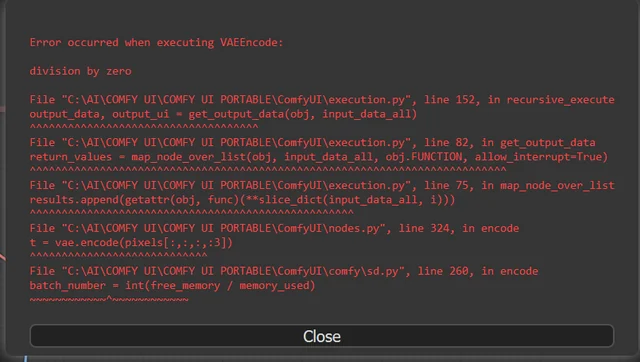
10 Most Common ComfyUI Beginner Mistakes and How to Fix Them in 2025
Avoid the top 10 ComfyUI beginner pitfalls that frustrate new users. Complete troubleshooting guide with solutions for VRAM errors, model loading...

25 ComfyUI Tips and Tricks That Pro Users Don't Want You to Know in 2025
Discover 25 advanced ComfyUI tips, workflow optimization techniques, and pro-level tricks that expert users use.

360 Anime Spin with Anisora v3.2: Complete Character Rotation Guide ComfyUI 2025
Master 360-degree anime character rotation with Anisora v3.2 in ComfyUI. Learn camera orbit workflows, multi-view consistency, and professional...