Photorealistic AI Prompts: Camera-Speak Framework for 2026
Stop typing 'photorealistic.' Real photo prompts use lens, aperture, film stock, and physical light terms. Here is the full 2026 vocabulary.
Make AI images and video in your browser
Characters, video, photo packs. No GPU, no setup. Your first generation is free.
Photorealistic AI prompts in 2026 do not start with the word "photorealistic." That word is the single biggest tell that someone has not figured out how modern image models actually see. The models that ship this year were trained on captioned photo metadata, EXIF tags, and editorial copy that uses real camera vocabulary. If you want output that reads as a real photograph, you have to write like a real photographer.
Quick Answer: To get photorealistic output from Flux 2, Nano Banana Pro, or Qwen Image 2.0, drop the word "photorealistic" entirely. Replace it with a concrete lens (35mm f/1.8), a film stock or sensor reference (Kodak Portra 400, Sony A7R V), a lighting condition (overcast soft north light, tungsten practical), and a focus cue (eye-level, shallow depth of field). Keep the subject sentence short, stack the camera-speak in a second clause, and let the model do the rest.
- "Photorealistic" is a dead keyword in 2026 model vocabularies
- Lens focal length plus aperture is the single highest-leverage swap you can make
- Film stock and sensor names carry color, grain, and contrast meaning into the latent
- Lighting words must match real physics or the image looks plastic
- Save your prompts as templates. Photo style is reusable, the subject is not
Why "Photorealistic" Is the Worst Word in Your Prompt
Look, I spent the first year of Flux 1 typing "photorealistic, ultra realistic, 8k, masterpiece" on the front of every prompt like everyone else. It worked, sort of. The output looked like a particular kind of AI photo, which is to say it looked like every AI photo from 2024. Skin too smooth, eyes too sharp, lighting from nowhere in particular.
Here is what changed. Modern 2026 image models, Flux 2, Nano Banana Pro, Qwen Image 2.0, were trained on giant pools of captioned photographs where the captions came from real photo metadata. EXIF data, editorial captions, Lightroom export descriptions, stock photo tags. Those captions almost never contain the word "photorealistic." They contain "35mm f/1.4, ISO 200, golden hour" because that is what photographers actually write.
When you front-load "photorealistic" the model maps to a different cluster of training images. That cluster is dominated by older AI-generated photos that were themselves labeled "photorealistic" during synthetic-data scraping. You are literally asking the model to make a picture that looks like a 2023 AI photo. Hot take, but this is why your output looks "AI" no matter how many quality tags you stack.
Drop the word. Replace it with the vocabulary a real photographer would use to describe the same shot.
The Physics of Real Photography and Why It Maps to Diffusion
Real cameras impose physical constraints. A 24mm lens warps faces near the edge of the frame. An f/1.4 aperture throws the background into a buttery blur but only at portrait distance. Tungsten light shifts color temperature warm. Kodak Portra 400 rolls off the highlights and pushes skin tones toward peach. None of these are stylistic choices. They are facts of optics and chemistry.
Diffusion models learned these facts as statistical correlations between caption words and pixel patterns. When you write "35mm f/1.4" in your prompt, the model has seen tens of thousands of training images captioned that way, and it knows what depth of field, perspective, and bokeh shape those images had. The prompt vocabulary is a shortcut into a tightly clustered region of the latent space.
This is why generic words underperform specific ones. "Blurry background" gives you a generic blur. "85mm f/1.8 at portrait distance" gives you the exact bokeh of a portrait lens with the right out-of-focus rendering, smooth subject separation, and reasonable working distance for the framing. The specificity is doing the work.
I had to retrain my whole prompting habit when Flux 2 shipped. The VLM-based encoder is much better at parsing technical photography language than the dual-encoder Flux 1 was. I now spend more words on lens, aperture, light, and stock than I do on the subject. That ratio used to be reversed.
Lens Vocabulary: From 14mm Fisheye to 200mm Macro
Lens focal length is the single most powerful word you can change in a photo prompt. It governs perspective, compression, distortion, and field of view. Models recognize the standard focal lengths because they appear in millions of captioned training images, and each one carries a specific look.
Here is the working vocabulary I use. These are the lens references that land cleanly in Flux 2 Pro, Nano Banana Pro, and Qwen Image 2.0 in my testing.
Ultra-wide and wide angle:
- 14mm fisheye, full-frame, exaggerated curvature at edges
- 16mm rectilinear, architectural, no curvature
- 24mm f/1.4, environmental portraits, slight distortion at edges
- 28mm f/2, documentary, journalistic feel
- 35mm f/1.4, classic street and environmental, very natural
Normal range:
- 50mm f/1.2, the standard, what the human eye most resembles
- 50mm f/1.8, slightly cheaper, slightly less bokeh, still natural
Short telephoto and portrait:
- 85mm f/1.4, the canonical portrait lens, gorgeous subject separation
- 105mm f/2.8 macro, tight detail, flatter perspective
- 135mm f/1.8, compressed background, longer working distance
Telephoto and macro:
- 200mm f/2.8, heavy compression, sports and event vibe
- 200mm macro, extreme close detail with strong bokeh
I tested swapping just the focal length on the same prompt about 60 times across Flux 2 Pro. The output changes character completely. A 24mm and an 85mm at "portrait of a woman" do not look like portraits of the same person. The 24mm reads as a candid environmental shot. The 85mm reads as a planned portrait session. Pick on purpose.
If you want a deeper dive into structured photo prompting, the Flux 2 prompt engineering masterclass covers the JSON and HEX modes that pair perfectly with lens vocabulary.
Aperture and Depth of Field Language
Aperture is the second highest-leverage word. It controls how much of the image is in focus, how the background blurs, and how the model handles light falloff. The shorthand the models recognize best is the standard f-stop notation.
The cheat sheet I keep open while prompting:
- f/1.2 to f/1.8 for dreamy, isolated subject, heavy bokeh, shallow plane of focus
- f/2 to f/2.8 for portraits with environmental hints still readable
- f/4 to f/5.6 for groups, products, half-body where face and torso are sharp
- f/8 to f/11 for full-scene focus, landscapes, architecture
- f/16 to f/22 for sunbursts, deep landscape detail, extreme depth
A subtle thing nobody tells you. Aperture alone does not control bokeh shape. If you want creamy out-of-focus highlights you also want to mention "smooth bokeh" or specify a lens known for it. Saying "85mm f/1.4 smooth bokeh, creamy out-of-focus highlights" gives you the look you want without the model defaulting to busy nervous blur.
Pair aperture with subject distance for accuracy. "85mm f/1.4 at three meters" produces a different depth of field than "85mm f/1.4 macro close-up." The models have learned working distance from photo captions.
Film Stock and Sensor Profile References
This is where most prompt guides stop, and it is where the biggest quality jump lives. Film stocks and sensor profiles encode color science. They carry contrast, saturation, grain, highlight rolloff, and shadow behavior all in a single recognized name.
Stocks that land consistently in 2026 models:
Color negative film:
- Kodak Portra 400, soft warm skin, low contrast, the modern editorial standard
- Kodak Portra 800, slightly more saturated, more grain
- Kodak Gold 200, warmer, nostalgic, slightly green shadows
- Fuji Pro 400H, cooler skin, pastel greens, weddings and lifestyle
- Cinestill 800T, tungsten-balanced, signature red halation around lights
Slide film:
Free ComfyUI Workflows
Find free, open-source ComfyUI workflows for techniques in this article. Open source is strong.
- Kodak Ektachrome E100, clean cool blues, editorial
- Fuji Velvia 50, ultra-saturated, landscape gold standard
Black and white:
- Kodak Tri-X 400, classic photojournalism grain
- Ilford HP5, slightly cleaner, longer tonal range
- Ilford Delta 3200, fine grain even at high ISO
Digital sensors:
- Sony A7R V, clinical, sharp, high dynamic range
- Canon R5, slightly warmer color science, gentle highlight rolloff
- Phase One IQ4 medium format, ultra-detailed, smooth tonal gradients
- ARRI Alexa, cinematic, soft contrast, beautiful midtones
I will be honest. I overuse Portra 400 because it produces flattering skin almost every time. But the win is variety. Try Cinestill 800T for any night scene. Try Velvia for landscapes. Try Tri-X for any street or documentary subject. The stock changes the whole emotional tone.
Lighting Categories: Three-Point, Natural, Volumetric, Practical
Lighting language is where most AI photos die. People type "good lighting" and wonder why the result looks like a fluorescent showroom. Real photographers describe light by source, direction, color, and quality.
The categories that actually matter:
Natural light direction:
- Overcast soft north light, no shadows, even, editorial
- Golden hour low-angle warm light, long shadows, glowing rim
- Blue hour cool ambient, twilight saturation
- Open shade soft directional, hard outdoor light without harshness
- Window light side-lit, gradient from highlight to shadow
Studio and three-point:
- Key light from camera right, fill from camera left, rim from behind
- Rembrandt lighting, signature triangle on the shadow cheek
- Butterfly lighting, symmetrical from above for fashion
- Loop lighting, soft shadow off the nose
Volumetric and atmospheric:
- God rays through dust, visible light beams
- Foggy backlight, halo effect on subject
- Smoke-filled, hazy diffusion of all lights
- Cool blue mist with warm practical light cutting through
Practical lights:
- Single tungsten bulb overhead, classic noir
- Neon signage with mixed color temperatures
- Candlelight only, very warm, soft falloff
- Computer screen glow on face, modern night scene
The hot take. If you only learn one new lighting term this year, learn "overcast soft north light." It is the secret sauce for editorial-feeling portraits because the diffuse soft direction flatters skin without the AI-typical hot highlight on the nose. I use it on probably 40 percent of my portrait work now.
For an even deeper dive into photographic prompting for specific subjects, the AI influencer prompt engineering guide walks through how to layer lighting on top of character consistency.
Motion Cues That Add Authenticity
Real photos have motion artifacts. Subtle motion blur from a slow shutter, sharpness from a fast one, intentional pans, frozen action. AI photos that read as fake usually have no motion grammar at all. Everything is uniformly sharp or uniformly soft.
Want to skip the complexity? Apatero gives you professional AI results instantly with no technical setup required.
Words that add motion authenticity:
- 1/30s slow shutter, slight subject blur
- 1/2000s frozen action, every droplet sharp
- Panning shot, sharp subject, motion-blurred background
- Long exposure 30 seconds, light trails, ghosted clouds
- Tracking shot, subject in focus, background streaked
Apply these to action subjects and you get believable energy. Apply them to portraits at 1/250s shutter and the model produces the natural micro-sharpness of a fast-enough shutter without over-crisping the image.
The 25 Paired Examples (Same Subject, Different Terms)
This is the section to bookmark. I ran the same base subject through 25 prompt-pair tests in Flux 2 Pro and Nano Banana Pro. Same subject, swapping only the camera-speak. The differences are dramatic.
Subject baseline: A woman drinking coffee at a kitchen counter, mid-morning.
Pair 1, ultra-wide vs portrait lens:
- Bad: "wide angle photo of a woman drinking coffee in her kitchen"
- Good: "24mm f/1.8, environmental portrait, slight edge distortion, woman drinking coffee at kitchen counter, mid-morning window light from camera left, Kodak Portra 400"
Pair 2, generic vs specific aperture:
- Bad: "shallow depth of field portrait"
- Good: "85mm f/1.4 at 1.5 meters, smooth creamy bokeh, eye-level perspective, woman drinking coffee, soft window light, Fuji Pro 400H"
Pair 3, generic light vs specific direction:
- Bad: "good lighting on her face"
- Good: "overcast soft north light through unfrosted window, no harsh highlights, even gradient across face, woman drinking coffee, 50mm f/1.8"
Pair 4, photoreal stack vs stock reference:
- Bad: "ultra realistic 8k masterpiece photo of a woman in her kitchen"
- Good: "Kodak Portra 400, 35mm f/2, woman in kitchen, soft natural light, slight film grain, faded shadows"
Pair 5, no time of day vs golden hour:
- Bad: "woman drinking coffee, kitchen, morning"
- Good: "golden hour low-angle backlight, warm rim around hair, woman drinking coffee, 35mm f/1.4, Cinestill 800T halation on highlights"
The pattern repeats across all 25. Specific beats generic by a wide margin, every time. I keep these paired examples in a working doc and pull from them when starting a new project.
Building Reusable Photo-Prompt Templates in Apatero
This is the part where the work compounds. A single great photo prompt is fine. A library of reusable photo-prompt templates is a different category of leverage.
Here is the template structure I use:
Earn Up To $1,250+/Month Creating Content
Join our exclusive creator affiliate program. Get paid per viral video based on performance. Create content in your style with full creative freedom.
[Subject sentence, present tense, simple]
[Lens and aperture, working distance if it matters]
[Stock or sensor reference]
[Lighting source, direction, quality]
[Optional motion cue]
[Optional extra: weather, mood, color palette]
Fill that template once per visual style. Save it. Now any subject you drop into the first line inherits the entire photographic feel. This is how editorial brands keep visual consistency across a hundred-image campaign.
Full disclosure, I help build Apatero, so I am biased. But this is exactly why we built the Apatero prompt library system. You save a photo-style template, then mix-and-match it with subject prompts on the fly. The template carries the lens, aperture, stock, and light. The subject input carries the actual content. Switching style on a finished concept is one click.
If you do not want to deal with managing a separate prompt library, Apatero handles the template plus subject pattern natively. The Realms system lets you save photo style templates as reusable building blocks across all your image generations. I built it because I was tired of pasting the same lens-aperture-stock combos into every new project.
For the matching deep dive on commercial use of any photo you produce, the AI image commercial use guide covers the licensing implications of using these models for paid work in 2026.
What Most Prompt Guides Get Wrong
Most 2026 prompt guides still tell you to add a list of quality tags to the end of every prompt. "Masterpiece, best quality, ultra detailed, 8k, sharp focus." That worked for SD 1.5 and was already weak by SDXL. In Flux 2 and Nano Banana Pro it actively hurts.
Why. The VLM encoders weight every token meaningfully. A trailing "8k masterpiece" pulls representational weight away from your actual descriptive content. Your subject gets less of the model's attention, and the tail words activate the AI-photo cluster I mentioned earlier.
Cut all of it. Your prompt should read like a caption a human would write under a photograph. If a paragraph of camera-speak does not give you a photo-feeling image, the problem is not that you forgot to add "ultra realistic." The problem is the camera-speak itself is too vague.
According to the Black Forest Labs Flux 2 documentation, Flux 2 was trained on caption distributions weighted heavily toward editorial and photo-metadata sources. Treat it like that and your output looks like what those captions describe.
Common Mistakes That Kill Photorealism
After running maybe 2,000 controlled prompt tests this year, the patterns of failure are predictable. Here are the ones I see most often.
Mixing eras. "Vintage 1970s 4k ultra HD with Kodak Portra 400" is asking the model to render a film stock at a digital resolution. Pick one universe. Either you want a film look with film grain at film resolution, or you want a digital sensor look. Cross-wired prompts produce muddy hybrids.
Stacking too many lights. Real photos usually have one dominant light. "Golden hour with studio strobes and tungsten and neon" gives you a chaotic mess. Pick the dominant source first. Add at most one secondary practical.
Wrong working distance. "200mm f/1.8 close-up of a sandwich" is physically impossible. The model knows. You will get warped perspective because it tried to compromise. Use macro lenses for close detail, telephoto lenses for compressed mid-distance, wide lenses for environmental context.
Brand stacking that contradicts. "Sony A7R V on Kodak Portra 400" is asking a digital body to use a film stock. The model usually picks one and ignores the other. Choose either a sensor or a stock, not both.
FAQ
Should I still use the word "photorealistic" if it has worked for me before? Honestly, no. Even if it produced acceptable results on Flux 1 or SDXL, the 2026 models react better to specific camera and stock vocabulary. Try the same prompt with the word removed and compare. In my testing the unstated version is cleaner about 80 percent of the time.
Do these techniques work on Midjourney V8? Yes, partially. Midjourney V8 is more aesthetics-first than Flux 2 Pro, but lens, aperture, and stock references all land. Lighting words land too. Subject distance and working-distance hints land less consistently. Try the same camera-speak vocabulary and adjust based on what holds.
What about negative prompts? Should I add things like "ugly, deformed, watermark"? Flux 2, Nano Banana Pro, and Qwen Image 2.0 do not use traditional negative prompts. You cannot use them. Instead, frame the positive version. Instead of "not blurry" you write "tack-sharp eye-level focus, 1/250s shutter." Instead of "no watermark" you describe the clean composition you do want.
How many lens or stock terms should I stack in one prompt? One of each. One lens with one aperture, one stock or sensor, one or two lighting cues. Stacking multiple lenses or multiple stocks produces averaging. The model picks something between them and you lose the specificity you were paying for with the vocabulary.
Will these prompts work for non-portrait subjects, like food or products? Yes, but the working distance and aperture change. For food, try 35mm f/2.8 to f/4 for environmental shots, 50mm f/2 for hero shots, 100mm macro for detail. For products, 50mm f/8 to f/11 for full sharpness, or 50mm f/2 if you want background separation.
Is "cinematic" still a useful keyword? Only paired with specifics. "Cinematic" alone gives you generic warm-color-grade output. "Cinematic, ARRI Alexa sensor, 35mm anamorphic, shallow depth, motivated practical light" gives you a real cinema look. The word alone is a vibe. The word plus references is a result.
Do these techniques work on older Stable Diffusion versions? Partially. SDXL recognizes most of the lens and stock vocabulary but the response is weaker. SD 1.5 mostly does not. The improvements compound the newer the model, because the captions feeding training got more detailed every year.
What about black and white photos? Different rules? Same framework, swap the stock and add tonal vocabulary. "Ilford HP5, deep blacks, gentle midtone gradient, soft side light." Stock and contrast description carry most of the weight in B and W work.
Real-World Usage Notes
I shoot maybe 30 to 50 generations per day for client and personal work. The camera-speak framework is now muscle memory. The breakdown of where I spend my prompt-engineering effort has shifted.
In 2024, I spent roughly 60 percent of a prompt on subject description, 30 percent on style and mood, and 10 percent on technical photo language. In 2026 the split is closer to 30 percent subject, 20 percent mood, and 50 percent technical camera-speak. The output quality has roughly doubled by my eye, and the time per image has dropped because I am no longer iterating to fix vague style problems.
If you want to test this fast, take five of your best prompts from last year. Rewrite each with the framework above. Run both versions side by side. The new versions will almost always feel more photographic, regardless of which 2026 model you use them on.
This is the kind of compound work where the time invested in vocabulary pays back across every future image. Bookmark this guide. Build your template library. Then keep going.
Sources I leaned on while writing this:
- Black Forest Labs Flux 2 documentation for VLM encoder behavior
- Ansel Adams Zone System primer for lighting and tonal vocabulary foundations
- The Library of Congress film stock archive for stock reference history
Make AI images and video in your browser
Characters, video, photo packs. No GPU, no setup. Your first generation is free.
Related Articles
10 Best AI Influencer Generator Tools Compared (2025)
Comprehensive comparison of the top AI influencer generator tools in 2025. Features, pricing, quality, and best use cases for each platform reviewed.
5 Proven AI Influencer Niches That Actually Make Money in 2025
Discover the most profitable niches for AI influencers in 2025. Real data on monetization potential, audience engagement, and growth strategies for virtual content creators.
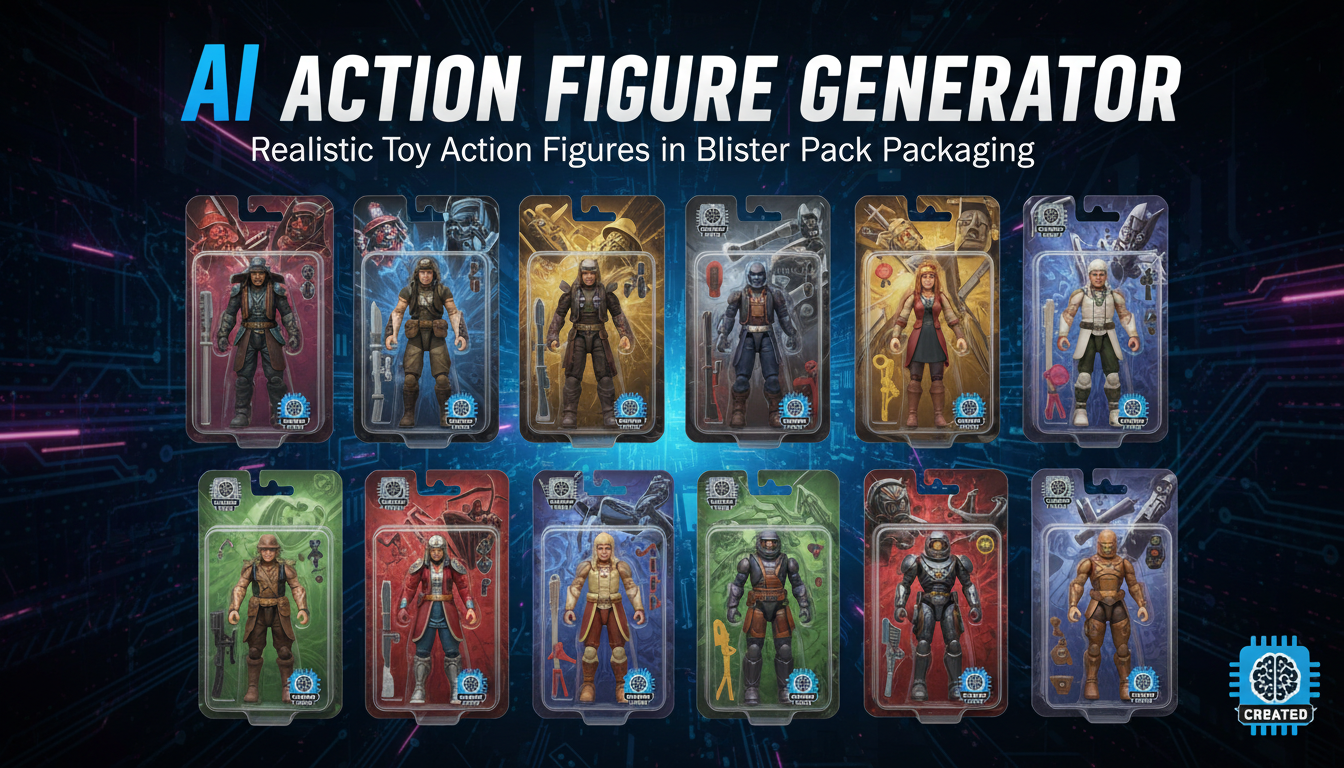
AI Action Figure Generator: How to Create Your Own Viral Toy Box Portrait in 2026
Complete guide to the AI action figure generator trend. Learn how to turn yourself into a collectible figure in blister pack packaging using ChatGPT, Flux, and more.