Train Edit Style
Custom editing
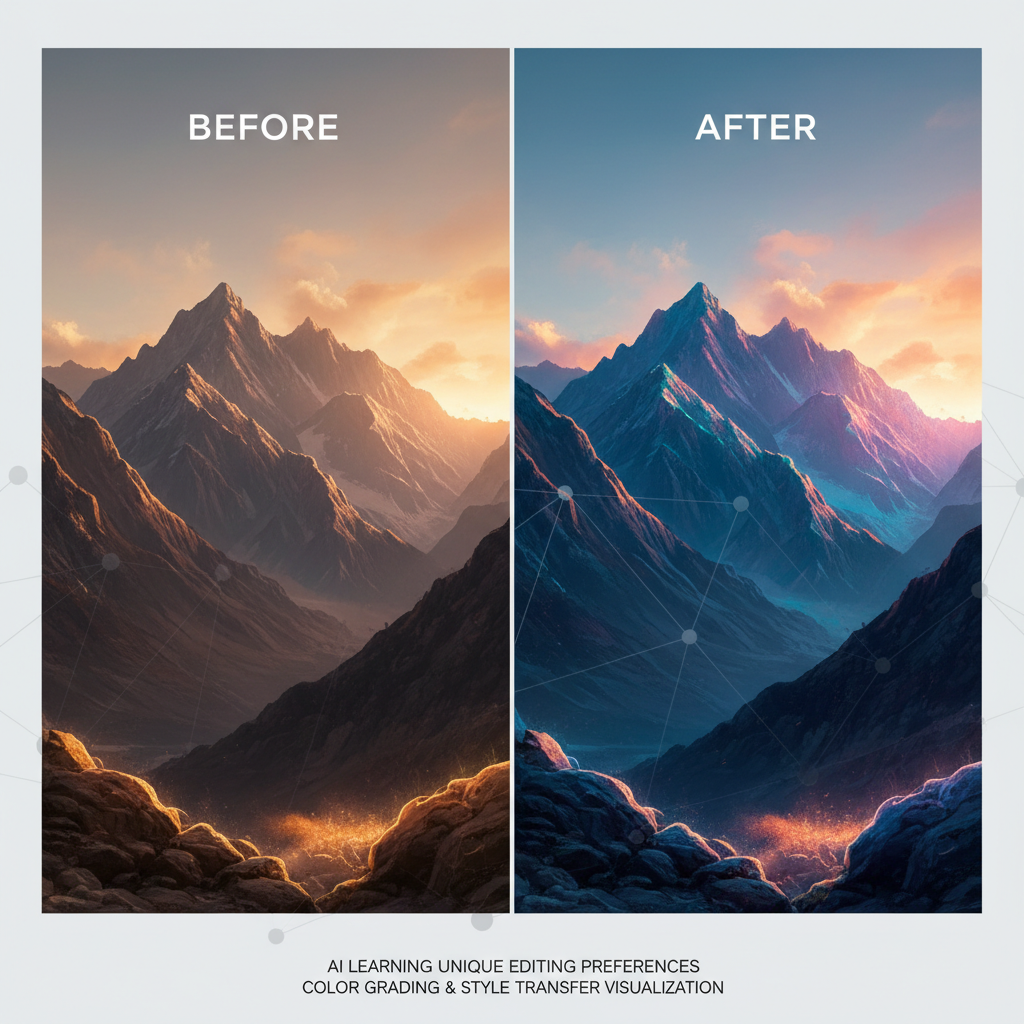
About Train Edit Style
Automate your signature photo editing with AI Edit Style Training – the technology that learns your unique editing approach and applies it automatically to any image. Every photographer develops a distinctive editing style: specific color grading preferences, contrast curves they favor, the mood they consistently create. Our AI captures this editing DNA. Provide 20-40 before/after image pairs showing your editing transformations, and the AI analyzes your patterns: how you handle shadows, your color temperature preferences, saturation choices, skin tone treatments, and overall mood creation. Once trained, apply your exact editing style to any new photo instantly – batch process wedding galleries, maintain portfolio consistency, speed up client delivery, and ensure every image reflects your signature look. No more hours matching edits manually or recreating presets. Perfect for professional photographers streamlining workflows, wedding shooters processing high volumes, content creators maintaining visual consistency, and any editor who wants their style applied automatically at scale.
Features
- Personal editing style learning
- Color grading replication
- Exposure preference capture
- Contrast style matching
- Mood consistency
- Batch processing capability
Use Cases
Perfect for these applications and more
How to Create Your Train Edit Style
Follow these simple steps to get started
Upload Before/After
Provide 20-40 image pairs showing your editing transformations
Style Analysis
AI learns your color grading, contrast, and mood preferences
Model Training
Your editing DNA is encoded into a reusable AI model
Auto Apply
Apply your exact editing style to any new photo automatically
Example Prompts for Train Edit Style
Try these prompts to get amazing results
"Apply [trained edit style] to portrait photo"
"Edit landscape with [trained style] color grading"
"Process wedding photos in [trained style]"
"Apply [trained preset] to product photography"
Why Choose APATERO for Train Edit Style?
What makes us different from other AI generators
Frequently Asked Questions
Everything you need to know about Train Edit Style
Upload the original unedited photo and your edited version as pairs. The AI learns exactly how you transform images—your color grading, contrast preferences, and overall aesthetic.
Exactly! Once trained, apply your editing style to hundreds of photos automatically, maintaining perfect consistency across your entire workflow.
Everything—color temperature, exposure adjustments, contrast curves, saturation levels, shadow handling, highlight recovery, skin tone treatment, and overall mood.
It's more intelligent. Rather than static adjustments, the AI understands context and adapts your style appropriately to each unique image.
Yes, add more before/after pairs to refine the model, or create multiple style variations for different types of shoots.
Ready to Create with Train Edit Style?
Start generating amazing content with AI. Free tokens on signup.