Background Replace
Clean cutouts
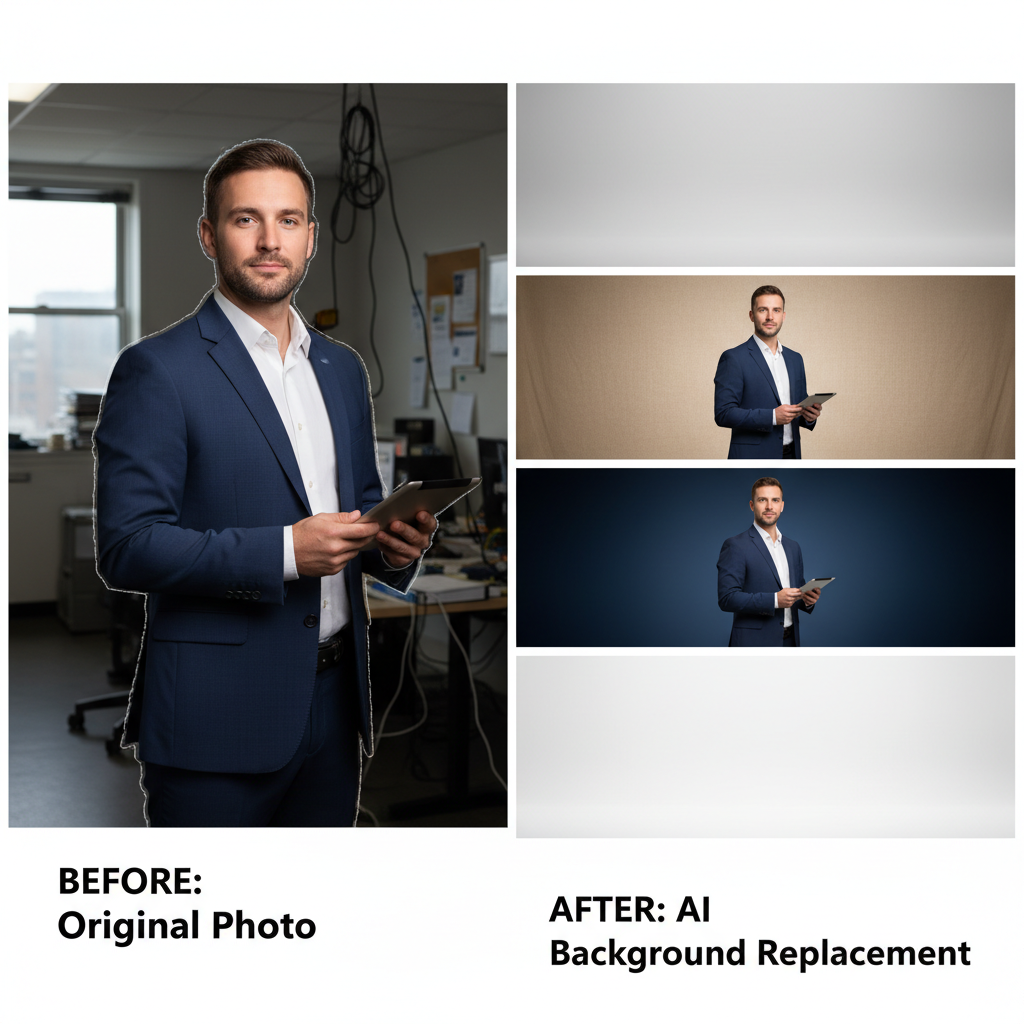
About Background Replace
Remove any background and replace it with professional alternatives using our AI Background Replacement Tool – the essential editing solution for clean, polished images. Whether you need product photos with clean white backgrounds, portraits with professional studio backdrops, or creative compositions with custom scenes, our AI handles the complex work of perfect edge detection. The technology excels at challenging elements: fine hair strands, transparent objects, complex edges, and detailed textures that defeat simple tools. Generate transparent PNGs for overlay use, add professional gradients for headshots, place products in lifestyle contexts, or create artistic compositions. Perfect for e-commerce sellers, photographers, marketers, and anyone who needs background flexibility. Fast, accurate, and capable of handling what basic tools cannot.
Features
- Automatic detection
- Clean edge cutting
- Multiple backgrounds
- Shadow preservation
- Hair detail accuracy
- Batch processing
Use Cases
Perfect for these applications and more
How to Create Your Background Replace
Follow these simple steps to get started
Upload Image
Add your photo with any background.
Auto Detect
AI identifies subject automatically.
Choose Background
Select new backdrop or transparent.
Download
Get your clean cutout image.
Example Prompts for Background Replace
Try these prompts to get amazing results
"Remove background keep subject"
"White studio background replacement"
"Transparent PNG cutout"
"Nature scenery backdrop"
"Professional gray background"
Why Choose APATERO for Background Replace?
What makes us different from other AI generators
Frequently Asked Questions
Everything you need to know about Background Replace
Industry-leading! Our AI handles fine hair strands, flyaways, and complex edges that defeat basic removal tools.
Yes! Export with transparent backgrounds for overlay use, or choose from our background library.
Yes! The AI preserves or adjusts shadows and reflections appropriately for your chosen background.
Batch processing available! Upload multiple images and apply consistent background changes to all.
The AI handles challenging textures including lace, mesh, fur, and semi-transparent materials with high accuracy.
Ready to Create with Background Replace?
Start generating amazing content with AI. Free tokens on signup.