SUPIR Image Restoration and Upscaling: Complete ComfyUI Guide 2025
Master SUPIR for AI image restoration and upscaling in ComfyUI. Restore old photos, fix compression artifacts, and upscale to 8K with semantic understanding.

SUPIR represents a new generation of AI upscaling that goes beyond simple enlargement. It combines semantic understanding with image restoration, intelligently reconstructing missing details rather than just interpolating pixels.
Quick Answer: SUPIR (Scaling Up to Photo-Realistic Image Restoration) is an AI model that upscales and restores images by understanding their content. Unlike Real-ESRGAN which focuses on pattern matching, SUPIR uses semantic understanding to generate appropriate details for faces, textures, and objects.
:::tip[Key Takeaways]
- Key options include Load Image: and SUPIR Encode:
- Start with the basics before attempting advanced techniques
- Common mistakes are easy to avoid with proper setup
- Practice improves results significantly over time :::
- Restores heavily degraded, compressed, or old images
- Semantic understanding generates contextually appropriate details
- Combines upscaling with restoration in one pass
- Works with SD-based architecture in ComfyUI
- Ideal for images where traditional upscalers fail
What Makes SUPIR Different?
Traditional upscalers like Real-ESRGAN use pattern recognition to enhance images. They excel at clean inputs but struggle with degraded images. SUPIR takes a different approach:
Semantic Understanding: SUPIR understands what's in the image—faces, textures, objects—and generates details appropriate to that content.
Restoration + Upscaling: Instead of just enlarging, SUPIR first restores quality, then upscales. Compression artifacts, noise, and blur are addressed alongside resolution.
Generative Enhancement: Where details are missing, SUPIR generates plausible details rather than guessing from neighboring pixels.
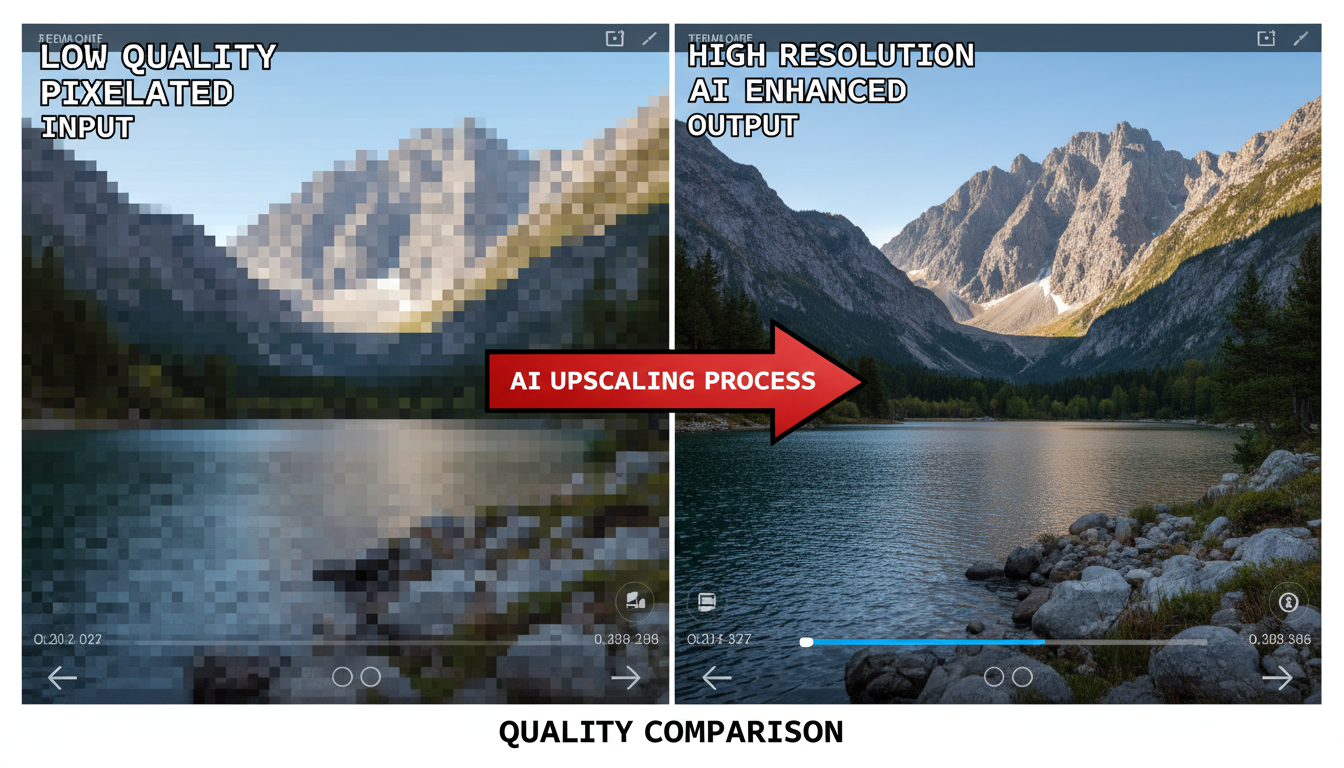 SUPIR restores details that traditional upscalers cannot recover
When to Use SUPIR vs Real-ESRGAN
| Scenario | Best Tool |
|---|---|
| Clean image needs upscaling | Real-ESRGAN |
| Heavily compressed JPEG | SUPIR |
| Old damaged photo | SUPIR |
| Quick batch processing | Real-ESRGAN |
| Maximum quality priority | SUPIR |
| Low VRAM available | Real-ESRGAN |
SUPIR is computationally heavier but produces superior results on degraded inputs.
Installing SUPIR in ComfyUI
Step 1: Install Custom Nodes
cd ComfyUI/custom_nodes
git clone https://github.com/kijai/ComfyUI-SUPIR
Step 2: Download Models SUPIR requires several model files:
- SUPIR-v0Q.ckpt (quality focused)
- SUPIR-v0F.ckpt (fidelity focused)
- Place in
ComfyUI/models/checkpoints/SUPIR/
Step 3: Get Supporting Models SUPIR uses SDXL components:
- CLIP models for text encoding
- VAE for image encoding/decoding
Step 4: Check VRAM Requirements SUPIR needs 12GB+ VRAM for comfortable operation. 24GB recommended for high resolutions.
Understanding SUPIR Variants
SUPIR-v0Q (Quality): Prioritizes visual quality. May take creative liberties with details. Best for artistic enhancement where exact accuracy isn't critical.
SUPIR-v0F (Fidelity): Prioritizes accuracy to the original. Less aggressive enhancement but maintains original content better. Best for restoration where authenticity matters.
- Use Q: For artistic images, generated content, or when quality trumps accuracy
- Use F: For photographs, documents, or when the original content must be preserved
- Combine: Use F first for restoration, then Q for final enhancement
SUPIR Workflow Basics
A typical SUPIR workflow:
- Load Image: Your degraded source image
- SUPIR Encode: Prepares image for processing
- SUPIR Condition: Sets parameters and optional text guidance
- SUPIR Sample: The actual upscaling/restoration
- SUPIR Decode: Converts back to image
- Save: Output your enhanced image
Key parameters:
- Scale: Upscaling factor (2x, 4x, etc.)
- Steps: More steps = better quality, longer processing
- CFG Scale: How closely to follow guidance
- Positive Prompt: Optional text to guide restoration
Using Text Prompts for Guidance
SUPIR accepts text prompts that guide restoration:
Portrait Enhancement:
high quality photograph, detailed skin texture, sharp eyes,
professional photography, studio lighting
Landscape Restoration:
sharp landscape photograph, detailed foliage, clear sky,
professional nature photography, high resolution
General Quality:
high quality, sharp details, professional photography,
noise-free, artifact-free
Negative prompts help avoid artifacts:
blurry, noisy, jpeg artifacts, low quality, pixelated
 SUPIR can produce 8K output from low-resolution inputs
Two-Stage Upscaling Workflow
For maximum quality, combine SUPIR with traditional upscalers:
Stage 1: SUPIR Restoration (2K)
- Input degraded image
- SUPIR restores and upscales to 2K
- Output is clean but moderate resolution
Stage 2: ESRGAN Enhancement (8K)
- Input SUPIR's 2K output
- Apply 4x Foolhardy Remacri upscaler
- Output is detailed 8K image
This methodical approach ensures each stage contributes to quality.
Optimizing SUPIR Performance
SUPIR is resource-intensive. Optimize with:
Memory Management:
- Enable attention slicing
- Use tiled processing for large images
- Close other GPU applications
Quality/Speed Balance:
- Fewer steps (20-25) for drafts
- More steps (40-50) for finals
- Lower CFG for speed, higher for quality
Tiling for Large Images:
- Process in tiles for images over 2048px
- Overlap tiles to avoid seams
- Blend edges in post-processing
Common Issues and Solutions
Issue: Out of VRAM Solution: Enable tiling, reduce resolution, or use --lowvram flag
Issue: Over-enhancement, uncanny look Solution: Use F variant instead of Q, reduce steps or CFG
Issue: Seams in tiled output Solution: Increase tile overlap, use blending in post-processing
Issue: Wrong details generated Solution: Add specific prompts guiding what details should look like
Issue: Processing too slow Solution: Reduce steps, lower resolution first pass, use FP16
SUPIR for Old Photo Restoration
SUPIR excels at restoring old photographs:
- Scan Quality: Start with the best scan possible
- Pre-Processing: Remove dust and major damage in Photoshop
- SUPIR F Pass: Restore while maintaining fidelity
- Color Correction: Fix fading and color shifts
- SUPIR Q Pass: Optional enhancement for additional detail
The combination of F then Q variants often produces the best old photo restorations.
Batch Processing Considerations
For multiple images:
- Queue images in ComfyUI's batch system
- Use consistent settings for series
- Monitor VRAM usage across batch
- Consider overnight processing for large sets
Frequently Asked Questions
How does SUPIR compare to Topaz Gigapixel?
SUPIR offers similar quality with more control through prompts. Topaz is simpler but costs money. SUPIR runs locally for free but requires more VRAM.
Can SUPIR restore completely destroyed images?
SUPIR can generate plausible content for heavily degraded areas, but it's generating, not restoring. Results may not match the original.
What's the maximum upscale factor?
Practically, 4x is the limit for quality. Beyond that, run multiple passes (2x then 2x).
Does SUPIR work with video?
Frame-by-frame is possible but lacks temporal consistency. Dedicated video upscalers are better for motion content.
Why is SUPIR so slow?
It uses a full diffusion process, not just feed-forward networks. Quality requires iteration.
Conclusion
SUPIR represents the future of intelligent image upscaling—combining restoration and enhancement with semantic understanding. For degraded images where traditional upscalers fail, SUPIR can produce remarkable results.
The trade-off is computational cost. If you have the hardware (12GB+ VRAM) and patience for longer processing, SUPIR delivers quality that simpler tools cannot match.
For best results, understand when to use SUPIR versus faster alternatives, and consider two-stage workflows that use multiple tools' strengths.
Some models you cannot download at any VRAM
Veo, Kling and Nano Banana have closed weights. There is no local build, no quantization, no 24GB workaround. Run them in the browser instead. Check current model access and generation costs in the app.
Related Articles

5 Proven AI Influencer Niches That Actually Make Money in 2025
Discover the most profitable niches for AI influencers in 2025. Real data on monetization potential, audience engagement, and growth strategies for virtual content creators.

AI Background Replacement: Professional Guide 2025
Master AI background replacement for professional results. Learn rembg, BiRefNet, and ComfyUI workflows for smooth background removal and replacement.

AI Character Consistency: How to Maintain Virtual Persona Identity Across Content
Learn techniques for maintaining AI character consistency across hundreds of images. Master the art of creating recognizable virtual personas with consistent visual identity.