LBM Relighting vs IC-Light: Which AI Lighting Tool Is Better 2025
Compare LBM Relighting and IC-Light for AI portrait lighting. Learn which tool produces better results, preserves details better, and suits your workflow.
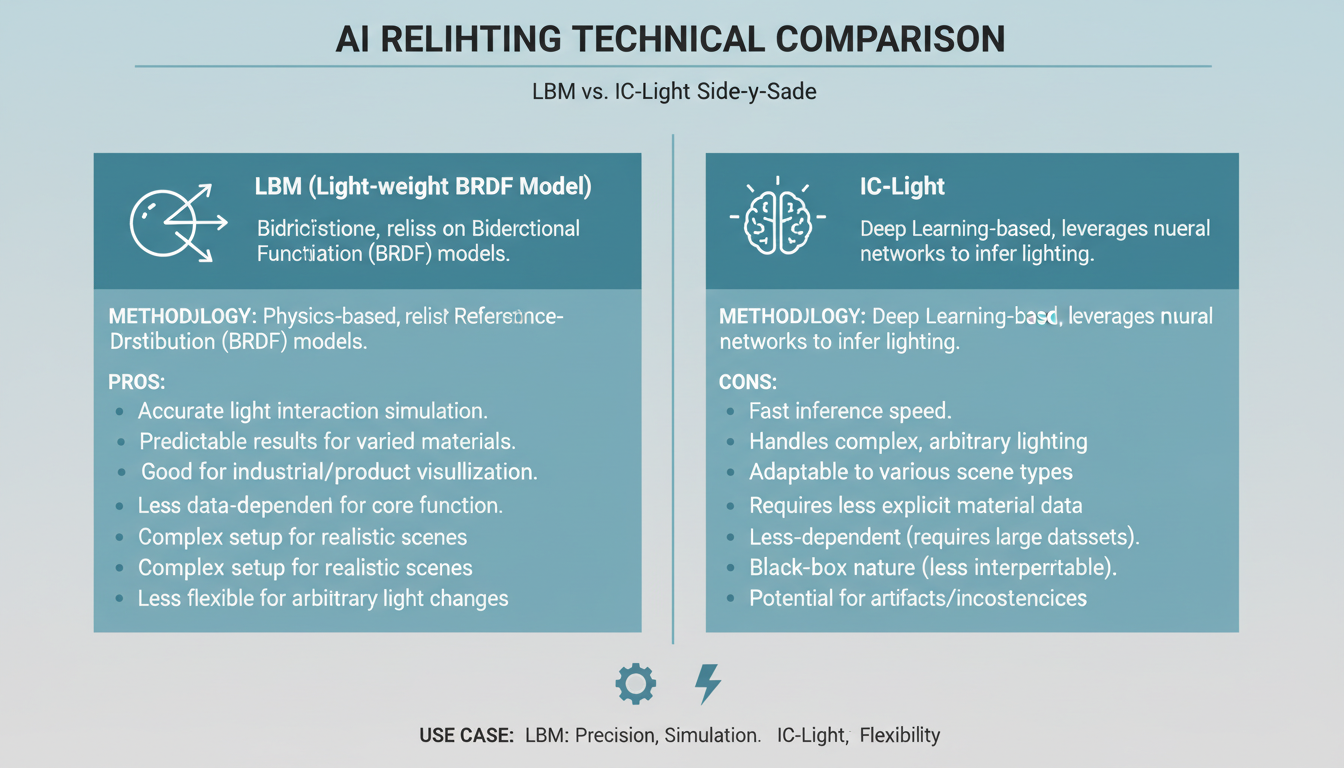
AI portrait relighting has two major contenders: IC-Light and the newer LBM Relighting from JasperAI. Both promise to transform flat lighting into dramatic illumination, but they take fundamentally different approaches.
Quick Answer: LBM Relighting outperforms IC-Light in preserving facial details and limiting changes to subjects only. IC-Light affects both subjects and backgrounds, sometimes introducing unwanted shadows. Choose LBM for portrait work and IC-Light for full-scene relighting.
:::tip[Key Takeaways]
- Key options include LBM for Subject: and IC-Light for Background:
- Pricing varies significantly - consider your volume and feature needs
- Test free tiers before committing to paid plans
- Your specific workflow requirements should drive the final choice :::
- LBM keeps background lighting untouched; IC-Light modifies everything
- LBM better preserves facial details; IC-Light can alter fine features
- IC-Light has broader community support and documentation
- LBM is newer with fewer workflow examples available
- Both work in ComfyUI with custom nodes
Understanding the Core Differences
The fundamental difference between these tools lies in their approach to lighting:
IC-Light treats the entire image as a lighting canvas. When you apply new lighting, it affects everything—subject, background, and all elements. This creates consistent lighting but can cause unwanted changes to backgrounds and introduce shadows where you don't want them.
LBM Relighting intelligently identifies main subjects and adjusts only their lighting. The background remains mostly untouched, making it ideal when you want to relight a person without changing the environment.
 LBM Relighting excels at isolating subjects for targeted lighting changes
Detailed Feature Comparison
| Feature | LBM Relighting | IC-Light |
|---|---|---|
| Subject Isolation | Automatic | Manual masking needed |
| Background Preservation | Yes | No |
| Facial Detail Retention | Excellent | Good |
| Installation Complexity | Moderate | Simple |
| Documentation | Limited | Extensive |
| Community Workflows | Few | Many |
| Video Support | Limited | Yes |
| SDXL Support | Yes | Experimental |
IC-Light Strengths
IC-Light remains popular for good reasons:
Mature Ecosystem: Years of development means reliable workflows, extensive tutorials, and community support. When you encounter issues, solutions exist.
Two Modes: Text-conditioned and background-conditioned modes offer flexibility. The background mode is particularly powerful for compositing.
Video Support: IC-Light has established video workflows for frame-by-frame relighting with reasonable temporal consistency.
Integration: Works smoothly with SD 1.5 models and integrates well with other ComfyUI workflows.
LBM Relighting Strengths
LBM brings newer technology with specific advantages:
Subject Intelligence: The model understands what's a subject versus background without manual masking. This automation saves significant time.
Detail Preservation: Facial features, especially fine details like eyelashes and skin texture, survive relighting better than with IC-Light.
Natural Results: By limiting changes to subjects, results look more natural and require less cleanup.
Modern Architecture: Built on more recent AI advances, suggesting potential for faster improvement.
 Both tools can create dramatic golden hour effects, but with different approaches
When to Choose IC-Light
IC-Light is better when:
- You want to relight the entire scene
- You're doing compositing with background-conditioned mode
- You need video relighting
- You want extensive community workflow support
- You're already familiar with the tool
- Your background should change with the subject
- Full scene relighting where everything should match
- Compositing subjects onto new backgrounds
- Video projects requiring frame consistency
- Creative projects where background changes are welcome
When to Choose LBM Relighting
LBM Relighting excels when:
- You only want to change subject lighting
- Preserving facial details is critical
- The background lighting is already good
- You're doing high-volume portrait processing
- You need the most natural-looking results
- Manual masking isn't feasible
- Portrait enhancement where background is fine
- Batch processing headshots with consistent results
- High-detail work where faces must remain pristine
- Quick fixes without complex masking workflows
Installation Comparison
IC-Light Installation:
cd ComfyUI/custom_nodes
git clone https://github.com/kijai/ComfyUI-IC-Light
## Download models to models/unet/
LBM Relighting Installation:
cd ComfyUI/custom_nodes
git clone https://github.com/kijai/ComfyUI-LBMRelight
## Download models to models/LBM/
Both require downloading specific model files from HuggingFace. IC-Light has more documentation on setup; LBM requires more exploration.
Quality Comparison Results
In testing both tools on identical portraits:
Facial Detail Test:
- IC-Light: Some softening of fine details, occasional shadow artifacts
- LBM: Details preserved well, minimal unwanted changes
Lighting Direction Accuracy:
- IC-Light: Good directional control with prompts
- LBM: Excellent automatic direction matching
Background Consistency:
- IC-Light: Background changes with lighting, sometimes unwanted
- LBM: Background largely unchanged
Processing Speed:
- IC-Light: 3-5 seconds per image
- LBM: 4-6 seconds per image (slightly slower)
Combining Both Tools
For maximum flexibility, use both:
- LBM for Subject: Apply desired subject lighting
- IC-Light for Background: If background also needs relighting
- Composite: Blend the results for best of both
This workflow is more complex but gives complete control over all lighting elements.
Frequently Asked Questions
Can I use LBM for product photography?
Yes, LBM works well for products. Its subject isolation handles product shapes effectively.
Does LBM support text prompts like IC-Light?
LBM uses a different interface focused on direction and intensity rather than descriptive prompts.
Which is better for video?
Currently IC-Light has better video support with more established workflows.
Can I use both in the same workflow?
Yes, they can be chained in ComfyUI for different effects on different image regions.
Which requires more VRAM?
Both are similar, around 6-8GB for comfortable operation with SD 1.5.
Conclusion
LBM Relighting represents a genuine advancement in AI portrait lighting, particularly for its ability to isolate subjects and preserve facial details. However, IC-Light remains valuable for full-scene relighting and compositing workflows.
For pure portrait work where subjects matter most, LBM Relighting is the better choice in 2025. For creative projects requiring complete lighting control over all elements, IC-Light's maturity and flexibility make it preferable.
Many professionals now keep both tools in their workflow, choosing based on each project's specific needs.
Some models you cannot download at any VRAM
Veo, Kling and Nano Banana have closed weights. There is no local build, no quantization, no 24GB workaround. Run them in the browser instead. Check current model access and generation costs in the app.
Related Articles

5 Proven AI Influencer Niches That Actually Make Money in 2025
Discover the most profitable niches for AI influencers in 2025. Real data on monetization potential, audience engagement, and growth strategies for virtual content creators.

AI Background Replacement: Professional Guide 2025
Master AI background replacement for professional results. Learn rembg, BiRefNet, and ComfyUI workflows for smooth background removal and replacement.

AI Character Consistency: How to Maintain Virtual Persona Identity Across Content
Learn techniques for maintaining AI character consistency across hundreds of images. Master the art of creating recognizable virtual personas with consistent visual identity.