Age Transform
Age progression/regression
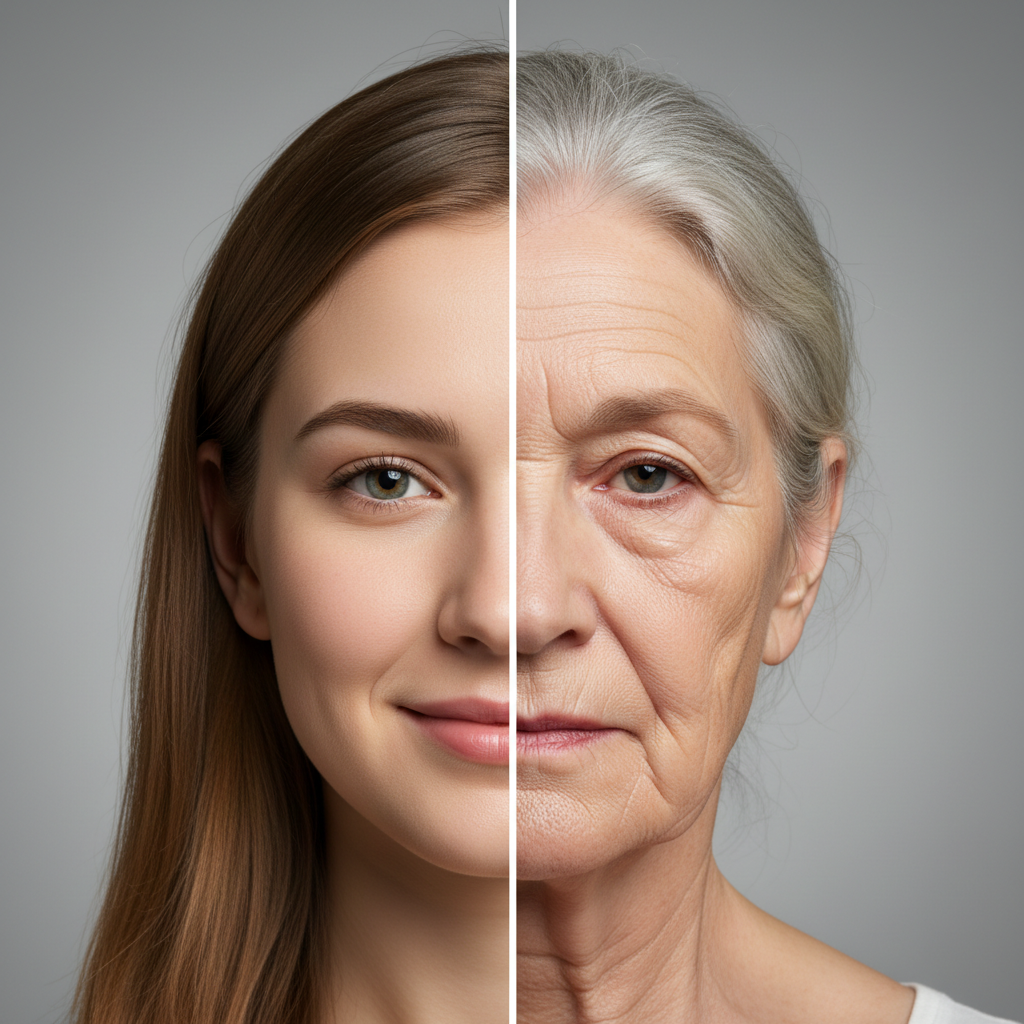
About Age Transform
See yourself at any age with our AI Age Transformation Generator – the most realistic aging and de-aging technology online. Our AI understands how faces naturally change over time: adding realistic wrinkles and age spots for aging, smoothing skin and adjusting facial structure for de-aging. See yourself as a child, teenager, middle-aged adult, or elderly person with results so realistic they'll fool your friends. Popular for curiosity, genealogy projects, entertainment, and even missing person cases where age progression is needed.
Features
- Realistic aging effects
- De-aging capabilities
- Wrinkle and skin texture
- Hair color changes
- Facial structure adjustment
- Multiple age options
Use Cases
Perfect for these applications and more
How to Create Your Age Transform
Follow these simple steps to get started
Upload Your Photo
Choose a clear, front-facing photo. The AI works with any age as a starting point and can transform in either direction.
Select Target Age
Choose your desired age: child (5-12), teenager (13-19), young adult (20-35), middle-aged (40-55), senior (60-75), or elderly (80+).
AI Transformation
Our AI applies realistic aging or de-aging effects: wrinkles, skin texture, facial structure changes, and hair modifications appropriate for the target age.
Download Result
Get your age-transformed photo in high resolution. Generate multiple ages to create a complete timeline of yourself.
Example Prompts for Age Transform
Try these prompts to get amazing results
"Show me what I'll look like at 80 years old with realistic wrinkles and gray hair"
"Transform this photo to show me as a 10-year-old child"
"Age this portrait to middle-aged with natural aging signs"
"De-age this photo to show what I looked like as a teenager"
"Create an aging progression from 20 to 70 years old in 10-year increments"
Why Choose APATERO for Age Transform?
What makes us different from other AI generators
Frequently Asked Questions
Everything you need to know about Age Transform
Our AI is trained on millions of aging progressions to understand how faces naturally change over time. While no prediction is 100% accurate (genetics, lifestyle, and health all play roles), our results show realistic aging patterns that are often remarkably close to actual aging.
Yes! De-aging is just as capable as aging. The AI removes wrinkles, tightens skin, adjusts facial structure, and even modifies hair to show you at a younger age. Many users find de-aging even more impressive than aging forward.
You can transform to virtually any age: childhood (5-12), teenager (13-19), young adult (20-35), middle-aged (40-55), senior (60-75), and elderly (80+). You can also request specific ages or create a complete age progression timeline.
Absolutely! Preserving identity is a core feature. The AI maintains your distinctive features – eye shape, facial structure, unique characteristics – while applying age-appropriate changes. Friends and family will still recognize you at any age.
Yes, age progression for missing persons is a legitimate use case. Law enforcement and families have used similar technology to visualize how missing children might look years later. Our AI can help create realistic age progressions for such important purposes.
Ready to Create with Age Transform?
Start generating amazing content with AI. Free tokens on signup.