Add/Remove Objects
Scene editing
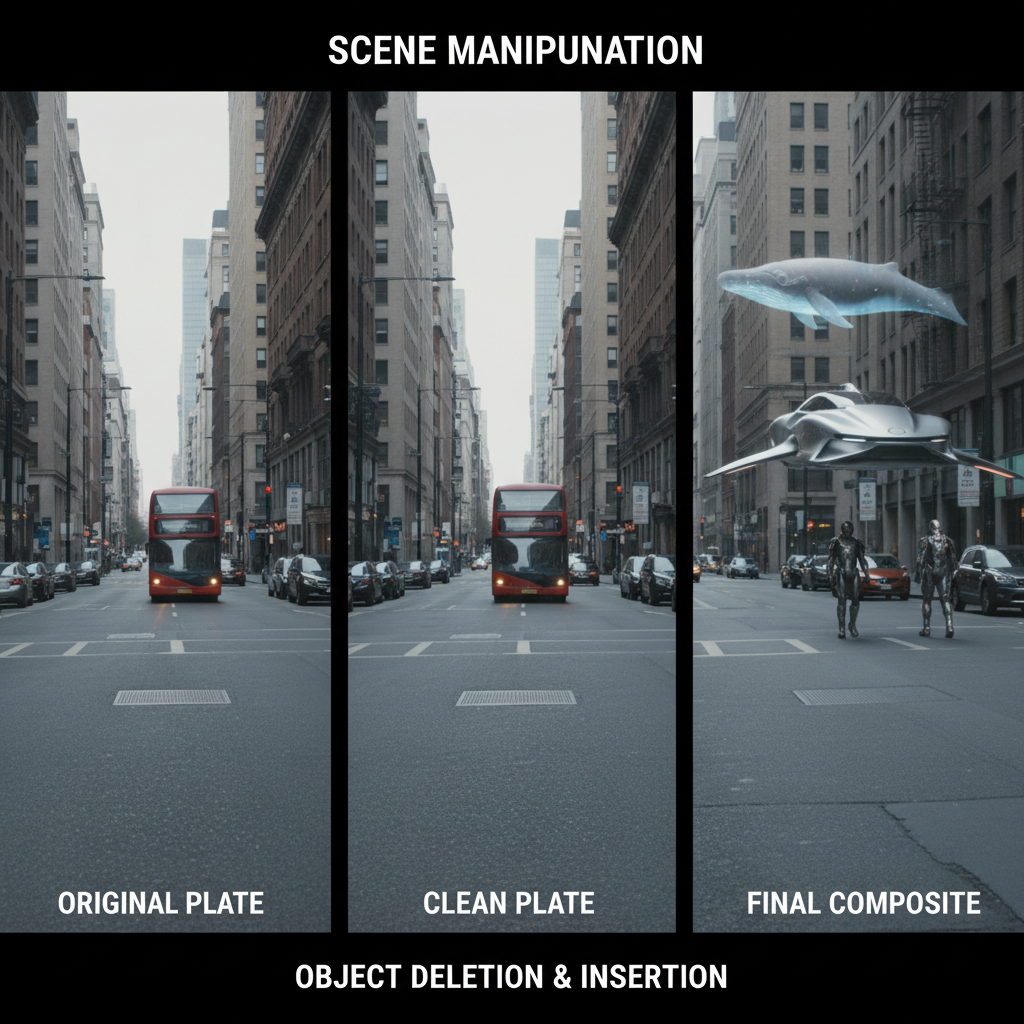
About Add/Remove Objects
Add or remove any object from video footage with our AI Scene Editor – complete control over what appears in your scenes. Sometimes you need to add something that wasn't there, or remove something that was. Our AI handles both: remove unwanted elements (people, objects, brands) with intelligent fill that matches the background, or add new elements with proper integration, shadows, and lighting. Changes track through motion seamlessly. Perfect for cleaning up footage, post-production modifications, creative additions, and total control over your scenes.
Features
- Object removal
- Content addition
- Background fill
- Motion tracking
- Lighting match
- Seamless editing
Use Cases
Perfect for these applications and more
How to Create Your Add/Remove Objects
Follow these simple steps to get started
Example Prompts for Add/Remove Objects
Try these prompts to get amazing results
"Remove unwanted person from background"
"Add decorative plants to empty corner"
"Delete distracting signage from shot"
Why Choose APATERO for Add/Remove Objects?
What makes us different from other AI generators
Frequently Asked Questions
Everything you need to know about Add/Remove Objects
Very clean—the AI intelligently fills removed areas with appropriate background that matches the scene.
Yes! Remove people, cars, or other moving elements with proper background fill throughout motion.
Added objects receive proper lighting, shadows, and perspective to match the scene naturally.
The AI handles complex backgrounds intelligently, maintaining textures, patterns, and environmental consistency.
Absolutely! Remove unwanted elements and add new ones in a single processing pass.
Ready to Create with Add/Remove Objects?
Start generating amazing content with AI. Free tokens on signup.