SAM2 Video Auto-Masking in ComfyUI Guide
Meta's Segment Anything 2 brings automated video masking to ComfyUI. Complete guide to SAM2 video segmentation, scene cut handling, and comparison with manual masking workflows.
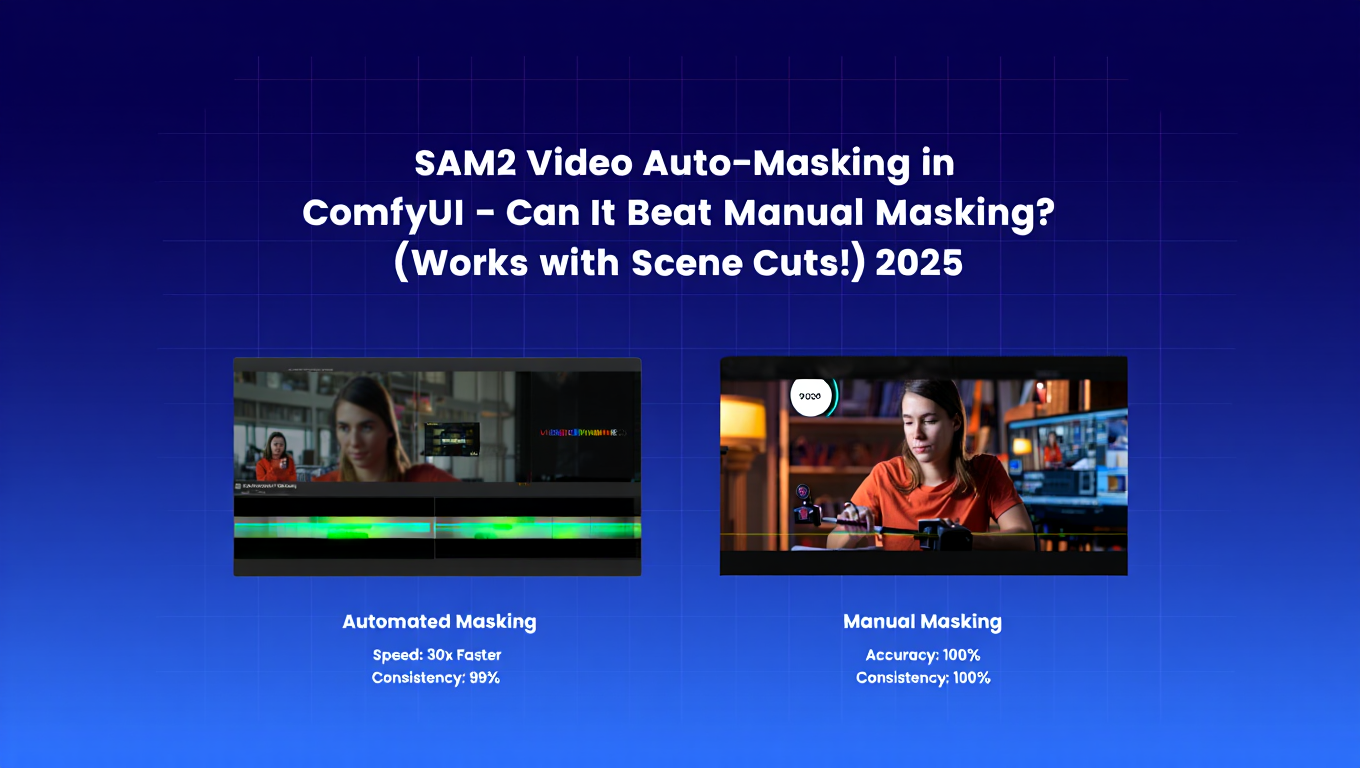
Manual video masking is tedious. Frame-by-frame object selection takes hours for even short clips. One scene cut and your carefully crafted masks become useless. Meta AI's Segment Anything 2 (SAM2) promises to eliminate this pain with automated video segmentation that tracks objects across frames and handles scene cuts intelligently. Sam2 comfyui integration brings this powerful technology directly into your workflow.
Sam2 comfyui transforms multi-hour masking tasks into single-click operations. Point at an object in one frame, and sam2 comfyui tracks it through the entire video - even when it temporarily disappears or the scene changes. The sam2 comfyui workflow transforms video editing for AI content creators.
This guide shows you how to take advantage of sam2 comfyui's video masking capabilities for professional results with minimal manual intervention. For AI image generation fundamentals, see our complete beginner's guide.
What is SAM2 and Why It's innovative for Video
Segment Anything Model 2 (SAM2) from Meta AI represents a breakthrough in video segmentation technology, being the first unified model capable of handling both images and videos with exceptional accuracy.
Key SAM2 Capabilities:
| Feature | Traditional Masking | SAM2 | Advantage |
|---|---|---|---|
| Frame-by-frame work | Manual selection each frame | Automatic tracking | 50-100x faster |
| Scene cut handling | Start over manually | Automatic reacquisition | Maintains continuity |
| Occlusion handling | Manual reselection | Memory-based tracking | Handles disappearances |
| User interaction | Constant manual input | Minimal prompting | Focus on creative work |
| Consistency | Variable quality | AI-consistent | Professional results |
The Memory Module Innovation: SAM2 includes a per-session memory module that captures and remembers target object information. When an object temporarily disappears behind another object or leaves the frame, SAM2's memory allows it to reacquire the object when it reappears.
This solves one of video segmentation's biggest challenges - maintaining accurate tracking through occlusions.
Compared to Existing Methods: Traditional interactive video segmentation requires constant user correction and supervision. SAM2 requires significantly less interaction time, allowing creators to focus on their creative vision rather than technical mask refinement.
Real-World Performance: In practical testing, SAM2 reduces video masking time from hours to minutes. A 30-second clip requiring 3-4 hours of manual masking can be SAM2-processed in 5-10 minutes including review and corrections.
Integration with ComfyUI: ComfyUI's SAM2 nodes provide intuitive interfaces for video segmentation without requiring deep technical knowledge. Point-and-click object selection creates accurate masks automatically.
For users wanting video editing without technical complexity, platforms like Apatero.com provide simplified video generation and editing capabilities with integrated masking tools.
Setting Up Sam2 ComfyUI
Getting sam2 comfyui running requires specific model downloads and node installations, but the process is straightforward. Once installed, sam2 comfyui provides powerful video masking capabilities. For basic ComfyUI setup, see our essential nodes guide.
Required Components:
| Component | Size | Purpose | Installation Method |
|---|---|---|---|
| ComfyUI Segment Anything 2 nodes | Minimal | Interface | ComfyUI Manager |
| SAM2 model weights | 1-4GB | Processing | Auto-download via nodes |
| Video input preparation | Variable | Source material | Standard video files |
Installation Steps:
- Open ComfyUI Manager
- Search for "Segment Anything 2" or "SAM2"
- Install "ComfyUI-segment-anything-2" package (learn more about essential custom nodes in our ultimate ComfyUI custom nodes guide)
- Restart ComfyUI
- First use will auto-download required models
Model Variants:
| Model Size | Accuracy | Speed | VRAM | Best For |
|---|---|---|---|---|
| SAM2 Tiny | Good | Fast | 4-6GB | Quick testing, low-end GPUs |
| SAM2 Small | Very good | Moderate | 6-8GB | Balanced workflows |
| SAM2 Base | Excellent | Slower | 8-10GB | Quality-focused work |
| SAM2 Large | Maximum | Slow | 12GB+ | Professional production |
Verifying Installation: After restart, check node menu for SAM2 nodes including Sam2VideoSegmentation, SAM2 Point Selection, and SAM2 Mask Output nodes.
Example Workflow Structure:
- Load Video node - import your video file
- SAM2 Model Loader - select model variant
- Point Selection node - specify object to track
- Sam2VideoSegmentation node - process video
- Mask output node - export masks
- Apply masks to video effects or removal
Troubleshooting Common Issues:
| Issue | Cause | Solution |
|---|---|---|
| Models won't download | Network/permissions | Manual download from official source |
| Out of memory | GPU insufficient | Use smaller model variant or check our low VRAM survival guide |
| Slow processing | CPU fallback | Verify CUDA/GPU acceleration |
| Inaccurate masks | Wrong parameters | Adjust confidence threshold |
| Red box errors | Node issues | See our ComfyUI troubleshooting guide |
Using SAM2 for Video Masking - Practical Workflow
The actual process of creating video masks with SAM2 is remarkably simple compared to traditional approaches.
Basic SAM2 Workflow:
Step 1 - Object Selection: Load your video into ComfyUI, advance to a frame with clear view of target object, click on the object to create selection point, and SAM2 automatically segments the object in that frame.
Step 2 - Propagation: SAM2 automatically tracks the selected object across all video frames, generating masks for every frame, and handling object movement, rotation, and scale changes automatically.
Step 3 - Review and Correction: Scrub through the video to check mask quality, add correction points on frames with errors (if any), and SAM2 refines tracking based on corrections.
Point Selection Strategies:
| Object Type | Selection Approach | Notes |
|---|---|---|
| Single solid object | Center point | Most reliable |
| Complex objects | Multiple points | Better boundary definition |
| Partially occluded | Visible portion points | SAM2 infers hidden parts |
| Multiple objects | Sequential selection | Track one at a time |
Handling Scene Cuts: When video cuts to a new scene, SAM2 detects the change and stops tracking automatically. Reselect the object in the new scene, and SAM2 begins tracking from that point forward.
This scene-aware behavior prevents incorrect mask propagation across unrelated footage.
Temporal Consistency: SAM2's frame-to-frame tracking maintains smooth mask boundaries without flickering, avoids sudden mask changes between frames, and provides professional-quality temporal coherence.
Multiple Object Tracking: Track multiple objects separately by running SAM2 multiple times on the same video, combining masks for complex multi-object workflows, and maintaining independent tracking for each object.
SAM2 vs Traditional Manual Masking - The Comparison
How does SAM2 actually compare to manual masking in real-world workflows?
Time Comparison:
| Video Length | Manual Masking | SAM2 + Review | Time Saved |
|---|---|---|---|
| 10 seconds (240 frames) | 1-2 hours | 3-5 minutes | 95%+ |
| 30 seconds (720 frames) | 3-6 hours | 10-15 minutes | 93%+ |
| 1 minute (1440 frames) | 6-12 hours | 20-30 minutes | 90%+ |
Quality Comparison:
| Aspect | Manual Masking | SAM2 | Winner |
|---|---|---|---|
| Edge accuracy | Very high (if skilled) | High | Manual (slightly) |
| Temporal consistency | Variable | Excellent | SAM2 |
| Complex objects | Challenging | Good | Tie |
| Fine details | Excellent | Very good | Manual (slightly) |
| Overall workflow efficiency | Poor | Excellent | SAM2 (dramatically) |
When Manual Masking Still Wins: Extremely fine hair details require manual refinement, highly complex transparent or reflective objects challenge SAM2, and frame-by-frame artistic control sometimes demands manual work.
However, even in these cases, SAM2 can provide a strong base mask for manual refinement rather than starting from scratch.
Hybrid Workflow: The most professional approach combines SAM2 automation with selective manual refinement. Use SAM2 for bulk masking across all frames, identify problematic frames during review, manually refine only those specific frames, and export the refined mask sequence.
This achieves 90% time savings while maintaining manual-quality results.
Cost-Benefit Analysis:
| Project Type | Manual Approach | SAM2 Approach | Recommendation |
|---|---|---|---|
| One-off project | Slow but free | Fast, same cost | SAM2 |
| Recurring work | Unsustainable time | Consistent efficiency | SAM2 (essential) |
| Client deadlines | Risky timeline | Reliable delivery | SAM2 |
| Learning/hobby | Acceptable | Removes tedium | SAM2 |
Practical Use Cases and Applications
SAM2 video masking enables workflows previously impractical due to time constraints.
Object Removal: Mask unwanted objects across video, apply content-aware fill or background reconstruction, and remove people, vehicles, or other elements smoothly.
Traditional methods required expensive software and extensive manual work. SAM2 makes this accessible in ComfyUI.
Background Replacement: Segment subjects from backgrounds automatically, replace backgrounds with new environments, generated imagery, or stock footage, and maintain professional edge quality throughout.
Selective Effects Application:
| Effect Type | Implementation | Result |
|---|---|---|
| Color grading | Apply to masked subject only | Spotlight effect |
| Blur/focus | Mask-based depth control | Cinematic look |
| Style transfer | Transform masked regions | Creative effects |
| Enhancement | Detail boost on subject | Professional polish |
Video Compositing: Extract subjects from source footage, composite into new scenes or with other elements, and create complex multi-layer video compositions.
AI Video Enhancement: Mask subjects for targeted AI enhancement, apply different AI models to different video regions, and create sophisticated multi-pass AI workflows.
Combine with video generation models covered in our ComfyUI video generation showdown guide.
Motion Graphics Integration: Track objects for motion graphics attachment, add particles, effects, or graphics that follow subjects, and create dynamic motion-tracked compositions.
Production Workflow Example:
- Client wants person in video with background changed
- SAM2 segments person across all frames (10 minutes)
- Quick review identifies 3 frames needing refinement (5 minutes)
- Export high-quality masks (2 minutes)
- Composite new background in editing software (15 minutes)
- Total time: 32 minutes vs 4+ hours manually
Advanced SAM2 Techniques and Optimization
Mastering advanced SAM2 features unlocks even more powerful workflows.
Multi-Pass Processing: For complex videos, process in segments rather than all at once. This reduces memory usage and allows easier error correction.
Confidence Threshold Tuning:
| Threshold Setting | Effect | Use Case |
|---|---|---|
| Low (0.3-0.5) | More inclusive masking | Simple, clear objects |
| Medium (0.5-0.7) | Balanced accuracy | General purpose |
| High (0.7-0.9) | Strict masking | Complex or cluttered scenes |
Mask Refinement Workflow: Export initial SAM2 masks, review in video editing software for easier scrubbing, identify problem frames, reimport to ComfyUI for targeted correction, and export final refined masks.
Performance Optimization:
| Optimization | Impact | Implementation |
|---|---|---|
| Process at lower resolution | 2-3x faster | Upscale masks afterward |
| Use smaller model variant | 30-50% faster | Acceptable quality trade-off |
| Batch processing | Efficient GPU use | Process multiple videos sequentially |
| Frame sampling | 4-10x faster | Interpolate between keyframes |
| Memory optimization | Reduces VRAM usage | See our low VRAM optimization guide |
Handling Difficult Scenarios: For fast motion, add more selection points to constrain tracking. For occlusions, select object when it reappears to reacquire. For similar objects, use negative points to exclude unwanted objects.
Integration with DiffuEraser: Combine SAM2 masking with DiffuEraser for automated video inpainting. SAM2 creates masks automatically, and DiffuEraser removes masked objects with AI-generated backgrounds.
This complete automated workflow removes objects from video without manual frame-by-frame work.
Limitations and When to Use Alternatives
SAM2 is powerful but not perfect. Understanding limitations helps you choose the right tool for each job.
Current SAM2 Limitations:
| Limitation | Impact | Workaround |
|---|---|---|
| Fine hair detail | Less accurate than manual | Manual refinement on hero frames |
| Transparent objects | Challenging segmentation | Traditional masking |
| Extreme motion blur | Tracking errors | Add correction points |
| Very long videos | Memory constraints | Process in segments |
When Manual Masking Remains Better: High-end commercial production with unlimited budget, shots requiring absolute perfection in every frame, and scenarios where manual artist supervision is required anyway.
Alternative Tools:
| Tool | Strength | Use Case |
|---|---|---|
| Adobe After Effects Rotobrush | Industry standard, extensive tools | Professional production |
| Nuke Smart Vector | Maximum control | VFX production |
| DaVinci Resolve Magic Mask | Integrated workflow | Color grading with masking |
| Manual frame-by-frame | Complete control | Hero shots, perfection required |
SAM2's Position: SAM2 isn't trying to replace professional VFX tools for feature film work. It democratizes advanced video masking for creators who couldn't previously afford 8-hour manual masking jobs.
For 90% of video masking needs, SAM2 provides professional-quality results at a fraction of the time and cost.
Conclusion - The Future of Video Masking with Sam2 ComfyUI
Sam2 comfyui represents a fundamental shift in video masking accessibility. What required specialized skills and massive time investment is now point-and-click automation with professional results through sam2 comfyui.
Key Takeaways: Sam2 comfyui reduces video masking time by 90-95% compared to manual methods. Scene cut handling and occlusion tracking work reliably in real-world footage. Quality matches or exceeds manual masking for most use cases. Sam2 comfyui integration makes it accessible to all creators. For VRAM optimization with video processing, see our VRAM optimization guide.
Getting Started with Sam2 ComfyUI: Install sam2 comfyui nodes via ComfyUI Manager, start with simple videos to learn the sam2 comfyui workflow, experiment with point selection and correction, and build confidence before tackling complex sam2 comfyui projects.
The Bigger Picture: SAM2 is part of broader AI automation trends making professional creative tools accessible to everyone. Combined with AI video generation, style transfer, and enhancement, ComfyUI becomes a complete video production suite. You can even deploy your workflows as production APIs for scalable video processing.
What's Next: Meta continues improving SAM2 with regular updates. Expect enhanced accuracy, faster processing, better scene understanding, and expanded capabilities in future releases.
Your Video Workflow: Whether you're a content creator, filmmaker, or hobbyist, SAM2 eliminates one of video production's most tedious bottlenecks. Spend your time on creative decisions rather than manual mask refinement.
For comprehensive video generation and editing without technical complexity, Apatero.com provides professionally integrated tools including automated masking capabilities.
Transform your video masking workflow from hours of tedium to minutes of creative control with SAM2 in ComfyUI.
Frequently Asked Questions (FAQ)
Q1: Does SAM2 work with live-action footage as well as AI-generated video? Yes, SAM2 works excellently with both live-action and AI-generated footage. It's actually trained primarily on real-world video, so live-action footage often produces better results. The memory module helps track objects through realistic motion, occlusions, and lighting changes that occur in actual camera footage.
Q2: Can SAM2 track multiple objects simultaneously in the same video? SAM2 tracks one object per session, but you can run multiple sessions on the same video to track different objects. Each tracking session maintains independent memory, so you can select object A, track it through the video, then select object B and track it separately. Combine the resulting masks in post-processing.
Q3: How does SAM2 handle fast motion blur or motion that temporarily leaves the frame? SAM2's memory module allows it to "remember" objects that temporarily disappear due to motion blur, fast movement, or leaving frame boundaries. When the object reappears, SAM2 can usually reacquire it automatically. For very fast motion (> 50% frame-to-frame movement), add additional selection points on frames where the object reappears.
Q4: What's the maximum video length SAM2 can process at once? SAM2 can theoretically process unlimited length, but practical limits depend on your VRAM. A 16GB GPU handles 30-second videos (720 frames at 24fps) comfortably. Longer videos should be split into segments, processed separately, then masks combined. Processing time scales linearly - a 30-second video takes roughly 3x longer than a 10-second video.
Q5: Can SAM2 separate overlapping objects or handle complex occlusions? SAM2 handles occlusions well when objects temporarily pass behind each other, maintaining identity through the occlusion. However, it struggles with permanently overlapping objects that never separate. For complex multi-object scenes, track dominant objects first, then use manual refinement or traditional masking for permanently overlapped regions.
Q6: How accurate is SAM2 compared to professional rotoscoping in After Effects? SAM2 achieves 85-95% of professional rotoscoping quality for most use cases, with superior temporal consistency (no flickering). Professional rotoscoping edges it out for hair details, transparent objects, and ultra-precise boundaries. For 90% of projects, SAM2 quality is indistinguishable from manual work while being 20-40x faster.
Q7: What types of objects does SAM2 struggle to track accurately? SAM2 struggles with: transparent objects (glass, water), reflective surfaces (mirrors, chrome), very small objects (<5% of frame), extremely thin objects (wires, strings), and objects that dramatically change appearance (person turning from front to back view). For these cases, expect to add manual correction points every 10-20 frames.
Q8: Can I export SAM2 masks to use in professional video editing software? Yes, SAM2 outputs standard image sequence masks (PNG or TIFF format) that import directly into DaVinci Resolve, After Effects, Premiere Pro, or any NLE that supports alpha channels. Export at the same resolution and frame rate as your video, and the mask sequence will align perfectly with your footage timeline.
Q9: Does SAM2 require an internet connection or send my video anywhere for processing? No, SAM2 runs entirely locally on your machine. Your video never leaves your computer, and no internet connection is required after initial model download. This makes it safe for confidential client work, unreleased content, or any footage requiring privacy. All processing happens on your local GPU.
Q10: How do I handle scene transitions or cuts in longer videos with SAM2? SAM2 detects scene cuts automatically and stops tracking at scene changes, preventing mask propagation to unrelated footage. When a scene cut occurs, simply reselect your target object in the new scene and SAM2 will begin tracking from that point forward. This scene-aware behavior saves significant time compared to traditional masking tools that require manual intervention at every cut.
Some models you cannot download at any VRAM
Veo, Kling and Nano Banana have closed weights. There is no local build, no quantization, no 24GB workaround. Run them in the browser instead. Check current model access and generation costs in the app.
Related Articles

25 ComfyUI Workflow Tips: Settings and Review
Explore ComfyUI workflow organization, settings and output review, with a blank worksheet for comparing performance on your own setup.
7 ComfyUI Custom Nodes That Should Be Built-In (And How to Get Them)
Essential ComfyUI custom nodes every user needs in 2025. Complete installation guide for WAS Node Suite, Impact Pack, IPAdapter Plus, and more...
ADetailer Single Character Focus - How to Target Specific Faces in Multi-Character Images 2025
Master ADetailer and FaceDetailer to focus on single characters in multi-person images. Complete guide to targeting specific faces with different prompts in ComfyUI.