LTX-2 Audio Prompting Masterclass: Write Prompts for Synchronized Sound (2025)
Master LTX-2 audio prompting to generate videos with perfectly synchronized sound. Learn audio cue techniques, sound design prompts, and pro tips for coherent audio-video output.
LTX-2 changed everything by generating synchronized audio and video in a single pass. But most users don't know how to write prompts that produce coherent, matching sound. This masterclass teaches you the art of audio prompting for truly cinematic results.
Quick Answer: LTX-2 audio prompting requires creative sound descriptions woven into your visual prompts. Instead of just describing what you see, describe what you hear. Add audio cues like "footsteps crunching on gravel" or "distant thunder rumbling" to generate matching synchronized audio. The more specific your audio descriptions, the better the synchronization.
- LTX-2 generates audio and video simultaneously
- Audio cues must be creative in your prompts
- Sound descriptions improve both audio AND video coherence
- Timing words help sync action to sound
- Ambient vs action sounds require different approaches
Why Audio Prompting Matters
Sound makes or breaks video content. Professional filmmakers spend as much time on audio design as they do on visuals because our brains process audio and video together. When sound doesn't match what we see, something feels off even if we can't articulate why. This is exactly why audio prompting in LTX-2 matters so much.
The LTX-2 Difference
Previous AI video models generate video first, then you add audio separately using tools like ElevenLabs or AudioCraft. The result? Mismatched timing, jarring transitions, and that unmistakable "AI video" feel. You might get a beautiful video of someone walking, but then you have to find footstep sounds, manually sync them to the footage, and hope the pacing matches. It rarely does perfectly.
LTX-2 takes a fundamentally different approach by creating both audio and video simultaneously in a single pass. This means a door closing actually sounds like a door closing at the precise moment it happens on screen. Footsteps naturally align with walking. Birds chirp exactly when birds appear. The model understands the relationship between what it's showing and what should be heard.
But here's the catch that most users miss: this magic only works if you explicitly tell the model what sounds to create. Without audio cues in your prompt, you're leaving half the output to chance.
Without Audio Cues
Standard prompt:
A woman walking through a forest at sunset
Result: Silent video, or generic background music that doesn't match the scene.
With Audio Cues
Audio-enhanced prompt:
A woman walking through a forest at sunset,
footsteps crunching on fallen leaves,
distant birdsong echoing through trees,
gentle breeze rustling branches,
occasional twig snapping underfoot
Result: Synchronized footsteps, ambient forest sounds, natural audio that matches the visual scene.
The Audio Prompting Framework
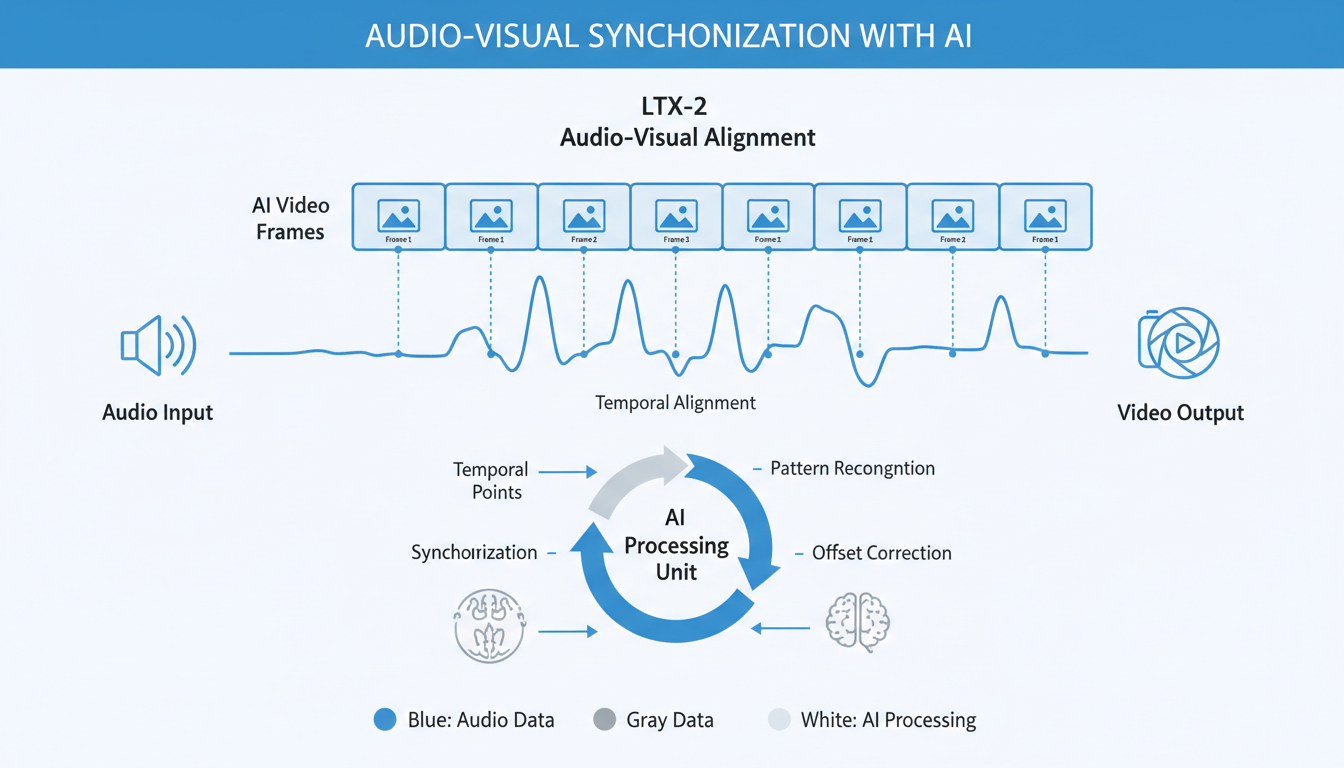 Audio-visual alignment in LTX-2 requires creative sound descriptions synchronized with visual actions.
Structure Your Prompts in Layers
The most effective way to think about audio prompting is through the concept of layers. Professional sound designers don't just add random sounds to a scene. They build a complete audio environment from the ground up, starting with the base layer and adding detail on top. When you understand this layered approach, your LTX-2 prompts become dramatically more effective.
Think of your prompt as having three distinct audio layers that work together:
Layer 1: Ambient/Background The constant soundscape of your scene.
- Environment sounds (wind, water, city noise)
- Room tone (office hum, cafe chatter)
- Weather effects (rain, thunder)
Layer 2: Action/Foreground Sounds tied to specific visible actions.
- Character movements (footsteps, clothing rustle)
- Object interactions (doors, phones, tools)
- Vehicle sounds (engines, horns)
Layer 3: Accent/Punctuation Momentary sounds that emphasize key moments.
- Impact sounds (crashes, slaps)
- Reaction sounds (gasps, laughs)
- Transition sounds (whooshes, stingers)
The Complete Audio Prompt Template
[Visual description],
[Ambient layer: environment sounds],
[Action layer: movement and interaction sounds],
[Accent layer: momentary emphasis sounds]
Audio Cue Vocabulary
Building a strong vocabulary of audio descriptions is essential for effective prompting. Just like visual prompting benefits from specific terms like "cinematic lighting" or "shallow depth of field," audio prompting works best when you use precise, evocative language. The model has learned associations between words and sounds from its training data, so using the right terminology triggers the right audio output.
Below are some of the most effective audio cue phrases organized by category. You don't need to memorize these, but having them as a reference will dramatically improve your results. Notice how each description is specific enough to evoke a particular sound rather than a generic noise.
Environment Sounds
Environmental sounds form the foundation of any audio scene. These are the constant background elements that establish where the action takes place. Getting these right is crucial because they set the entire mood and context for your video.
Nature:
- Forest: "rustling leaves, distant birdsong, wind through branches"
- Ocean: "waves crashing, seagulls calling, sand shifting"
- Rain: "raindrops pattering, distant thunder, water running"
- Desert: "wind howling, sand shifting, silence punctuated by..."
Urban:
- City street: "traffic noise, distant sirens, footsteps on pavement"
- Office: "keyboard clicking, muffled conversations, HVAC hum"
- Restaurant: "plates clinking, murmured conversations, kitchen sounds"
- Construction: "machinery rumbling, hammering, shouting"
Movement Sounds
Movement sounds are perhaps the most critical for synchronization because viewers immediately notice when footsteps or actions don't match what they see. The human brain is incredibly attuned to detecting mismatches between movement and sound, likely because this was important for survival throughout our evolution. Getting these details right makes the difference between professional and amateur output.
Footsteps by surface:
- "footsteps on marble" (sharp, clicking)
- "footsteps on grass" (soft, muffled)
- "footsteps on gravel" (crunching)
- "footsteps on wood" (hollow, creaking)
- "footsteps in water" (splashing)
Character movement:
- "clothing rustling"
- "keys jingling"
- "jewelry clinking"
- "breath sounds"
- "fabric swishing"
Interaction Sounds
Doors:
- "door creaking open"
- "door slamming shut"
- "door handle clicking"
- "keys turning in lock"
Technology:
- "phone buzzing"
- "keyboard typing"
- "notification sound"
- "camera shutter clicking"
Objects:
- "glass clinking"
- "paper shuffling"
- "chair scraping"
- "drawer opening"
Practical Prompt Examples
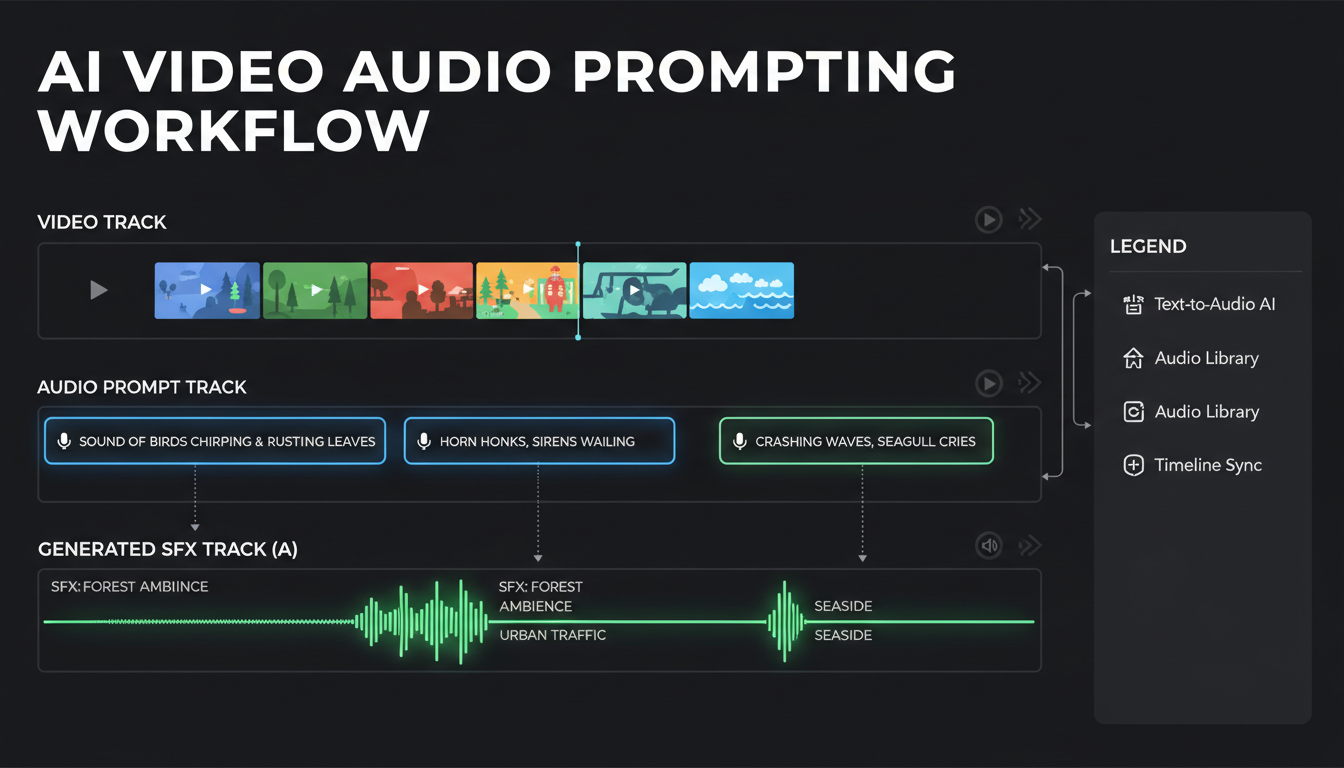 Effective audio prompting places sound effects at specific moments in your video timeline.
Example 1: Cinematic Scene
Poor prompt:
Man walking through rainy city at night, neon lights
Excellent prompt:
Man walking through rainy city at night, neon lights reflecting on wet pavement,
rain pattering on umbrella, footsteps splashing in puddles,
distant car horns and city traffic, neon signs buzzing,
windshield wipers from passing taxis, muffled music from nightclub
Example 2: Nature Documentary
Poor prompt:
Eagle flying over mountains
Excellent prompt:
Majestic eagle soaring over snow-capped mountains,
powerful wing beats whooshing through air,
wind rushing past feathers, distant valley echoes,
eagle cry piercing the silence, updraft sounds,
alpine wind whistling across peaks
Example 3: Action Sequence
Poor prompt:
Car chase through city streets
Excellent prompt:
Intense car chase through narrow city streets,
engines roaring and tires screeching,
horns blaring from other vehicles,
crashes and impacts as cars collide with obstacles,
sirens wailing in the distance,
glass shattering, metal scraping on pavement,
pedestrians screaming, heartbeat-like bass rumble
Example 4: Intimate Moment
Poor prompt:
Couple having coffee in cafe
Excellent prompt:
Couple sharing quiet moment in cozy cafe,
soft jazz playing in background,
coffee cups gently placed on saucers,
spoons stirring, cream swirling,
muffled cafe conversations,
occasional laughter from other tables,
rain pattering on window, warm ambient hum
Advanced Audio Techniques
Once you've mastered the basics of audio prompting, you can start using more sophisticated techniques that give you finer control over your output. These advanced methods help you create dynamic, evolving soundscapes rather than static audio that plays the same throughout the clip.
Temporal Audio Cues
One of the most powerful advanced techniques is using timing words to explicitly sync sound with action. Rather than letting the model decide when sounds should occur, you can guide it by describing the sequence of events. This is particularly useful for scenes where the audio needs to change or evolve over the duration of the clip.
Use timing words to sync sound with action:
Beginning sounds:
- "starts with..."
- "opens with the sound of..."
- "begins as..."
Transition sounds:
- "then..."
- "followed by..."
- "as the scene shifts..."
Ending sounds:
- "fading into..."
- "ending with..."
- "dissolving to silence"
Example:
Scene opens with distant thunder rumbling,
woman runs through forest as rain begins,
footsteps quickening on wet leaves,
thunder growing louder with each flash of lightning,
ending with sudden silence as she reaches shelter
Emotional Audio Design
Sound has a profound psychological impact that goes far beyond simple information delivery. A scene showing a person walking down a hallway can feel completely different depending on the audio. With echoing footsteps and distant dripping water, it becomes ominous. With cheerful background music and ambient chatter, it feels welcoming. LTX-2 understands these emotional associations, and you can use them to create powerful content.
Sound conveys emotion, so you should match audio cues to your desired mood:
Tension:
- "ominous low hum"
- "heart beating faster"
- "breathing becoming labored"
- "unsettling silence punctuated by..."
Joy:
- "bright, cheerful sounds"
- "laughter echoing"
- "upbeat background music"
- "birds singing brightly"
Melancholy:
- "mournful wind"
- "slow, deliberate footsteps"
- "distant church bells"
- "rain against window"
Dynamic Range
Describe volume and intensity changes:
Quiet forest suddenly erupts with bird calls,
silence broken by distant gunshot,
soft whisper building to passionate speech,
gentle stream growing to rushing waterfall
Common Mistakes and Fixes
After working with LTX-2 audio prompting extensively and seeing what trips up most users, I've identified the most common mistakes that lead to poor results. The good news is that all of these are easily fixable once you know what to look for. Most problems stem from either being too vague or trying to do too much at once.
Mistake 1: No Audio Description
Problem: Prompt contains only visual information. Fix: Add at least 2-3 specific audio cues to every prompt.
Mistake 2: Generic Audio Terms
Problem: "background noise" or "sounds" Fix: Be specific: "cafe chatter with espresso machine hissing"
Mistake 3: Impossible Audio
Problem: Describing sounds that don't match visuals. Fix: Ensure audio logically connects to what's shown.
Mistake 4: Audio Overload
Problem: Too many competing sounds. Fix: Focus on 3-5 dominant audio elements maximum.
Mistake 5: Missing Ambient Layer
Problem: Only action sounds, no environment. Fix: Always include base ambient layer first.
Workflow Integration
Getting great audio prompts is only part of the equation. You also need to set up your workflow correctly to take full advantage of LTX-2's audio capabilities. Whether you're using ComfyUI or another interface, there are specific settings and considerations that affect audio quality. Understanding these technical aspects helps you avoid frustrating issues where your prompts are good but the output still disappoints.
ComfyUI Audio Settings
ComfyUI is the most popular way to run LTX-2 locally, and it offers granular control over audio generation. However, the default settings aren't always optimal for audio output. Taking a few minutes to configure things properly will significantly improve your results.
When using LTX-2 in ComfyUI:
- Enable audio generation in the model settings
- Use the audio-aware sampler
- Set appropriate audio quality (44.1kHz recommended)
- Check audio sync in preview before final render
Post-Processing Considerations
LTX-2 audio is good but not perfect. Consider:
- Light EQ adjustment for clarity
- Subtle reverb matching for space
- Volume normalization
- Transition smoothing between clips
Quality Settings
For best audio sync:
- Use 20+ sampling steps
- CFG 6-7 for natural sound
- Higher resolution = better audio detail
- 4-second clips maintain best sync
Genre-Specific Templates
Different genres have established audio conventions that audiences expect. Horror films use specific sound design techniques that wouldn't work in a romantic comedy. Action sequences have their own audio language. Understanding these conventions and incorporating them into your prompts helps create content that feels professional and genre-appropriate.
These templates give you starting points for common genres. Adapt them based on your specific scene while keeping the core emotional tone intact.
Horror
Horror relies heavily on audio to create tension and fear. The absence of sound can be as powerful as sudden loud noises. Building dread through subtle environmental sounds and then breaking that tension creates the classic horror audio experience.
[Scene description],
unsettling silence with distant creaks,
footsteps echoing in empty space,
sudden sharp sounds punctuating quiet,
low frequency rumble building tension,
breath sounds becoming ragged
Romance
[Scene description],
soft ambient music in background,
gentle sounds of movement,
heartbeat undertones,
whispered words and sighs,
peaceful environment sounds
Action
[Scene description],
intense impact sounds and explosions,
rapid footsteps and movement,
shouting and urgent voices,
vehicle engines and screeching,
dramatic music undertones
Documentary
[Scene description],
natural environment authentically captured,
subject-specific sounds highlighted,
ambient atmosphere maintained,
occasional narration space (silence),
realistic audio perspective
Testing Your Audio Prompts
Before committing to a long generation or using a clip in your project, you should test your audio prompts to ensure they produce the results you want. Testing saves time and helps you iterate toward better prompts. I recommend a three-part testing approach that evaluates different aspects of audio quality.
The Sync Test
The most important test is synchronization. This is where LTX-2's simultaneous generation really shines, but only if your prompts are clear enough. Generate a short 4-second clip and carefully examine whether audio events align with visual events.
Generate a 4-second clip and check:
- Do footsteps align with feet movement?
- Do impacts sound when they happen?
- Does ambient sound match the environment?
- Are there any jarring mismatches?
The Coherence Test
Listen without watching:
- Can you understand what's happening?
- Does the audio tell a story?
- Are transitions smooth?
- Is the mix balanced?
The Emotion Test
Watch with sound off, then with sound:
- Does audio enhance the emotion?
- Does it match the visual mood?
- Would different audio change the feeling?
Real-World Application Scenarios
Theory is useful, but seeing how audio prompting applies to real content creation scenarios makes the techniques concrete. Whether you're creating product videos, social media content, or narrative sequences, the principles remain the same while the specific applications differ. Let me walk through some practical examples from content types you might actually create.
Product Videos
Product videos benefit enormously from synchronized audio. The sound of a product in action, the satisfying click of a mechanism, or the ambient atmosphere of a lifestyle scene all contribute to perceived quality and desirability. Many of the most memorable product videos succeed largely because of their sound design.
Creating promotional content with synchronized audio enhances professionalism:
Tech product reveal:
Sleek smartphone slowly rotating on dark platform,
soft electronic hum in the background,
subtle whoosh as light reveals features,
gentle mechanical clicks as screen activates,
modern ambient tones building anticipation
Food photography:
Steam rising from freshly brewed coffee in ceramic cup,
coffee pouring with satisfying liquid sounds,
cup gently placed on wooden table,
spoon stirring cream creating soft swirls,
cafe ambient warmth in background
Social Media Content
Short-form content benefits immensely from audio sync:
Transition video:
Quick cuts between locations,
whoosh sound on each transition,
footsteps matching walking pace,
ambient sounds changing with each scene,
upbeat energy in sound design
Tutorial snippet:
Hands demonstrating technique on workbench,
tools clicking and materials shifting,
clear ambient room tone,
occasional paper rustling,
focused workshop atmosphere
Storytelling Sequences
Narrative content requires emotional audio design:
Opening scene:
Camera pushes through fog toward old house,
wind howling through empty windows,
creaking wood and settling foundations,
distant owl hooting in dead tree,
footsteps approaching on gravel path
Climactic moment:
Character faces critical decision,
heartbeat growing louder,
ambient sounds fading to focus,
sharp intake of breath,
silence before action
Troubleshooting Audio Issues
Even with well-crafted prompts, you'll occasionally encounter audio problems. Understanding common issues and their solutions helps you quickly diagnose and fix problems rather than frustratingly regenerating clips over and over. Most audio issues fall into a few predictable categories with straightforward solutions.
Audio Doesn't Match Action
This is probably the most common complaint from LTX-2 users. When footsteps sound while feet aren't moving, or door sounds play at the wrong moment, it breaks the immersion completely.
Symptom: Footsteps sound when feet aren't moving.
Causes:
- Prompt timing unclear
- Too many sound sources
- Model interpretation differs from intent
Solutions:
- Simplify prompt to fewer elements
- Use creative timing cues
- Generate multiple variations
- Choose best from batch
Audio Quality Poor
Symptom: Muddy, unclear, or distorted audio.
Causes:
- Low generation settings
- Conflicting audio descriptions
- Too short clip length
Solutions:
- Increase sampling steps to 25+
- Use cleaner, simpler audio descriptions
- Generate minimum 3-second clips
Missing Expected Sounds
Symptom: Some described sounds don't appear.
Causes:
- Too many audio elements
- Sound description too vague
- Model prioritized other elements
Solutions:
- Prioritize most important sounds
- Make key sounds more prominent in prompt
- Reduce total audio elements
Repetitive or Looping Audio
Symptom: Same sound repeats unnaturally.
Causes:
- Limited variation in description
- Short clip with limited audio space
Solutions:
- Add variation words ("occasional," "intermittent")
- Describe audio evolution over time
- Generate longer clips when possible
Audio Prompting Best Practices Summary
Do:
- Include 3-5 specific audio cues per prompt
- Layer ambient, action, and accent sounds
- Use precise vocabulary for sounds
- Match audio mood to visual emotion
- Test with short clips first
- Generate multiple variations for selection
Don't:
- Leave audio to chance with visual-only prompts
- Use vague terms like "sounds" or "noise"
- Overload prompts with 10+ audio elements
- Describe impossible or contradictory sounds
- Ignore ambient/environmental layer
- Expect perfect sync on first generation
Frequently Asked Questions
How many audio cues should I include?
3-5 specific audio elements work best. Too few leaves gaps, too many creates chaos. Start with one ambient layer, two action sounds, and one accent sound for balanced results.
Does audio prompting slow generation?
No. LTX-2 generates audio simultaneously with video, so there's no additional time cost for audio prompts. The processing happens in parallel.
Can I generate music with LTX-2?
LTX-2 generates ambient and diegetic audio, not composed music. For background music, use dedicated music AI tools like Suno, Udio, or AIVA, then combine in post-production.
Why is my audio out of sync?
Usually caused by overly complex prompts or conflicting audio cues. Simplify and be more specific. Also ensure you're generating clips of at least 3-4 seconds for proper audio development.
Does resolution affect audio quality?
Higher video resolution correlates with better audio detail. Generate at 720p minimum for good audio. Lower resolutions may produce muddier, less defined audio.
Can I control audio volume in prompts?
Somewhat. Use words like "loud," "distant," "subtle," or "whispered" to influence relative volume. The model interprets these as mixing guidance.
Should I describe silence?
Yes, silence is a valid audio element. Use "moment of silence," "quiet pause," or "sound fading to nothing" for intentional quiet moments that create impact.
How do I get consistent audio across multiple clips?
Use consistent ambient descriptions across related clips. Maintain the same environmental sounds and background tone. This helps clips feel like they belong together when edited.
Wrapping Up
Mastering audio prompting is what separates mediocre LTX-2 output from truly impressive content. The technical capability is already there in the model. Your job is to communicate what you want clearly and specifically. Think like a sound designer: consider the environment, the actions, the emotional tone, and how all of these elements work together to create a complete experience.
The learning curve isn't steep, but it does require shifting your mindset from purely visual descriptions to audio-visual thinking. Start simple with one or two audio cues, see how the model responds, and gradually add complexity as you develop intuition for what works. Within a few hours of practice, you'll be writing prompts that produce remarkably synchronized audio-video output.
Audio prompting transforms LTX-2 from a video generator into a complete audio-visual creation tool. The key principles:
Key takeaways:
- Always include creative audio descriptions in prompts
- Layer ambient, action, and accent sounds
- Use specific vocabulary, not generic terms
- Match audio emotionally to visual content
- Test sync with short clips before longer generations
Master these techniques, and your LTX-2 videos will have that professional, cinematic quality that separates AI-generated content from amateur experiments.
For LTX-2 basics, see our complete LTX-2 guide. For video tips, read our LTX-2 tips and tricks. Generate videos at Apatero.com.
Some models you cannot download at any VRAM
Veo, Kling and Nano Banana have closed weights. There is no local build, no quantization, no 24GB workaround. Run them in the browser instead. Check current model access and generation costs in the app.
Related Articles
AI Video Denoising and Restoration: Complete Guide to Fixing Noisy Footage (2025)
Master AI video denoising and restoration techniques. Fix grainy footage, remove artifacts, restore old videos, and enhance AI-generated content with professional tools.
AI Video Multi-Clip Editing: Complete Workflow for Smooth Transitions (2025)
Master multi-clip AI video editing workflows. Learn to combine LTX-2, WAN, and Hunyuan clips into cohesive videos with smooth transitions and consistent style.

LTX-2 on 8GB VRAM: Complete Optimization Guide for Low-End GPUs (2025)
Run LTX-2 video generation on 8GB VRAM GPUs. Complete guide to memory optimization, FP8 quantization, tile processing, and settings for RTX 3070, 3060, and similar cards.