AI Video Generation for Adult Content: What Actually Works in 2025
Practical guide to generating NSFW video content with AI. Tools, workflows, and techniques that produce usable results for adult content creators.

NSFW AI video generation is the frontier that most platforms refuse to touch. While image generation for adult content has matured, video remains challenging. Most mainstream tools block it entirely. The options that exist require specific knowledge to use effectively.
Quick Answer: For NSFW AI video, your practical options are: Apatero (cloud-based, uses WAN models, easiest to use), local WAN 2.2/2.6 (best quality but needs 24GB+ VRAM), or image-to-video animation tools (limited but accessible). Mainstream video generators like Runway, Kling, and Luma all prohibit adult content.
- Mainstream video generators (Runway, Kling, Luma) block all NSFW content
- Apatero is the primary cloud option for NSFW video generation
- Local WAN 2.2/2.6 offers best quality but requires serious hardware
- Video clips are typically 3-8 seconds, chain for longer content
- Character consistency in video is harder than in images
- Quality is improving rapidly but still behind SFW video generation
The State of NSFW AI Video in 2025
Let me be honest about where we are.
What's possible:
- 3-8 second video clips with adult content
- Character animation from reference images
- Motion and action generation
- Image-to-video transformation
What's still challenging:
- Long-form video (over 10 seconds)
- Perfect character consistency across clips
- Complex multi-person scenes
- Specific detailed actions
What's not ready:
- Feature-length content
- Perfect lip sync with audio
- Fully controllable motion
- Real-time generation
NSFW video is roughly where NSFW image generation was 18 months ago. Usable for content creators, but with clear limitations.
Your Options for NSFW Video
1. Apatero - Cloud-Based NSFW Video
Full disclosure: I work with Apatero. But I'm featuring it prominently because it's one of very few cloud options for NSFW video.
What Apatero offers:
WAN-based generation: Apatero uses WAN models for video generation. This is the same technology as local WAN but accessible without hardware requirements.
Character consistency: Create a character in Apatero, generate both images and video with consistent identity. No separate LoRA training needed.
Ease of use: Cloud-based means no setup, no GPU requirements, no ComfyUI workflows. Generate video through the platform interface.
NSFW allowed: Unlike Runway, Kling, or Luma, Apatero explicitly supports adult content generation.
Limitations:
- Video length limited (3-5 seconds typical)
- Cloud-dependent
- Pay-per-generation costs
- Still maturing feature set
Best for:
- Creators without local GPU hardware
- Those wanting integrated image + video workflow
- Quick content production needs
- Users who prioritize ease over maximum control
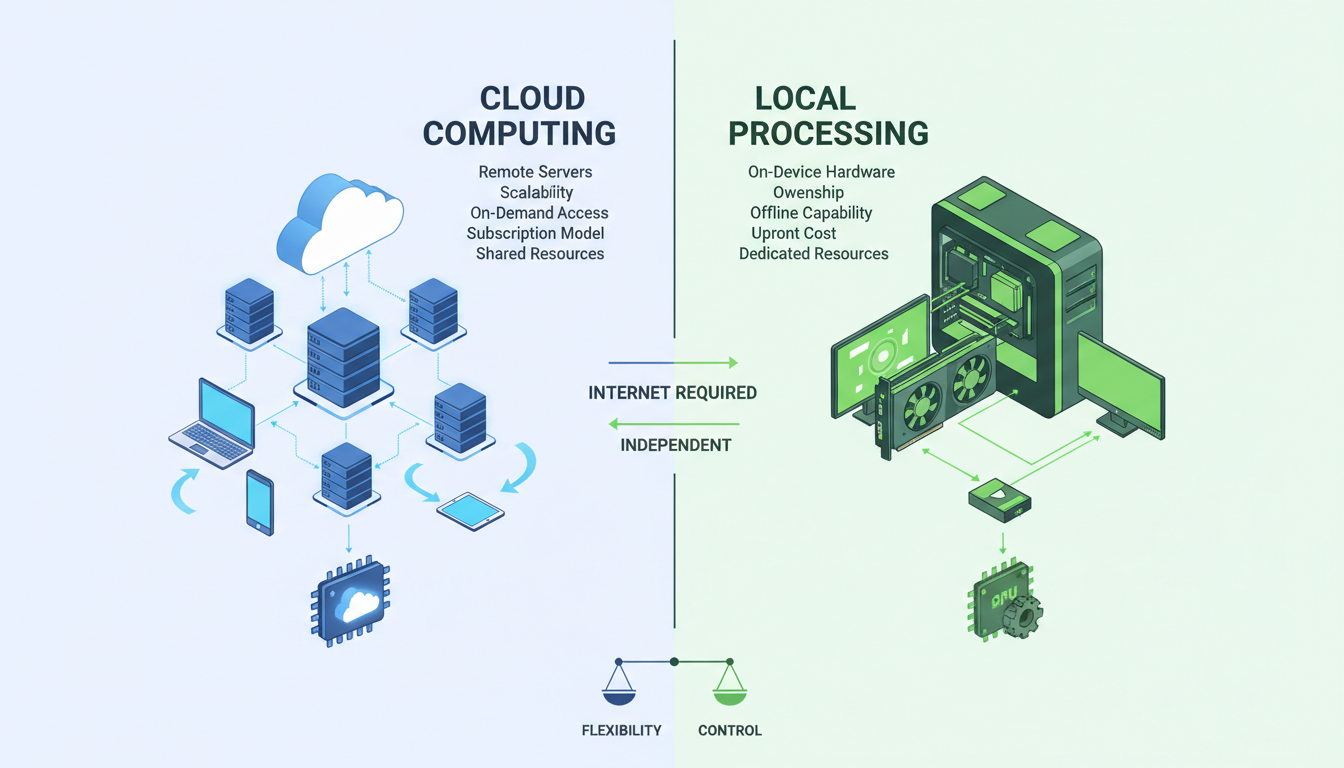 Cloud options provide accessibility, local provides control
2. Local WAN 2.2/2.6 - Maximum Quality
Running WAN locally gives you the best quality NSFW video generation available.
Requirements:
- 24GB+ VRAM (48GB+ recommended)
- ComfyUI setup
- Appropriate WAN models
- Workflow knowledge
Advantages:
- Highest quality output
- Complete control over generation
- No content restrictions
- No per-generation costs
- Privacy
Disadvantages:
- Significant hardware investment ($1000+ for GPU)
- Complex setup
- Slow generation (10-20+ minutes per clip)
- Learning curve
Models for NSFW: WAN itself is trained on general content. For explicit NSFW:
- Base WAN handles nudity
- Specialized LoRAs for specific content types
- Community models from CivitAI and Hugging Face
Workflow setup:
- Install ComfyUI
- Download WAN 2.2 or 2.6 models
- Install ComfyUI-WanVideoWrapper
- Configure workflow for image-to-video
- Add appropriate LoRAs for NSFW
For detailed WAN setup, see my WAN 2.6 complete guide.
3. Image-to-Video Animation - Alternative Approach
If you already have AI-generated images, animation tools can add motion.
Options:
- D-ID for face/head movement
- HeyGen for talking heads
- AnimateDiff for motion
- Runway's animate feature (limited to non-explicit)
The catch: Most animation tools also have content policies. They might animate a suggestive image but block explicit content.
What works:
- D-ID for non-explicit face animation
- Custom AnimateDiff setups locally
- Manual frame interpolation
This approach is more limited but can supplement other methods.
Video Generation Workflow
Here's my actual process for creating NSFW video content:
Step 1: Character Preparation
Start with a consistent character established through images.
Using Apatero:
- Create character in the platform
- Generate reference images
- Use same character for video
Using local SD:
Free ComfyUI Workflows
Find free, open-source ComfyUI workflows for techniques in this article. Open source is strong.
- Train or obtain LoRA for character
- Generate consistent reference images
- Ensure identity is stable
Step 2: Reference Image Selection
Choose the right source image for video generation:
Good reference images:
- Clear, well-lit subject
- Pose that allows natural motion
- Minimal background complexity
- High resolution (at least 512x512)
Avoid:
- Extreme angles
- Complex backgrounds
- Multiple subjects (unless intentional)
- Unusual poses that limit motion options
Step 3: Video Generation
With Apatero:
- Select or upload reference image
- Choose video generation option
- Select motion type/intensity
- Generate and review
With local WAN:
- Load reference image in ComfyUI
- Configure WAN video workflow
- Set motion parameters
- Generate (expect 10-20 minutes)
- Review and iterate
Step 4: Post-Processing
Raw AI video often benefits from:
Upscaling:
- Increase resolution for better quality
- Tools: Real-ESRGAN, Topaz Video AI
Frame interpolation:
- Smoother motion, higher framerate
- Tools: RIFE, Flowframes
Editing:
- Trim unwanted sections
- Color correction
- Combine clips
Audio:
- Add appropriate audio/music
- Voice synthesis if needed
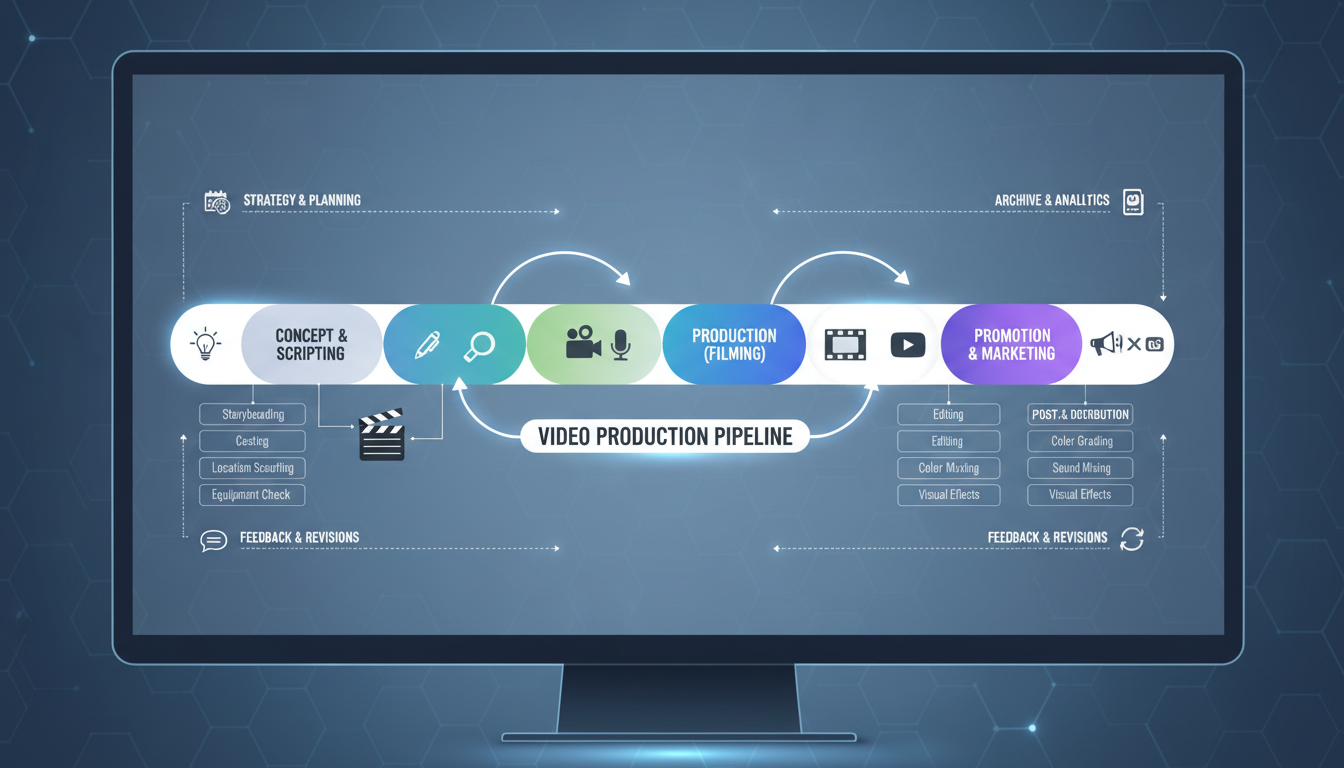 A systematic approach improves results
Quality Comparison
Let me share realistic quality expectations:
Motion Quality
| Tool | Motion Smoothness | Motion Variety | Artifacts |
|---|---|---|---|
| Local WAN | 8/10 | 8/10 | Low |
| Apatero | 7/10 | 7/10 | Low-Medium |
| AnimateDiff | 6/10 | 5/10 | Medium |
| D-ID | 7/10 | 3/10 | Low |
Character Consistency
| Tool | Identity Preserved | Clothing Consistent | Natural Look |
|---|---|---|---|
| Local WAN + LoRA | 8/10 | 7/10 | 8/10 |
| Apatero | 8/10 | 8/10 | 8/10 |
| AnimateDiff | 5/10 | 5/10 | 6/10 |
| D-ID | 9/10 | 9/10 | 7/10 |
Overall Usability
| Tool | Ease of Use | Cost | Quality | Best For |
|---|---|---|---|---|
| Apatero | Easy | Pay-per-use | Good | Most creators |
| Local WAN | Hard | Free after hardware | Excellent | Power users |
| AnimateDiff | Medium | Free | Moderate | Experimentation |
| D-ID | Easy | Subscription | Limited | Face animation |
Common Challenges and Solutions
Challenge 1: Motion Artifacts
Problem: Weird distortions during movement.
Solutions:
Want to skip the complexity? Apatero gives you professional AI results instantly with no technical setup required.
- Use simpler motion prompts
- Reduce motion intensity
- Higher step count if using local
- Better source image
Challenge 2: Character Drift
Problem: Character looks different at video end than beginning.
Solutions:
- Shorter clips (3-4 seconds)
- Stronger character conditioning
- Use character-trained LoRA
- Apatero's built-in consistency
Challenge 3: Unnatural Movement
Problem: Motion looks robotic or unrealistic.
Solutions:
- Reference real motion
- Lower motion strength
- Post-process with frame interpolation
- Use motion-specific training data
Challenge 4: Resolution Limitations
Problem: Video is low resolution.
Solutions:
- Upscale with AI tools
- Generate at maximum resolution available
- Accept quality/speed trade-off
Content Strategy for Video
Video serves different purposes than images in adult content:
Teaser Content (SFW Platforms)
Short, suggestive but non-explicit clips for social media.
Specs:
- 3-5 seconds
- Suggestive but platform-safe
- Focus on face, personality
- Drive traffic to premium
Premium Content (Subscription)
Regular video content for subscribers.
Specs:
- 5-10 seconds per clip
- Varied content types
- Mix of explicit and lifestyle
- 2-4 videos weekly
PPV Content
Premium purchasable video content.
Specs:
- Longer combined sequences
- Higher production value
- Exclusive content
- Higher pricing ($10-50+)
Custom Content
Made-to-order for specific requests.
Earn Up To $1,250+/Month Creating Content
Join our exclusive creator affiliate program. Get paid per viral video based on performance. Create content in your style with full creative freedom.
Specs:
- Based on customer request
- Premium pricing ($25-200+)
- May require multiple generations
- Personalized delivery
Cost Analysis
Let's talk real numbers:
Cloud (Apatero)
- Per-video generation cost
- No hardware investment
- Scale up or down as needed
- Best for: Variable usage, getting started
Local WAN
Hardware investment:
- RTX 3090 (used): $600-800
- RTX 4090: $1,500-2,000
- RTX 5090 (when available): $2,000+
Ongoing costs:
- Electricity
- Time
Break-even analysis: If Apatero costs ~$1 per video:
- $1,000 GPU = 1,000 videos to break even
- At 50 videos/month = 20 months
- At 200 videos/month = 5 months
Heavy users save with local. Light users save with cloud.
Legal and Ethical Considerations
Important disclaimers:
What's legal:
- Creating synthetic adult content
- Selling AI-generated NSFW content
- Virtual personas and characters
What's not legal:
- Content depicting minors (absolutely prohibited)
- Using real people's likeness without consent
- Violating platform terms of service
- Content illegal in your jurisdiction
Best practices:
- Clear disclosure of AI-generated nature when required
- Age verification for viewers
- Respect platform policies
- Keep records of generation process
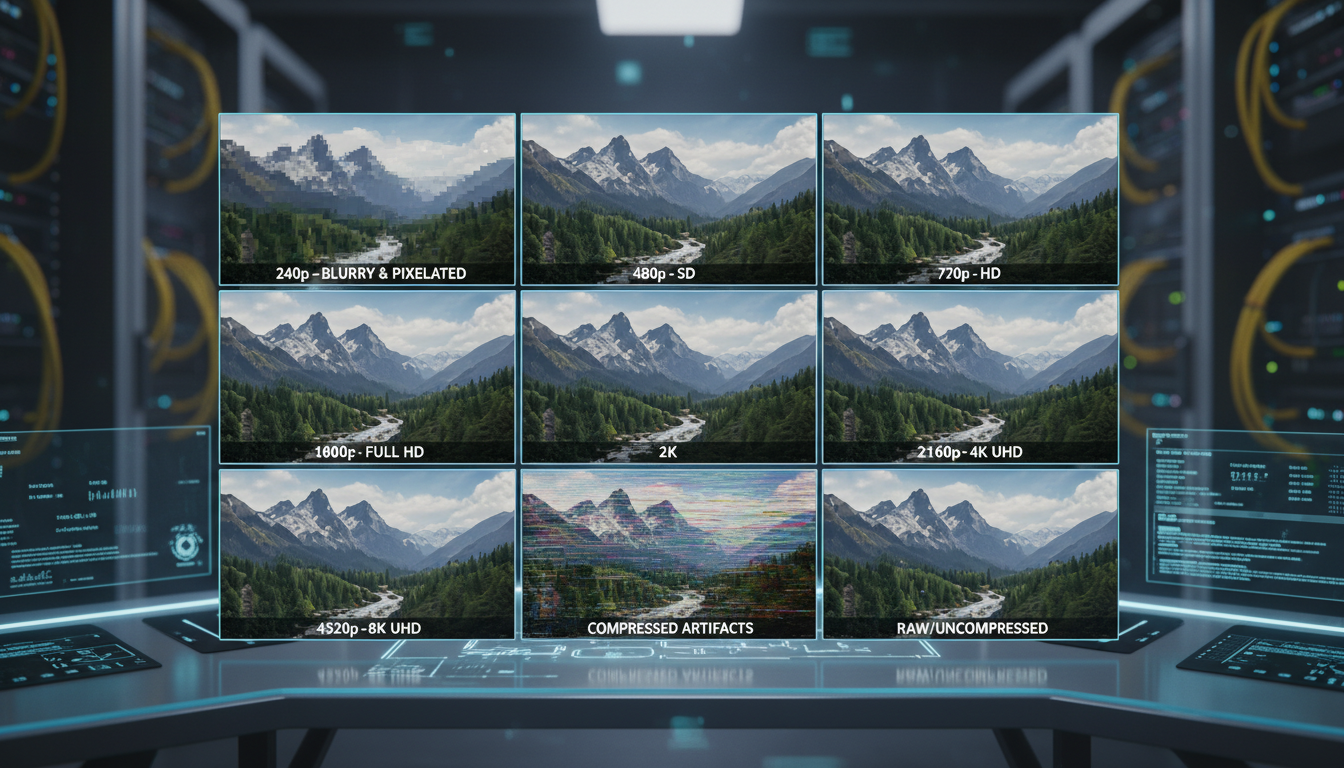 Quality varies by tool and technique
Tools Ecosystem
Here's the full ecosystem for NSFW video:
Generation
| Tool | Type | NSFW | Notes |
|---|---|---|---|
| Apatero | Cloud | Yes | Integrated workflow |
| WAN 2.2/2.6 | Local | Yes | Best quality |
| Kling | Cloud | No | Blocked |
| Runway | Cloud | No | Blocked |
| Luma | Cloud | No | Blocked |
| Pika | Cloud | No | Blocked |
Animation
| Tool | Type | NSFW | Notes |
|---|---|---|---|
| D-ID | Cloud | Limited | Face only |
| HeyGen | Cloud | No | Talking heads |
| AnimateDiff | Local | Yes | With setup |
Post-Processing
| Tool | Type | Purpose |
|---|---|---|
| Topaz Video AI | Local | Upscaling |
| Real-ESRGAN | Local | Frame upscaling |
| RIFE | Local | Interpolation |
| FFmpeg | Local | Conversion |
Future Outlook
NSFW video generation is improving rapidly:
Coming soon:
- Longer clip generation
- Better motion control
- Improved character consistency
- More cloud options
Medium-term:
- Real-time generation
- Audio synchronization
- Multi-character scenes
- Higher resolution standard
The trajectory: NSFW video is following NSFW image generation's path, roughly 18-24 months behind. What's difficult now will be routine in 2026.
Frequently Asked Questions
Can I use Runway/Kling for NSFW if I'm careful?
No. These platforms actively filter for adult content and will ban accounts. Don't waste time or money trying.
Is local WAN really worth the hardware investment?
If you'll generate 100+ videos per month long-term, yes. The quality difference and zero marginal cost pay off. For lighter use, cloud is smarter.
How long can AI videos be?
Currently 3-10 seconds reliably. Chain clips together for longer content. True long-form is still developing.
Can I train custom models for specific content?
Yes, with local setup. LoRA training on WAN is possible for specific characters or styles. See my LoRA training guide.
What resolution should I generate at?
512px for speed, 720px for quality balance, 1080p if your hardware allows. Upscale afterward for best results.
Is the quality good enough to sell?
Yes, for informed audiences who know they're purchasing AI content. Quality continues improving. Current output works for many use cases.
Getting Started Recommendations
Based on your situation:
If you're new to AI video: Start with Apatero. No setup required, immediate results, learn what's possible.
If you have hardware: Set up local WAN. Higher quality, more control, no ongoing costs.
If you're testing the market: Use cloud options first. Validate demand before hardware investment.
If you're scaling production: Combine approaches. Cloud for quick content, local for premium quality.
Final Thoughts
NSFW AI video generation in 2025 is usable but not magical. The tools exist, the quality is acceptable, and the capability is real.
But it requires understanding the limitations:
- Clips are short
- Character consistency requires effort
- Quality isn't yet matching SFW video generation
- The ecosystem is still developing
For adult content creators, video content matters. It converts better, commands higher prices, and differentiates from the flood of AI images. Learning these tools now positions you well as they continue improving.
Start with what's accessible. Learn the workflows. Build your content library. The technology will only get better from here.
Related guides: AI Video Generator Comparison, AI OnlyFans Content Creation, WAN 2.6 Complete Guide
Ready to Create Your AI Influencer?
Join 115 students mastering ComfyUI and AI influencer marketing in our complete 51-lesson course.
Related Articles
AI Video Denoising and Restoration: Complete Guide to Fixing Noisy Footage (2025)
Master AI video denoising and restoration techniques. Fix grainy footage, remove artifacts, restore old videos, and enhance AI-generated content with professional tools.
AI Video Generator Comparison 2025: WAN vs Kling vs Runway vs Luma vs Apatero
In-depth comparison of the best AI video generators in 2025. Features, pricing, quality, and which one is right for your needs including NSFW capabilities.
AI Video Multi-Clip Editing: Complete Workflow for Smooth Transitions (2025)
Master multi-clip AI video editing workflows. Learn to combine LTX-2, WAN, and Hunyuan clips into cohesive videos with smooth transitions and consistent style.