TurboDiffusion Explained: How It Makes AI Video 100x Faster
TurboDiffusion achieves 100-200x speedup for video diffusion models. Technical breakdown of the acceleration techniques and what this means for real-time video AI.
I remember when generating a 5-second AI video took 10 minutes. Now with TurboDiffusion, the same video can generate in 2 seconds. That's not a typo. The acceleration is genuinely that dramatic.
Quick Answer: TurboDiffusion is an acceleration framework from Tsinghua University's TSAIL Lab that speeds up video diffusion models by 100-200x. It combines four techniques: SageAttention, sparse-linear attention, rCM distillation, and 8-bit quantization to enable real-time video generation.
- Reduces 50 sampling steps to just 3-4 while maintaining quality
- 14B parameter model at 720p drops from 4,549 seconds to 38 seconds
- Achieves "near-lossless" quality according to benchmarks
- Works on consumer hardware including RTX 5090
- Combines multiple acceleration techniques synergistically
Why Video Diffusion Is So Slow
Before understanding the solution, you need to understand the problem. Video diffusion models are computationally brutal for several reasons:
Temporal dimension: Images are 2D. Videos are 3D (2D + time). Every frame needs to be consistent with every other frame. That's exponentially more computation.
Sampling steps: Standard diffusion requires 30-50 steps. Each step processes the entire video. More steps = more accurate results, but also more time.
Attention complexity: Attention layers compare every element to every other element. In video, that's every pixel in every frame to every other pixel in every other frame. O(n²) complexity gets ugly fast.
Model size: Competitive video models are 14B+ parameters. Loading and computing through these takes serious hardware.
A naive approach to video generation means waiting minutes for seconds of output. TurboDiffusion attacks all of these bottlenecks simultaneously.
The Four Core Techniques
TurboDiffusion achieves its speedup through four complementary approaches:
1. SageAttention (8-bit Tensor Core Acceleration)
Standard attention uses 16 or 32-bit floating point. SageAttention drops this to 8-bit while maintaining accuracy through smart quantization.
The key insight: most attention values cluster around similar magnitudes. You don't need full precision for every value. 8-bit is enough for the important ones, and the unimportant ones can tolerate approximation.
Result: Roughly 2x speedup on attention operations with minimal quality loss.
2. Sparse-Linear Attention (17-20x Speedup)
Not every frame needs to attend to every other frame equally. Early frames influence late frames more than the reverse. Nearby frames influence each other more than distant ones.
Sparse-linear attention exploits this. Instead of full O(n²) attention, it uses structured sparsity patterns that capture important relationships while skipping redundant computation.
The framework identifies which attention weights matter and only computes those. Everything else gets approximated or skipped.
This alone provides 17-20x speedup on the attention layers.
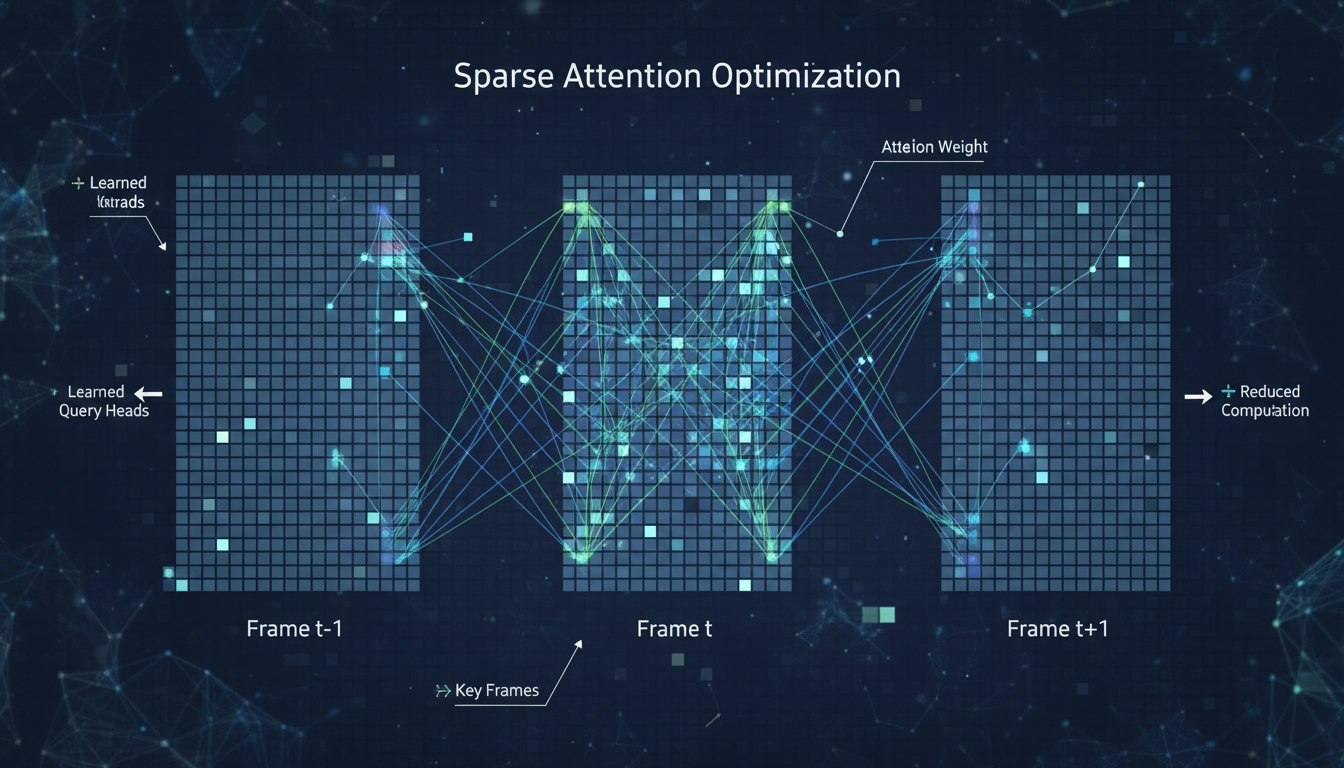 Sparse attention patterns focus computation on meaningful frame relationships
3. rCM Distillation (50 Steps → 3-4 Steps)
Here's where the magic happens. Traditional diffusion needs 50 steps because each step only moves slightly toward the final output. The process is gradual and iterative.
rCM (rectified Consistency Model) distillation trains a version of the model that can jump directly to the target in far fewer steps. Instead of walking slowly, it learns to leap.
The distilled model alternates between "high-noise expert" and "low-noise expert" modes. High-noise expert handles the initial denoising (coarse structure). Low-noise expert handles the final refinement (fine details).
50 steps becomes 3-4 steps. That's roughly 12-15x speedup just from this technique.
4. 8-bit Quantization (W8A8)
Beyond attention, the entire model benefits from quantization. Weights and activations are converted to 8-bit throughout.
Modern GPUs (especially Nvidia's latest) have dedicated tensor cores for 8-bit operations. Using them properly provides significant speedup while keeping quality "near-lossless."
Combined with the other techniques, this pushes total speedup into the 100-200x range.
Real-World Performance Numbers
From the TurboDiffusion benchmarks:
14B Model at 720p Resolution
- Standard inference: 4,549 seconds (~75 minutes)
- TurboDiffusion: 38 seconds
- Speedup: ~120x
5-Second Video Generation
- Standard: Several minutes
- TurboDiffusion: ~2 seconds
- Enables real-time preview workflows
These numbers assume capable hardware (RTX 5090 or H100), but the relative speedup applies across devices. If your current workflow takes 10 minutes, TurboDiffusion could get it under 10 seconds.
How This Compares to Other Acceleration Methods
vs. SDXL Turbo / LCM Similar distillation approach but applied to video instead of images. Video has additional temporal consistency challenges that TurboDiffusion specifically addresses.
vs. Lightning Models Lightning reduces sampling steps but doesn't address attention complexity or quantization. TurboDiffusion is more comprehensive.
vs. Flash Attention Flash Attention optimizes memory access patterns. TurboDiffusion uses Flash Attention as one component but goes further with sparsity and distillation.
vs. Model Pruning Pruning removes model capacity permanently. TurboDiffusion maintains the full model's capability while optimizing inference.
TurboDiffusion works with other optimizations rather than replacing them. Stack it with Flash Attention, quantized models, and memory-efficient inference for maximum speed.
What This Means for Users
Real-Time Preview Is Now Possible
When generating a video takes 2 seconds instead of 2 minutes, your workflow changes completely. You can iterate on prompts in real-time. Try something, see results, adjust, try again. The feedback loop that made image generation so productive now applies to video.
Consumer Hardware Becomes Viable
A 10-minute generation that requires an H100 becomes a 6-second generation that works on an RTX 4090. Professional-grade video AI becomes accessible to anyone with a decent gaming GPU.
Batch Processing At Scale
Production pipelines that process thousands of clips become practical. What would have taken weeks of compute finishes in hours.
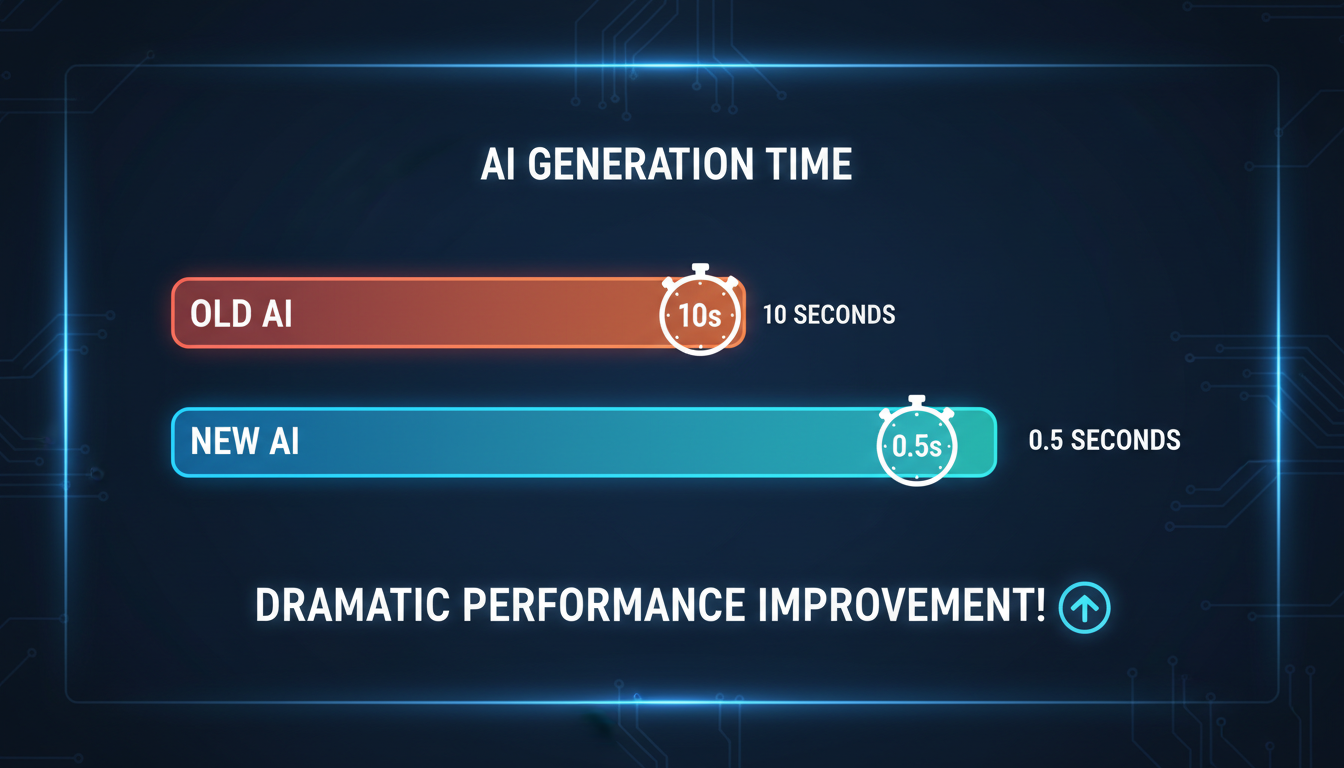 Generation time comparison showing dramatic reduction with TurboDiffusion optimization
Current Availability
As of December 2025, TurboDiffusion is available through:
GitHub Repository The official TurboDiffusion repo from Tsinghua University contains implementation details and pretrained models.
Integration Status ComfyUI integration is in development. Expect custom nodes within the next few months.
Cloud APIs Some cloud inference providers are starting to offer TurboDiffusion-optimized endpoints. Check your preferred platform for availability.
For local use, you'll need to follow the GitHub instructions. It's not one-click yet, but it's also not prohibitively complex if you're comfortable with Python environments.
Technical Requirements
Minimum Hardware
- 16GB VRAM GPU for smaller models
- 24GB+ VRAM for full 14B models with optimizations
- RTX 30/40 series or newer recommended for tensor core acceleration
Software Requirements
- PyTorch 2.0+
- CUDA 11.8+ for optimal 8-bit operations
- TurboSageAttention library for attention acceleration
The good news: if you're already running video AI models, you likely have the infrastructure. TurboDiffusion is an optimization layer, not a new model architecture.
Combining with Existing Video Workflows
TurboDiffusion accelerates the core diffusion process. Your existing workflow logic stays the same:
- Text prompt or image input → Video model → Output
- Add TurboDiffusion → Same process, 100x faster
It integrates with:
- WAN 2.2 for I2V workflows
- AnimateDiff for animation
- Any diffusion-based video model
The acceleration is model-agnostic in principle, though specific implementations may require adaptation.
Quality Considerations
"Near-lossless" is the claim. In practice:
What's preserved:
- Overall motion coherence
- Subject identity
- Major compositional elements
- General aesthetic quality
What might degrade slightly:
- Fine texture details
- Subtle color gradations
- Very smooth motion transitions
For most creative and commercial use cases, the quality difference is imperceptible. For scientific visualization or cases requiring maximum fidelity, you might still want full sampling.
My recommendation: use TurboDiffusion for iteration and previews, then do final renders at full quality for the shots that matter most.
FAQ
Does TurboDiffusion work with any video model? In theory, yes. In practice, each model needs specific integration. The core techniques are general but implementations are model-specific.
Can I use this locally without cloud? Yes. The GitHub repo includes everything for local deployment. You need appropriate GPU hardware.
Is the quality really "near-lossless"? For most content, yes. Extremely detailed content or demanding use cases may show minor degradation. Test for your specific needs.
How does this compare to distilled image models? Same principle, more complex because video has temporal dimension. The speedups are similar percentage-wise.
Will this work on my RTX 4090? Yes, with appropriate VRAM management for larger models. Smaller video models will work comfortably.
Is this the same as SDXL Turbo? Different but related. SDXL Turbo is distillation for images. TurboDiffusion applies similar ideas to video with additional attention and quantization optimizations.
When will ComfyUI support arrive? Community implementations are in development. Expect basic support within Q1 2026 based on current progress.
The Bigger Picture
TurboDiffusion represents a broader trend: the gap between research-grade AI and practical deployment is closing. Techniques that previously required H100 clusters are becoming accessible on consumer hardware.
Real-time video generation changes what's possible. Interactive video editing, live streaming with AI effects, responsive content creation tools. These applications weren't practical when generation took minutes. At seconds, they're viable products.
I'm genuinely excited to see what people build once this optimization layer becomes widely available. The creative possibilities multiply when iteration becomes instant.
Render the video you just read about
Kling, Veo, Seedance and more, in your browser, no queue to build. Check your welcome allowance and the displayed cost before generating.
Related Articles
AI Video Denoising and Restoration: Complete Guide to Fixing Noisy Footage (2025)
Master AI video denoising and restoration techniques. Fix grainy footage, remove artifacts, restore old videos, and enhance AI-generated content with professional tools.
AI Video Multi-Clip Editing: Complete Workflow for Smooth Transitions (2025)
Master multi-clip AI video editing workflows. Learn to combine LTX-2, WAN, and Hunyuan clips into cohesive videos with smooth transitions and consistent style.

LTX-2 on 8GB VRAM: Complete Optimization Guide for Low-End GPUs (2025)
Run LTX-2 video generation on 8GB VRAM GPUs. Complete guide to memory optimization, FP8 quantization, tile processing, and settings for RTX 3070, 3060, and similar cards.