What is LoRA Training? Complete Beginner's Guide to Low-Rank Adaptation
Learn what LoRA training is and how it works for AI image generation. Beginner-friendly explanation of Low-Rank Adaptation for Stable Diffusion and Flux.
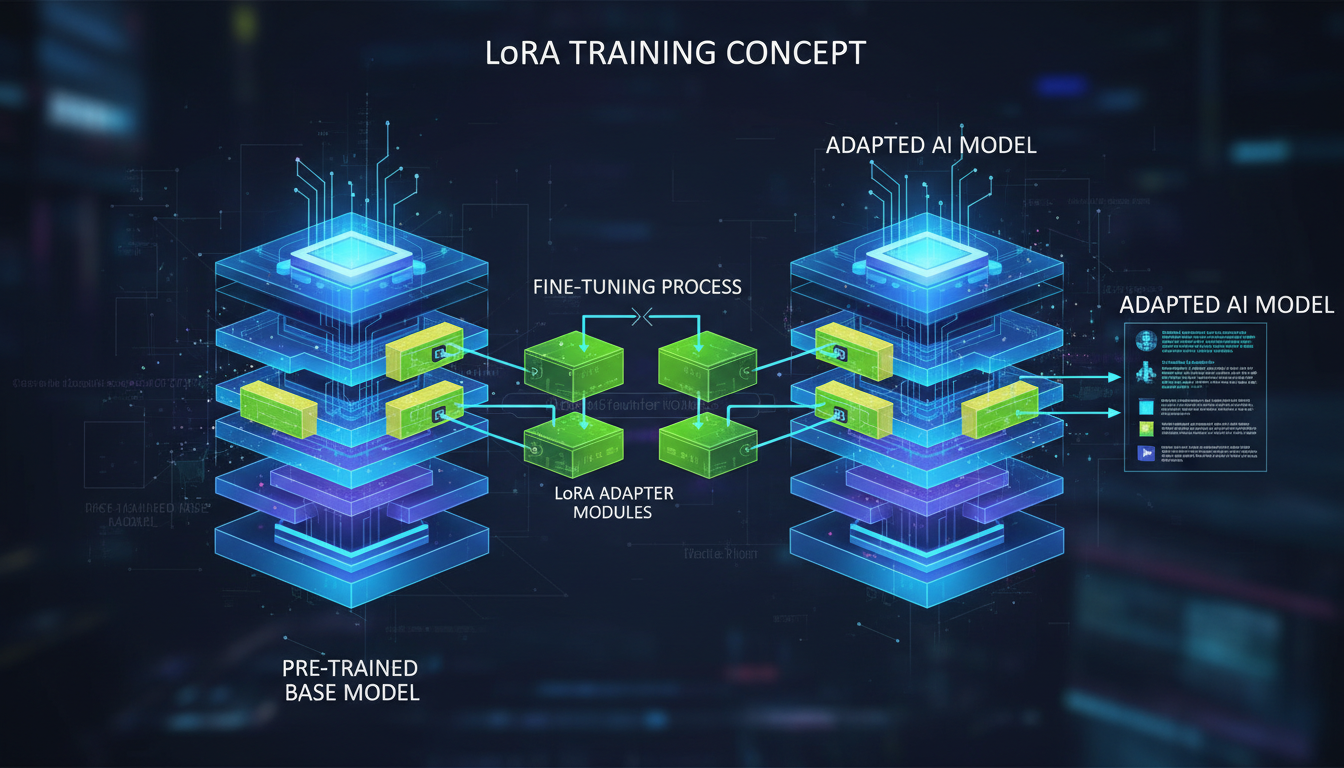
You've probably seen "LoRA" mentioned everywhere in AI image generation. But what actually is it? Why do people train them? And how do they improve your generations? This guide explains LoRA in plain terms, no PhD required.
Quick Answer: LoRA (Low-Rank Adaptation) is a technique to customize AI models without retraining them from scratch. Instead of modifying billions of parameters, LoRAs adjust a small subset, creating lightweight files (usually 10-200MB) that teach the model new concepts, styles, or characters. You can stack multiple LoRAs and adjust their influence, giving you fine control over generated images.
- LoRA = Low-Rank Adaptation, a fine-tuning technique
- LoRAs are small files that modify how base models generate images
- Common uses: specific characters, art styles, concepts
- LoRAs can be combined (stacked) for complex effects
- Training your own LoRA requires 10-50 images and a few hours
The Problem LoRA Solves
Imagine you want an AI model that generates images of your specific character, or mimics a particular artist's style, or understands a new concept. You have two options:
Option 1: Full Fine-Tuning Retrain the entire model with your data. This requires:
- Massive GPU resources (48GB+ VRAM)
- Days or weeks of training time
- Storage for a new 7GB+ model file
- Technical expertise
Option 2: LoRA Training Create a small adaptation layer. This requires:
- Consumer GPU (12GB VRAM works)
- Hours, not days
- Storage for a 10-200MB file
- Moderate technical knowledge
LoRA makes customization accessible. You're not replacing the model's knowledge, you're adding to it.
How LoRA Actually Works
The Technical Explanation (Simplified)
Large AI models have weight matrices, essentially huge grids of numbers that determine how the model processes information. These matrices are enormous, containing billions of values.
LoRA's insight: instead of modifying the entire matrix, you can represent changes as the product of two much smaller matrices. This "low-rank" decomposition captures the essential adaptations while being dramatically more efficient.
Original: 1000 x 1000 matrix = 1,000,000 values
LoRA: (1000 x 64) + (64 x 1000) = 128,000 values
Same effective adaptation, 87% fewer parameters to train.
The Practical Explanation
Think of the base model as a trained artist who knows how to paint everything. A LoRA is like giving that artist a brief reference sheet: "When I say 'MyCharacter,' I mean this person with these features."
The artist's fundamental skills don't change. They just learn a new reference to apply when asked.
Types of LoRAs
Character LoRAs
Train on images of a specific person or character. The model learns to reproduce that individual consistently.
Use cases:
- AI influencer creation
- Fan art of fictional characters
- Consistent OC (original character) generation
- Self-portraits and personalization
Training requirements: 15-50 images from various angles and expressions.
Style LoRAs
Train on images in a particular artistic style. The model learns to apply that aesthetic.
Use cases:
- Mimicking artist styles
- Consistent brand aesthetics
- Period-specific looks (80s, cyberpunk, etc.)
- Medium simulation (watercolor, oil paint)
Training requirements: 30-100 style-consistent images.
Concept LoRAs
Train on specific objects, settings, or concepts not well-represented in base models.
Use cases:
- Specific products or items
- Architectural styles
- Niche aesthetics
- Custom poses or compositions
Training requirements: 20-50 images showing the concept.
Clothing and Fashion LoRAs
Train on specific garments or fashion styles.
Use cases:
- Specific clothing items
- Fashion brand aesthetics
- Historical costume accuracy
- Consistent wardrobe for characters
Training requirements: 20-40 images of the clothing from various angles.
How to Use LoRAs
In ComfyUI
Load LoRAs using the LoRA Loader node. Connect between your model loader and the rest of the pipeline.
Key parameters:
- strength_model: How much the LoRA affects image content (0.5-1.0 typical)
- strength_clip: How much it affects text understanding (usually matches model strength)
In AUTOMATIC1111
Add LoRA syntax to your prompt:
<lora:character_name:0.8> a woman standing in a park
The number (0.8) is the strength. Adjust between 0.1-1.0 based on results.
In Apatero
Select LoRAs from the model selection interface. Strength controls are available in advanced options.
Stacking Multiple LoRAs
You can use several LoRAs simultaneously:
<lora:character:0.8> <lora:style:0.6> <lora:clothing:0.4>
Tips for stacking:
- Keep total strength reasonable (sum under 2.0)
- Reduce individual strengths when stacking
- Test combinations, some LoRAs conflict
- Order can matter in some implementations
LoRA Strength Guide
What Strength Does
Strength controls how much influence the LoRA has:
- 0.0: No effect (why bother?)
- 0.3-0.5: Subtle influence, hints of the LoRA
- 0.6-0.8: Moderate effect, clearly present
- 0.9-1.0: Strong effect, dominates generation
- 1.0+: Can cause artifacts, oversaturation
Finding Optimal Strength
Start at 0.7 and adjust based on results:
- Too weak (under 0.5): LoRA barely visible, model ignores training
- Just right (0.6-0.9): Clear LoRA influence while maintaining quality
- Too strong (1.0+): Artifacts, color issues, loss of flexibility
Different LoRAs have different "natural" strengths. A well-trained LoRA might look best at 0.5, while another needs 0.9.
Where to Find LoRAs
Civitai
The largest LoRA repository. Filter by:
- Base model (SDXL, Flux, SD 1.5)
- Type (character, style, concept)
- Sort by downloads or rating
Hugging Face
More professional/technical LoRAs. Better documentation typically. Search: "SDXL LoRA" or "Flux LoRA"
Tensor.Art
Good alternative to Civitai with visual browsing and built-in testing.
Direct from Creators
Many LoRA creators share through:
- Patreon (exclusive LoRAs)
- Ko-fi
- Discord servers
- Twitter/X
Training Your Own LoRA
What You Need
Hardware:
- GPU with 12GB+ VRAM (16GB+ recommended)
- Sufficient RAM (32GB+ helpful)
- Storage for datasets and outputs
Software:
- Kohya SS (most popular)
- OneTrainer
- SimpleTuner
- Cloud services (Runpod, Vast.ai)
Data:
- 15-50 images for characters
- 30-100 images for styles
- Proper captions/tags
Basic Training Steps
- Collect images: Gather high-quality, consistent images of your subject
- Prepare dataset: Resize, crop, organize into folders
- Create captions: Tag images with descriptions
- Configure training: Set parameters (rank, epochs, learning rate)
- Train: Run training process (2-8 hours typical)
- Test: Generate images to evaluate results
- Iterate: Adjust and retrain if needed
Key Training Parameters
Rank (dim): Determines LoRA size and capability. Higher = more powerful but larger. Common: 8, 16, 32, 64, 128.
Alpha: Scaling factor, often set equal to rank or half of rank.
Learning rate: How fast the model learns. Too high = instability. Too low = slow training. Typical: 1e-4 to 5e-4.
Epochs: How many times to process the full dataset. More isn't always better. Typical: 5-20.
Common Training Mistakes
- Too few images: Leads to overfitting and inflexibility
- Poor image quality: Garbage in, garbage out
- Inconsistent captions: Confuses the model
- Training too long: Overfitting, losing flexibility
- Wrong base model: Must match intended use model
LoRA vs Other Fine-Tuning Methods
LoRA vs Full Fine-Tuning
| Aspect | LoRA | Full Fine-Tune |
|---|---|---|
| File Size | 10-200MB | 2-7GB |
| Training Time | Hours | Days |
| VRAM Required | 12GB+ | 24GB+ |
| Quality Ceiling | Very Good | Excellent |
| Flexibility | High | Low |
Verdict: LoRA for most users. Full fine-tuning for specialized professional applications.
LoRA vs Textual Inversion
| Aspect | LoRA | Textual Inversion |
|---|---|---|
| File Size | 10-200MB | <100KB |
| Training Time | Hours | Hours |
| Quality | Better | Good |
| Flexibility | Better | Limited |
Verdict: LoRA generally superior. Textual inversion useful for simple concepts.
LoRA vs Dreambooth
| Aspect | LoRA | Dreambooth |
|---|---|---|
| File Size | 10-200MB | 2-7GB |
| Training Time | Hours | Hours-Days |
| Quality | Very Good | Excellent |
| Combinability | Easy | Difficult |
Verdict: LoRA for most cases. Dreambooth for maximum quality when file size doesn't matter.
Advanced LoRA Concepts
LyCORIS
Extended LoRA techniques offering different decomposition methods:
- LoHA: Lower memory training
- LoKr: Different mathematical approach
- Full/ia3: Alternative architectures
Most users don't need to worry about these, standard LoRA works well.
LoRA Merging
Combine multiple LoRAs into a single file:
- Reduces loading overhead
- Can create interesting combinations
- Tools: LoRA Block Merger, various scripts
LoRA Extraction
Extract LoRA-like differences from two model checkpoints:
- Useful for understanding model changes
- Can create style LoRAs from fine-tuned models
Frequently Asked Questions
Do LoRAs work with any model?
No. LoRAs are trained for specific base models. An SDXL LoRA won't work with Flux or SD 1.5.
How many LoRAs can I stack?
Technically unlimited, practically 2-4 before quality degrades. Keep total strength reasonable.
Why doesn't my LoRA work?
Common issues:
- Wrong base model
- Strength too low/high
- Trigger word missing from prompt
- Conflicting with other LoRAs
Can I train LoRAs commercially?
If you create the LoRA, you own it. Using it commercially depends on the base model license and your training data rights.
How long does LoRA training take?
Typically 2-8 hours on consumer hardware for a good character LoRA. Styles may take longer.
What's a trigger word?
A special word that activates the LoRA's effect. Training associates this word with your concept. Example: "ohwx" to trigger a person's appearance.
Can LoRAs be converted between models?
Generally no. Architecture differences prevent direct conversion. Some tools attempt approximate conversion.
Why do some LoRAs have negative effects?
Poorly trained LoRAs can degrade quality. Check reviews before downloading, test at low strength first.
Is LoRA training difficult?
Moderate difficulty. Following a guide gets you started. Optimization takes experience.
What VRAM do I need for LoRA training?
12GB minimum for SDXL. 16GB+ recommended. 8GB possible with optimization but challenging.
Wrapping Up
LoRA training democratized AI model customization. What once required enterprise resources now runs on gaming PCs.
Key points to remember:
- LoRAs are small files that customize AI models
- They teach new characters, styles, or concepts
- Stack multiple LoRAs for complex effects
- Adjust strength to balance effect and quality
- Training your own is accessible with the right tools
For using LoRAs without local setup, Apatero.com offers model selection with LoRA support. For training guides, see our Kohya SS LoRA training guide.
Start experimenting with public LoRAs to understand what's possible, then consider training your own for truly custom results.
Quick Reference: LoRA Terminology
| Term | Meaning |
|---|---|
| LoRA | Low-Rank Adaptation, the fine-tuning technique |
| Rank/Dim | Size parameter affecting LoRA capability |
| Alpha | Scaling factor for training |
| Trigger Word | Special word to activate LoRA effect |
| Strength | How much influence the LoRA has (0-1) |
| Epoch | One complete pass through training data |
| Overfitting | When LoRA memorizes rather than learns |
| Base Model | The model the LoRA is designed for |
Understanding these terms helps you navigate LoRA discussions and troubleshoot issues effectively.
Some models you cannot download at any VRAM
Veo, Kling and Nano Banana have closed weights. There is no local build, no quantization, no 24GB workaround. Run them in the browser instead. Check current model access and generation costs in the app.
Related Articles

AI Art Market Statistics 2025: Industry Size, Trends, and Growth Projections
Comprehensive AI art market statistics including market size, creator earnings, platform data, and growth projections with 75+ data points.

AI Automation Tools: Transform Your Business Workflows in 2025
Discover the best AI automation tools to transform your business workflows. Learn how to automate repetitive tasks, improve efficiency, and scale operations with AI.

AI Background Remover and Generator: The Complete Guide to Replacing, Creating, and Perfecting Image Backgrounds
Master AI background removal, replacement, and generation. Compare the best tools, learn proven techniques, and transform your product photos and portraits.