Qwen 3D to Realistic Images - AI Conversion Guide for Architecture and Design 2025
Transform 3D renders into photorealistic images with Qwen AI. Complete guide to Qwen-Image pose control, stick figure to realistic conversion, and...
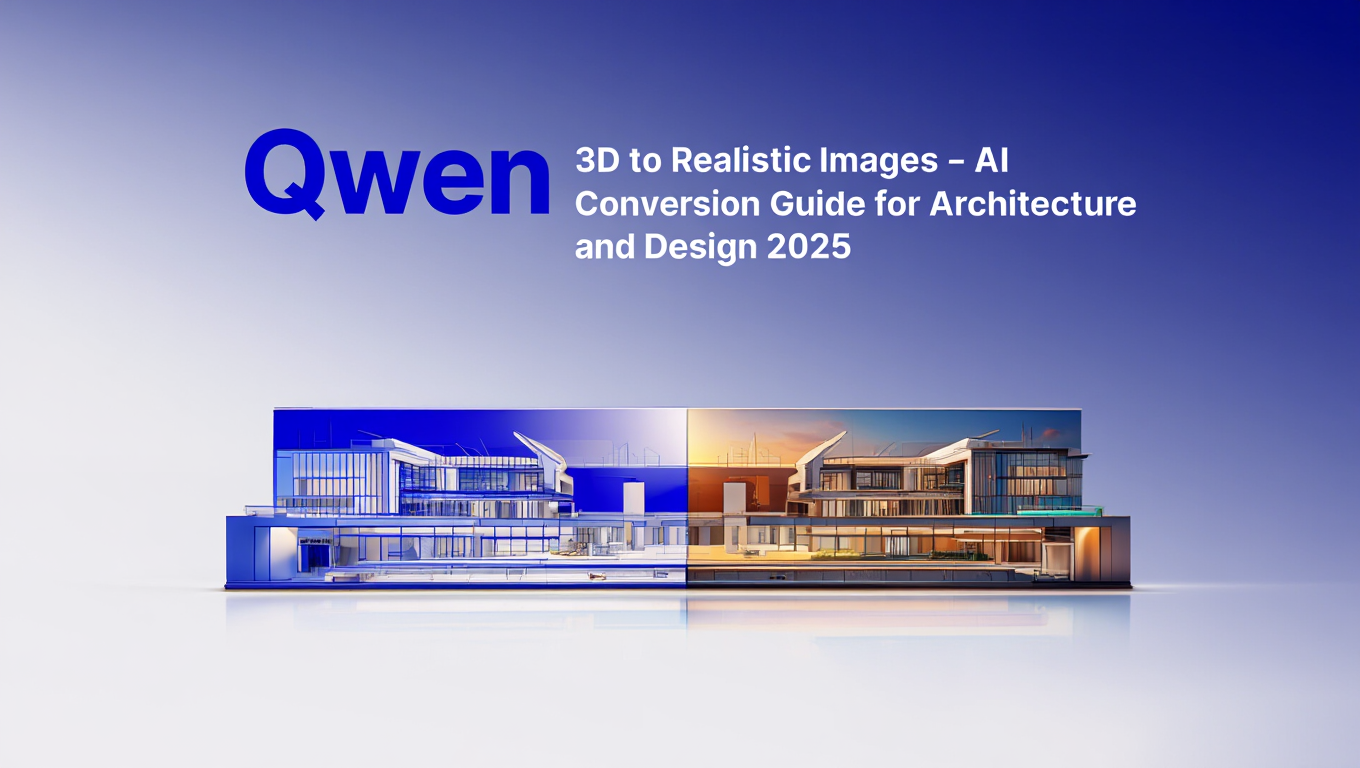
Qwen 3D realistic conversion transforms renders, stick figures, and architectural wireframes into photorealistic images in minutes using AI. Simply upload your basic 3D pose or architectural model, add a text description, and Qwen 3D realistic processing generates imagery that maintains structural accuracy while adding lifelike detail, materials, and lighting.
This comprehensive guide covers everything about Qwen 3D realistic conversion for architecture and design workflows.
:::tip[Key Takeaways]
- Follow the step-by-step process for best results with qwen 3d to realistic images - ai conversion guide for architecture and design 2025
- Start with the basics before attempting advanced techniques
- Common mistakes are easy to avoid with proper setup
- Practice improves results significantly over time :::
Why Choose Qwen for 3D to Realistic Conversion?
You've created perfect 3D architectural renders or character poses, but they look sterile and computer-generated. Qwen 3D realistic conversion solves this problem. Converting 3D to photorealistic imagery traditionally required extensive post-processing in Photoshop or expensive rendering setups, but Qwen 3D realistic processing changes that equation entirely.
Qwen's AI image generation and editing capabilities treat 3D renders, stick figures, and simple outlines as instructions for creating photorealistic images. Qwen 3D realistic processing takes a basic 3D pose or architectural wireframe and generates realistic imagery that maintains your structural intent while adding lifelike detail.
This guide shows you how to take advantage of Qwen's 3D-aware capabilities for architecture visualization, character design, and creative workflows requiring photorealistic conversion. For character consistency across multiple images, also check our LoRA training guide and VNCCS visual novel character guide.
Qwen-Image Capabilities - Built for Realism and Control
Qwen-Image from Alibaba's research division powers the Qwen 3D realistic conversion workflow. This model is specifically designed for complex text rendering, precise editing, and the realistic output that makes Qwen 3D realistic conversion so effective.
For users wanting to integrate Qwen 3D realistic workflows into ComfyUI, our Wan 2.2 complete guide covers video generation techniques that complement these conversion capabilities.
Core Qwen-Image Strengths:
| Capability | Implementation | Use Case |
|---|---|---|
| Text rendering | Superior text handling | Designs with typography |
| Precise editing | Advanced editing capabilities | Image modification |
| Pose interpretation | 3D pose as instruction | Character generation |
| Architectural understanding | Structural guidance | Building visualization |
| Photorealism | LoRA and base model quality | Professional output |
The 3D Pose Interpretation Innovation: Qwen-Image-Edit-2509 treats simple stick figure outlines as 3D pose instructions. It accurately maps structural guidance onto figures in images, generating desired postures with photorealistic detail. For more advanced image editing capabilities, check out our guide on Qwen-Image-Edit-2509 Plus with better image editing and GGUF support.
This allows using basic 3D pose exports as perfect guides for realistic character generation.
Qwen's Architecture Awareness: The model demonstrates strong understanding of architectural principles including structural feasibility, perspective and proportions, lighting and materials, and realistic scene composition.
Available Models:
| Model | Purpose | Best For |
|---|---|---|
| Qwen-Image | Base generation | Text-to-image creation |
| Qwen-Image-Edit | Precise editing | Modifications and conversions |
| MajicBeauty LoRA | Realistic faces | Portrait generation |
| Architecture LoRAs | Building realism | Architectural visualization |
For those new to AI image generation, our complete guide to getting started with AI image generation in 2025 provides essential foundational knowledge.
Access Methods: Qwen-Image is available on HuggingFace with model weights, through web interfaces like Krea AI, and via API for integration into workflows.
How Do You Convert 3D Poses to Realistic Characters?
One of the most impressive aspects of Qwen 3D realistic conversion is transforming simple stick figures and 3D pose exports into photorealistic human figures. This Qwen 3D realistic capability opens new workflows for character design.
The Stick Figure Workflow:
Step 1 - Create Base Pose: Export stick figure or skeleton from 3D software, create simple pose outline in any drawing tool, or use pose reference applications.
Step 2 - Feed to Qwen: Upload pose outline to Qwen-Image-Edit, describe desired appearance in text, and specify photorealism and detail requirements.
Step 3 - Generate: Qwen interprets structural pose guidance, generates realistic human figure matching pose, and adds photorealistic detail, clothing, and environment.
Pose Input Quality:
| Input Type | Qwen Understanding | Result Quality |
|---|---|---|
| 3D software export | Excellent | Professional |
| Hand-drawn stick figure | Very good | High quality |
| Reference photo trace | Excellent | Maximum realism |
| Simple line sketch | Good | Acceptable |
Practical Applications:
Character Design: Create character concepts with specific poses without professional 3D modeling. Iterate quickly on pose variations. Generate multiple characters in coordinated poses. For advanced character identity control, see our ByteDance FaceCLIP guide. To maintain consistent character appearances across multiple generations, learn about Qwen LoRA training for custom models.
Fashion and Product: Visualize clothing on specific poses and body types. Generate product demonstrations with realistic models. Create marketing imagery with controlled poses.
Illustration Enhancement: Convert sketch poses to realistic figures. Transform cartoon characters to photorealistic versions. Maintain artistic intent while increasing realism.
Prompt Engineering for Pose Conversion:
| Prompt Element | Purpose | Example |
|---|---|---|
| Pose confirmation | Ensure pose maintained | "matching the pose exactly" |
| Appearance details | Define look | "athletic woman in sportswear" |
| Realism direction | Specify style | "photorealistic, high detail" |
| Environment | Context | "in modern gym, professional lighting" |
Common Issues and Solutions:
| Problem | Cause | Solution |
|---|---|---|
| Pose not maintained | Weak pose reference | Strengthen pose outline, clearer structure |
| Unrealistic proportions | Complex pose | Simplify or use 3D software reference |
| Wrong style | Unclear prompt | creative "photorealistic" directive |
How Does Qwen-Image-Edit-2509 Transform Architectural Rendering?
Architecture and design professionals can use Qwen 3D realistic conversion for transforming basic 3D renders into photorealistic visualizations. This Qwen 3D realistic workflow dramatically accelerates the design visualization process.
The Architecture Workflow:
Traditional Architecture Visualization: Model building in 3D software, spend hours on lighting and materials setup, render at high resolution (time-consuming), apply post-processing in Photoshop, iterate if client wants changes (start over).
Qwen-Enhanced Workflow: Create basic 3D model or wireframe, export simple render with correct geometry, feed to Qwen with description of desired style, and generate photorealistic visualization in minutes.
What Qwen Adds:
| Element | 3D Software | Qwen Enhancement |
|---|---|---|
| Lighting | Manual setup | Realistic automatic lighting |
| Materials | Texture libraries | Photorealistic material appearance |
| Environment | Placed assets | Natural environment integration |
| People/life | Placed 3D models | Realistic human presence |
| Weather/atmosphere | Post-processing | Integrated atmospheric effects |
Qwen-Image-Edit-2509 for Design: This variant specifically excels at architectural and design applications. Treats structural outlines as precise instructions, maintains architectural proportions, and adds realistic details while preserving design intent. Similar photorealistic capabilities can be found in Hunyuan Image 3.0's ComfyUI integration.
Prompt Engineering for Architecture:
Base Structure Description: "Modern glass office building, 20 stories, steel and glass facade"
Environmental Context: "Urban downtown setting, surrounded by other buildings, busy street"
Atmospheric Details: "Golden hour lighting, slight haze, professional architecture photography"
Style Direction: "Photorealistic architectural visualization, high detail, professional quality"
Style Conversion Applications:
| Starting Point | Target Style | Qwen Output |
|---|---|---|
| 3D wireframe | Photorealistic | Detailed building visualization |
| Sketch | Realistic render | Conceptual design visualization |
| Simple render | Artistic style | Stylized architectural imagery |
| Technical drawing | Photo-realistic | Client presentation material |
Integration with Traditional Workflows: Many firms use hybrid approach - create accurate 3D models for technical work and structural verification, export for Qwen conversion for client presentations, iterate designs in 3D while using Qwen for quick visualization, and reserve expensive rendering for final approved designs only.
Style Transfer and Conversion Capabilities
Qwen VLo can reinterpret and recreate based on understanding of source material, enabling powerful style transformations.
Supported Style Conversions:
| Source Style | Target Style | Use Case |
|---|---|---|
| Cartoon/anime | Photorealistic | Character design visualization |
| 3D render | Photo-realistic | Product and architecture |
| Sketch/drawing | Realistic image | Concept development |
| Photo | Artistic style | Creative reinterpretation |
| Low detail | High detail | Enhancement and refinement |
The Cartoon to Realistic Workflow: Qwen VLo can transform cartoon characters into realistic representations while maintaining character essence. This is particularly powerful for:
- Game character visualization
- Animation to live-action conceptualization
- Character design exploration
- Marketing material creation
Reverse Conversions: Qwen also handles realistic to stylized conversions. Transform photos into cartoons, create illustrated versions of realistic scenes, and develop consistent stylistic treatments.
Color Restoration and Enhancement: Qwen can color black-and-white photos, enhance low-quality historical images, and restore damaged or degraded imagery. For improving image resolution and quality, explore our guide on AI image upscaling techniques.
Technical Implementation:
Strength Control: Adjust how strongly Qwen modifies source. Low strength (0.3-0.5) preserves more of original. High strength (0.7-1.0) allows more creative reinterpretation.
Style Guidance: Use text prompts to guide style conversion direction. Be creative about target aesthetic. Reference specific artistic styles or periods.
Multi-Pass Refinement: Convert in stages for best results. First pass establishes basic style, second pass adds detail and refinement.
What Are the Best Workflows for Integrating Qwen?
Real-world application of Qwen's 3D-to-realistic capabilities requires efficient workflows.
Software Integration Points:
| 3D Software | Export Format | Qwen Input | Workflow |
|---|---|---|---|
| Blender | PNG/JPG render | Basic lighting | Quick visualization |
| SketchUp | Simple render | Architectural model | Client presentations |
| 3DS Max | Render export | Full scene | Hybrid rendering |
| Rhino | Viewport capture | Design geometry | Concept development |
For ComfyUI users wanting to integrate Qwen into professional workflows, our ComfyUI basics and essential nodes guide provides a solid foundation.
Batch Processing Strategy: For projects with multiple views or iterations, prepare all 3D renders in consistent style, batch process through Qwen with similar prompts, and review and refine as needed.
Quality Control Workflow:
- Generate initial conversion
- Review for structural accuracy
- Adjust prompts if needed
- Regenerate problematic areas
- Apply any necessary post-processing
- Deliver final imagery
Post-Processing Integration:
| Tool | Use Case | When to Apply |
|---|---|---|
| Photoshop | Fine detail adjustments | After Qwen generation |
| Lightroom | Color grading | Final polish |
| After Effects | Motion graphics | If creating animations |
Cost and Time Analysis:
Traditional High-End Rendering:
- Setup time: 4-8 hours
- Render time: 2-6 hours per image
- Post-processing: 2-4 hours
- Total: 8-18 hours per visualization
Qwen-Enhanced Workflow:
- 3D base: 1-2 hours
- Qwen processing: 5-10 minutes
- Review/refinement: 30 minutes
- Total: 2-3 hours per visualization
This represents 70-85% time savings.
How Does Qwen Compare to Alternative Approaches?
How does Qwen compare to other methods for creating realistic imagery from 3D?
Method Comparison:
| Approach | Quality | Speed | Cost | Flexibility | Best For |
|---|---|---|---|---|---|
| Traditional rendering | Maximum | Very slow | High (software) | Complete | Final production |
| Qwen conversion | Excellent | Very fast | Low | High | Concepts & presentations |
| Photoshop compositing | Very good | Slow | Moderate | High | Detailed control needed |
| Other AI tools | Variable | Fast | Low | Moderate | General use |
When Traditional Rendering Is Better: Projects requiring absolute technical accuracy, final production deliverables with no room for error, animations requiring perfect consistency, and when you have time and rendering infrastructure.
When Qwen Excels: Concept development and client presentations, rapid iteration on design variations, projects with tight timelines, exploring multiple design directions quickly, and creating compelling visualizations on limited budgets.
AI Alternative Comparisons:
Stable Diffusion img2img: Good for style transfer but weaker at structural preservation. Qwen maintains 3D structure better.
DALL-E/Midjourney: Excellent generation but less control over precise structural elements. Qwen's editing capabilities provide more accuracy.
Dedicated Architecture AI: More specialized but often expensive. Qwen provides broad capability at lower cost. For training custom models for specific visual styles, see our Flux LoRA training guide in ComfyUI.
Limitations and Best Practices
Understanding Qwen's limitations helps you use it effectively.
Current Limitations:
| Limitation | Impact | Workaround |
|---|---|---|
| Extreme detail variations | May not perfectly match intent | Iterate with adjusted prompts |
| Complex multi-element scenes | Can struggle with coordination | Simplify or combine multiple passes |
| Specific brand/product accuracy | May not match exactly | Provide strong reference images |
| Consistent series generation | Some variation across images | Use seed control when available |
Best Practices:
Start with Quality 3D: Better input geometry produces better results. Ensure proportions and structure are correct in 3D.
Clear Text Guidance: creative prompts guide better conversion. Describe desired realism level and specific details.
Iterative Refinement: First generation rarely perfect. Review, adjust prompts, regenerate as needed.
Maintain Reference Libraries: Save successful prompts and settings. Document what works for different project types. For managing variations and seeds effectively, check out our ComfyUI seed management guide.
Verify Technical Accuracy: Check that realistic conversion maintains proper scale, proportions, and architectural feasibility.
Frequently Asked Questions
Q: Can Qwen-Image convert any 3D render to photorealistic images? A: Yes, Qwen works with most 3D renders, stick figures, and wireframes. Best results come from clear structural geometry with correct proportions. Simple renders work well - complex lighting setups aren't necessary.
Q: How long does it take to convert a 3D render to realistic with Qwen? A: Typical generation takes 5-10 minutes per image, compared to 8-18 hours with traditional rendering. The entire workflow including setup and refinement usually completes in 2-3 hours versus days for traditional methods.
Q: Do I need expensive hardware to use Qwen-Image? A: No, you can access Qwen through web platforms like Krea AI without any special hardware. For local deployment, standard GPU setups work, but cloud services make it accessible to everyone.
Q: Will Qwen maintain the exact proportions of my 3D model? A: Qwen maintains structural intent very well, especially with clear input geometry. For absolute technical accuracy, traditional rendering is better, but Qwen typically preserves proportions accurately enough for presentations and concept work.
Q: Can I use Qwen for commercial architecture projects? A: Yes, many architecture firms use Qwen for client presentations and concept visualizations. Always verify critical dimensions, but the photorealistic output is suitable for professional use.
Q: What's the difference between Qwen-Image and Qwen-Image-Edit-2509? A: Qwen-Image is for text-to-image generation, while Qwen-Image-Edit-2509 specializes in image editing and conversion. Edit-2509 excels at treating 3D renders and stick figures as structural instructions.
Q: How does Qwen compare to Stable Diffusion for 3D conversion? A: Qwen maintains 3D structure better than Stable Diffusion's img2img. It has superior architectural understanding and better preserves input geometry while adding realistic detail.
Q: Can I control the style of the photorealistic output? A: Yes, use detailed text prompts to specify lighting conditions, time of day, materials, atmosphere, and artistic style. You can achieve everything from stark architectural photography to warmly lit editorial looks.
Q: Does Qwen work with stick figure poses for character generation? A: Absolutely. This is one of Qwen's strongest features. Simple stick figures or 3D pose exports convert to photorealistic human figures while maintaining the exact pose structure.
Q: What 3D software works best with Qwen? A: Qwen works with exports from Blender, SketchUp, 3DS Max, Rhino, and any software that can export PNG or JPG renders. Even simple viewport captures provide good results.
Conclusion - Democratizing Photorealistic Visualization
Qwen 3D realistic conversion democratizes photorealistic image creation, making professional-quality visualization accessible without expensive rendering infrastructure. Qwen 3D realistic workflows represent a fundamental shift in design visualization.
Key Advantages: 3D-aware pose and structural understanding, photorealistic output with minimal input, dramatic time savings compared to traditional rendering, and flexible style conversion capabilities.
Getting Started: Access Qwen-Image through available platforms, experiment with simple 3D-to-realistic conversions, study successful examples and prompts, and integrate gradually into existing workflows.
Professional Impact: Architecture and design firms adopt AI-enhanced workflows, content creators use quick visualization capabilities, and independent artists access professional-quality tools.
Future Developments: Expect continued improvements in structural understanding, better consistency across series, enhanced control over specific elements, and broader integration with professional tools.
Platform Alternatives: For users wanting photorealistic generation without managing tools, platforms like Apatero.com and Comfy Cloud provide simplified access to modern AI capabilities including realistic conversion features.
The Bigger Picture: Qwen represents broader trend of AI tools augmenting rather than replacing professional workflows. Use AI for rapid visualization, reserve traditional methods for technical accuracy, and combine approaches for optimal results. For deploying AI workflows at scale, see our workflow to production API guide.
Final Recommendation: Don't view Qwen as replacement for 3D rendering - view it as powerful complement. Use 3D software for accurate modeling, use Qwen for quick photorealistic conversion, and maintain traditional rendering for critical final deliverables.
Transform your 3D renders into photorealistic imagery in minutes instead of hours, explore design directions without expensive rendering time, and deliver compelling visualizations that win client approval.
The future of design visualization is hybrid - combining 3D precision with AI photorealism. Qwen brings that future to your workflow today.
Advanced Qwen 3D-to-Realistic Workflows
Beyond basic conversions, sophisticated workflows access the full potential of 3D-to-realistic generation.
Multi-Pass Rendering for Maximum Quality
For highest quality results, use multiple generation passes:
Pass 1 - Structure and Composition:
- Focus on overall composition and major forms
- Lower CFG for more natural interpretation
- Establish color palette and lighting
Pass 2 - Detail Enhancement:
- Increase CFG for detail fidelity
- Target specific areas that need refinement
- Add texture detail while maintaining coherence
Pass 3 - Surface Quality:
- Fine-tune surface textures
- Enhance material properties
- Polish final appearance
This approach produces results that surpass single-pass generation in both quality and control.
Combining with ControlNet
Integrate Qwen with ControlNet for enhanced control:
Depth ControlNet:
- Extract depth from 3D render
- Use as additional guidance
- Maintains spatial relationships
Normal Map ControlNet:
- Preserves surface orientation detail
- Better material rendering
- Improved lighting response
Workflow Example:
- Render 3D scene with depth and normal passes
- Process base image with Qwen
- Apply ControlNet guidance
- Generate with combined conditioning
For learning ControlNet fundamentals, our essential nodes guide covers the basics of ControlNet integration.
Style-Specific Training
For specific visual styles, consider training custom LoRAs:
Training Approach:
- Gather 50-100 examples of target style
- Include 3D source and realistic target pairs
- Train style LoRA
- Apply during generation
Use Cases:
- Studio photography style
- Specific artist aesthetics
- Product rendering standards
- Architectural visualization styles
Training custom LoRAs ensures consistent style across projects. Our Flux LoRA training guide covers the training process in detail.
Industry-Specific Applications
Different industries benefit from 3D-to-realistic conversion in unique ways.
Architectural Visualization
Applications:
- Exterior rendering
- Interior design
- Urban planning visualization
- Real estate marketing
Workflow Optimization:
- Match lighting to time of day
- Include environmental context
- Add realistic landscaping
- Maintain accurate proportions
Product Design and E-Commerce
Applications:
- Product photography replacement
- Prototype visualization
- Marketing materials
- Catalog generation
Workflow Optimization:
- Studio lighting consistency
- Material accuracy
- Multiple angle generation
- Background integration
Game Development
Applications:
- Marketing assets
- Concept art from blockouts
- Cinematic rendering
- Box art generation
Workflow Optimization:
- Style consistency with game art direction
- Quick iteration on concepts
- Asset library building
- Mood board generation
Performance Optimization
Optimize your workflow for speed and quality.
Hardware Considerations
VRAM Requirements:
- Minimum 8GB for basic workflows
- 12GB+ for comfortable operation
- 24GB for complex multi-model setups
Optimization by Hardware:
| VRAM | Recommended Approach |
|---|---|
| 8GB | Single model, lower resolution |
| 12GB | Standard workflows |
| 16GB | Multi-model with ControlNet |
| 24GB+ | Full quality, no compromises |
Batch Processing Optimization
For high-volume work:
Efficiency Techniques:
- Pre-process all 3D renders
- Queue generation jobs
- Consistent parameters across batch
- Automated quality checks
For comprehensive performance optimization techniques, our ComfyUI performance guide covers detailed approaches.
Quality vs Speed Tradeoffs
Balance based on use case:
| Use Case | Steps | CFG | Resolution | Time/Image |
|---|---|---|---|---|
| Previews | 20 | 6 | 512x512 | 3-5s |
| Standard | 30 | 7 | 1024x1024 | 8-12s |
| High Quality | 40 | 7.5 | 1024x1024 | 15-20s |
| Production | 50 | 7 | 2048x2048 | 40-60s |
Common Challenges and Solutions
Address common issues in 3D-to-realistic conversion.
Maintaining 3D Accuracy
Problem: AI interpretation deviates from 3D source
Solutions:
- Increase CFG scale
- Use ControlNet for structure
- Reduce creative freedom parameters
- Multiple passes with refinement
Material Consistency
Problem: Materials render inconsistently
Solutions:
- Describe materials explicitly in prompt
- Use style LoRAs for specific materials
- Reference images for complex materials
- Post-process for consistency
Lighting Mismatch
Problem: Generated lighting doesn't match 3D setup
Solutions:
- Include detailed lighting description
- Use normal map ControlNet
- Generate lighting separately
- Reference images for lighting style
Integration with Professional Tools
Connect Qwen workflows with professional 3D and design tools.
Blender Integration
Export Optimization:
- Render passes (depth, normal, beauty)
- Clean geometry export
- Proper UV mapping
- Material ID passes
DaVinci Resolve Pipeline
For video-focused workflows involving 3D-to-realistic conversion, integrate with video editing:
Workflow:
- Export frames from 3D
- Batch process through Qwen
- Import to DaVinci Resolve
- Color grade and finish
Future Developments
The field continues advancing rapidly.
Model Improvements
Expected Developments:
- Better 3D understanding
- Improved material rendering
- Higher resolution native generation
- Faster inference speeds
Real-Time Generation
Future Applications:
- Interactive design tools
- Live rendering augmentation
- Real-time style transfer
- Game engine integration
Make the shot you just saw
The same photoreal models, in your browser, with availability and generation times shown in the app. Check your welcome allowance and the displayed cost before generating.
Related Articles

5 Proven AI Influencer Niches That Actually Make Money in 2025
Discover the most profitable niches for AI influencers in 2025. Real data on monetization potential, audience engagement, and growth strategies for virtual content creators.

AI Background Replacement: Professional Guide 2025
Master AI background replacement for professional results. Learn rembg, BiRefNet, and ComfyUI workflows for smooth background removal and replacement.

AI Character Consistency: How to Maintain Virtual Persona Identity Across Content
Learn techniques for maintaining AI character consistency across hundreds of images. Master the art of creating recognizable virtual personas with consistent visual identity.