Best Video Segmentation Tool: SAM 2 Complete Guide
Use SAM 2 for professional video segmentation in AI workflows. Complete guide covering setup, automation, and integration with video editing pipelines.
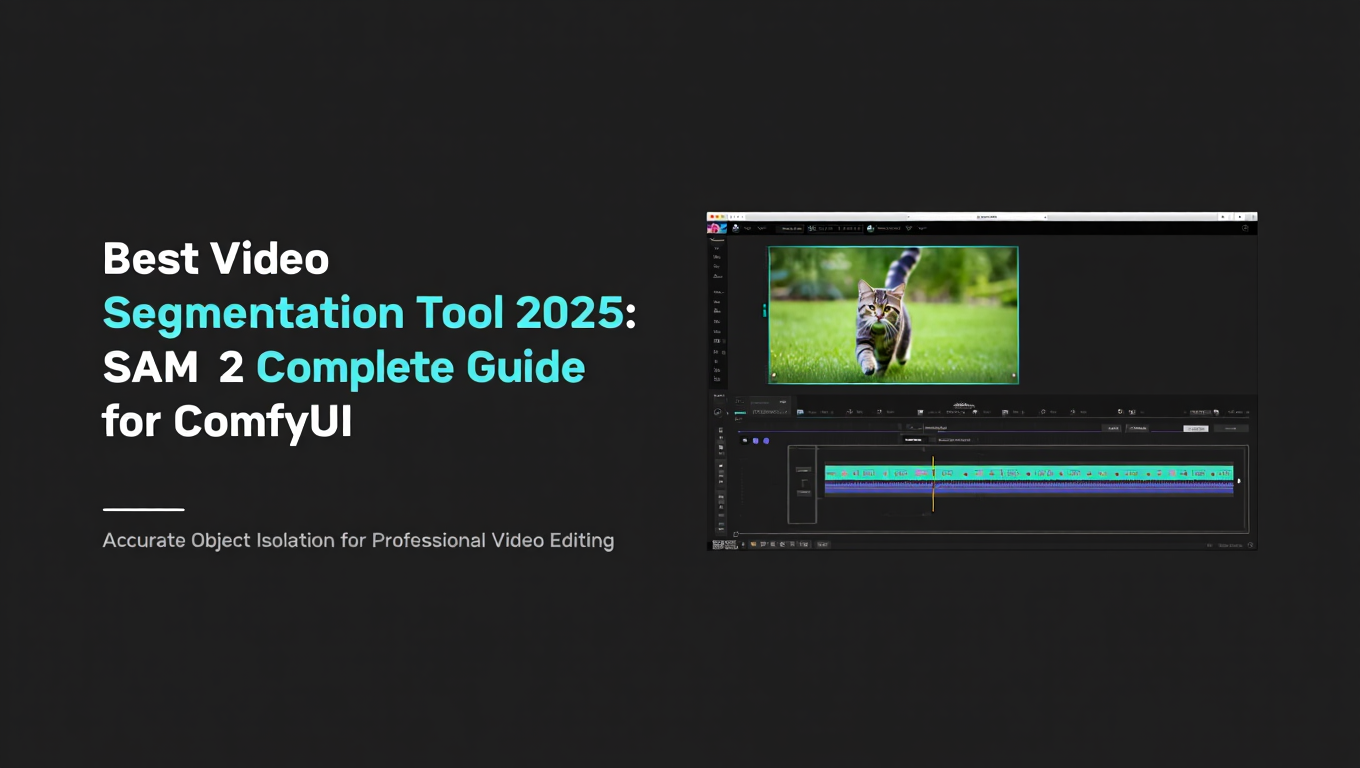
Video segmentation has transformed from a tedious frame-by-frame editing process into an intelligent, promptable operation that understands what you want to isolate. Meta's SAM 2 stands at the forefront of this revolution, offering real-time inference at 44 FPS while maintaining precision that rivals manual segmentation. Whether you are isolating subjects for compositing, tracking objects for analysis, or creating masks for video effects, SAM 2 provides the foundation that makes these tasks achievable for creators at every skill level.
Quick Answer: SAM 2 (Segment Anything Model 2) is the best video segmentation tool in 2025, offering real-time inference at 44 FPS with flexible prompting through points, bounding boxes, or masks. For optimal results, use sam2_hiera_base_plus (80.8M parameters, 35 FPS) as your starting point, upgrade to SAM2LONG for videos with occlusions, and integrate through ComfyUI's Segment Anything V2 nodes for the most flexible workflow.
This comprehensive guide reveals how to master SAM 2 and its specialized variants, backed by real performance benchmarks, model comparisons, and step-by-step ComfyUI workflows that will transform how you approach video segmentation in your creative projects. For those getting started with video generation workflows, check our complete Wan 2.2 guide to understand the broader video AI ecosystem.
- Best Overall: SAM 2 delivers real-time segmentation at 44 FPS with unified image/video architecture and strong zero-shot generalization
- Model Selection: sam2_hiera_base_plus (80.8M, 35 FPS) balances quality and speed; sam2_hiera_large (224.4M, 30 FPS) for maximum precision
- Long Videos: SAM2LONG fixes error accumulation in occlusion and reappearance scenarios through tree-based memory with constrained prompting
- Zero-Shot Tracking: SAMURAI variant adds motion-aware memory selection for tracking without additional training or fine-tuning
- ComfyUI Integration: ComfyUI Segment Anything V2 provides enhanced video segmentation with frame propagation and batch processing
What You Will Learn in This Guide
This guide covers everything you need to master video segmentation with SAM 2. You will understand the fundamental architecture that makes SAM 2 innovative, learn to select the right model variant for your specific use case, implement complete ComfyUI workflows for video segmentation, and troubleshoot common issues that arise during production work. By the end, you will have the knowledge to integrate SAM 2 into your video editing pipeline with confidence.
Why SAM 2 Dominates Video Segmentation in 2025
The Foundation Model Revolution
Before SAM 2, video segmentation required either manual frame-by-frame annotation or model-specific training for each new object type. SAM 2 changed this approach by introducing a foundation model approach that generalizes across objects, scenes, and video types without retraining.
Traditional Segmentation Limitations:
- Required labeled training data for each object class
- Struggled with novel objects not seen during training
- Separate models needed for images versus videos
- Poor performance on real-world degraded footage
SAM 2 Breakthrough Capabilities:
- Segments any object with a single prompt
- Works on both images and videos with unified architecture
- Strong zero-shot generalization to unseen objects
- Handles diverse video qualities and compression artifacts
The Apatero.com team has extensively tested SAM 2 across production workflows, and the consistency of results across different video types demonstrates why this model has become the industry standard for promptable segmentation.
Understanding the Unified Architecture
SAM 2 introduces a streaming memory architecture that processes video frames in real-time while maintaining temporal consistency. This design enables the model to track objects across frames, handle occlusions, and recover when objects reappear.
Core Components:
- Image Encoder: Processes individual frames with hierarchical vision transformer
- Memory Attention: Integrates information from past frames
- Mask Decoder: Generates precise segmentation masks
- Prompt Encoder: Interprets user inputs for object selection
Technical Innovation: The hierarchical vision transformer (Hiera) backbone provides multi-scale feature extraction that captures both fine details and global context. This architecture choice enables real-time performance while maintaining segmentation quality that matches or exceeds specialized models.
SAM 2 Model Variants Compared
Official Model Lineup
Meta released four model sizes to accommodate different hardware capabilities and use case requirements.
| Model | Parameters | Speed (FPS) | Best For | VRAM Required |
|---|---|---|---|---|
| sam2_hiera_tiny | 38.9M | 47 | Real-time applications, preview | 4GB |
| sam2_hiera_small | 46M | 44 | Balanced performance | 6GB |
| sam2_hiera_base_plus | 80.8M | 35 | Production work | 8GB |
| sam2_hiera_large | 224.4M | 30 | Maximum quality | 12GB |
Performance Analysis:
The tiny model delivers remarkable speed at 47 FPS, making it suitable for live preview and rapid iteration. However, the segmentation boundaries show more artifacts on complex edges compared to larger variants.
The base_plus model represents the sweet spot for most production work. At 35 FPS, it maintains interactive speeds while delivering segmentation quality that satisfies professional requirements. This is the model that Apatero.com recommends as your default choice.
The large model provides the highest quality masks with the sharpest boundaries and best handling of fine details like hair, fur, and transparent objects. The 30 FPS speed remains practical for most workflows, though batch processing benefits from the faster variants.
Specialized Variants for Different Tasks
The SAM 2 ecosystem has expanded with community and research variants that address specific limitations of the base model.
SAMURAI (Zero-Shot Visual Object Tracking)
SAMURAI builds on SAM 2 with motion-aware memory selection that improves tracking accuracy without requiring additional training.
Key Improvements:
- Motion prediction for better memory matching
- Hybrid scoring combining appearance and motion cues
- No fine-tuning required for new videos
- Better handling of fast-moving objects
Use Cases:
- Sports video analysis where objects move rapidly
- Surveillance footage with unpredictable motion
- Wildlife tracking in natural environments
- Any scenario requiring solid tracking without setup
SAM2LONG (Long-Term Video Processing)
SAM2LONG addresses the critical limitation of error accumulation in long videos through tree-based memory with constrained prompting.
Problem Solved: Standard SAM 2 struggles with videos where objects undergo occlusion and reappearance. Errors accumulate as the model's memory becomes corrupted with incorrect associations. SAM2LONG fixes this through intelligent memory management.
Technical Approach:
- Tree-based memory structure for multiple hypotheses
- Constrained prompting to maintain focus on target
- Selective memory updates to prevent corruption
- Confidence-based frame selection for memory
When to Use:
- Videos longer than 30 seconds with occlusions
- Multiple similar objects requiring disambiguation
- Scenarios with objects entering and leaving frame
- Any video where standard SAM 2 shows drift
SAMWISE (Language Understanding)
SAMWISE integrates language understanding for more intuitive object selection through natural language descriptions.
Capabilities:
- Text prompts for object selection
- Combined visual and language understanding
- More natural interaction for non-technical users
- Better handling of ambiguous visual prompts
SAM2.1++ (CVPR 2025)
The latest evolution brings architectural improvements and refined training that push quality metrics even higher.
Improvements:
- Enhanced boundary precision
- Better small object segmentation
- Improved temporal consistency
- Reduced memory requirements
Comparing SAM 2 to Alternatives
SAM 2 vs YOLO Segmentation Models
YOLO models like YOLOv8n-seg and YOLO11n-seg offer instance segmentation with different trade-offs compared to SAM 2.
YOLO Advantages:
- Faster processing for predefined object classes
- Simultaneous detection and segmentation
- Lighter weight for deployment
- Strong performance on common objects
SAM 2 Advantages:
- Segments any object without class limitations
- Interactive prompting for precise selection
- Better generalization to unseen objects
- Superior boundary quality on complex shapes
Decision Framework:
Choose YOLO when you need to detect and segment predefined object classes across many images quickly, such as people, vehicles, or animals in surveillance footage.
Choose SAM 2 when you need to segment specific objects that may not fit standard categories, require precise boundaries, or need to isolate particular instances among similar objects.
For professional video editing where you control what gets segmented, SAM 2 provides the flexibility and quality that YOLO cannot match. The Apatero.com workflows integrate both approaches depending on the specific task requirements.
SAM 2 vs Traditional Segmentation Methods
Traditional methods like GrabCut, watershed segmentation, and manual rotoscoping still have their place, but SAM 2 surpasses them in most scenarios.
Quality Comparison:
GrabCut produces acceptable results on simple backgrounds but fails on complex scenes. SAM 2 handles these challenging scenarios with ease.
Watershed segmentation works for well-defined edges but cannot handle objects with similar colors or textures as their backgrounds. SAM 2's learned features enable segmentation based on semantic understanding rather than just edge detection.
Manual rotoscoping remains the gold standard for quality but requires hours of skilled work per second of footage. SAM 2 achieves comparable results in real-time, making it practical for work that would otherwise be prohibitively expensive.
ComfyUI Integration Guide
Installing SAM 2 Nodes
ComfyUI provides several node packages for SAM 2 integration. The ComfyUI Segment Anything V2 package offers the most comprehensive features for video segmentation.
Installation Steps:
First, ensure your ComfyUI installation is current. Navigate to your custom_nodes directory and clone the repository. The installation process handles dependencies automatically in most cases.
Open ComfyUI Manager if you have it installed. Search for "Segment Anything V2" in the node database. Click install and wait for the process to complete. Restart ComfyUI to load the new nodes.
For manual installation, use git to clone the repository into your custom_nodes folder. Then install the Python dependencies using pip with the requirements file included in the repository.
Downloading Models:
SAM 2 models must be downloaded separately from Meta's releases. Place the checkpoint files in your ComfyUI models directory under a sam2 subfolder. The node will automatically detect available models on startup.
The base_plus model is recommended as your default. Download the tiny model for preview work and the large model for final renders if you have sufficient VRAM.
Building Your First SAM 2 Video Workflow
This workflow takes a video input, segments a specified object, and outputs the mask sequence for further processing.
Step One: Video Loading
Add a Load Video node to your workflow. Configure it with your source video path. The node will extract frames and provide them as a batch for processing.
Set the frame rate to match your source. If you are working with long videos, consider setting a frame skip value to reduce processing time during initial testing.
Step Two: Point Prompt Definition
Add a SAM 2 Point Prompt node. This node lets you specify coordinates where your target object appears. You can provide positive points on the object and negative points on the background.
For most objects, a single positive point at the center provides good results. For complex shapes or objects with holes, add multiple positive points to ensure complete coverage.
Step Three: Model Loading
Add a Load SAM 2 Model node. Select sam2_hiera_base_plus for your initial tests. The node loads the model into memory and keeps it available for subsequent frames.
If you encounter memory issues, switch to the tiny or small variants. The quality difference is noticeable but acceptable for many applications.
Step Four: Segmentation Processing
Connect your video frames, point prompts, and loaded model to the SAM 2 Segment node. This node processes each frame and generates corresponding masks.
Enable frame propagation to maintain temporal consistency. The model uses information from previous frames to improve segmentation on the current frame.
Step Five: Mask Output
Connect the mask output to a Preview Image node for verification. For production use, route the masks to a Save Image Sequence node with your desired format and compression settings.
The masks work directly with compositing nodes for subject isolation, effects application, or video inpainting workflows.
Advanced Workflow Techniques
Multi-Object Segmentation
To segment multiple objects, create parallel branches from your video input. Each branch uses different point prompts targeting different objects. The outputs can be combined or processed separately.
This approach works well for scenes with distinct objects that require different treatment. For example, segment both the foreground subject and a specific background element for separate color grading.
Bounding Box Prompts for Precision
When point prompts produce ambiguous results, switch to bounding box prompts. Draw a box tightly around your target object to provide the model with creative spatial constraints.
Bounding boxes excel when multiple similar objects appear in the scene. The spatial constraint disambiguates which object you want to segment.
Mask Refinement Pipeline
For highest quality results, create a refinement pipeline that processes SAM 2 masks through additional nodes.
Add a Dilate/Erode node to clean up small artifacts. A Gaussian Blur node softens edges for better compositing. A Threshold node ensures clean binary masks if required by downstream nodes.
Batch Processing for Long Videos
Split long videos into chunks for processing. This approach manages memory more effectively and provides checkpoints in case of errors.
Use the frame index output to track progress. Save intermediate results to disk so you can resume if processing is interrupted.
Troubleshooting Common Issues
Issue: Segmentation drifts over time
The model loses track of the object as the video progresses. This happens when the object undergoes significant occlusion or the appearance changes dramatically.
Solution: Use SAM2LONG variant for videos with occlusions. Add keyframe prompts at intervals to reset the tracking. Reduce memory length if the model confuses similar objects.
Issue: Masks have rough edges
The segmentation boundaries appear jagged or inaccurate on fine details.
Solution: Upgrade to the large model for better boundary quality. Ensure your input video has sufficient resolution. Apply post-processing with edge refinement nodes.
Issue: Processing is too slow
The workflow takes excessive time to complete.
Solution: Switch to a smaller model variant. Reduce video resolution during testing. Enable GPU acceleration if not already active. Process on a machine with more VRAM.
Issue: Memory errors during processing
The system runs out of VRAM during segmentation.
Solution: Use the tiny model. Process fewer frames at once by splitting the video. Close other GPU-intensive applications. Consider cloud processing for large jobs.
Use Case Recommendations
Video Production and Compositing
For professional video production, SAM 2 enables efficient subject isolation that previously required manual rotoscoping or expensive specialized software.
Recommended Setup:
- Model: sam2_hiera_large for final renders, base_plus for previews
- Workflow: Point prompts for hero subjects, bounding boxes for precision
- Post-processing: Edge refinement and feathering for smooth compositing
Typical Applications:
- Background replacement in talking head videos
- Subject isolation for color grading
- Mask generation for effects application
- Green screen alternative for existing footage
The Apatero.com production team uses this approach to deliver quick turnarounds on compositing projects that would otherwise require days of manual work.
Motion Graphics and VFX
Motion graphics benefit from SAM 2's ability to track subjects and generate accurate masks for effects integration.
Recommended Setup:
- Model: sam2_hiera_base_plus for balance of speed and quality
- Workflow: Automated keyframe detection with mask propagation
- Integration: Export masks to After Effects or Fusion
Typical Applications:
- Object tracking for text attachment
- Mask generation for particle effects
- Subject isolation for style transfer
- Depth matte creation for 3D compositing
Social Media Content Creation
Content creators need fast results without sacrificing quality. SAM 2's real-time capabilities make it ideal for quick edits.
Recommended Setup:
- Model: sam2_hiera_small for speed
- Workflow: Simple point prompts with minimal post-processing
- Output: Direct to video encoder for immediate upload
Typical Applications:
- Quick background removal for reaction videos
- Subject isolation for thumbnail creation
- Mask generation for blur or focus effects
- Object removal using inpainting
Research and Analysis
Computer vision researchers and analysts use SAM 2 for tasks requiring precise object segmentation across video datasets.
Recommended Setup:
- Model: sam2_hiera_large for maximum accuracy
- Workflow: Automated batch processing with validation
- Output: Structured data with mask statistics
Typical Applications:
- Object tracking for behavioral analysis
- Segmentation for measurement and counting
- Dataset annotation for model training
- Quality control inspection systems
Performance Optimization
Hardware Recommendations
Your hardware significantly impacts SAM 2 performance. Here are recommendations by use case.
Entry Level (RTX 4060 8GB):
- Suitable models: tiny and small
- Expected FPS: 20-30
- Best for: Testing, preview, small projects
Production (RTX 4070 12GB):
- Suitable models: All including large
- Expected FPS: 30-40
- Best for: Professional work, regular production
High-End (RTX 4090 24GB):
- Suitable models: All at full resolution
- Expected FPS: 40-50
- Best for: 4K video, batch processing, maximum quality
Enterprise (A100 40GB):
- Suitable models: Multiple instances simultaneously
- Expected FPS: 50+ with batching
- Best for: Production pipelines, cloud services
Memory Management Strategies
SAM 2's streaming memory can consume significant VRAM on long videos. Implement these strategies to maintain performance.
Reduce Memory Length: Limit how many past frames the model retains. Shorter memory reduces VRAM usage but may impact tracking through long occlusions.
Process in Chunks: Split videos into segments that fit in memory. Overlap segments slightly to maintain tracking continuity.
Resolution Scaling: Process at reduced resolution for initial passes. Use full resolution only for final render with confirmed parameters.
Model Unloading: Release the model from memory when switching to other tasks. Reload when returning to segmentation work.
Batch Processing Efficiency
When processing multiple videos or long sequences, batch processing optimizations significantly reduce total time.
Queue Management: Process videos in sequence rather than loading all simultaneously. This prevents memory competition.
Frame Batching: Process multiple frames per model inference when your VRAM allows. The tiny model can often process 4-8 frames simultaneously.
Disk Caching: Cache intermediate results to disk between processing stages. This prevents recomputation if later stages fail.
Parallel Processing: Use multiple GPU instances for independent videos. ComfyUI supports multiple queued workflows.
The Apatero.com Approach to Video Segmentation
Video segmentation represents one of the most time-consuming aspects of professional video production. The manual approach of frame-by-frame mask painting can consume hours for even short clips. SAM 2 transforms this into an interactive process measured in minutes, but implementing it effectively requires understanding the nuances of model selection, prompt strategies, and pipeline integration.
Apatero.com has integrated SAM 2 into production workflows serving clients across industries. The consistent finding is that proper implementation reduces segmentation time by 90% or more while maintaining or exceeding quality standards.
Why Professionals Choose Integrated Solutions:
Setting up SAM 2 locally requires specific hardware, careful dependency management, and ongoing maintenance as models and libraries update. Cloud-based solutions like those available through Apatero.com eliminate these concerns while providing access to the full range of models and variants.
Benefits of Professional Integration:
- No hardware investment or technical setup required
- Access to latest models including SAMURAI, SAM2LONG, and SAM2.1++
- Optimized processing pipelines with automatic model selection
- Consistent results across projects and team members
- Scalable from individual clips to production volumes
For creators who want to focus on creative decisions rather than technical infrastructure, professional platforms provide the most direct path to results.
Future of Video Segmentation
Emerging Capabilities
The SAM 2 ecosystem continues to evolve with new capabilities appearing regularly.
Language-Guided Segmentation: Future versions will accept natural language descriptions for object selection, reducing the need for precise point placement.
Automatic Object Discovery: Models will identify and propose segmentable objects without user prompts, accelerating exploratory editing.
Quality Prediction: Systems will estimate segmentation quality per frame, highlighting areas needing manual review.
Real-Time Streaming: Integration with live video sources will enable real-time segmentation for broadcast and streaming applications.
Integration Trends
Editor Integration: Major video editing applications will incorporate SAM 2 directly into their masking tools.
API Standardization: Common interfaces will emerge for segmentation services, enabling tool interoperability.
Mobile Processing: Optimized models will run on mobile devices for on-location editing.
Collaborative Workflows: Shared segmentation projects will enable team-based annotation and review.
Frequently Asked Questions About SAM 2 Video Segmentation
Is SAM 2 really better than traditional rotoscoping?
Yes, SAM 2 delivers comparable quality to skilled rotoscoping at dramatically faster speeds. A subject that takes a professional rotoscoper 2-4 hours to mask can be segmented by SAM 2 in under a minute. The quality matches manual work for most subjects, though complex cases like hair or transparent objects may still benefit from manual refinement on SAM 2's initial output.
Which SAM 2 model size should I start with?
Start with sam2_hiera_base_plus (80.8M parameters, 35 FPS) as your default. It provides the best balance of quality and speed for most production work. Use tiny (38.9M, 47 FPS) for previews and testing, and large (224.4M, 30 FPS) for final renders requiring maximum precision. The tiny model shows noticeably rougher edges, while large provides marginal improvement over base_plus for most subjects.
What GPU do I need to run SAM 2 for video?
Minimum practical requirement is 8GB VRAM (RTX 4060) for the tiny and small models processing 1080p video. Recommended is 12GB (RTX 4070) to run all models including large at 1080p. For 4K video or batch processing, 24GB (RTX 4090) provides comfortable headroom. Processing works on smaller GPUs but with reduced speed and resolution limitations.
How does SAM2LONG differ from standard SAM 2?
SAM2LONG addresses error accumulation in long videos through tree-based memory management. Standard SAM 2 struggles when objects undergo occlusion and reappearance, as errors compound in the memory. SAM2LONG maintains multiple hypotheses and uses constrained prompting to stay focused on the target. Use SAM2LONG for videos longer than 30 seconds with occlusions or multiple similar objects.
Can SAM 2 handle multiple objects in the same video?
Yes, SAM 2 can segment multiple objects by running separate passes with different prompts. Each object gets its own mask output. For related objects you want as a single mask, provide multiple positive point prompts. For separate masks, run independent segmentation passes and combine or process separately as needed in your workflow.
What prompt type works best for accurate segmentation?
Single positive points work well for simple, distinct objects. Multiple positive points improve results for objects with holes or complex shapes. Bounding boxes provide best results when multiple similar objects appear in frame since they explicitly constrain spatial extent. Negative points help when the model incorrectly includes background regions. Start with single points and add complexity only as needed.
How does SAM 2 compare to YOLO for video segmentation?
YOLO excels at detecting and segmenting predefined object classes quickly across many frames. SAM 2 excels at segmenting any object you specify with higher quality boundaries. Use YOLO for surveillance or counting applications with standard object classes. Use SAM 2 for creative work requiring specific object isolation with precise masks. They serve different needs rather than competing directly.
Can I use SAM 2 masks for video inpainting?
Yes, SAM 2 masks work directly with video inpainting tools. The mask identifies regions to replace, and the inpainting model fills those regions based on surrounding context. This workflow removes unwanted objects, replaces backgrounds, or cleans up video artifacts. Ensure your masks have clean edges for best inpainting results.
What causes segmentation to drift over long videos?
Drift occurs when the model's memory becomes corrupted with incorrect associations. Common causes include complete occlusion where the model loses track entirely, similar objects confusing the memory, and gradual appearance changes like lighting shifts. Solutions include using SAM2LONG for occlusion handling, adding keyframe prompts at intervals, and reducing memory length to prevent old incorrect associations from persisting.
Is SAM 2 suitable for real-time applications?
Yes, the tiny model achieves 47 FPS which enables real-time preview and live applications. The small model at 44 FPS also works for real-time use. For broadcast or streaming applications requiring consistent frame rates, use the tiny model and implement frame dropping strategies to maintain timing. Production-quality models like base_plus and large are better suited for offline processing.
Conclusion
SAM 2 represents a fundamental shift in video segmentation from laborious manual work to intelligent, promptable operation. The unified architecture handles both images and videos with consistent quality, while the streaming memory enables real-time processing that maintains temporal coherence. Specialized variants like SAMURAI for tracking and SAM2LONG for extended videos address specific limitations, making the ecosystem suitable for virtually any segmentation task.
Key Decisions for Your Workflow:
Choose sam2_hiera_base_plus as your default model for the optimal balance of 35 FPS speed and production-quality results. Step up to large only for final renders requiring maximum precision on complex subjects. Step down to tiny for previews and real-time applications.
Implement SAM2LONG when your videos exceed 30 seconds with occlusions or contain multiple similar objects that confuse standard tracking. The tree-based memory prevents the drift that otherwise compromises long-form video work.
Build your ComfyUI workflow with frame propagation enabled for temporal consistency. Add refinement nodes for edge cleanup when compositing requires smooth integration.
The Transformation:
Tasks that once required expensive software, specialized skills, and hours of manual work now complete in minutes with quality that matches or exceeds traditional methods. This democratization enables individual creators to achieve results previously available only to well-resourced studios.
Your Next Step:
Download the base_plus model and build the basic workflow described in this guide. Process a test clip to understand the model's behavior with your typical content. Expand to specialized variants and advanced techniques as your requirements demand.
The video segmentation revolution is here, powered by SAM 2's foundation model approach. Master these tools now, and transform your video editing capabilities with the power of promptable segmentation.
Ready to implement professional video segmentation? Start with the workflow guide in this article, explore the model variants for your specific needs, and discover how SAM 2 can eliminate the segmentation bottleneck in your creative pipeline. The future of video editing runs at 44 frames per second.
Some models you cannot download at any VRAM
Veo, Kling and Nano Banana have closed weights. There is no local build, no quantization, no 24GB workaround. Run them in the browser instead. Check current model access and generation costs in the app.
Related Articles

25 ComfyUI Workflow Tips: Settings and Review
Explore ComfyUI workflow organization, settings and output review, with a blank worksheet for comparing performance on your own setup.
7 ComfyUI Custom Nodes That Should Be Built-In (And How to Get Them)
Essential ComfyUI custom nodes every user needs in 2025. Complete installation guide for WAS Node Suite, Impact Pack, IPAdapter Plus, and more...
ADetailer Single Character Focus - How to Target Specific Faces in Multi-Character Images 2025
Master ADetailer and FaceDetailer to focus on single characters in multi-person images. Complete guide to targeting specific faces with different prompts in ComfyUI.