Stable Diffusion NSFW Settings: Complete Configuration Guide 2025
How to configure Stable Diffusion for NSFW generation. Models, settings, safety filter removal, and optimization for adult content creation.

Stable Diffusion can generate NSFW content, but only with the right configuration. Default settings often include safety filters, and base models may not produce quality adult content. Here's how to properly configure SD for NSFW generation.
Quick Answer: For NSFW Stable Diffusion: use uncensored models (Pony, CyberRealistic), disable safety checkers in your UI, configure appropriate negative prompts, and optimize settings for adult content. Both ComfyUI and Automatic1111 support full NSFW generation when properly configured.
- Base SD models have limited NSFW capability - use specialized checkpoints
- Safety filters must be disabled in your interface
- Pony Diffusion (anime) and CyberRealistic (realistic) are top NSFW models
- Negative prompts are essential for quality adult content
- 8GB VRAM minimum, 12GB+ recommended
- ComfyUI offers more control than Automatic1111 for advanced users
Understanding SD NSFW Capability
Stable Diffusion itself can generate adult content, but several factors affect whether it will:
Base Model Limitations
SD 1.5 base: Limited NSFW training data, produces mediocre adult content SDXL base: Better but still restricted, not optimized for NSFW Flux base: Requires specific LoRAs for NSFW capability
Why Specialized Models Matter
Models like Pony Diffusion and CyberRealistic are trained specifically on adult content. They understand:
- Anatomy better
- Adult scenarios
- Proper lighting for adult content
- Body proportions and poses
Using the right model is 80% of getting good NSFW results.
Choosing Your Interface
Automatic1111 (WebUI)
Pros:
- Easiest to set up
- Most documentation
- Large extension ecosystem
- Familiar interface
Cons:
- Less flexible than ComfyUI
- Slower for complex workflows
- Some advanced features harder to access
Best for: Beginners, simple generation needs
ComfyUI
Pros:
- Maximum flexibility
- Node-based workflow
- Better performance
- More advanced features
Cons:
- Steeper learning curve
- Less intuitive initially
- Fewer beginner resources
Best for: Advanced users, production workflows
 Both interfaces can produce excellent NSFW results
Automatic1111 NSFW Setup
Step 1: Installation
- Install Python 3.10.x
- Clone Automatic1111 repository
- Run webui-user.bat (Windows) or webui.sh (Linux/Mac)
- Wait for initial setup
Step 2: Disable Safety Filter
In webui-user.bat or command line, add:
--disable-safe-unpickle
Or in the WebUI settings:
- Go to Settings → Stable Diffusion
- Uncheck "Enable safety checker"
- Apply and restart
Step 3: Install NSFW Model
Download and place in models/Stable-diffusion/:
For realistic:
- CyberRealistic
- Realistic Vision
- epiCRealism
For anime:
- Pony Diffusion V6
- Anything V5
- CounterfeitXL
Step 4: Configure Settings
Recommended settings for NSFW:
- Sampler: DPM++ 2M Karras or Euler a
- Steps: 25-40
- CFG Scale: 5-8
- Resolution: 512x768 (portrait) or 768x512 (landscape)
Step 5: Add VAE
Many NSFW models work better with specific VAEs:
- Download vae-ft-mse-840000-ema-pruned.safetensors
- Place in
models/VAE/ - Select in Settings → Stable Diffusion → SD VAE
ComfyUI NSFW Setup
Step 1: Installation
- Clone ComfyUI repository
- Install requirements
- Download models to appropriate folders
- Run main.py
Step 2: Model Configuration
Place models in:
models/checkpoints/- Main modelsmodels/loras/- LoRA filesmodels/vae/- VAE files
Step 3: Basic NSFW Workflow
Create workflow with:
- Load Checkpoint node (select NSFW model)
- CLIP Text Encode (positive prompt)
- CLIP Text Encode (negative prompt)
- KSampler
- VAE Decode
- Save Image
Step 4: Optimal Settings
In KSampler node:
Free ComfyUI Workflows
Find free, open-source ComfyUI workflows for techniques in this article. Open source is strong.
- steps: 30-40
- cfg: 6-8
- sampler_name: dpmpp_2m
- scheduler: karras
- denoise: 1.0
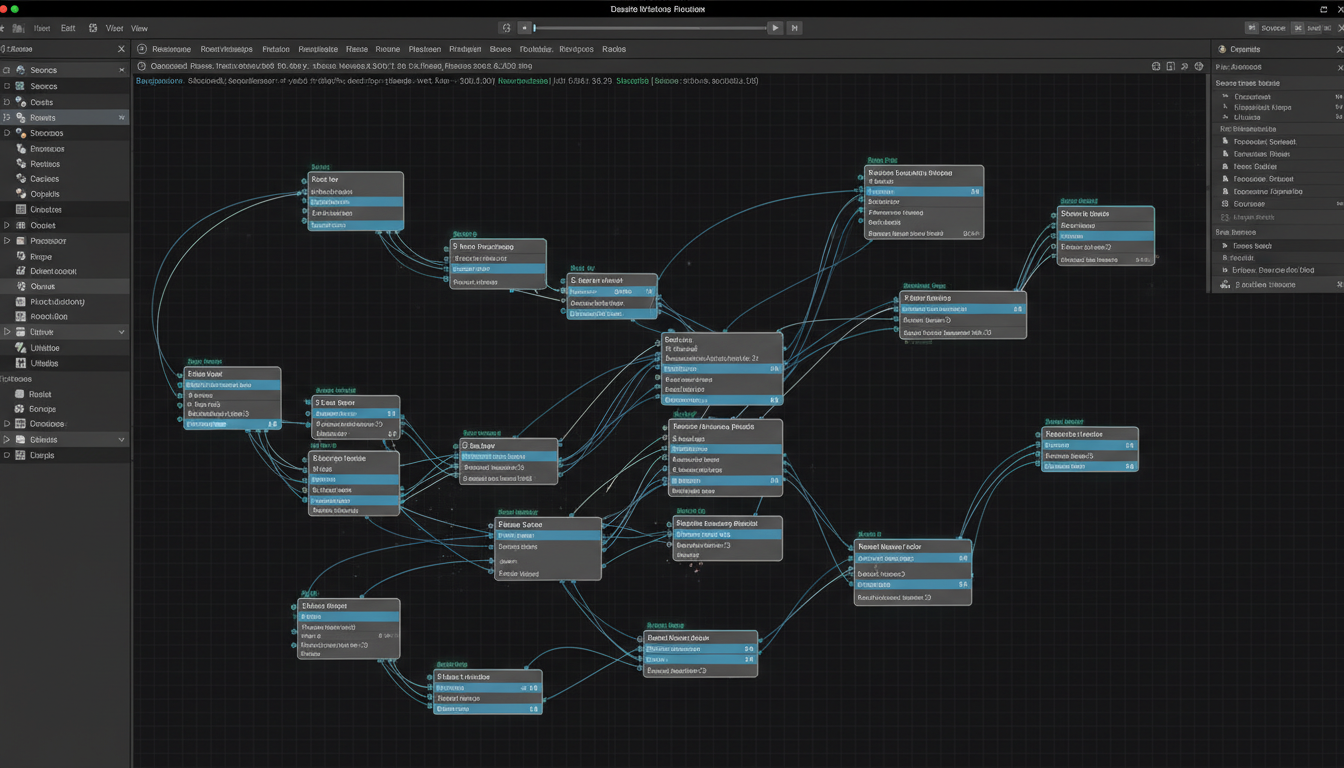 A basic ComfyUI workflow for NSFW generation
Best NSFW Models 2025
Realistic Style
CyberRealistic (Recommended)
- Excellent photorealism
- Strong anatomy understanding
- Good skin textures
- Works well with LoRAs
epiCRealism
- Very realistic output
- Good lighting handling
- Detailed textures
Realistic Vision
- Balanced realism
- Good for varied content
- Wide compatibility
Anime Style
Pony Diffusion V6 (Recommended)
- Best anime NSFW model
- Danbooru tag understanding
- Massive LoRA ecosystem
- Excellent quality
Illustrious XL
- High quality anime
- Good detail
- Strong community
Anything V5
- Classic anime style
- Reliable results
- Well-tested
Specialized Models
For specific niches:
- Check CivitAI for specialized models
- Many NSFW-focused fine-tunes
- Test before production use
Essential Settings for Quality NSFW
Sampler Selection
Best for NSFW:
- DPM++ 2M Karras (balanced)
- Euler a (smooth, fast)
- DPM++ SDE Karras (detailed)
Avoid:
Want to skip the complexity? Apatero gives you professional AI results instantly with no technical setup required.
- DDIM (less detail)
- LMS (outdated)
CFG Scale
- Low (4-6): More creative, softer
- Medium (6-8): Balanced, recommended
- High (8-12): More literal, can be harsh
For NSFW, 6-7 usually works best.
Step Count
- 20-25: Fast, good for testing
- 30-40: Production quality
- 50+: Diminishing returns
More isn't always better. Find your model's sweet spot.
Resolution
SD 1.5 models:
- 512x512 base
- 512x768 portrait
- 768x512 landscape
- Upscale after generation
SDXL/Pony:
- 1024x1024 base
- 832x1216 portrait
- 1216x832 landscape
 Optimal settings vary by model and content
Prompting for NSFW Content
Positive Prompt Structure
[quality tags], [subject], [physical description], [pose/action], [setting], [style]
Example:
masterpiece, best quality, photorealistic, 1woman, blonde hair, blue eyes, nude, lying on bed, bedroom, natural lighting, detailed skin
Essential Quality Tags
Always include at beginning:
masterpiece, best quality(general)photorealistic, hyperrealistic(realistic)highly detailed, sharp focus(detail)
Negative Prompts
Critical for avoiding common issues:
lowres, bad anatomy, bad hands, text, error, missing fingers, extra digit, fewer digits, cropped, worst quality, low quality, normal quality, jpeg artifacts, signature, watermark, username, blurry, bad feet, poorly drawn hands, poorly drawn face, mutation, deformed, extra limbs, extra arms, extra legs, malformed limbs, fused fingers, too many fingers, long neck, cross-eyed, mutated hands
NSFW-Specific Negatives
Add these for adult content:
child, underage, teen, young, censored, mosaic, blur, out of frame, amputee
LoRAs for NSFW Enhancement
What LoRAs Do
LoRAs add specific capabilities:
Earn Up To $1,250+/Month Creating Content
Join our exclusive creator affiliate program. Get paid per viral video based on performance. Create content in your style with full creative freedom.
- Character consistency
- Specific poses
- Body types
- Styles and aesthetics
Finding NSFW LoRAs
- CivitAI (filter by NSFW)
- Hugging Face (some gated)
- Community sources
Using LoRAs
In Automatic1111:
Add to prompt: <lora:loraname:0.7>
In ComfyUI: Add LoRA Loader node between checkpoint and CLIP
LoRA Strength
- 0.5-0.7: Subtle effect
- 0.7-0.9: Strong effect
- 1.0+: Can cause artifacts
Start at 0.7 and adjust.
Common Issues and Fixes
Issue: Blurry/Low Quality Output
Causes:
- Wrong resolution
- Too few steps
- Poor model choice
Fixes:
- Use native resolution for model
- Increase steps to 30-40
- Try different model
Issue: Bad Anatomy
Causes:
- Poor model training
- Conflicting prompts
- Missing negative prompts
Fixes:
- Use anatomy-focused negatives
- Simpler poses
- Better model (Pony, CyberRealistic)
- ControlNet for poses
Issue: Censored Output
Causes:
- Safety filter enabled
- NSFW blocked in model
- Using censored model
Fixes:
- Disable safety filter
- Use explicitly NSFW model
- Check for nsfw:false settings
Issue: Wrong Style
Causes:
- Model mismatch
- Prompt conflicts
- LoRA interference
Fixes:
- Match model to desired style
- Clarify style in prompt
- Reduce LoRA strength
Advanced Techniques
Inpainting for Fixes
- Generate base image
- Create mask over problem areas
- Inpaint with focused prompts
- Blend smoothly
ControlNet for Poses
- Find or create pose reference
- Use OpenPose or similar
- Generate with pose guidance
- Achieve specific positioning
Upscaling
- Generate at native resolution
- Use ESRGAN or similar upscaler
- Optionally img2img at higher res
- Final quality enhancement
Hardware Recommendations
Minimum Viable
- GTX 1660 / RTX 2060 (6GB)
- 16GB RAM
- SSD storage
- Limitations: slower, lower resolution
Recommended
- RTX 3060 12GB / RTX 4060 8GB
- 32GB RAM
- NVMe SSD
- Good for most needs
Optimal
- RTX 4080/4090
- 64GB RAM
- Fast storage
- Maximum capability
Frequently Asked Questions
Is generating NSFW content with SD legal?
Yes, for synthetic adult content. Never generate content depicting minors or real people without consent.
Can I sell SD-generated NSFW content?
Generally yes. Check specific model licenses. Most allow commercial use.
Why does my output look different from examples?
Different models, settings, and seeds produce different results. Match the configuration used in examples.
Do I need a powerful GPU?
8GB minimum, 12GB recommended. More VRAM enables higher resolution and faster generation.
Can I generate specific people?
Legally and ethically problematic. Create original characters instead.
Quick Start Checklist
Setup:
- Install Automatic1111 or ComfyUI
- Download NSFW model (Pony or CyberRealistic)
- Disable safety filters
- Configure VAE if needed
Generation:
- Use quality tags in prompts
- Include comprehensive negative prompt
- Set appropriate resolution
- Configure sampler and steps
Optimization:
- Test different models
- Try relevant LoRAs
- Adjust CFG and steps
- Use upscaling for final output
Final Thoughts
Stable Diffusion is powerful for NSFW generation when properly configured. The keys are:
- Right model - Use models trained for adult content
- No filters - Disable safety features
- Good prompts - Quality tags and comprehensive negatives
- Appropriate settings - Match settings to model
Once configured, SD offers unlimited NSFW generation with excellent quality and complete control.
For those who prefer not to manage this complexity, platforms like Apatero handle all configuration automatically, letting you focus on creating content.
Related guides: ComfyUI Beginners Guide, Best Uncensored AI Generators, AI Hentai Generation
Ready to Create Your AI Influencer?
Join 115 students mastering ComfyUI and AI influencer marketing in our complete 51-lesson course.
Related Articles

AI Art Market Statistics 2025: Industry Size, Trends, and Growth Projections
Comprehensive AI art market statistics including market size, creator earnings, platform data, and growth projections with 75+ data points.

AI Automation Tools: Transform Your Business Workflows in 2025
Discover the best AI automation tools to transform your business workflows. Learn how to automate repetitive tasks, improve efficiency, and scale operations with AI.
AI Avatar Generator: I Tested 15 Tools for Profile Pictures, Gaming, and Social Media in 2026
Comprehensive review of the best AI avatar generators in 2026. I tested 15 tools for profile pictures, 3D avatars, cartoon styles, gaming characters, and professional use cases.