ComfyUI vs AUTOMATIC1111: Complete Comparison for 2025
Detailed comparison of ComfyUI and AUTOMATIC1111 (Forge). Features, performance, ease of use, and which one you should choose for AI image generation.
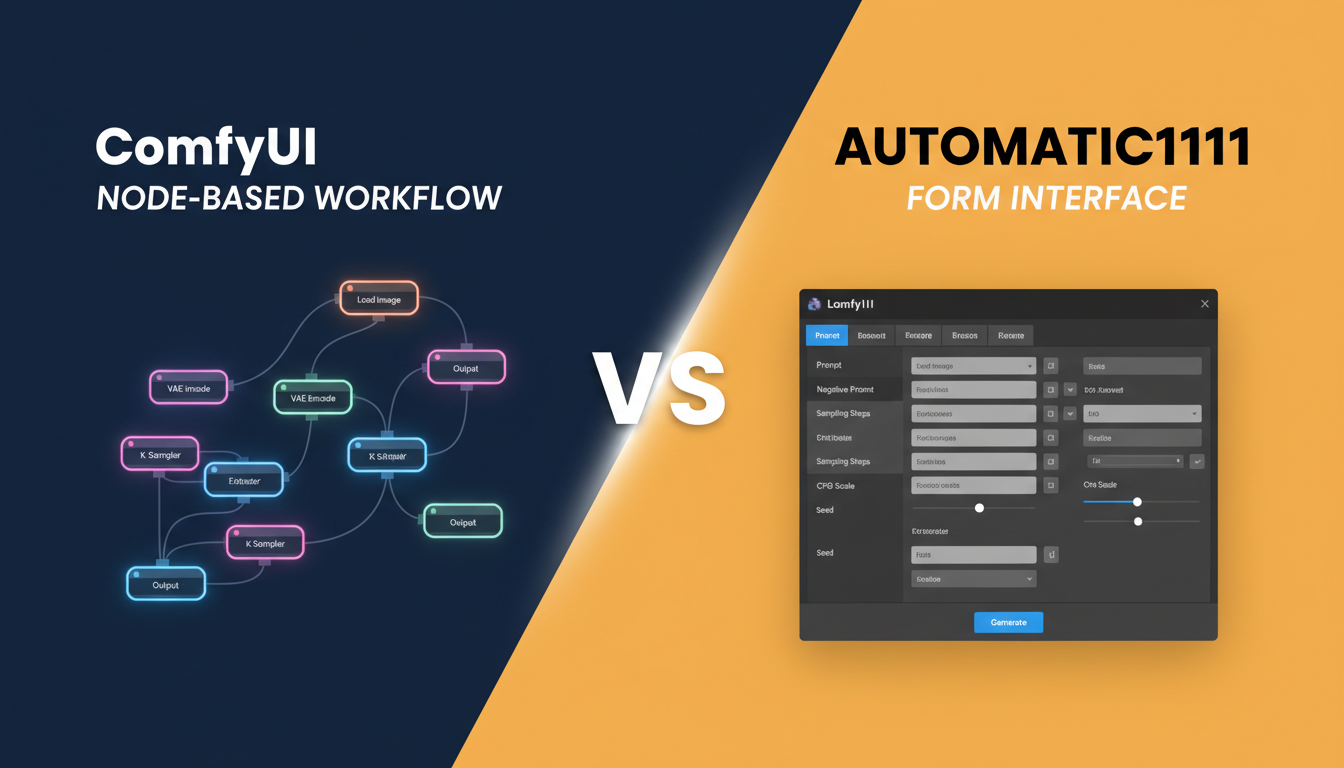
The two dominant interfaces for Stable Diffusion are ComfyUI and AUTOMATIC1111 (including its Forge variant). Both are free, open-source, and powerful. But they serve different needs. I've used both extensively, and this comparison reflects real-world experience, not just feature lists.
Quick Answer: ComfyUI is better for advanced users who need workflow flexibility, video generation, and complex multi-model pipelines. AUTOMATIC1111/Forge is better for beginners who want a simpler interface and quick results. In 2025, ComfyUI has become the industry standard for serious creators, while A1111 remains excellent for straightforward image generation.
- ComfyUI: Node-based, maximum flexibility, steeper learning curve
- A1111/Forge: Form-based, easier to start, more limited for advanced work
- Video generation: ComfyUI dominates (LTX-2, Wan, etc.)
- Performance: ComfyUI generally faster due to better optimization
- Extension ecosystem: Both have extensive options
Quick Comparison Table
| Feature | ComfyUI | AUTOMATIC1111/Forge |
|---|---|---|
| Interface Style | Node-based workflow | Form-based UI |
| Learning Curve | Steep (1-2 weeks) | Gentle (1-2 days) |
| Flexibility | Maximum | Moderate |
| Video Generation | Excellent | Limited |
| Performance | Generally faster | Good, Forge improves |
| VRAM Efficiency | Better | Good with Forge |
| Extension Ecosystem | Growing rapidly | Mature, extensive |
| Workflow Sharing | Native (JSON export) | Limited |
| Best For | Power users, production | Beginners, simple tasks |
Interface Philosophy
ComfyUI: Node-Based Power
ComfyUI represents your generation process as a visual graph. Each node performs one operation: load a model, encode text, sample latents, decode to image. You connect nodes to build custom pipelines.
Advantages:
- See exactly what's happening at each step
- Modify any part of the pipeline
- Create complex workflows impossible in form-based UIs
- Save and share complete workflows
Disadvantages:
- Overwhelming for beginners
- Simple tasks require multiple nodes
- Takes time to understand node relationships
The visual nature of ComfyUI makes complex workflows manageable. You can see the entire generation pipeline, understand dependencies, and modify individual components without breaking the whole system.
AUTOMATIC1111: Form-Based Simplicity
A1111 presents options as form fields: prompt, negative prompt, steps, CFG, sampler. Enter values, click generate. Extensions add tabs for additional features.
Advantages:
- Immediately understandable
- Quick to generate simple images
- Familiar interface pattern
- Less cognitive overhead for basic use
Disadvantages:
- Complex workflows require multiple extensions
- Limited visibility into what's happening
- Harder to create novel pipelines
For straightforward text-to-image generation, A1111's simplicity is actually an advantage. You don't need to understand the underlying pipeline to get results.
Performance Comparison
Generation Speed
In my testing across multiple models and configurations:
SDXL (1024x1024, 30 steps):
- ComfyUI: ~22 seconds
- A1111: ~28 seconds
- Forge: ~24 seconds
Flux (1024x1024, 20 steps):
- ComfyUI: ~18 seconds
- A1111: ~25 seconds (with proper configuration)
- Forge: ~20 seconds
Why ComfyUI is often faster:
- Better graph optimization
- Automatic node caching
- More efficient memory management
- Only computes what's needed
The difference varies by workflow, but ComfyUI typically has a 10-20% speed advantage for equivalent operations.
VRAM Usage
Both have improved significantly, but efficiency varies:
ComfyUI advantages:
- Automatic model offloading
- Aggressive caching of computed tensors
- Better tile-based processing
Forge advantages:
- Optimizations specifically for A1111 workflows
- Improved attention mechanisms
- Better low-VRAM mode
Practical result: Both can run SDXL on 8GB VRAM cards. ComfyUI handles complex workflows on limited VRAM better due to finer control over model loading.
Feature Comparison
Text-to-Image
Both handle basic text-to-image excellently. Differences emerge in advanced use:
ComfyUI:
- Multiple prompt conditioning techniques
- Regional prompting through nodes
- Complex CLIP configurations
- Native attention manipulation
A1111/Forge:
- Simple prompt interface
- Extension-based regional prompting
- BREAK keyword support
- Familiar prompt syntax
Verdict: Equivalent for basic use, ComfyUI for advanced prompt manipulation.
Image-to-Image
ComfyUI:
- Fine control over denoise process
- Multiple img2img techniques through node selection
- Easy to chain multiple img2img passes
- Better for iterative refinement
A1111/Forge:
- Simpler interface for basic img2img
- Inpainting tab is intuitive
- Outpainting extensions available
- Less control but faster to use
Verdict: A1111 faster for simple img2img, ComfyUI better for complex iterative workflows.
ControlNet Integration
ComfyUI:
- Native node support
- Easy to stack multiple ControlNets
- Full control over application timing
- IP-Adapter and ControlNet combination is straightforward
A1111/Forge:
- Extension-based
- Multi-ControlNet tab
- Good interface for single/dual ControlNet
- Less flexible for complex setups
Verdict: Both excellent, ComfyUI better for stacking 3+ control mechanisms.
Video Generation
This is where ComfyUI dominates completely.
ComfyUI:
- Native support for LTX-2, Wan 2.2, AnimateDiff
- Video-specific nodes and workflows
- Frame interpolation, upscaling
- Audio synchronization (LTX-2)
A1111/Forge:
- AnimateDiff extension
- Limited video model support
- No native LTX-2 or Wan support
- Video is an afterthought
Verdict: ComfyUI is the only serious option for AI video generation.
LoRA and Model Management
ComfyUI:
- Load multiple LoRAs with separate nodes
- Precise strength control per LoRA
- Easy to A/B test different LoRA combinations
- Clear visualization of what's applied
A1111/Forge:
- LoRA syntax in prompt
- Stacking through comma separation
- XYZ grid for comparison testing
- Simpler for basic LoRA use
Verdict: A1111 simpler for basic use, ComfyUI better for complex LoRA stacking.
Learning Curve
Getting Started with ComfyUI
Week 1: Understanding nodes and connections. Learning basic workflows for txt2img.
Week 2: ControlNet, img2img, more complex prompting. Understanding model loading.
Week 3-4: Custom workflows, video generation, advanced techniques.
Time to competency: 2-4 weeks for comfortable daily use.
Getting Started with A1111
Day 1: Basic txt2img generation working.
Day 2-3: Extensions installed, ControlNet basics.
Week 1: Comfortable with main features.
Time to competency: 1-2 weeks for comfortable daily use.
The learning curve difference is significant. A1111 is approachable immediately. ComfyUI requires investment before payoff.
Extension Ecosystem
ComfyUI Extensions (Custom Nodes)
Installation: ComfyUI Manager makes this simple.
Popular extensions:
- Impact Pack (face restoration, detailing)
- WAS Node Suite (utilities)
- Efficiency Nodes (workflow optimization)
- Various model-specific nodes
Ecosystem status: Rapidly growing, becoming comprehensive.
A1111 Extensions
Installation: Extensions tab, one-click install.
Popular extensions:
- ControlNet
- ADetailer (face fixing)
- Deforum (animation)
- Multiple UI enhancements
Ecosystem status: Mature, extensive, well-documented.
Verdict: A1111 has more extensions currently, but ComfyUI's ecosystem is catching up rapidly and covers advanced use cases better.
Use Case Recommendations
Choose ComfyUI If:
You're doing video generation. LTX-2, Wan 2.2, and future video models live in ComfyUI.
You need complex workflows. Multi-model pipelines, conditional generation, iterative refinement.
You're creating production content. Batch processing, consistent outputs, repeatable workflows.
You want to understand the process. Node-based visualization teaches how generation works.
You're building AI influencer content. Character consistency workflows require ComfyUI's flexibility.
Choose A1111/Forge If:
You're just starting. The learning curve is much gentler.
You need quick simple outputs. Basic txt2img, img2img, inpainting.
You prefer form-based interfaces. Some people genuinely prefer traditional UI patterns.
You rely on specific A1111 extensions. Some capabilities only exist as A1111 extensions.
Time is limited. Getting results in A1111 is faster for simple tasks.
The Forge Factor
Forge is a performance-optimized fork of AUTOMATIC1111. It addresses many of A1111's weaknesses:
- Better VRAM management
- Faster generation
- Improved Flux support
- More modern architecture
Should you use Forge instead of original A1111?
Yes, if you choose the A1111 ecosystem. Forge provides meaningful improvements without changing the interface.
Migration Considerations
From A1111 to ComfyUI
What transfers easily:
- Models (checkpoints, LoRAs, embeddings)
- Prompts (though syntax differs)
- Knowledge of parameters
What doesn't transfer:
- A1111 extensions (need ComfyUI equivalents)
- Workflows (must rebuild in nodes)
- Interface muscle memory
Migration time: Expect 1-2 weeks to rebuild your common workflows in ComfyUI.
From ComfyUI to A1111
Rarely done. People who learn ComfyUI typically prefer its flexibility. The main reason to use A1111 after knowing ComfyUI is for specific extensions.
Real-World Workflow Comparison
Simple Portrait Generation
A1111 approach:
- Enter prompt
- Set parameters
- Generate
- Maybe use ADetailer
ComfyUI approach:
- Load checkpoint node
- CLIP encode prompt
- Empty latent
- KSampler
- Decode
- Save
Verdict: A1111 is simpler for this common task.
Character Consistency Across Images
A1111 approach:
- Generate initial image
- Use as reference with ControlNet
- Manual iteration
- Inconsistent results
ComfyUI approach:
- IP-Adapter + Face ID workflow
- Load reference image
- Generate with consistency
- Easy to batch multiple poses
Verdict: ComfyUI is significantly better for this professional use case.
Video Generation from Image
A1111 approach:
- Install AnimateDiff extension
- Limited results
- No modern video models
ComfyUI approach:
- Load LTX-2 or Wan 2.2
- Connect img2vid workflow
- Professional quality output
- Full control over motion
Verdict: ComfyUI is the only option for serious video work.
Community and Support
ComfyUI
- Active Discord community
- Regular updates
- Strong developer ecosystem
- Growing documentation
A1111
- Massive Reddit community
- Extensive documentation
- Years of troubleshooting posts
- Mature knowledge base
Verdict: A1111 has more beginner resources, ComfyUI has better advanced support.
Future Direction
Where ComfyUI is Heading
- Video generation focus: The future of AI generation is video, and ComfyUI leads here.
- Professional adoption: Studios and agencies are standardizing on ComfyUI.
- New model support: New models are released with ComfyUI nodes first.
Where A1111 is Heading
- Maintenance mode: Updates slower than historically.
- Forge as successor: Many consider Forge the future of this ecosystem.
- Stable but not leading: Reliable for current use, unclear for future features.
Frequently Asked Questions
Can I use both?
Yes. Many professionals use ComfyUI for complex work and A1111 for quick tests. They share model files.
Which has better Flux support?
ComfyUI has native, excellent Flux support. A1111/Forge requires configuration but works.
Is ComfyUI really harder?
Yes, initially. But the learning investment pays off for anyone doing serious work.
Should beginners start with A1111 then move to ComfyUI?
Reasonable approach, but you can also start with ComfyUI using pre-built workflows.
Which is more stable?
A1111 has fewer updates and breaking changes. ComfyUI updates frequently but rarely breaks existing workflows.
Can I convert A1111 workflows to ComfyUI?
Not directly. You rebuild workflows using equivalent nodes.
Which uses less disk space?
Similar when configured equivalently. Both need model files.
Is one more "professional"?
ComfyUI is increasingly the professional standard, especially for production work.
Will A1111 be deprecated?
Unlikely. It remains useful and has a large user base. Forge ensures the ecosystem continues.
Which should I learn for AI influencer creation?
ComfyUI. Character consistency and video generation require its capabilities.
Wrapping Up
Both tools are excellent for their intended purposes:
ComfyUI is the power tool. It requires learning but rewards that investment with unmatched flexibility. For video generation, complex workflows, and production work, it's the clear choice.
AUTOMATIC1111/Forge is the accessible tool. It gets you generating quickly with minimal learning. For simple image generation and users who prefer traditional interfaces, it remains excellent.
My recommendation for most users in 2025: Learn ComfyUI. The AI generation landscape is moving toward video and complex multi-model workflows. ComfyUI positions you for where the technology is going, not just where it's been.
For getting started with ComfyUI, see our ComfyUI beginner guide. For video generation specifically, check the LTX-2 guide.
If you want to skip local setup entirely, Apatero.com offers powerful generation without installing anything.
Some models you cannot download at any VRAM
Veo, Kling and Nano Banana have closed weights. There is no local build, no quantization, no 24GB workaround. Run them in the browser instead. Check current model access and generation costs in the app.
Related Articles

AI Art Market Statistics 2025: Industry Size, Trends, and Growth Projections
Comprehensive AI art market statistics including market size, creator earnings, platform data, and growth projections with 75+ data points.

AI Automation Tools: Transform Your Business Workflows in 2025
Discover the best AI automation tools to transform your business workflows. Learn how to automate repetitive tasks, improve efficiency, and scale operations with AI.

AI Background Remover and Generator: The Complete Guide to Replacing, Creating, and Perfecting Image Backgrounds
Master AI background removal, replacement, and generation. Compare the best tools, learn proven techniques, and transform your product photos and portraits.