LTX-2 for Anime: Creating Animated Content with AI Video Generation
Generate anime-style videos with LTX-2. LoRA recommendations, prompting techniques, and workflow tips for animated content creation.
LTX-2 generates stunning realistic videos by default. But what about anime? With the right techniques, you can push LTX-2 toward animated styles, from soft anime aesthetics to full animation looks. I've spent weeks testing approaches, and here's what actually works.
Quick Answer: LTX-2 can generate anime-style videos using specialized anime LoRAs, anime-specific prompting keywords, lower CFG values (4-6), and post-processing. For best results, combine the base LTX-2 model with anime LoRAs at 0.6-0.8 strength and use prompts that include specific anime style references.
- Native LTX-2 leans photorealistic but can be pushed toward anime
- Anime LoRAs are essential for consistent animated styles
- Lower CFG (4-6) produces softer, more anime-appropriate outputs
- Post-processing can enhance anime aesthetics
- Character consistency requires multi-keyframe workflows
Understanding LTX-2's Anime Capabilities
Let's set realistic expectations. LTX-2 was trained primarily on realistic video content. Unlike Wan 2.2, which has strong anime capabilities from diverse training data, LTX-2's base model naturally gravitates toward photorealism.
This doesn't mean anime is impossible. It means you need to work harder to push the model in that direction. Think of it like using Midjourney versus Niji Mode. One requires more guidance for anime results.
What Works Well
- Soft anime aesthetics (anime-influenced realistic)
- Character animation with anime styling
- Anime backgrounds and environments
- Anime-style camera movements
- Stylized action sequences
What's Challenging
- Pure 2D animation look
- Traditional anime cell-shading
- Anime-specific motion patterns (speed lines, exaggerated expressions)
- Studio-specific styles (Ghibli, Ufotable, etc.)
For pure 2D anime, dedicated anime models or Wan 2.2 are better choices. LTX-2 shines in anime-realistic fusion or semi-realistic anime styles.
Essential Anime LoRAs for LTX-2
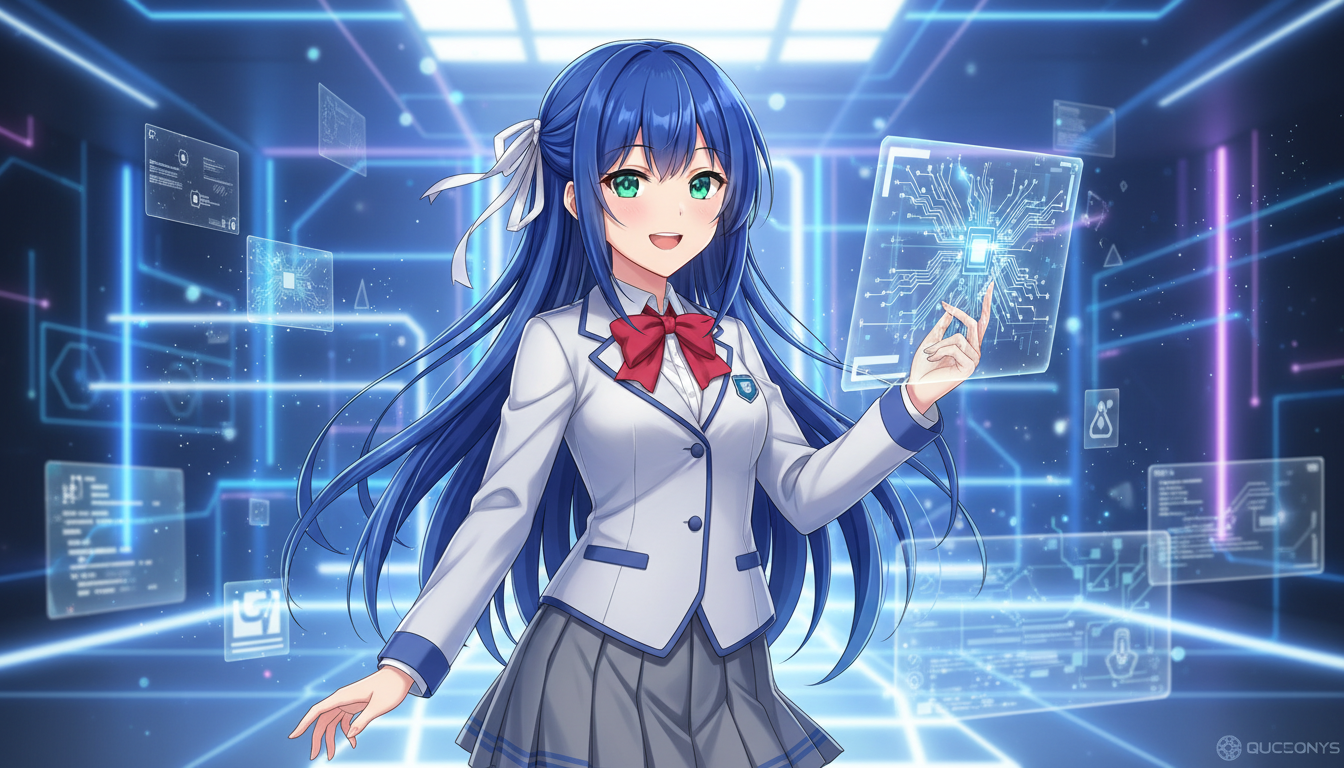 Stacking anime style LoRAs with motion LoRAs for optimal results
LoRAs are the key to unlocking anime potential in LTX-2. The emerging LoRA ecosystem includes several anime-focused options.
Recommended Anime LoRAs
General Anime Style LoRAs:
- LTX-Anime-V1 (community) - Broad anime aesthetic
- Soft-Cel-LTX - Softer, cel-shaded look
- AnimReal-LTX - Anime-realistic fusion
Character-Focused LoRAs:
- Face consistency LoRAs - Help maintain anime character features
- Expression LoRAs - Exaggerated anime expressions
Motion LoRAs:
- Smooth-Motion-LTX - Cleaner animation interpolation
- Action-Anime - Dynamic movement patterns
LoRA Stacking for Anime
When using multiple LoRAs, order and strength matter significantly.
Recommended stacking order:
1. Style LoRA (anime): strength 0.6-0.8
2. Motion LoRA: strength 0.4-0.6
3. Character LoRA (if any): strength 0.7-0.9
Total strength guidelines:
- Keep combined strength under 2.0
- If results look oversaturated, reduce style LoRA first
- Higher motion LoRA strength can override style, so balance carefully
Where to Find LTX Anime LoRAs
The LTX LoRA ecosystem is still developing. Sources include:
- Hugging Face (search "LTX anime")
- Tensor.Art (filter for LTX models)
- CivitAI (emerging section)
- Community Discord servers
- Reddit r/StableDiffusion
As LTX-2 adoption grows, expect more specialized anime LoRAs.
Prompting Techniques for Anime
Prompts significantly influence LTX-2's style interpretation. Anime-specific language helps guide the model.
Effective Anime Keywords
Style keywords:
- anime style, anime aesthetic
- cel shaded, cell animation
- illustrated, drawn, 2D animation look
- anime screenshot, anime frame
- Japanese animation style
Quality modifiers:
- detailed anime, high quality anime
- beautiful anime, stunning animation
- sakuga (high-quality animation movement)
- professional anime
Avoid:
- Mixing realistic and anime keywords
- Overly specific studio references (may not work without LoRA)
- Generic terms like "cartoon" (too broad)
Prompt Structure for Anime
[Character description], [action/pose], anime style,
[camera movement], [lighting], [quality keywords],
[motion description]
Example prompt:
Young woman with long blue hair, running through cherry blossoms,
anime style, tracking shot following movement, soft spring lighting,
beautiful detailed anime, cel shaded, flowing hair animation,
sakuga quality motion
Negative Prompts for Anime
Help steer away from photorealism:
photorealistic, photograph, real person, hyperrealistic,
documentary, 3D render, CGI, uncanny valley,
video footage, movie scene
Optimal Settings for Anime Generation
Settings significantly affect anime output quality.
Resolution
Anime styles often work better at specific aspect ratios:
- 16:9 (1280x720): Standard anime format
- 4:3 (960x720): Classic anime feel
- 21:9 (1680x720): Cinematic anime
For anime, 720p is often preferable to higher resolutions. The style renders cleaner, and you can upscale later.
CFG Scale
Lower CFG values produce softer, more stylized outputs.
- CFG 4-5: Very stylized, soft anime look
- CFG 5-6: Balanced anime aesthetic (recommended starting point)
- CFG 6-7: Anime-influenced but more defined
- CFG 7+: Tends toward photorealism even with anime prompts
Start at CFG 5.5 for anime work.
Frame Rate
Anime traditionally uses lower frame rates than realistic video:
- 12 fps: Classic anime motion feel
- 16 fps: Smooth but retains animation look
- 24 fps: Modern anime standard
LTX-2's default 16 fps works well for anime. For more traditional animation feel, consider 12 fps.
Sampler Settings
For anime:
- Sampler: Euler or DPM++ 2M Karras
- Steps: 30-35 (slightly higher for better detail)
- Denoise: 0.7-0.8 for img2vid with anime input
Workflow: Anime Video Generation
Here's my production workflow for anime-style LTX-2 videos.
Basic Text-to-Anime-Video
- Load LTX-2 base model
- Apply anime LoRA at 0.7 strength
- Set CFG to 5.5
- Use anime-focused prompt
- Generate at 720p, 16fps, 49 frames
- Review and iterate on prompt
Image-to-Anime-Video
For better consistency, start with an anime-style image:
- Generate or source an anime character image
- Use as img2vid input
- Apply anime LoRA at 0.6 strength
- Describe motion only in prompt (character already defined)
- Set denoise to 0.7
- Generate
This approach maintains character consistency better than pure text-to-video.
Multi-Keyframe Anime Workflow
For complex sequences with multiple poses:
- Create keyframe images in anime style (using Flux, SDXL, or dedicated anime model)
- Set keyframe positions (frame 0, 40, 80, etc.)
- Let LTX-2 interpolate between keyframes
- Use anime LoRA at 0.5-0.6 (lighter to not fight keyframes)
- Generate interpolation video
This gives you precise control over key moments while LTX-2 handles the transitions.
Post-Processing for Enhanced Anime Look
Post-processing can push LTX-2 output closer to pure anime.
Color Correction
Anime typically has:
- More saturated colors
- Higher contrast
- Specific color palettes
Apply these in video editing:
- Increase saturation by 10-20%
- Add slight contrast boost
- Consider color grading toward warm or cool anime palettes
Line Enhancement
To add anime-style line definition:
- Export frames from video
- Apply edge detection or line enhancement filter
- Blend with original at 20-30% opacity
- Re-encode video
This adds subtle line definition that reinforces the anime look.
Frame Rate Adjustment
Converting to 12fps from 16fps creates more traditional anime motion:
ffmpeg -i input.mp4 -r 12 -filter:v "setpts=1.33*PTS" output_12fps.mp4
Adjust timing as needed to maintain intended duration.
Character Consistency in Anime
Maintaining consistent anime characters across videos is challenging but achievable.
Using Character LoRAs
If you train a character LoRA on anime-style images:
- Collect 20-30 anime-style images of character
- Train LoRA using musubi-tuner or similar
- Apply character LoRA at 0.8 strength
- Stack with anime style LoRA (total under 1.8)
Using Multi-Keyframe
For scene-to-scene consistency without LoRA:
- Generate or source character reference
- Use as keyframe at frame 0
- Add same reference at later keyframes
- LTX-2 maintains consistency through interpolation
Face Consistency Tips
Anime faces are simplified, which can actually help consistency:
- Include detailed face description in every prompt
- Use the same seed base for related scenes
- Keep face relatively static (subtle expressions)
- Consider face-focused framing (medium shots) over extreme close-ups
Comparison: LTX-2 vs. Other Models for Anime
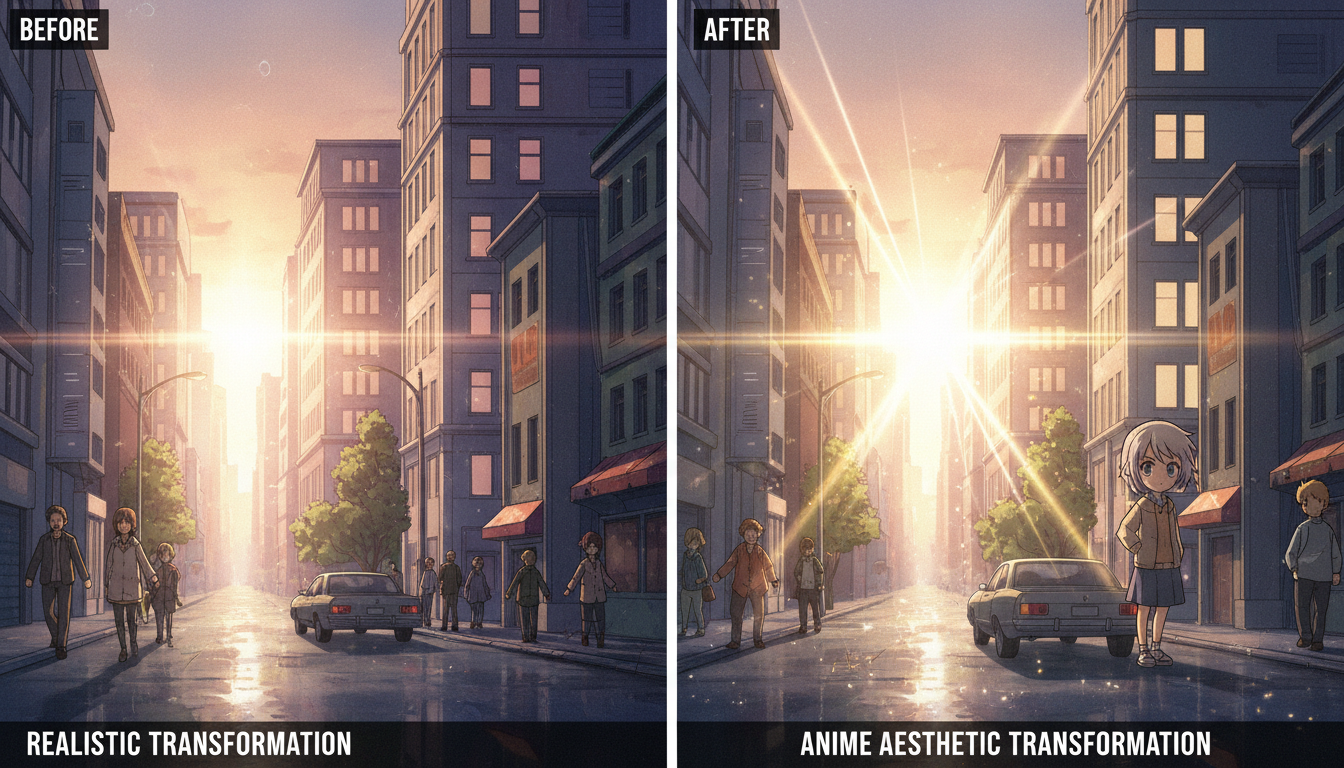 LTX-2 can blend realistic and anime aesthetics with proper LoRA and prompt configuration
How does LTX-2 compare for anime specifically?
| Model | Native Anime | Anime LoRAs | Motion Quality | Audio |
|---|---|---|---|---|
| LTX-2 | Weak | Available | Excellent | Yes |
| Wan 2.2 | Strong | Many | Very Good | No |
| Runway Gen-3 | Medium | No | Good | No |
| AnimateDiff | Strong | Many | Good | No |
When to use LTX-2 for anime:
- You need synchronized audio
- You want high-resolution output (4K via upscaling)
- You're doing anime-realistic fusion
- You're already in an LTX-2 workflow
When to use alternatives:
- Pure 2D anime is priority
- Specific anime studio styles needed
- Large existing LoRA library matters
For dedicated anime work, Wan 2.2 with anime LoRAs currently offers better native support. LTX-2's strength is its realistic base combined with anime styling, plus audio capabilities.
Advanced: Training Anime LoRAs for LTX-2
If existing LoRAs don't meet your needs, consider training custom ones.
Dataset Preparation
For anime LoRAs:
- Collect 50-100 high-quality anime clips/frames
- Ensure consistent style throughout
- Include varied angles and movements
- Caption with style descriptors
Training Considerations
- Start with smaller network_dim (8-16) for style LoRAs
- Monitor for overfitting (anime styles overfit quickly)
- Test at multiple checkpoints
- Consider training separate motion and style LoRAs
Testing Anime LoRAs
When evaluating:
- Does it maintain style across different prompts?
- Does motion remain smooth?
- Is it too strong/weak at different strengths?
- Does it conflict with character prompts?
Example Prompts for Anime Scenarios
Action Sequence
Anime warrior with flowing red cape, dynamic sword strike motion,
anime style, tracking shot following blade arc, dramatic lighting,
sakuga quality animation, cel shaded, speed lines,
swoosh sound effect
Slice of Life
Anime girl with short brown hair, sipping coffee at cafe window,
anime style, gentle camera push in, warm afternoon light,
beautiful detailed anime, soft cel shading, peaceful motion,
subtle ambient cafe sounds
Fantasy Scene
Anime mage casting spell, swirling magical energy around hands,
anime style, orbit shot around character, mystical blue lighting,
stunning anime visuals, detailed magic effects, flowing robes,
magical sound effects
Nature Scene
Cherry blossoms falling in Japanese garden, anime style,
slow pan across water reflection, soft spring lighting,
beautiful anime backgrounds, painted quality, gentle motion,
wind through leaves sound
Frequently Asked Questions
Can LTX-2 create pure anime without LoRAs?
Somewhat, but results lean semi-realistic. LoRAs are strongly recommended for convincing anime style.
Which anime LoRA is best for LTX-2?
The ecosystem is still developing. Start with general anime style LoRAs and test which works for your use case.
Should I use lower resolution for anime?
Yes, 720p often produces cleaner anime results. Upscale to 4K afterward if needed.
Can I generate anime with LTX-2's audio?
Yes, include audio descriptions in your prompt. Anime sound effects work with audio generation.
How do I maintain character consistency?
Use character LoRAs, multi-keyframe workflows, or consistent reference images with img2vid.
Is Wan 2.2 better for anime?
For pure anime, Wan 2.2 has stronger native capabilities. LTX-2 excels at anime-realistic fusion and audio.
Can I train anime character LoRAs for LTX-2?
Yes, using tools like musubi-tuner. Train on anime-style images of your character.
What CFG should I use for anime?
Start at 5.5. Lower (4-5) for softer styles, higher (6-7) for more defined looks.
Does anime work with LTX-2's 4K output?
Yes, but generate at 720p and upscale. Native 4K anime generation is VRAM-intensive with mixed results.
How long can anime videos be?
Same limits as realistic content: up to 60 seconds at lower resolutions, shorter at higher quality.
Wrapping Up
LTX-2 isn't the first choice for pure anime but excels at anime-realistic fusion with the added benefit of synchronized audio. With the right LoRAs, prompting, and settings, you can create compelling anime-style videos.
Key success factors:
- Use anime LoRAs (0.6-0.8 strength)
- Lower CFG to 5-6 range
- Include anime keywords in prompts
- Consider post-processing for enhanced style
- Use multi-keyframe for character consistency
For more LTX-2 techniques, see my LTX-2 tips and tricks and the complete LTX-2 guide.
For dedicated anime image generation to use as keyframes, check Apatero.com which offers anime-capable models including Flux and specialized anime checkpoints.
Now go create some animated content.
Some models you cannot download at any VRAM
Veo, Kling and Nano Banana have closed weights. There is no local build, no quantization, no 24GB workaround. Run them in the browser instead. Check current model access and generation costs in the app.
Related Articles
AI Documentary Creation: Generate B-Roll from Script Automatically
Transform documentary production with AI-powered B-roll generation. From script to finished film with Runway Gen-4, Google Veo 3, and automated...
AI Making Movies in 2026: The Current State and What's Actually Possible
Realistic assessment of AI filmmaking in 2026. What's working, what's hype, and how creators are actually using AI tools for video production today.
AI Music Videos: How Artists Are changing Production and Saving Thousands
Discover how musicians like Kanye West, A$AP Rocky, and independent artists are using AI video generation to create stunning music videos at 90% lower costs.