Flux 2 Klein vs SDXL vs Flux Dev: Speed and Quality Comparison
Head-to-head comparison of Flux 2 Klein, SDXL, and Flux Dev. Detailed benchmarks on speed, quality, text rendering, and hardware requirements to help you choose the best AI image model.
Make AI images and video in your browser
Characters, video, photo packs. No GPU, no setup. Your first generation is free.
The AI image generation landscape has evolved rapidly, and three models dominate the conversation among creators: SDXL, Flux Dev, and the newcomer Flux 2 Klein. Each has passionate advocates and specific strengths that make it ideal for certain workflows. But which one should you actually use?
I've been running all three models extensively on my RTX 4090 to produce an honest comparison. The results might surprise you, especially if you've been loyal to one model family. Let me share what I found across various metrics that actually matter for creative work.
The Contenders
Before exploring benchmarks, let's establish what each model brings to the table.
SDXL (Stable Diffusion XL) is the mature workhorse of the AI art community. Released by Stability AI, it has the largest ecosystem of LoRAs, embeddings, and ControlNet support. It's been the default choice for many artists since its release in 2023.
Flux Dev is Black Forest Labs' flagship model, known for exceptional quality and prompt adherence. It quickly became the go-to for users who prioritize output quality over speed. The creators of SDXL actually founded Black Forest Labs after leaving Stability AI, bringing that expertise to the Flux family.
Flux 2 Klein is the newest addition, released January 2026. It's designed specifically to address Flux Dev's biggest weakness: speed. Available in 4B and 9B parameter versions, it promises near-real-time generation without sacrificing too much quality.
Speed Benchmarks
Let's start with what everyone wants to know: how fast are these models? Testing was performed on an RTX 4090 at 1024x1024 resolution.
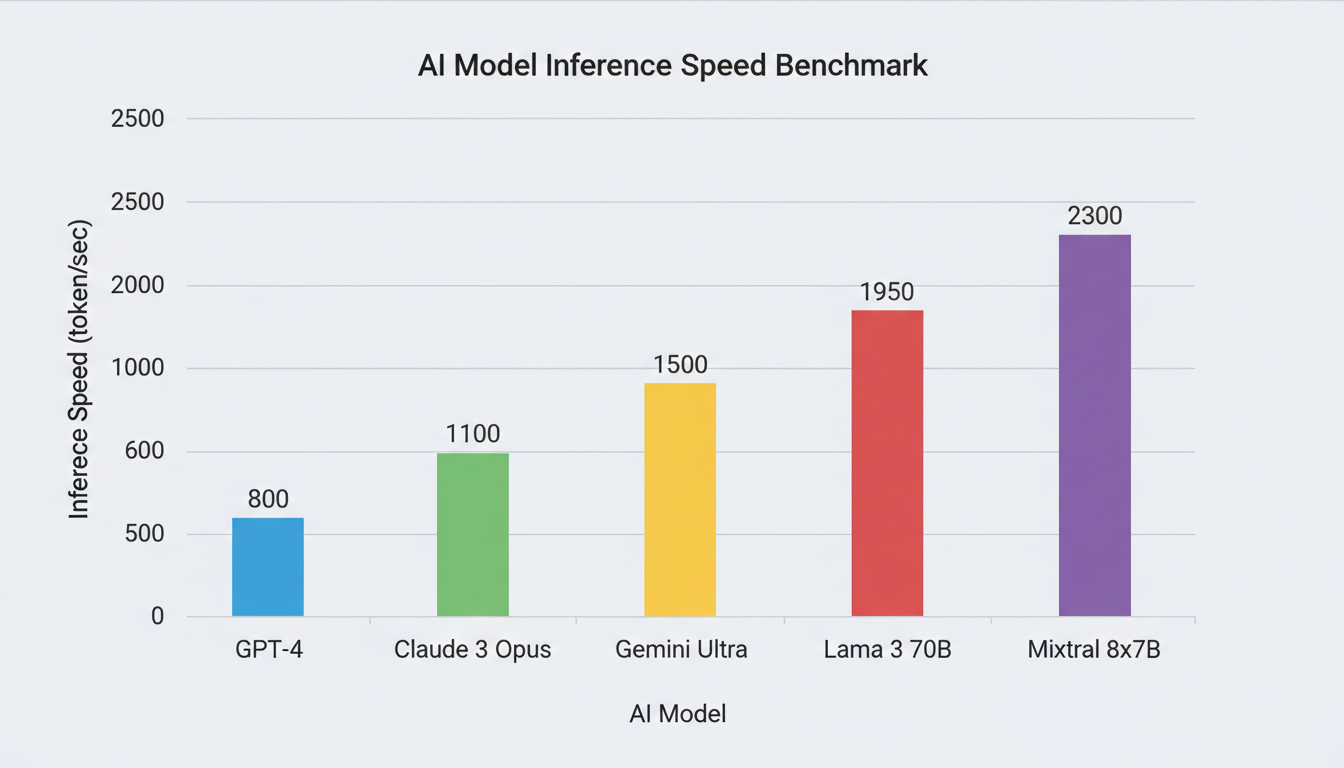 Speed comparison across models at 1024x1024 resolution on RTX 4090
| Model | Steps | Time | Images/Hour |
|---|---|---|---|
| Flux 2 Klein 4B | 4 | 1.2s | ~3,000 |
| Flux 2 Klein 9B | 4 | 1.8s | ~2,000 |
| SDXL | 25 | 13s | ~275 |
| Flux Dev | 20 | 57s | ~63 |
The numbers are dramatic. Flux 2 Klein 4B is approximately 10x faster than SDXL and 47x faster than Flux Dev. For workflows involving iteration, batch processing, or any time-sensitive application, Klein's speed advantage is transformative.
SDXL sits in the middle, offering respectable speeds that most users find workable. Flux Dev's minute-long generation times are the price you pay for its exceptional quality.
Real-World Impact
These speed differences compound over a working session. In the time it takes Flux Dev to generate 10 images, Flux 2 Klein 4B can produce nearly 500. If you're iterating on prompts, trying variations, or building a collection, Klein fundamentally changes what's possible in a given timeframe.
Quality Comparison
Speed means nothing if the output doesn't meet your standards. Quality assessment is subjective, but certain metrics provide objective comparisons.
Photorealism
For photorealistic images, the ranking is clear:
- Flux Dev - Exceptional detail, natural skin textures, accurate lighting
- Flux 2 Klein 9B - Close to Dev, with slightly less fine detail
- Flux 2 Klein 4B - Very good, occasional softness in fine details
- SDXL - Competent but noticeably behind Flux models
Flux Dev remains the quality king for photorealistic work. The detail in hair, eyes, and skin is genuinely impressive. Klein models come remarkably close, especially the 9B version. SDXL produces good images but lacks the refined detail of the Flux family.
Text Rendering
This is where the Flux family truly separates itself from SDXL.
 Text rendering is a strength across all Flux models compared to SDXL
Free ComfyUI Workflows
Find free, open-source ComfyUI workflows for techniques in this article. Open source is strong.
| Model | Text Accuracy | Readability |
|---|---|---|
| Flux Dev | Excellent | Clear |
| Flux 2 Klein 4B/9B | Excellent | Clear |
| SDXL | Poor | Often garbled |
If your work involves text in images, signs, book covers, UI mockups, or any typography, SDXL is essentially unusable without extensive workarounds. All Flux models handle text generation naturally and accurately. This alone might justify switching to Klein for many users.
Prompt Adherence
How well does each model follow complex prompts with multiple elements?
Flux Dev leads here, demonstrating exceptional understanding of spatial relationships, quantities, and specific attributes. It handles prompts like "three red apples to the left of a blue vase on a wooden table" with remarkable accuracy.
Flux 2 Klein models show good prompt adherence, though the 4B occasionally simplifies complex scenes or misplaces elements. The 9B performs closer to Dev in this regard.
SDXL struggles with complex prompts, often ignoring elements, merging subjects, or disregarding spatial instructions. It works best with simpler, more direct prompts.
Artistic Styles
For stylized artwork, anime, and artistic interpretations:
SDXL actually performs well here, with years of community LoRAs creating excellent style options. The ecosystem provides tremendous variety.
Flux models handle style prompts natively but have fewer specialized LoRAs available. They tend toward photorealism by default.
Want to skip the complexity? Apatero gives you professional AI results instantly with no technical setup required.
For artistic work specifically, SDXL's ecosystem advantage partly compensates for its quality limitations.
Hardware Requirements
Accessibility matters. Not everyone has top-tier hardware.
| Model | Minimum VRAM | Recommended VRAM |
|---|---|---|
| Flux 2 Klein 4B | 12GB | 16GB |
| Flux 2 Klein 9B | 20GB | 24GB |
| SDXL | 8GB | 12GB |
| Flux Dev | 16GB | 24GB |
SDXL wins on accessibility, running on GPUs that can't handle Flux models at all. If you have an RTX 3060 12GB, SDXL might be your only viable option among these three.
Flux 2 Klein 4B sits in a sweet spot, accessible on mid-range hardware while delivering quality far above SDXL. The 9B and Flux Dev require serious GPUs.
Ecosystem and Tools
The practical reality of using these models involves more than raw capability.
SDXL Ecosystem
- LoRAs: Thousands available on Civitai
- ControlNet: Full support for poses, depth, canny, etc.
- Inpainting: Mature and reliable
- Embeddings: Extensive collection for styles and concepts
- Community: Largest and most active
Flux Ecosystem
- LoRAs: Growing but limited compared to SDXL
- ControlNet: Support exists but less mature
- Inpainting: Flux Kontext handles this well
- Community: Growing rapidly
For users who rely heavily on LoRAs and ControlNet for their workflow, SDXL's ecosystem advantage is significant. Flux's ecosystem is catching up but isn't there yet.
Licensing Considerations
| Model | License | Commercial Use |
|---|---|---|
| Flux 2 Klein 4B | Apache 2.0 | Yes, freely |
| Flux 2 Klein 9B | Non-Commercial | Requires agreement |
| SDXL | Open | Yes, with conditions |
| Flux Dev | Non-Commercial | Requires agreement |
For commercial applications, Flux 2 Klein 4B offers the cleanest licensing. SDXL's license has some ambiguities that have concerned businesses. Flux Dev and Klein 9B require separate arrangements for commercial use.
Earn Up To $1,250+/Month Creating Content
Join our exclusive creator affiliate program. Get paid per viral video based on performance. Create content in your style with full creative freedom.
Use Case Recommendations
Based on comprehensive testing, here's when to use each model:
Choose Flux 2 Klein When:
- Speed is important to your workflow
- You need reliable text in images
- You want good quality without the wait
- Commercial use without licensing headaches (4B)
- You have 12-16GB+ VRAM
Choose SDXL When:
- You rely heavily on specific LoRAs or styles
- ControlNet is essential to your workflow
- You have limited VRAM (8-12GB)
- Artistic/stylized work is your focus
- Speed is acceptable at 13 seconds per image
Choose Flux Dev When:
- Maximum quality is non-negotiable
- Generation time doesn't matter
- Complex, multi-element scenes
- Professional portfolio work
- You have 24GB VRAM and patience
The Verdict
For most users in 2026, Flux 2 Klein 4B represents the best overall value. It combines:
- Speed that enables rapid iteration
- Quality that rivals models 10x slower
- Clear commercial licensing
- Accessible hardware requirements
- Excellent text rendering
SDXL remains relevant for its ecosystem and low hardware requirements, but the quality gap is noticeable. Flux Dev is reserved for quality-critical work where time isn't a factor.
The AI image generation landscape has shifted. Speed and quality are no longer as opposed as they once were, and Flux 2 Klein proves it.
Key Takeaways
- Flux 2 Klein is 10x faster than SDXL and 47x faster than Flux Dev
- Text rendering favors Flux models dramatically over SDXL
- Quality ranking: Flux Dev > Klein 9B > Klein 4B > SDXL for photorealism
- SDXL leads in ecosystem with LoRAs, ControlNet, and community content
- Hardware accessibility: SDXL (8GB) > Klein 4B (12GB) > Dev/Klein 9B (20GB+)
- Commercial licensing: Klein 4B (Apache 2.0) is cleanest for business use
Frequently Asked Questions
Is Flux 2 Klein better than SDXL?
For most metrics, yes. Flux 2 Klein produces higher quality images with better text rendering and prompt adherence. SDXL maintains advantages in ecosystem variety and lower hardware requirements.
Should I switch from Flux Dev to Flux 2 Klein?
If speed matters to your workflow, yes. You'll sacrifice some quality, but the 10x+ speed improvement is transformative for iteration-heavy work. Keep Flux Dev available for final renders if maximum quality is needed.
Which model has the best text rendering?
All Flux models (Dev, Klein 4B, Klein 9B) render text excellently. SDXL struggles significantly with text, often producing garbled or unreadable results.
Can Flux 2 Klein replace SDXL completely?
Not if you depend on specific SDXL LoRAs or extensive ControlNet workflows. For general generation work, Klein is superior, but SDXL's ecosystem remains valuable.
What's the best model for anime art?
SDXL has more anime-specific LoRAs and training, making it currently better for anime work. Flux models tend toward photorealism by default.
Which model needs the least VRAM?
SDXL runs on 8GB VRAM minimum. Flux 2 Klein 4B needs 12GB minimum. Flux Dev and Klein 9B require 20GB+.
Is the speed difference really noticeable?
Extremely. Generating 100 images takes about 2 minutes with Klein 4B, 22 minutes with SDXL, and nearly 2 hours with Flux Dev. For any volume work, the difference is dramatic.
Can I use all three models together?
Yes, many creators use SDXL for specific LoRA styles, Klein for rapid iteration, and Flux Dev for final quality renders. They complement each other well.
Which model should I start with as a beginner?
Flux 2 Klein 4B if you have 12GB+ VRAM, as it's fast enough for experimentation and produces quality results. SDXL if you have less VRAM.
Are there AI versions of these models?
Community modifications exist for all three. For hassle-free AI Generation, platforms like Apatero provide pre-configured solutions with multiple model options.
The competition between these models benefits everyone in the AI art community. Each push forward raises expectations for what's possible. Flux 2 Klein's release demonstrates that speed and quality can coexist, changing the calculus for which model makes sense in different situations.
Choose based on your actual workflow needs, not hype. For most users, that choice is increasingly pointing toward Flux 2 Klein.
Make AI images and video in your browser
Characters, video, photo packs. No GPU, no setup. Your first generation is free.
Related Articles
Adobe Firefly vs Midjourney vs Ideogram 2026: Which Wins
Brand-safe licensing, scroll-stopping aesthetics, or text rendering. Three tools optimized for three different jobs, tested against real briefs.
AI Architecture Rendering 2026: Veras vs Paintit vs Midjourney
44 percent of architects use AI in 2026. Veras, Paintit, ArchiVinci, and Midjourney tested on five real architectural briefs from a working studio.

AI Art Market Statistics 2025: Industry Size, Trends, and Growth Projections
Comprehensive AI art market statistics including market size, creator earnings, platform data, and growth projections with 75+ data points.