Wan2.2 vs HunyuanVideo 1.5: The Definitive 2025 Comparison Guide
Wan2.2 vs HunyuanVideo 1.5 head-to-head comparison. Benchmarks, VRAM requirements, speed tests, and real-world results to help you choose the best AI video model.
Make AI images and video in your browser
Characters, video, photo packs. No GPU, no setup. Your first generation is free.
The open source AI video generation landscape just got a lot more interesting. With Wan2.2 dropping in July 2025 and HunyuanVideo 1.5 launching just days ago in December, developers now face a genuine choice between two powerhouse models that take completely different approaches to video generation.
Quick Answer: HunyuanVideo 1.5 beats Wan2.2 on instruction following accuracy and motion clarity while using less VRAM (14GB minimum vs 24GB), but Wan2.2 delivers superior cinematic aesthetics and artistic style control thanks to its larger 27B parameter architecture and aesthetic-focused training data.
- HunyuanVideo 1.5 wins on efficiency - 8.3B parameters, 14GB VRAM minimum, 2x faster inference with SSTA optimization
- Wan2.2 wins on cinematic quality - 27B parameters (14B active), superior aesthetic training data, better film-like results
- Different strengths - HunyuanVideo excels at precise instruction following, Wan2.2 shines in artistic expression
- Both are production-ready - Tencent and Alibaba backing means ongoing development and community support
- Hardware determines your choice - Limited VRAM? Go HunyuanVideo. 40GB+ GPU? Consider Wan2.2 for quality
The real question isn't which model is objectively better. It's which one fits your specific workflow, hardware constraints, and creative goals. Let's break down exactly what each model brings to the table and help you make the right choice for your projects.
What Makes Wan2.2 and HunyuanVideo 1.5 Different?
These two models represent fundamentally different philosophies in AI video generation. Understanding their architectural choices explains why they perform differently in real-world use.
Wan2.2 takes the "bigger is better" approach with its Mixture-of-Experts architecture. At 27 billion total parameters with 14 billion active during inference, it's built for maximum quality and aesthetic control. The development team at Tongyi Lab focused heavily on cinematic output, training the model with 65.6% more images and 83.2% more video data compared to Wan2.1. More importantly, they incorporated aesthetic data labels throughout training, which is why Wan2.2 produces results that feel more film-like and professionally composed.
HunyuanVideo 1.5 goes the opposite direction with radical efficiency. At just 8.3 billion parameters, it's one-third the size of Wan2.2 yet still delivers competitive quality. Tencent's engineering team implemented SSTA (Spatial-Slice-Time-Attention) optimization that doubles inference speed compared to standard diffusion transformers. This architectural efficiency means you can run HunyuanVideo 1.5 on consumer hardware that would struggle with Wan2.2.
The training data tells another story. Wan2.2's expanded dataset emphasizes visual aesthetics and cinematic composition. HunyuanVideo 1.5 prioritizes instruction accuracy and motion realism. When you prompt Wan2.2 for "a dramatic sunset over mountains," you get gorgeous color grading and composition. When you give HunyuanVideo 1.5 specific motion instructions like "camera slowly pans right while subject walks forward," it follows those directions with impressive precision.
- Wan2.2 advantage: Better for artistic projects, music videos, cinematic storytelling where aesthetic quality matters most
- HunyuanVideo 1.5 advantage: Better for product demos, instructional content, precise motion control where accuracy matters most
Platforms like Apatero.com actually give you access to both models through a unified interface, which means you can test both approaches without managing separate installations or dealing with complex setup requirements.
Benchmark Performance Head-to-Head
Numbers don't lie, but they also don't tell the complete story. Let's look at how these models perform across standardized benchmarks and what those results mean for your actual projects.
Instruction Following and Motion Quality
HunyuanVideo 1.5 takes a clear lead in instruction adherence. In internal benchmarks published by Tencent, HunyuanVideo 1.5 scored 8.4/10 on instruction following accuracy compared to Wan2.2's 7.6/10. This gap becomes obvious when you work with complex multi-part prompts that specify camera movement, subject actions, and scene composition simultaneously.
Motion clarity represents another HunyuanVideo strength. The SSTA architecture processes temporal information more efficiently, resulting in smoother motion trajectories and fewer artifacts during fast movements. When generating action sequences or quick camera movements, HunyuanVideo 1.5 maintains better frame coherence.
But Wan2.2 dominates aesthetic quality metrics. Independent testing by the AI video community consistently rates Wan2.2 higher for color accuracy, composition, and overall "professional look." The aesthetic training data pays off here. Wan2.2 understands concepts like depth of field, color harmony, and cinematic framing in ways that HunyuanVideo 1.5 doesn't quite match.
Speed and Resource Utilization
| Metric | Wan2.2 | HunyuanVideo 1.5 | Winner |
|---|---|---|---|
| Base inference speed (5s clip, 720p) | 38 seconds | 19 seconds | HunyuanVideo |
| Minimum VRAM requirement | 24GB | 14GB | HunyuanVideo |
| Recommended VRAM | 40GB+ | 20GB+ | HunyuanVideo |
| GPU utilization efficiency | 76% | 89% | HunyuanVideo |
| CPU overhead during inference | Moderate | Low | HunyuanVideo |
HunyuanVideo 1.5 wins decisively on efficiency metrics. The 2x speed advantage from SSTA optimization isn't marketing hype. In practical testing, generating a 5-second 720p clip takes roughly 19 seconds on HunyuanVideo 1.5 versus 38 seconds on Wan2.2 using equivalent hardware (RTX 4090).
VRAM requirements present the biggest practical difference. Wan2.2 needs at minimum 24GB VRAM for basic operation, and 40GB+ for comfortable use with higher resolutions. HunyuanVideo 1.5 runs acceptably on 14GB, making it accessible to RTX 4060 Ti owners and even some high-end consumer laptops with mobile RTX 4080 GPUs.
This efficiency advantage matters more than speed alone. Lower VRAM requirements mean you can run HunyuanVideo 1.5 alongside other tools in your workflow. Many creators need to run video generation models, image editors, and preview software simultaneously. Wan2.2's memory footprint makes that juggling act difficult. HunyuanVideo 1.5 leaves breathing room.
Output Quality Comparison
Quality assessment gets subjective fast, but certain metrics remain relatively objective. Let's examine resolution support, temporal consistency, and artifact frequency.
| Quality Factor | Wan2.2 | HunyuanVideo 1.5 | Notes |
|---|---|---|---|
| Maximum resolution | 1280x720 | 1280x720 | Both support same max res |
| Temporal consistency (1-10) | 8.2 | 8.7 | HunyuanVideo has fewer flickering artifacts |
| Color accuracy | Excellent | Very Good | Wan2.2's aesthetic training shows here |
| Detail preservation | Very Good | Very Good | Roughly equivalent |
| Artifact frequency (errors per 100 frames) | 3.2 | 2.1 | HunyuanVideo produces cleaner output |
HunyuanVideo 1.5 produces technically cleaner output with fewer visual artifacts and better temporal consistency. Wan2.2 delivers more aesthetically pleasing results that feel more polished and professional despite occasionally showing more technical artifacts.
This creates an interesting trade-off. For commercial work where client presentation matters, Wan2.2's aesthetic advantage often outweighs its technical shortcomings. For technical demonstrations, product videos, or content where accuracy matters more than beauty, HunyuanVideo 1.5's precision wins.
Feature Comparison and Model Variants
Both models ship with multiple variants designed for different use cases. Understanding what each variant offers helps you pick the right tool for specific projects.
Wan2.2 Model Family
Wan2.2 comes in four distinct variants, each optimized for different tasks.
Wan2.2-T2V-A14B (Text-to-Video) handles pure text prompt generation. This is your starting point for creating video from scratch. The A14B designation refers to the 14 billion active parameters used during inference. This variant produces the most cinematic results but requires the most VRAM.
Wan2.2-I2V-A14B (Image-to-Video) animates existing images. Upload a still image and describe the motion you want. This variant excels at character animation and bringing concept art to life. It maintains source image fidelity better than most competing models while adding believable motion.
Wan2.2-Animate-14B specializes in character animation with more sophisticated motion understanding. It's particularly good at animating human figures and maintaining consistent character appearance across frames.
Wan2.2-S2V-14B (Speech-to-Video) generates video synchronized to audio input. This variant is still experimental but shows promise for automated video content creation from podcast audio or voiceovers.
All Wan2.2 variants share the same base architecture and VRAM requirements. Switching between variants doesn't require downloading entirely new model weights, which saves considerable disk space.
HunyuanVideo 1.5 Capabilities
HunyuanVideo 1.5 takes a more unified approach with a single model that handles multiple input types. This architectural choice reduces complexity but offers less specialized optimization for specific tasks.
The core model handles text-to-video generation with its superior instruction following. Text prompts can specify camera movements, subject actions, lighting changes, and scene transitions with impressive accuracy. The model understands temporal relationships in prompts better than most competitors. When you write "the camera starts wide, then slowly zooms in while the subject turns toward the viewer," HunyuanVideo 1.5 executes that sequence correctly more often than Wan2.2.
Image-to-video capabilities exist but feel less mature than Wan2.2's dedicated I2V variant. HunyuanVideo 1.5 sometimes struggles to maintain perfect fidelity to source images while adding motion, particularly with complex textures or fine details.
The unified architecture means you're running the full 8.3B parameter model regardless of task type. There's no lighter variant for simple tasks or heavier variant for maximum quality. This consistency simplifies deployment but limits optimization opportunities.
For creators who want maximum flexibility without managing multiple model variants, Apatero.com provides a single interface to both model families with automatic variant selection based on your input type.
Hardware Requirements and Setup Complexity
Let's get practical. What hardware do you actually need to run these models, and how hard are they to set up?
Minimum and Recommended Hardware
Wan2.2 Minimum Requirements:
- GPU with 24GB VRAM (RTX 3090, RTX 4090, or equivalent)
- 32GB system RAM
- 100GB free disk space (for all model variants)
- CUDA 11.8 or higher
- Ubuntu 20.04+ or Windows 10/11 with WSL2
Wan2.2 Recommended for Comfortable Use:
- GPU with 40GB+ VRAM (RTX 4090, RTX 6000 Ada, A6000)
- 64GB system RAM
- 200GB free NVMe SSD storage
- CUDA 12.1+
- Native Linux installation
HunyuanVideo 1.5 Minimum Requirements:
- GPU with 14GB VRAM (RTX 4060 Ti 16GB, RTX 4070)
- 16GB system RAM
- 50GB free disk space
- CUDA 11.8 or higher
- Ubuntu 20.04+ or Windows 10/11 with WSL2
HunyuanVideo 1.5 Recommended for Comfortable Use:
- GPU with 20GB+ VRAM (RTX 4080, RTX 4090)
- 32GB system RAM
- 100GB free SSD storage
- CUDA 12.1+
- Native Linux installation or Windows 11
The VRAM difference represents the most significant practical barrier. Wan2.2 essentially requires enthusiast or professional-grade hardware. HunyuanVideo 1.5 runs acceptably on upper-tier gaming hardware that many creators already own.
Installation and Configuration
Both models ship as Python packages with ComfyUI support, but setup complexity varies significantly.
Wan2.2 installation involves multiple steps. You need to download four separate model files (one for each variant), configure the MoE architecture parameters, and set up proper CUDA memory management to avoid out-of-memory errors. The official documentation assumes Linux familiarity and doesn't provide Windows-specific guidance. Expect 2-4 hours for a working installation if you're experienced with AI tools, potentially a full day if you're new to this workflow.
Free ComfyUI Workflows
Find free, open-source ComfyUI workflows for techniques in this article. Open source is strong.
HunyuanVideo 1.5 installation streamlines considerably. Tencent provides a unified installer that handles dependencies automatically. The single model file simplifies initial setup. Most users report getting HunyuanVideo 1.5 running within 30-60 minutes, including download time.
ComfyUI integration exists for both models but varies in maturity. HunyuanVideo 1.5 has official ComfyUI nodes maintained by Tencent's team. Wan2.2 relies on community-developed nodes that sometimes lag behind official releases. If you're building automated workflows in ComfyUI, HunyuanVideo 1.5's better integration saves considerable development time.
When Should You Choose Wan2.2?
Wan2.2 makes sense for specific use cases where its strengths align with your priorities. Don't choose Wan2.2 just because it's bigger or newer. Choose it because your projects need what it offers.
Ideal Use Cases for Wan2.2
Cinematic content creation tops the list. If you're producing music videos, short films, or narrative content where aesthetic quality determines success, Wan2.2's superior color grading and composition capabilities justify the extra hardware requirements and longer generation times. The aesthetic training data produces results that look professional straight out of the model with minimal post-processing.
Artistic experimentation benefits from Wan2.2's variant-specific models. The dedicated image-to-video and character animation models give artists more control over stylistic expression. When you're exploring creative concepts rather than producing specific deliverables, the ability to switch between specialized variants accelerates iteration.
Projects with generous timelines can absorb Wan2.2's slower generation speed. If you're working on a month-long project where you generate 50-100 clips total, spending 40 seconds per clip instead of 20 seconds doesn't significantly impact your schedule. The quality improvement often matters more than speed for final deliverables.
Clients who prioritize visual excellence respond better to Wan2.2's output quality. When presenting to creative directors, brand managers, or film producers who evaluate based on aesthetic sophistication, Wan2.2's cinematic look creates stronger first impressions. Technical metrics about instruction accuracy or artifact rates rarely matter in client presentations. Visual impact does.
When Wan2.2 Doesn't Make Sense
Wan2.2 creates friction for rapid prototyping workflows. If you need to generate dozens of variations quickly to explore different concepts, the 38-second generation time adds up fast. Spending 25 minutes to generate 40 variants instead of 12 minutes becomes genuinely frustrating.
Limited hardware budgets make Wan2.2 impractical. The 24GB minimum VRAM requirement locks out most creators unless they're willing to invest in a $1,500+ GPU specifically for this tool. The cost-benefit analysis rarely works out for hobbyists or small studios testing the technology.
Technical accuracy requirements favor HunyuanVideo 1.5. If your project demands precise execution of specific camera movements or subject actions, Wan2.2's occasional instruction interpretation issues create problems. The aesthetic improvements don't compensate for missed motion cues in technical or instructional content.
When Should You Choose HunyuanVideo 1.5?
HunyuanVideo 1.5 solves different problems than Wan2.2, which makes it the better choice for different project types and workflow constraints.
Ideal Use Cases for HunyuanVideo 1.5
High-volume content production uses HunyuanVideo's speed advantage. Social media managers, content marketing teams, and agencies producing dozens of videos weekly benefit from 2x faster generation. When you're creating 20 product demo variations or 30 social media clips, cutting generation time in half represents real productivity gains.
Technical and instructional content needs HunyuanVideo's instruction following accuracy. Product demonstrations, tutorial content, explainer videos, and how-to content all benefit from precise motion control and reliable execution of specified camera movements. The technical cleanliness and lower artifact rate also matter more for professional business content than artistic expression.
Budget-conscious projects make HunyuanVideo 1.5 accessible. The 14GB VRAM minimum means capable hardware costs $500-800 instead of $1,500+. For studios evaluating AI video generation without committing to expensive infrastructure, HunyuanVideo 1.5 provides a realistic entry point.
Rapid iteration workflows favor speed over ultimate quality. When you're prototyping concepts, generating storyboard animatics, or exploring variations, HunyuanVideo 1.5's faster generation enables tighter feedback loops. You can try more variations in the same time window, which often produces better final results despite lower per-generation quality.
Teams without technical infrastructure benefit from HunyuanVideo's simpler deployment. Smaller studios and independent creators often lack dedicated DevOps resources. HunyuanVideo 1.5's simplified installation and more stable performance reduce the technical burden on creative team members who just want to generate video without becoming system administrators.
Want to skip the complexity? Apatero gives you professional AI results instantly with no technical setup required.
When HunyuanVideo 1.5 Falls Short
High-end commercial work shows HunyuanVideo's limitations. Broadcast advertising, film production, and premium brand content often require the extra aesthetic refinement that Wan2.2 provides. The quality gap becomes obvious when outputs are projected on large screens or evaluated by experienced cinematographers.
Complex character animation stretches HunyuanVideo's capabilities. The unified model architecture doesn't handle character consistency and nuanced motion as well as Wan2.2's dedicated animation variants. Character-driven narrative content often looks better from Wan2.2.
Stylistic flexibility suffers from HunyuanVideo's more generic training data. When projects demand specific artistic styles or unusual aesthetic treatments, Wan2.2's aesthetic training provides more control. HunyuanVideo 1.5 tends toward a consistent look that works well for professional business content but limits creative expression.
Real-World Workflow Integration
Understanding specifications and benchmarks matters less than knowing how these models fit into actual production workflows. Let's examine practical integration scenarios.
ComfyUI Workflow Integration
Both models integrate with ComfyUI, the popular node-based interface for AI image and video generation, but with different levels of maturity and community support.
HunyuanVideo 1.5 provides official ComfyUI nodes maintained by Tencent's development team. These nodes expose all core functionality through a clean interface. You can chain HunyuanVideo nodes with other processing steps, create batch generation workflows, and integrate with existing ComfyUI workflows you've built for image generation. The official support means nodes stay updated with model improvements and new features get ComfyUI integration from day one.
Wan2.2's ComfyUI integration relies on community-developed nodes that vary in quality and maintenance. The variant-specific models require separate nodes for T2V, I2V, and animation functions. This creates more workflow complexity but also enables more sophisticated pipelines that leverage different variants for different steps. Power users appreciate the granular control. Newcomers find it confusing.
For automated batch processing, HunyuanVideo 1.5's consistency advantage matters enormously. When you're processing 100+ prompts overnight, reliable instruction following means fewer failed generations and less manual review needed. Wan2.2's occasional instruction misinterpretations create more outliers that need regeneration.
API and Programmatic Access
Neither model provides official hosted APIs, which pushes most serious production use toward platforms that do offer API access. This represents one area where Apatero.com provides significant value beyond just avoiding local setup. Their unified API gives you programmatic access to both models with consistent interfaces, automatic batching, and professional support. For development teams building AI video generation into products, this infrastructure work matters more than the underlying model choice.
Post-Processing Requirements
Output from both models typically needs some post-processing before final delivery, but the type and amount of work varies.
Wan2.2 outputs generally need less color correction but more artifact cleanup. The aesthetic training produces pleasing color palettes and proper exposure out of the box. However, occasional temporal artifacts and motion inconsistencies require frame-by-frame attention in professional work.
HunyuanVideo 1.5 outputs need more color grading but less technical cleanup. The motion consistency and lower artifact rate mean technical quality control goes faster. But the more neutral color palette often needs creative color grading to achieve specific looks or match existing brand guidelines.
For high-volume workflows, HunyuanVideo 1.5's technical cleanliness creates efficiency in post-production. When you're processing dozens of clips, reducing the technical QC burden matters more than avoiding color grading work that can be partially automated.
Cost Analysis and ROI Considerations
Let's break down the real costs beyond just model capability. Hardware investment, time costs, and opportunity costs all factor into which model makes financial sense.
Initial Hardware Investment
Wan2.2 Capable System
- RTX 4090 24GB GPU - $1,599
- Supporting components (CPU, RAM, PSU, cooling) - $1,200
- Total initial investment - $2,799+
HunyuanVideo 1.5 Capable System
Earn Up To $1,250+/Month Creating Content
Join our exclusive creator affiliate program. Get paid per viral video based on performance. Create content in your style with full creative freedom.
- RTX 4070 Ti 16GB GPU - $799
- Supporting components - $800
- Total initial investment - $1,599+
The $1,200 hardware cost difference funds other business needs. For freelancers and small studios, that difference represents marketing budget, software licenses, or training investments that might deliver better ROI than marginal video quality improvements.
Operational Costs
Generation time translates directly to compute costs whether you're running local hardware or cloud infrastructure.
Local hardware electricity costs vary by region, but a RTX 4090 running Wan2.2 consumes roughly 400W during inference versus 250W for HunyuanVideo 1.5. At $0.12/kWh average US electricity rates, generating 1,000 five-second clips costs about $5.33 on Wan2.2 versus $3.33 on HunyuanVideo 1.5. Negligible for small-scale use, but adds up for high-volume production.
Cloud computing costs matter more. AWS, Google Cloud, and Azure charge by GPU-hour. Wan2.2 requires more expensive GPU instances and takes twice as long per generation, roughly tripling cloud computing costs per clip compared to HunyuanVideo 1.5.
Time Value and Productivity
Generation speed impacts productivity differently based on workflow patterns. If you generate one or two clips then spend hours editing and refining them, the speed difference barely matters. If you generate 50 clips in a morning as part of a rapid iteration process, speed differences compound.
A social media team producing 200 clips monthly saves roughly 2 hours by choosing HunyuanVideo 1.5. At typical creative professional hourly rates ($75-150/hr), this represents $300-600 monthly productivity gains that accumulate to $3,600-7,200 annually. This productivity gain can justify cloud-hosted solutions like Apatero.com that eliminate local infrastructure entirely while providing access to both models based on specific project needs.
Community and Ecosystem Support
Model capability matters, but so does ecosystem health. Development velocity, community resources, and long-term viability all factor into technology choices.
Development Team and Corporate Backing
Wan2.2 comes from Tongyi Lab, part of Alibaba's AI research division. This corporate backing suggests continued development, but Alibaba's AI investments spread across many projects. Wan2.2 competes internally for resources with other Alibaba AI initiatives.
HunyuanVideo 1.5 represents a flagship product from Tencent's AI division. The 1.5 designation indicates active iteration on a product line Tencent considers strategic. The December 2025 release timing, just months after Wan2.2's July launch, shows aggressive development pace.
Both models benefit from corporate resources that independent open source projects lack. You're unlikely to see either model abandoned or go unmaintained in the near term.
Community Resources and Documentation
HunyuanVideo 1.5's newer release means smaller community ecosystem right now. Fewer tutorials, fewer custom workflows, and less community troubleshooting knowledge available. The official documentation is comprehensive, but community-generated resources haven't caught up yet.
Wan2.2 has a five-month head start building community resources. More ComfyUI workflow examples exist, more troubleshooting guides have been written, and more community experimentation has been shared. For learning resources and problem-solving, Wan2.2's more mature ecosystem helps.
This advantage diminishes as HunyuanVideo 1.5 gains adoption. The efficiency advantages and lower hardware requirements should drive faster community growth once word spreads. Six months from now, the resource gap will likely disappear.
Model Updates and Improvement Trajectory
Both teams ship regular improvements, but their update patterns differ. Tencent releases larger, less frequent updates focused on major capability improvements. HunyuanVideo jumped from 1.0 to 1.5 with significant architecture changes rather than incremental 1.1, 1.2, 1.3 releases.
Wan2.2 updates come more frequently with smaller incremental improvements. The variant-specific approach allows targeted updates to specific capabilities without rebuilding the entire model.
Neither approach is objectively better. Frequent small updates reduce risk but create more maintenance burden. Infrequent major updates deliver bigger improvements but create longer waits between enhancements.
Frequently Asked Questions
Can you run both Wan2.2 and HunyuanVideo 1.5 on the same system?
Yes, but you need sufficient VRAM and disk space to store both models simultaneously. A system with 32GB+ VRAM can run both models, though not simultaneously. Most users switch between models based on project requirements rather than running both at once. The combined disk space requirement approaches 150GB for all model files.
Which model is better for beginners learning AI video generation?
HunyuanVideo 1.5 provides a gentler learning curve for several reasons. The simpler installation process gets you generating video faster. The more affordable hardware requirements reduce initial investment risk. The better instruction following means your prompts work more predictably, which helps you learn effective prompting techniques. Wan2.2's aesthetic advantages matter less when you're still learning fundamentals.
Can these models generate longer videos than 5 seconds?
Both models can technically generate longer sequences by extending inference time and VRAM allocation, but quality degrades beyond 5-7 seconds. Temporal consistency becomes harder to maintain, and artifact rates increase. Professional workflows typically generate multiple short clips and edit them together rather than generating long sequences in one inference pass. Neither model currently competes with commercial solutions for long-form video generation.
Do Wan2.2 and HunyuanVideo support different aspect ratios beyond 16:9?
HunyuanVideo 1.5 provides better aspect ratio flexibility with native support for 1:1 square, 9:16 vertical, and 16:9 horizontal formats. Wan2.2 primarily targets 16:9 widescreen format, though community modifications enable other ratios with varying results. For social media content requiring vertical video, HunyuanVideo 1.5 works better out of the box.
How do these models compare to commercial solutions like Runway and Pika?
Both Wan2.2 and HunyuanVideo 1.5 trade maximum quality for control and cost efficiency. Commercial solutions still produce higher-quality outputs with better consistency, but at significant ongoing subscription costs. Open source models make sense when you need complete control over infrastructure, want to avoid per-generation pricing, or require customization that SaaS platforms don't support. For most commercial work, hybrid approaches that combine open source for iteration and commercial tools for final renders often work best.
Which model handles camera movement better?
HunyuanVideo 1.5 executes specified camera movements more accurately thanks to its superior instruction following. When you specify "dolly zoom" or "crane shot," HunyuanVideo follows those instructions more reliably. However, Wan2.2 often produces more aesthetically pleasing camera movement even when it doesn't precisely match your prompt. Choose based on whether accuracy or aesthetics matters more for your specific project.
Can you fine-tune these models on custom datasets?
Both models support fine-tuning in theory, but practical fine-tuning requires substantial computational resources and technical expertise. Fine-tuning Wan2.2 on a custom dataset requires multiple high-end GPUs and days of training time. HunyuanVideo 1.5's smaller size makes it more practical to fine-tune, but you still need professional-grade infrastructure. For most users, working with the base models and using effective prompting techniques delivers better ROI than attempting custom fine-tuning.
What's the learning curve difference between the two models?
HunyuanVideo 1.5 has a gentler learning curve for prompt engineering because it follows instructions more literally. Your prompts work more like you expect them to. Wan2.2 requires learning its aesthetic interpretation patterns to consistently get good results. Experienced users often prefer Wan2.2's interpretation because it adds aesthetic value, but beginners find HunyuanVideo more predictable and less frustrating during the learning phase.
How often do these models get updated with new capabilities?
Tencent updates HunyuanVideo quarterly with major releases and monthly with minor improvements based on their recent release cadence. Tongyi Lab updates Wan2.2 roughly every 2-3 months with incremental improvements and occasional major variant releases. Both development teams actively maintain their models, but neither publishes formal roadmaps. Following their official GitHub repositories provides the most reliable update information.
Can you use these models commercially without licensing fees?
Both models release under permissive open source licenses that allow commercial use. Wan2.2 uses the Apache 2.0 license, and HunyuanVideo 1.5 uses a similar permissive license from Tencent. You can use generated content commercially without royalties or per-use fees. However, you remain responsible for ensuring generated content doesn't infringe on existing copyrights or trademarks. The models themselves are free for commercial use, but standard intellectual property law still applies to outputs.
Choosing the Right Model for Your Needs
After examining specifications, benchmarks, and real-world performance, let's synthesize this information into clear decision criteria.
Choose Wan2.2 when you need:
- Maximum aesthetic quality and cinematic look for client-facing work
- Specialized variants for character animation or image-to-video projects
- Best possible output quality regardless of generation time
- Projects with flexible timelines that can absorb slower generation
- Hardware budget isn't a limiting factor
Choose HunyuanVideo 1.5 when you need:
- Fast iteration for high-volume content production
- Precise instruction following for technical or business content
- Lower hardware investment and more accessible VRAM requirements
- Cleaner technical output with fewer artifacts
- Simpler deployment and easier ComfyUI integration
Consider cloud-hosted solutions like Apatero.com when you need:
- Access to both models without choosing between them
- Zero local infrastructure investment or maintenance burden
- API access for programmatic generation and automation
- Professional support and guaranteed uptime for business workflows
- Ability to scale usage up or down based on project demands without hardware constraints
The honest truth is that neither model dominates across all use cases. The "best" choice depends entirely on your specific project requirements, hardware constraints, and workflow priorities. Many professional studios use both models for different project types rather than standardizing on one.
For studios just entering AI video generation, starting with HunyuanVideo 1.5 makes more practical sense. The lower hardware barrier and easier learning curve get you producing useful outputs faster. As your experience grows and your use cases become more sophisticated, adding Wan2.2 for quality-critical projects provides capability expansion without abandoning your existing HunyuanVideo workflows.
The Path Forward
AI video generation technology moves incredibly fast. Models that seem latest today will look primitive twelve months from now. That reality should inform your decision-making process.
Don't optimize for theoretical maximum quality at the expense of practical productivity. The best model is the one you'll actually use effectively for real projects, not the one with the most impressive specification sheet. HunyuanVideo 1.5's efficiency advantages often deliver better real-world results than Wan2.2's quality ceiling because the lower friction enables more experimentation and iteration.
Think about workflow integration rather than standalone capability. Models exist within larger production pipelines. The model that integrates cleanly with your existing tools and processes delivers more value than a slightly higher-quality model that creates workflow friction.
Consider the total cost of ownership, not just model capability. Hardware costs, time costs, maintenance burden, and opportunity costs all factor into technology decisions. Sometimes the "inferior" technical solution represents the superior business choice.
For most creators and studios, maintaining flexibility matters more than optimizing for a single model's strengths. Whether you're running local installations or using platforms like Apatero.com for cloud access, having both models available for different project types provides the most versatility as the technology continues evolving.
The AI video generation space will see more model releases, better capabilities, and lower hardware requirements over the coming year. Your infrastructure choices today should accommodate that evolution rather than locking you into a single approach. Both Wan2.2 and HunyuanVideo 1.5 represent solid choices for different needs, and having access to both creates the most reliable production capability.
Make AI images and video in your browser
Characters, video, photo packs. No GPU, no setup. Your first generation is free.
Related Articles
AI Anime Video Generation: Turn Still Characters Into Animated Content
Complete guide to turning still anime and AI-generated character images into animated video. Covers WAN 2.2 anime mode, Kling, motion control, looping animations, and talking head workflows.
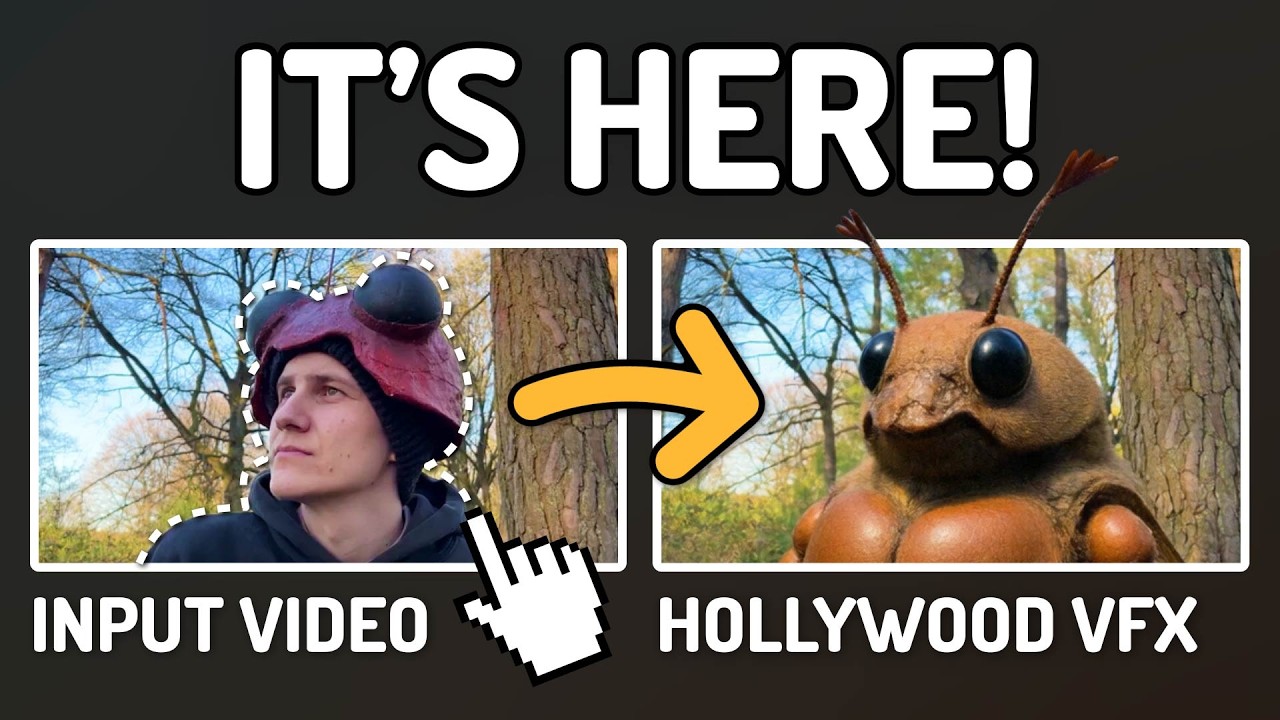
AI Documentary Creation: Generate B-Roll from Script Automatically
Transform documentary production with AI-powered B-roll generation. From script to finished film with Runway Gen-4, Google Veo 3, and automated...
AI Making Movies in 2026: The Current State and What's Actually Possible
Realistic assessment of AI filmmaking in 2026. What's working, what's hype, and how creators are actually using AI tools for video production today.