SeedVarianceEnhancer: Fix Z-Image Turbo's Boring Output Problem
Z-Image Turbo outputs look too similar? SeedVarianceEnhancer adds controlled chaos to text embeddings for dramatically more diverse generations.
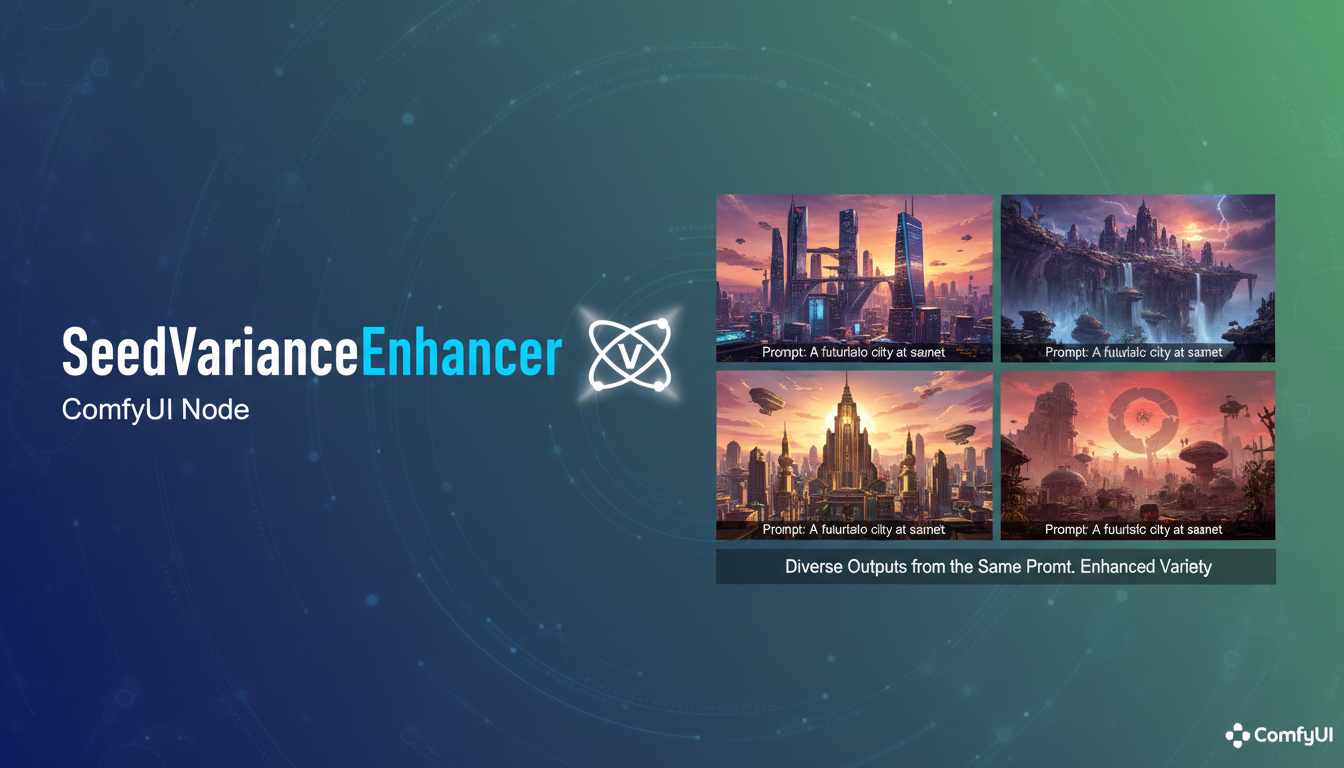
Z-Image Turbo is fast and capable. But there's a frustrating quirk: different seeds produce surprisingly similar images. You generate 10 variations expecting variety, and they all look like minor tweaks of each other. Same poses, same compositions, same "vibe."
SeedVarianceEnhancer is a targeted fix for this exact problem.
Quick Answer: SeedVarianceEnhancer is a ComfyUI node that injects controlled noise into text embeddings, creating meaningful diversity between generations without changing your prompts. Place it between your CLIP text encode and sampler for dramatically more varied outputs from the same prompt.
- Specifically designed to address Z-Image Turbo's low seed variance
- Works by adding noise to text embeddings during early generation steps
- Trades some prompt adherence for significantly more diversity
- Includes embedding masking to protect important prompt elements
- Strength 15-30 is a good starting range for experimentation
Why Z-Image Turbo Has Low Diversity
First, understand the problem. Z-Image Turbo was optimized for speed and quality consistency. Those optimizations have a side effect: the model converges to similar solutions regardless of seed.
Change the seed in SDXL or Flux, and you get meaningfully different compositions. Change the seed in Z-Image Turbo, and you often get the same image with minor variations in detail. Same pose, same layout, same interpretation.
This is fine if you want consistency. It's frustrating if you're exploring ideas or need variety in your outputs.
How SeedVarianceEnhancer Works
The solution is elegant. Instead of modifying the model or sampler, SeedVarianceEnhancer adds controlled randomness to the text embedding.
The mechanism:
- Your prompt gets encoded to an embedding vector
- SeedVarianceEnhancer adds calibrated noise to that embedding
- The noisy embedding goes to the sampler
- The sampler interprets a slightly different prompt each time
- Different interpretations produce different images
It's essentially making your prompt "fuzzy" in a controlled way. The model still understands what you want, but the specifics become variable.
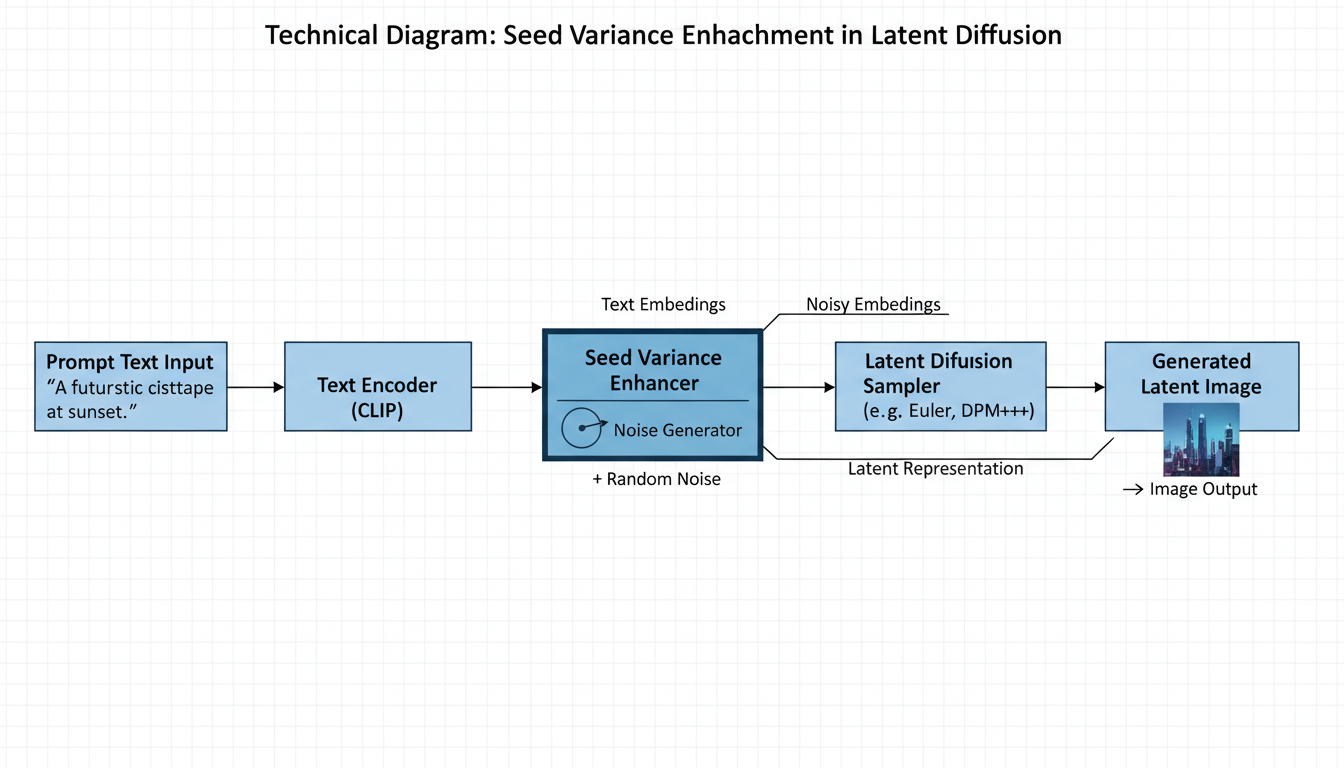 SeedVarianceEnhancer sits between your prompt encoding and the sampler
Installation
Simple installation process:
cd ComfyUI/custom_nodes
git clone https://github.com/ChangeTheConstants/SeedVarianceEnhancer
Restart ComfyUI. Find the node in the advanced/conditioning category.
Basic Usage
The workflow connection is straightforward:
- CLIP Text Encode → outputs conditioning
- SeedVarianceEnhancer → receives conditioning, outputs modified conditioning
- KSampler → receives modified conditioning
Connect SeedVarianceEnhancer between your positive prompt encoder and the sampler. Negative prompts can pass through unchanged or also be processed (your choice).
Key Parameters
Strength
The primary control. Higher values = more diversity but less prompt adherence.
Recommendations:
- 15-20: Subtle variation, good prompt adherence
- 20-30: Noticeable diversity, still recognizable prompt
- 30+: Significant diversity, prompt becomes more of a suggestion
Start at 20 and adjust based on your needs.
Mask Settings
SeedVarianceEnhancer can protect parts of your embedding from noise.
mask_length: How many embedding tokens to protect mask_starts_at: Whether protection starts from beginning or end of embedding
This lets you keep certain prompt elements stable while varying others. For example, protect the subject description while varying the style.
Seed
The node has its own seed control. Different seeds produce different noise patterns, creating different variations even with the same strength settings.
The Tradeoff
Let me be direct: SeedVarianceEnhancer trades prompt adherence for diversity.
You gain:
- Meaningfully different compositions from same prompt
- More variety in poses, layouts, and interpretations
- Better exploration of concept space
You lose:
- Some outputs will ignore parts of your prompt
- Less predictability
- Some generations will be failures
This is a feature, not a bug. If you want exact prompt adherence, don't use this node. If you want variety and are willing to cherry-pick from more diverse outputs, it's valuable.
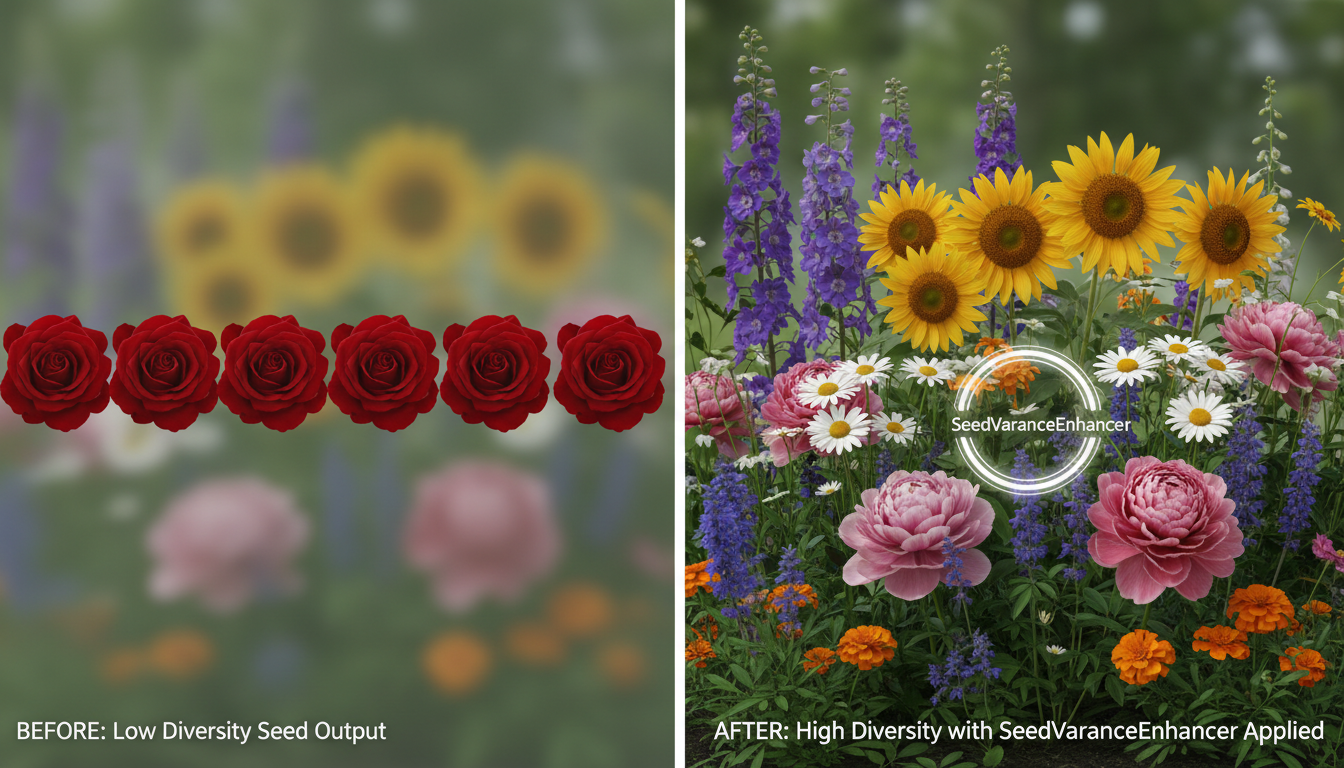 Left: Low diversity without SeedVarianceEnhancer. Right: High diversity with the node enabled.
Best Practices
Use Detailed Prompts
Counterintuitively, longer prompts work better with SeedVarianceEnhancer. More embedding values means more surface area for the noise to affect. Short prompts have fewer values to modify, limiting diversity potential.
Instead of:
cyberpunk woman
Try:
cyberpunk woman with neon tattoos, standing in rain-soaked alley,
holographic advertisements in background, wearing leather jacket
with glowing tech panels, cinematic lighting, dark atmosphere
More detail gives SeedVarianceEnhancer more to work with.
Generate in Batches
Since some outputs will be failures, generate more images than you need. If you want 4 good images, generate 8-12 and pick the best ones.
Adjust Per Prompt
No universal settings work for every prompt. Some prompts need higher strength, others lower. Experiment with each new concept.
Combine with Other Variation Techniques
SeedVarianceEnhancer stacks with other variation methods:
- Different samplers
- Slight CFG variations
- Denoise adjustments in img2img
When Not to Use
Skip SeedVarianceEnhancer when:
- You need exact prompt adherence
- Generating production assets that must match a spec
- Running automated pipelines requiring consistency
- The prompt already produces sufficient variety
The node creator explicitly notes: "It should not be used unless needed."
Comparison to Alternative Approaches
Random prompt word swapping: More control but requires prompt engineering CFG variation: Changes quality characteristics, not just composition Sampler changes: Different aesthetic, not necessarily more diversity SeedVarianceEnhancer: Targeted diversity without prompt changes
For Z-Image Turbo specifically, SeedVarianceEnhancer addresses the root cause more directly than workarounds.
Troubleshooting
Outputs are too random/don't match prompt Lower the strength. Start at 15 and increase gradually.
Not seeing enough difference Increase strength. Also try longer, more detailed prompts.
Certain elements keep disappearing Use masking to protect those elements. Adjust mask_length to cover the important tokens.
Results inconsistent between runs This is expected. The node adds randomness. For reproducibility, lock both the sampler seed and SeedVarianceEnhancer seed.
Integration with Z-Image Workflows
If you're using the Z-Image Turbo complete guide workflows, SeedVarianceEnhancer slots in easily:
- Keep your existing Z-Image workflow
- Add SeedVarianceEnhancer after CLIP Text Encode
- Connect to your existing KSampler
- Start with strength 20
No other workflow changes needed. The node is additive, not disruptive.
For troubleshooting other Z-Image issues, SeedVarianceEnhancer is not the fix. It solves diversity problems, not quality or loading issues.
The Creator's Perspective
From the SeedVarianceEnhancer README:
"I was frustrated by the low diversity of its outputs, so I created SeedVarianceEnhancer as a hack to add a bit of chaos into the generation process."
This is an honest description. It's a hack. A useful, targeted hack that addresses a real limitation of Z-Image Turbo. Not a comprehensive solution, but an effective tool for a specific problem.
FAQ
Does SeedVarianceEnhancer work with other models? Yes, but it was designed for Z-Image Turbo. Other models may already have sufficient diversity, making it unnecessary.
Can I use it on both positive and negative prompts? You can. Typically applying to positive prompt only is sufficient.
Is there a performance cost? Minimal. The node adds noise to embeddings, which is a lightweight operation.
How does this compare to guidance scale variation? Different effects. Guidance scale affects how strongly the model follows the prompt. SeedVarianceEnhancer changes what prompt the model "hears."
Should I use fixed or random seeds with SeedVarianceEnhancer? Either works. Random seeds give maximum diversity. Fixed SeedVarianceEnhancer seed with varying sampler seeds gives controlled diversity.
Why not just train Z-Image with more diversity? Good question. That would be the proper fix. SeedVarianceEnhancer is a practical solution available now while the model is what it is.
Conclusion
SeedVarianceEnhancer is a targeted tool for a specific problem. If Z-Image Turbo's low diversity frustrates you, this node helps. If you're happy with Z-Image's consistency, you don't need it.
The key is understanding the tradeoff: diversity for prompt adherence. Once you accept that, SeedVarianceEnhancer becomes a valuable part of exploration workflows where variety matters more than exact specification.
For cloud-based image generation where local node installation isn't an option, Apatero.com provides diverse output generation without requiring custom node setup.
Add chaos responsibly.
Some models you cannot download at any VRAM
Veo, Kling and Nano Banana have closed weights. There is no local build, no quantization, no 24GB workaround. Run them in the browser instead. Check current model access and generation costs in the app.
Related Articles

25 ComfyUI Workflow Tips: Settings and Review
Explore ComfyUI workflow organization, settings and output review, with a blank worksheet for comparing performance on your own setup.
7 ComfyUI Custom Nodes That Should Be Built-In (And How to Get Them)
Essential ComfyUI custom nodes every user needs in 2025. Complete installation guide for WAS Node Suite, Impact Pack, IPAdapter Plus, and more...
ADetailer Single Character Focus - How to Target Specific Faces in Multi-Character Images 2025
Master ADetailer and FaceDetailer to focus on single characters in multi-person images. Complete guide to targeting specific faces with different prompts in ComfyUI.