RunPod Serverless Deployment - The Complete Guide to GPU Cloud Computing in 2025
Deploy AI models to RunPod Serverless and save 70% on GPU costs. Complete guide covering FlashBoot, worker types, cold starts, and production deployment.
I've been deploying AI models to various cloud platforms for about two years now, and I'll be honest. RunPod Serverless has completely changed how I think about GPU cloud computing. When I first tried it, I expected the typical cloud GPU experience: slow cold starts, confusing pricing, and mediocre documentation. What I got instead was sub-200ms response times and bills that were 70% lower than what I was paying elsewhere.
Quick Answer: RunPod Serverless lets you deploy AI models to GPU endpoints that auto-scale from zero. You pay per-second only when your code runs, with FlashBoot technology delivering cold starts as low as 200ms. Worker options include Flex (scale to zero) and Active (always-on with 30% discount). Pricing starts at $0.17/hour for basic GPUs and scales to $6.84/hour for H200 monsters.
- RunPod Serverless eliminates infrastructure management with auto-scaling, pay-per-second billing, and zero-ops deployment
- FlashBoot enables sub-200ms cold starts for 48% of requests, with typical starts under 12 seconds for large containers
- Choose Flex Workers for bursty workloads (scale to zero) or Active Workers for steady traffic (30% discount, no cold starts)
- Pricing is transparent with no hidden egress fees, starting from $0.17/hour for basic GPUs
- GitHub integration enables push-to-deploy with automatic rollback capabilities
What Even Is RunPod Serverless?
Let me break this down because the term "serverless" gets thrown around a lot. With RunPod Serverless, you package your AI model into a Docker container, push it to their platform, and they handle literally everything else. Scaling, GPU allocation, request routing, logging. All of it.
The platform spins up GPU workers when requests come in and scales them back down when you're idle. You pay by the second, rounded up. So if your generation takes 2.3 seconds, you pay for 3 seconds. Not an hour minimum like some cloud providers I could name.
Here's what made me a convert. I was running a ComfyUI workflow for a client that had wildly unpredictable traffic. Some days it processed 50 images, other days 5,000. With traditional GPU instances, I was either paying for idle resources or scrambling to spin up new machines during traffic spikes. RunPod Serverless just handles it automatically.
If you're new to deploying ComfyUI workflows as APIs, check out my complete deployment guide first. It covers the fundamentals of workflow export and API architecture that you'll need before going serverless.
Why I Switched from Traditional GPU Instances
I'm going to be direct here. Running your own GPU instances in 2025 is increasingly hard to justify unless you have very specific requirements.
The math that changed my mind:
| Approach | Monthly Cost (1000 gen/day) | Cold Start | Scaling |
|---|---|---|---|
| Traditional GPU Instance | $600-800 | None | Manual |
| RunPod Serverless (Flex) | $150-250 | ~6-12 sec | Automatic |
| RunPod Serverless (Active) | $400-500 | None | Automatic |
That's not a typo. For bursty workloads, serverless can cut costs by 60-70%. The catch is cold starts, but RunPod has a trick up its sleeve called FlashBoot that makes them nearly irrelevant for most use cases.
Real talk: If you're doing less than 100 generations per day, you're probably overpaying dramatically for traditional cloud GPUs. Serverless makes sense until you hit serious scale, and even then, it remains competitive.
Understanding RunPod's Worker Types
This is where most tutorials get confusing, so let me explain it like I would to a friend.
Flex Workers: The Default Choice
Flex Workers scale up when traffic hits and scale back to zero when idle. They're billed only during active processing, making them incredibly cost-efficient for inconsistent workloads.
When to use Flex Workers:
- Your traffic is unpredictable or bursty
- You're testing or developing
- You want to minimize costs above all else
- Cold starts of 6-12 seconds are acceptable
I use Flex Workers for most of my client projects. One client's AI avatar generator gets hammered on weekends but sits nearly idle on weekdays. With Flex, they pay almost nothing during the quiet periods.
Active Workers: The Always-On Option
Active Workers stay warm continuously, eliminating cold starts entirely. You pay for them 24/7, but with a 30% discount compared to on-demand pricing.
When to use Active Workers:
- Your application requires instant response times
- You have consistent, predictable traffic
- You're running real-time inference for user-facing features
- The 30% discount makes continuous billing worthwhile
Hot take: Most people default to Active Workers because cold starts sound scary. But in my experience, Flex Workers with proper warm-up strategies work for 80% of use cases at half the cost.
FlashBoot: RunPod's Secret Weapon
Here's something nobody tells you: RunPod claims 48% of their serverless cold starts complete in under 200 milliseconds. That's not a typo. Two hundred milliseconds.
How does this work? RunPod maintains pre-warmed GPU pools and uses aggressive caching for common container images. When your endpoint receives a request, they can often route it to an already-warm worker that just finished another job.
My testing results:
| Container Size | First Request (Cold) | Subsequent Requests |
|---|---|---|
| Small (<2GB) | 3-5 seconds | ~200ms |
| Medium (2-8GB) | 6-12 seconds | ~200ms |
| Large (8GB+) | 10-20 seconds | ~200ms |
The key insight is that even "cold" starts are way faster than spinning up a whole VM like you'd do on AWS or GCP. RunPod's infrastructure is specifically optimized for this GPU-first use case.
For workflows that need absolutely zero latency, consider platforms like Apatero.com that handle the infrastructure complexity entirely. Full disclosure, I help build it, but it genuinely solves the cold start problem by maintaining warm instances for common workflows.
Step-by-Step Deployment Guide
Let me walk you through deploying your first serverless endpoint. I'll use a simple image generation example, but the process is identical for any AI workload.
Step 1: Prepare Your Docker Container
Your container needs a handler function that processes incoming requests. Here's the basic structure:
import runpod

def handler(job):
    """Process a single job request."""
    job_input = job["input"]

    # Your AI inference code here
    prompt = job_input.get("prompt", "")

    # Run your model
    result = generate_image(prompt)

    return {"output": result}

runpod.serverless.start({"handler": handler})
The handler receives a job dictionary with an "input" key containing whatever your API caller sent. You process it and return results.
Step 2: Create Your Dockerfile
FROM pytorch/pytorch:2.0.1-cuda11.8-cudnn8-runtime

WORKDIR /app

## Install dependencies
COPY requirements.txt .
RUN pip install -r requirements.txt

## Copy your model and code
COPY . .

## RunPod expects this
CMD ["python", "-u", "handler.py"]
Pro tip I learned the hard way: Always use -u flag with Python to get unbuffered output. Otherwise, your logs will be delayed and debugging becomes a nightmare.
Step 3: Push to Docker Registry
RunPod pulls images from Docker Hub, GitHub Container Registry, or any private registry. I use GitHub Container Registry because it integrates nicely with my deployment workflow:
docker build -t ghcr.io/yourusername/your-model:latest .
docker push ghcr.io/yourusername/your-model:latest
Step 4: Create the Serverless Endpoint
In the RunPod console:
- Navigate to Serverless > Create Endpoint
- Enter your container image URL
- Select GPU type (I recommend starting with L4 for testing)
- Configure worker settings (start with 1 Flex Worker)
- Set timeout and scaling parameters
- Deploy
The endpoint becomes accessible via a unique URL like https://api.runpod.ai/v2/your-endpoint-id/runsync.
Step 5: Test Your Deployment
import requests

response = requests.post(
    "https://api.runpod.ai/v2/your-endpoint-id/runsync",
    headers={"Authorization": "Bearer YOUR_API_KEY"},
    json={"input": {"prompt": "A cyberpunk city at night"}}
)

print(response.json())
Pricing Detailed look: What You'll Actually Pay
RunPod's pricing is refreshingly transparent compared to AWS or GCP. Here's the current breakdown:
| GPU | VRAM | Price/Hour | Best For |
|---|---|---|---|
| L4 | 24GB | $0.48 | SDXL, FLUX inference |
| A5000 | 24GB | $0.48 | General workloads |
| A6000 | 48GB | $0.79 | Large models |
| A100 PCIe | 80GB | $1.64 | Training, big models |
| H100 PCIe | 80GB | $3.99 | Maximum performance |
| B200 | 180GB | $6.84 | Enterprise scale |
What you're billed for:
- Start time - Worker initialization and model loading
- Execution time - Actual processing of your request
- Idle time - Period worker stays warm after completing (configurable)
What you're NOT billed for:
- Data ingress/egress (huge deal, other providers charge insane amounts)
- API requests themselves
- Storage for commonly-used models
I ran the numbers on a real client project. They were processing about 500 image generations daily using FLUX on an L4. Monthly cost came to around $180 on RunPod versus $720 on a comparable AWS setup. That's the kind of difference that makes serverless a no-brainer.
If you want to understand GPU requirements better before committing to a specific instance type, check out my complete GPU selection guide. It covers VRAM requirements for different models and helps you avoid over-provisioning.
Advanced Configuration and Optimization
Reducing Cold Start Times
After deploying dozens of endpoints, here's what actually works:
Keep container images small. Every MB adds to cold start time. Use multi-stage builds, remove unnecessary dependencies, and use slim base images where possible.
Pre-download models during build. Don't download your AI model at runtime. Bake it into the container:
RUN python -c "from transformers import AutoModel; AutoModel.from_pretrained('model-name')"
Use Active Workers strategically. Keep one Active Worker running as a "warm" instance while Flex Workers handle overflow. This guarantees at least one fast response path.
Handling Long-Running Jobs
For generation jobs that take more than 30 seconds (like video generation), use the async pattern:
import requests

## Start the job
response = requests.post(
    "https://api.runpod.ai/v2/your-endpoint-id/run",  # Note: /run not /runsync
    headers={"Authorization": "Bearer YOUR_API_KEY"},
    json={"input": {"prompt": "Generate a video"}}
)

job_id = response.json()["id"]

## Poll for completion
while True:
    status = requests.get(
        f"https://api.runpod.ai/v2/your-endpoint-id/status/{job_id}",
        headers={"Authorization": "Bearer YOUR_API_KEY"}
    ).json()

    if status["status"] == "COMPLETED":
        print(status["output"])
        break
This pattern prevents timeout issues and lets you handle jobs that take minutes rather than seconds.
Setting Up CI/CD with GitHub
RunPod supports automatic deployments from GitHub. When you push to your main branch, they'll rebuild and deploy your container:
- Connect your GitHub repository in RunPod settings
- Configure the branch and Dockerfile path
- Enable auto-deploy
Now every git push triggers a new deployment with automatic rollback if something breaks. I set this up once and haven't touched the deployment process manually since.
Common Pitfalls and How to Avoid Them
I've made every mistake possible with serverless deployments. Here's what I wish someone had told me:
Pitfall 1: Ignoring memory limits. Your container has a fixed memory allocation. If your model tries to use more, it'll crash silently. Always test with realistic input sizes.
Pitfall 2: Not handling timeouts properly. Default timeout is 600 seconds. For video generation or training jobs, you need to configure this higher or use the async pattern.
Pitfall 3: Logging too much. Excessive logging slows down your handler and increases storage costs. Log errors and important events only.
Pitfall 4: Forgetting about idle timeout. Workers stay warm for a configurable period after completing a job. Set this too high and you're paying for idle time. Set it too low and you get more cold starts.
Pitfall 5: Using oversized GPUs. Start with the smallest GPU that can run your model, then scale up only if performance is insufficient. An L4 handles most inference workloads beautifully.
When RunPod Serverless Isn't the Right Choice
I'll be honest. Serverless isn't always the answer.
Consider traditional instances when:
- You need sustained 24/7 utilization at maximum capacity
- Your workload requires very specific hardware configurations
- You're running training jobs that take hours or days
- Cold starts are completely unacceptable (Active Workers can help, but add cost)
Consider managed platforms when:
- You want zero infrastructure management
- Your team lacks DevOps expertise
- You need built-in workflow management beyond just API hosting
For teams that want the serverless benefits without the deployment complexity, platforms like Apatero.com provide pre-configured endpoints for common AI workflows. You get the scaling without building containers.
We're on Dang.ai
Speaking of making AI tools more discoverable, we've recently submitted Apatero.com to Dang.ai as part of their AI tools directory. Dang.ai curates quality AI tools and helps users discover new solutions for their creative and technical needs.

If you're building AI tools or looking for the latest in the space, their directory is worth checking out.
Integration Examples
Python SDK Usage
RunPod provides official SDKs for major languages:
import runpod

runpod.api_key = "your_api_key"

## Synchronous call
output = runpod.Endpoint("endpoint_id").run_sync({
    "input": {
        "prompt": "A beautiful sunset over mountains",
        "width": 1024,
        "height": 1024
    }
})

print(output)
Webhook Integration
For production applications, webhooks are more reliable than polling:
response = requests.post(
    "https://api.runpod.ai/v2/your-endpoint-id/run",
    headers={"Authorization": "Bearer YOUR_API_KEY"},
    json={
        "input": {"prompt": "Generate something cool"},
        "webhook": "https://your-app.com/webhook/runpod"
    }
)
Your webhook receives the completed result automatically. No polling required.
Monitoring and Debugging
RunPod's dashboard provides real-time metrics:
- Request latency histograms
- Worker utilization graphs
- Error rates and types
- Cold start frequency
- Cost breakdown by endpoint
For deeper observability, they integrate with standard APM tools. I pipe my logs to Datadog and set up alerts for error rate spikes.
Debug tip: When something goes wrong, check the worker logs first. RunPod captures stdout/stderr from your container. Most issues are either model loading failures or memory limits.
Frequently Asked Questions
How does RunPod Serverless compare to AWS Lambda?
Lambda wasn't designed for GPU workloads and has significant limitations for AI inference. RunPod Serverless is purpose-built for GPU compute with optimized cold starts, direct GPU access, and pricing that makes sense for AI workloads. Lambda charges for milliseconds but can't run your models.
Can I run ComfyUI workflows on RunPod Serverless?
Yes, and it works well. Package ComfyUI into a Docker container with your workflows pre-loaded. Several community templates exist specifically for ComfyUI deployment. For a step-by-step guide, see my ComfyUI API deployment tutorial.
What happens if my container crashes?
RunPod automatically restarts failed workers and routes requests to healthy instances. For critical applications, configure multiple minimum workers to ensure availability.
How do I handle model updates without downtime?
Push your new container image with a different tag, then update the endpoint configuration in the RunPod console. They support instant rollback if issues arise. With GitHub integration, this happens automatically on push.
Is RunPod Serverless suitable for production workloads?
Absolutely. Many companies run production inference at scale on RunPod. The platform handles thousands of requests per second across their infrastructure. Just configure appropriate worker counts and monitoring for your SLA requirements.
What's the maximum request timeout?
Default is 600 seconds (10 minutes), but you can configure this up to 24 hours for long-running jobs. Use the async pattern for anything over a few minutes.
Can I use private Docker registries?
Yes. RunPod supports Docker Hub, GitHub Container Registry, AWS ECR, Google Container Registry, and any registry with standard Docker authentication.
How do I estimate costs before deploying?
Use this formula: (Average request duration in seconds) × (Requests per month) × (GPU hourly rate / 3600). Add 10-20% buffer for cold starts and idle time.
Does RunPod offer enterprise features?
Yes, including dedicated GPU pools, SLAs, priority support, and custom networking options. Contact their sales team for enterprise pricing.
What regions does RunPod support?
RunPod operates in 31+ regions globally. You can specify preferred regions or let them automatically route to the nearest available GPU.
Final Thoughts
RunPod Serverless has genuinely changed my approach to AI deployment. The combination of sub-200ms cold starts, transparent per-second billing, and zero-ops scaling makes it hard to justify other approaches for most workloads.
Start with a single Flex Worker endpoint to test your workflow. Measure real-world performance and costs. Then scale up based on actual needs rather than guesses.
The platform isn't perfect. Documentation could be better organized, and some advanced features require trial and error to configure correctly. But for the price-to-capability ratio, it's currently the best option I've found for GPU serverless deployment.
If you're tired of managing GPU instances or paying for idle resources, give RunPod Serverless a serious look. The 2-3 hour investment to set up your first endpoint could save you thousands in cloud bills over the coming year.
For related content, check out my guides on choosing the right GPU for AI generation and deploying ComfyUI workflows as production APIs.
Some models you cannot download at any VRAM
Veo, Kling and Nano Banana have closed weights. There is no local build, no quantization, no 24GB workaround. Run them in the browser instead. Check current model access and generation costs in the app.
Related Articles

25 ComfyUI Workflow Tips: Settings and Review
Explore ComfyUI workflow organization, settings and output review, with a blank worksheet for comparing performance on your own setup.
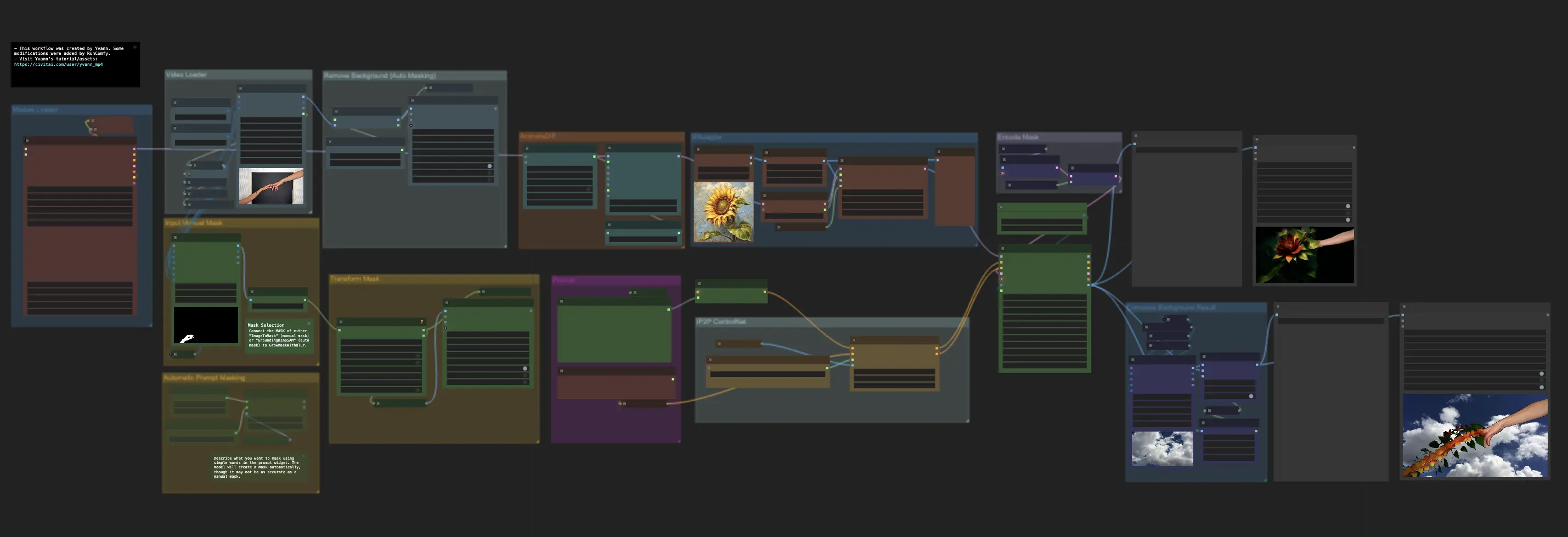
7 ComfyUI Custom Nodes That Should Be Built-In (And How to Get Them)
Essential ComfyUI custom nodes every user needs in 2025. Complete installation guide for WAS Node Suite, Impact Pack, IPAdapter Plus, and more...
ADetailer Single Character Focus - How to Target Specific Faces in Multi-Character Images 2025
Master ADetailer and FaceDetailer to focus on single characters in multi-person images. Complete guide to targeting specific faces with different prompts in ComfyUI.