PixVerse V5 Review: Best AI Video Generator for 2025?
Comprehensive PixVerse V5 review covering features, quality, pricing, and comparisons. See how this AI video generator stacks up against competitors.
You're staring at a blank canvas. Not a literal one, but the kind that demands movement, emotion, and story. You need video content, but hiring a production team costs thousands, and learning traditional video editing takes months.
What if AI could turn your ideas into 4K video with a single prompt? PixVerse V5 promises exactly that. With over 100 million users and features like lip sync, camera controls, and the new Agent system launched in August 2025, this platform has become one of the most talked-about AI video generators on the market.
Quick Answer: PixVerse V5 is a powerful AI video generator that converts text and images into 4K videos at 30fps using enhanced diffusion models with transformer architectures. It ranks 2nd in image-to-video and 3rd in text-to-video performance on Artificial Analysis, offering features like lip sync, camera movement controls, and multi-image fusion. While platforms like Apatero.com provide instant access to similar capabilities without complex setup, PixVerse V5 delivers professional results for creators who want control and customization.
- PixVerse V5 supports 4K resolution at 30fps, a significant upgrade from V2's 1080p output
- New Agent feature automates complex video workflows launched August 2025
- Ranks 2nd for image-to-video and 3rd for text-to-video on independent benchmarks
- Free tier available with paid plans starting at competitive rates
- Camera controls, lip sync, and fusion features rival premium competitors
What Makes PixVerse V5 Different from Other AI Video Generators?
The AI video generation landscape changed dramatically in 2025. PixVerse V5 entered a crowded market dominated by Runway, Kling, and Pika, but it brought something different to the table.
Most AI video platforms fall into two camps. You have the expensive, feature-rich options that require subscriptions starting at $100 monthly. Then you have the free tools that produce inconsistent, low-resolution output that looks obviously AI-generated.
PixVerse V5 bridges this gap. The platform combines enterprise-level features with accessible pricing and a generous free tier. This positioning helped it accumulate over 100 million users and earn a spot on a16z's Top 50 Gen AI Consumer Apps at number 25.
The Technology Behind PixVerse V5
PixVerse V5 runs on enhanced diffusion models augmented with transformer architectures. This hybrid approach delivers better temporal consistency than pure diffusion models while maintaining the creative flexibility that made earlier versions popular.
The technical improvements are most visible in motion quality. Earlier AI video generators struggled with smooth movement, often producing jittery camera pans or unnatural subject motion. PixVerse V5's temporal attention mechanisms track motion across frames, resulting in fluid animation that holds up at 4K resolution.
The platform's architecture also enables the new Agent feature. Rather than generating single clips, Agent analyzes your prompt and breaks complex scenes into multiple shots, automatically handling transitions and maintaining consistent characters across cuts.
How Does PixVerse V5 Handle Different Video Generation Tasks?
PixVerse V5 offers four primary generation modes, each optimized for specific use cases. Understanding when to use each mode determines whether you get decent results or genuinely impressive output.
Text to Video Generation
Type a prompt, wait 2-3 minutes, get a video. The text-to-video mode transforms written descriptions into video clips up to 10 seconds long.
The system performs best with detailed, specific prompts. Generic descriptions like "a cat playing" produce generic results. Detailed prompts like "a fluffy orange tabby cat batting at a red yarn ball on a wooden floor, sunlight streaming through nearby window" generate videos with proper lighting, texture, and motion.
PixVerse V5 ranks 3rd on Artificial Analysis's text-to-video benchmark, behind Runway Gen-3 and Kling 1.6. The gap shows primarily in complex physics simulations. Request water splashing or fabric draping, and you'll notice occasional inconsistencies that top-tier models handle better.
For typical content creation like marketing videos, social media clips, or concept visualization, PixVerse V5's text-to-video quality exceeds most creators' needs. The difference between 2nd and 3rd place matters more for technical showcases than practical applications.
Image to Video Transformation
Upload a still image, and PixVerse V5 animates it. This mode consistently produces better results than text-to-video because it starts with established composition, lighting, and subject matter.
The platform ranks 2nd in image-to-video performance on Artificial Analysis, trailing only Runway Gen-3. This ranking reflects real-world usability. PixVerse V5 handles challenging source images like low-light photos, unusual angles, and complex compositions with impressive reliability.
Camera movement controls added in June 2025 elevate this mode from "neat trick" to "professional tool." You can specify zoom, pan, tilt, or complex camera movements like dolly shots. The system maintains subject integrity while adding cinematic motion that would require expensive equipment in traditional filming.
Platforms like Apatero.com offer similar image-to-video capabilities with simplified interfaces designed for rapid iteration. If you're testing multiple variations or need quick turnaround, the simplified workflow often produces results faster than configuring PixVerse's extensive options.
Video Extension and Fusion
Video extension lets you extend existing clips beyond their original duration. Feed PixVerse V5 a 5-second clip, and it generates additional seconds that maintain style, motion, and composition.
This feature solves a persistent problem in AI video generation. Most platforms max out at 5-10 second clips. Creating longer content traditionally meant generating multiple clips and manually editing transitions. PixVerse V5's extension feature maintains continuity across the extended duration, though quality degrades slightly after 15-20 seconds of total length.
The Fusion feature combines up to three images into a single coherent video. This enables creative scenarios like placing a specific character in a particular environment or merging multiple reference images into one output. Fusion works best when your source images share similar lighting and style. Mixing drastically different image styles produces inconsistent results.
The New Agent Feature
PixVerse V5's Agent system launched in August 2025 and represents the platform's biggest innovation. Rather than generating single clips, Agent creates multi-shot sequences from a single prompt.
Here's how it works. You provide a scenario like "a product reveal video for wireless headphones." Agent breaks this into multiple shots, selecting appropriate angles, transitions, and pacing. The system generates each shot separately but maintains consistent lighting, color grading, and subject appearance across the sequence.
Agent isn't perfect. It occasionally makes questionable creative choices, like awkward transitions or odd shot ordering. But for creators who understand video language, Agent provides a foundation that's faster to refine than building from scratch.
This automated workflow approach aligns with how Apatero.com structures its video generation tools, prioritizing complete sequences over isolated clips. The difference is execution. Agent requires more manual refinement while Apatero's system optimizes for one-click usability.
What Quality Can You Actually Expect from PixVerse V5?
Benchmark rankings tell part of the story. Real-world quality assessment requires understanding where PixVerse V5 excels and where it struggles.
Resolution and Frame Rate
PixVerse V5 outputs video at 4K resolution and 30fps. This represents a significant jump from V2's 1080p output and matches or exceeds most competitors in the accessible price range.
The resolution upgrade matters for professional use cases. 4K provides flexibility for cropping, digital zooming, and downscaling to different formats without visible quality loss. 30fps delivers smooth motion appropriate for most content types, though 60fps would benefit fast-action scenes.
One caveat about the 4K output. PixVerse V5 generates natively at 4K, but that doesn't guarantee sharp detail in every frame. The AI sometimes produces soft or slightly blurry results, particularly in complex scenes with multiple subjects or intricate textures. The resolution is technically 4K, but perceived sharpness varies by content complexity.
Motion Quality and Temporal Consistency
Smooth, believable motion separates professional AI video from amateur output. PixVerse V5 performs well in this category, particularly for camera movement and simple subject motion.
The platform handles camera movements like pans, tilts, and zooms with impressive smoothness. Subject motion quality depends on complexity. Walking, simple gestures, and object movement typically look natural. Complex actions like dancing, sports, or intricate hand movements sometimes produce artifacts or unnatural poses.
Temporal consistency has improved significantly from earlier versions. Subjects maintain their appearance across frames, backgrounds remain stable, and lighting stays consistent. You'll occasionally see minor warping or morphing, especially around edges or in areas with fine detail, but these issues are less common than in competing platforms at similar price points.
Realism and Artistic Quality
PixVerse V5 produces videos that look AI-generated when examined closely, but achieve sufficient realism for many commercial applications. The key is managing expectations and choosing appropriate use cases.
The platform excels at stylized content, product visualization, and abstract concepts. Request "cinematic reveal of new smartphone on glossy surface with dramatic lighting," and you'll get polished results suitable for marketing materials. Request "photorealistic footage of person walking down street," and you'll see tell-tale AI artifacts in facial features, gait, and background details.
Stylized outputs often surpass realistic attempts in overall quality. PixVerse V5's models handle artistic rendering, animation-style content, and creative effects better than photorealistic humans or complex real-world scenes.
Consider your audience and distribution channel. Video content for social media thumbnails, website backgrounds, or concept presentations tolerates more obvious AI generation than content intended to appear as traditionally filmed footage.
How Do Camera Controls and Lip Sync Actually Work?
PixVerse V5's advanced features separate it from basic AI video generators, but they require understanding and experimentation to use effectively.
Camera Movement Controls
The camera control system added in June 2025 lets you specify exactly how the virtual camera moves through your scene. You can program complex movements like "slow zoom in while panning right" or "circular dolly around subject."
Controls include zoom levels, pan direction and speed, tilt angles, and roll for dramatic effects. You can also combine movements for cinematic shots that would require expensive equipment in traditional production.
The system works best with clear, specific instructions. Vague camera movement requests produce inconsistent results. Precise specifications like "slow zoom in from wide shot to close-up over 8 seconds while maintaining center framing" give the AI clear parameters to follow.
Camera controls shine in image-to-video mode. Starting with a fixed composition and adding deliberate camera movement produces polished results that feel intentionally directed rather than randomly animated.
Lip Sync Integration
PixVerse V5 added lip sync support in July 2025, addressing one of AI video generation's persistent challenges. The feature synchronizes character mouth movements with audio input, either from uploaded audio files or generated speech.
The technology works through a two-step process. First, the system analyzes your audio track to identify phonemes and timing. Then it generates or modifies facial animation to match the detected speech patterns.
Results quality depends heavily on source material. Close-up shots with clearly visible faces produce better sync than wide shots or angled views. The system struggles with extreme facial angles, low-light conditions, or faces that occupy small portions of the frame.
Lip sync works best for stylized characters or animated content rather than photorealistic humans. The AI's facial animation capabilities exceed its photorealistic rendering, creating an uncanny valley effect where mouth movements look correct but facial details seem artificial.
Sound and Speech Integration
Beyond lip sync, PixVerse V5 offers Sound & Speech features for adding music and voiceovers. You can upload your own audio or use the platform's text-to-speech system to generate narration.
The audio integration system automatically adjusts video pacing to match audio cues when requested. Provide music with distinct beats or changes, and you can instruct the system to time visual transitions with audio events.
This feature simplifys workflow considerably. Traditional video production requires separate audio editing and careful synchronization. PixVerse V5 handles basic audio-visual coordination automatically, though you'll still want dedicated audio tools for professional-level mixing and effects.
How Does PixVerse V5 Compare to Runway, Kling, and Pika?
The AI video generation market has four major players competing for the top spot. Each platform has distinct strengths, weaknesses, and ideal use cases.
PixVerse V5 vs Runway Gen-3
Runway Gen-3 currently leads most independent benchmarks for both text-to-video and image-to-video quality. The platform produces consistently impressive results with superior motion quality, better temporal consistency, and more photorealistic output than PixVerse V5.
The quality advantage comes with cost. Runway's pricing starts at $12 per month for the standard plan, but serious usage quickly requires the $28 or $76 monthly tiers. Generation time is also slower, with complex prompts taking 4-6 minutes compared to PixVerse V5's 2-3 minutes.
PixVerse V5's advantage lies in accessibility and features. The free tier provides genuine value, and paid plans offer better price-to-performance for creators who don't need absolute top-tier quality. Features like Agent, Fusion, and camera controls match or exceed Runway's offerings.
Choose Runway if quality matters most and budget is flexible. Choose PixVerse V5 if you need strong results at accessible pricing with comprehensive feature sets.
PixVerse V5 vs Kling
Kling emerged as a serious competitor in 2025, particularly strong in motion quality and handling complex prompts. Kling 1.6 slightly edges PixVerse V5 in text-to-video benchmarks but trails in image-to-video performance.
Kling's standout feature is prompt interpretation. The system understands complex, detailed prompts better than most competitors, including nuanced instructions about lighting, composition, and motion. This makes it ideal for creators who want precise control over output.
PixVerse V5 counters with better overall feature integration. Camera controls, lip sync, and the Agent system provide capabilities Kling lacks. PixVerse V5 also processes videos slightly faster and offers a more intuitive interface for creators new to AI video generation.
Pricing is comparable between the platforms. Kling's credit system can be confusing, while PixVerse V5's tiered plans provide clearer value propositions.
Choose Kling for complex prompt interpretation and precise control. Choose PixVerse V5 for comprehensive features and easier learning curve.
PixVerse V5 vs Pika
Pika built its reputation on creative effects and artistic video generation. The platform excels at stylized content, unusual effects, and creative interpretations that prioritize aesthetic appeal over photorealism.
PixVerse V5 produces more consistent results with better technical quality. Pika occasionally generates stunning, unexpected outputs, but reliability varies. PixVerse V5 delivers predictable quality that makes it more suitable for commercial applications.
Pika's interface emphasizes experimentation and discovery. You can iterate quickly, trying multiple variations with different effects and styles. This creative-first approach appeals to artists and content creators who prioritize artistic exploration.
PixVerse V5 takes a more production-oriented approach. The interface facilitates efficient workflow for creators who know what they want and need reliable delivery.
Choose Pika for creative exploration and artistic projects. Choose PixVerse V5 for consistent, professional results with comprehensive control.
Where Does Apatero.com Fit?
While comparing dedicated AI video platforms, it's worth considering integrated solutions like Apatero.com. Rather than requiring you to learn multiple tools and manage separate accounts, Apatero provides unified access to video generation capabilities alongside other AI creative tools.
The advantage is workflow efficiency. Creating a complete project typically requires multiple tools for video generation, image creation, and editing. Managing separate subscriptions and learning curves for each tool adds friction. Integrated platforms eliminate context switching and streamline the creative process.
PixVerse V5 offers deeper customization for video-specific needs. Apatero prioritizes ease of use and complete workflows. Your choice depends on whether you need specialized video features or prefer integrated creative environments.
What About PixVerse V5 Pricing and Plans?
PixVerse V5's pricing structure balances accessibility with professional capabilities. Understanding the tiers helps you choose appropriate plans without overpaying for unused features.
Free Tier
PixVerse V5 offers a genuinely usable free tier, unlike many competitors that limit free users to near-useless features. Free accounts receive daily credits sufficient for generating 5-10 video clips depending on length and resolution.
Free tier limitations include watermarked outputs, lower priority in the generation queue, and restrictions on advanced features like Agent and extended video lengths. For testing the platform or occasional personal use, the free tier provides real value.
The watermark placement is reasonably subtle but visible. Professional use requires paid plans to remove branding.
Paid Plans
PixVerse V5's paid plans start at approximately $10 monthly for the basic tier, scaling up to $40-50 for professional plans. Exact pricing fluctuates based on promotions and region.
Basic paid plans remove watermarks, increase generation credits, and unlock faster processing. Mid-tier plans add priority queue access, longer video lengths, and advanced features like multi-image Fusion. Professional plans provide substantial credits, earliest access to new features, and commercial licensing.
The credit system can be confusing initially. Different generation modes consume different credit amounts. Text-to-video uses fewer credits than image-to-video with camera controls. The Agent feature consumes significantly more credits since it generates multiple clips.
Most serious creators find the mid-tier plan ($20-30 monthly) hits the sweet spot for price and capability. This tier provides enough credits for regular use while unlocking features that significantly improve output quality.
Commercial Licensing
Commercial use requires appropriate licensing regardless of plan tier. Free tier outputs cannot be used commercially even with watermarks removed via post-processing. Paid plans include commercial rights with some restrictions.
Review the specific terms before using generated content for client work or commercial projects. Some use cases like NFT creation or large-scale commercial campaigns may require enterprise licensing.
If pricing structure or licensing seems complicated, platforms like Apatero.com often simplify commercial usage rights with clear, inclusive licensing across all subscription tiers.
What Are the Best Use Cases for PixVerse V5?
PixVerse V5 excels in specific scenarios while struggling in others. Matching the tool to appropriate applications maximizes results and minimizes frustration.
Social Media Content Creation
PixVerse V5 shines for social media video content. The platform generates clips perfect for Instagram Reels, TikTok posts, YouTube Shorts, and other short-form video formats. Generation speed enables rapid iteration, and 4K output ensures content looks sharp on any device.
The Agent feature streamlines creating complete posts rather than isolated clips. Generate a 30-second product showcase, brand story, or tutorial with multiple shots from a single prompt, then refine individual sections as needed.
Social media tolerates and even embraces obvious AI generation. Audiences don't expect photorealistic quality for concept videos, product reveals, or stylized creative content. PixVerse V5's quality level matches or exceeds audience expectations in this context.
Product Visualization
Showcasing products through video traditionally requires photography equipment, staging, and editing skills. PixVerse V5 enables product visualization from simple images or text descriptions.
Upload a product photo, specify desired camera movements and environments, and generate professional-looking product videos suitable for e-commerce sites, advertisements, or presentations. The image-to-video mode with camera controls produces results that genuinely compete with traditional product videography for many applications.
Limitations appear with highly reflective products, transparent materials, or items with intricate details. The AI sometimes struggles with accurate representation of chrome, glass, or fine text. For standard products with clear forms and opaque materials, results consistently impress.
Concept Visualization and Storyboarding
Film production, advertising campaigns, and creative projects typically require expensive storyboarding and concept development. PixVerse V5 democratizes this process, enabling rapid visualization of ideas before committing to full production.
Generate quick concept videos to communicate vision to clients, team members, or stakeholders. The ability to iterate rapidly based on feedback accelerates the creative development process significantly.
For professional film production, PixVerse V5 outputs serve as animated storyboards. Directors and cinematographers can visualize shots, test composition ideas, and plan sequences before expensive shooting days. This reduces on-set experimentation and helps teams arrive prepared.
Background and B-Roll Content
Video editors constantly need background footage and b-roll to support primary content. Stock footage libraries provide options but often lack specificity or require expensive licenses for quality content.
PixVerse V5 generates custom b-roll matching your exact needs. Request "close-up of hands typing on laptop with shallow depth of field" or "aerial view of forest at sunset with fog" and receive unique footage no one else uses.
The b-roll use case tolerates PixVerse V5's occasional quality issues better than hero content. Background footage appears briefly and serves supporting roles. Minor artifacts or slight quality issues rarely distract viewers when b-roll serves its intended purpose.
Educational and Explanatory Content
Creating educational videos with visual examples traditionally requires sourcing or creating relevant footage. PixVerse V5 enables educators and instructional designers to generate specific visual examples matching lesson content.
Need to show historical concepts, scientific processes, or abstract ideas? Generate video visualizations that make concepts concrete. The platform's handling of stylized and artistic content works particularly well for educational applications where exact photorealism matters less than clear concept communication.
Looking to create consistent tutorials or educational workflows? Consider whether your needs align better with specialized AI platforms or integrated solutions that combine multiple creative tools in one environment.
What Are PixVerse V5's Limitations and Drawbacks?
No platform is perfect. Understanding limitations helps set realistic expectations and avoid frustration.
Generation Time
Despite improvements, AI video generation remains time-intensive. PixVerse V5 takes 2-3 minutes for basic clips, extending to 5-10 minutes for complex generations using advanced features.
This delay impacts workflow significantly. Traditional video editing provides instant visual feedback. AI generation requires waiting, evaluating results, adjusting prompts, and regenerating. The iterative process can consume hours for getting a single clip exactly right.
The Agent feature compounds this issue. Generating multi-shot sequences can take 15-20 minutes. If the result misses the mark, you're starting the entire wait over again.
Limited Control Over Specific Details
PixVerse V5 provides extensive features, but ultimately you're suggesting outcomes rather than directly controlling them. The AI interprets prompts through its training rather than following instructions with programmatic precision.
This creates frustration when you want specific details. You can't specify exact character positioning, precise timing of movements, or guaranteed inclusion of specific elements. Prompt engineering helps, but even detailed prompts sometimes produce outputs that miss key requirements.
Traditional video production and tools like ComfyUI for video workflows provide deterministic control. You specify exact parameters and receive predictable results. PixVerse V5 operates more like directing a creative collaborator who interprets your vision rather than executing exact specifications.
Character and Object Consistency
Maintaining consistent character appearance across multiple generated clips remains challenging. Generate a video of "a woman in a red dress," then generate another clip with the same prompt, and you'll likely get two different women in two different dresses.
The Fusion feature partially addresses this by using reference images, but consistency still varies. Character features, clothing details, and styling often shift between generations even with identical prompts and reference images.
This limitation complicates narrative content requiring consistent characters across scenes. You can work around it through careful prompt engineering, reference images, and acceptance of minor variations, but it requires significantly more effort than traditional animation or filming.
Photorealistic Human Generation
PixVerse V5 struggles with photorealistic human faces and complex human movement. Faces often show subtle uncanny valley issues with odd proportions, unusual expressions, or strange eye movements. Complex human actions like running, dancing, or detailed hand gestures frequently produce unnatural results.
This limitation matters less for wide shots, stylized content, or videos where humans aren't the primary focus. For close-up human-centric content, expect to work harder for acceptable results or consider whether AI generation suits your specific needs.
The platform performs better with partial human visibility like showing hands, silhouettes, or humans in environmental context rather than clear facial close-ups.
Text and Fine Detail Rendering
Like most AI video generators, PixVerse V5 struggles with text rendering. Any text visible in your scene will likely appear as indecipherable symbols or blurry approximations. Don't expect readable signage, clear product labels, or legible text elements.
Fine details like jewelry, intricate patterns, small objects, and complex textures also challenge the system. These elements often appear simplified, blurry, or morphing slightly between frames.
For content requiring clear text or fine details, plan to add these elements in post-production rather than relying on the AI to generate them accurately.
Frequently Asked Questions
Is PixVerse V5 actually free to use?
Yes, PixVerse V5 offers a genuinely functional free tier with daily credits for generating 5-10 video clips depending on settings. Free outputs include watermarks and have lower generation priority. For professional use or removing watermarks, paid plans start around $10 monthly. The free tier works well for testing the platform and occasional personal projects.
Can I use PixVerse V5 videos for commercial projects?
Commercial use requires a paid subscription plan. Free tier content cannot be used commercially even if you remove watermarks through editing. Paid plans include commercial licensing rights with some restrictions depending on your specific tier. Review the licensing terms for your plan before using generated content for client work, advertising, or large-scale commercial applications. Some use cases may require enterprise licensing.
How does PixVerse V5 compare to RunwayML for video quality?
Runway Gen-3 currently produces higher quality output with better motion consistency and more photorealistic results. PixVerse V5 ranks 2nd in image-to-video and 3rd in text-to-video on Artificial Analysis benchmarks. The quality gap matters primarily for demanding applications requiring top-tier realism. For most social media, marketing, and commercial content, PixVerse V5's quality suffices while offering better pricing and features like Agent, camera controls, and Fusion that Runway lacks or charges premium rates to access.
What video resolution and length can PixVerse V5 generate?
PixVerse V5 generates video at up to 4K resolution at 30fps, a significant upgrade from the previous version's 1080p output. Individual clips range from 3-10 seconds depending on your plan and generation mode. The video extension feature allows extending clips beyond initial length, though quality can degrade after 15-20 total seconds. Paid plans unlock longer generation times and higher resolution outputs compared to free tier limitations.
Does PixVerse V5 work well for creating marketing videos?
Yes, PixVerse V5 excels at marketing content including product reveals, brand stories, social media ads, and promotional clips. The platform's image-to-video mode with camera controls creates professional product visualizations from simple product photos. The Agent feature generates multi-shot marketing sequences from single prompts. Quality and features suit most marketing applications except those requiring perfect photorealism or featuring human faces in close-up. The 4K output and rapid generation enable cost-effective marketing video production.
Can PixVerse V5 maintain consistent characters across multiple videos?
Character consistency across separate generations remains challenging. Generating multiple clips with identical prompts typically produces variations in character appearance, clothing, and features. The Fusion feature helps by using reference images, but results still vary. For projects requiring strict character consistency, expect additional prompt engineering, manual editing, or using other tools alongside PixVerse V5. The platform works better for projects where slight character variations are acceptable or where each video stands alone.
What's the learning curve like for PixVerse V5?
PixVerse V5 offers relatively gentle learning curves for basic features. Simple text-to-video or image-to-video generation requires minimal experience. Advanced features like camera controls, Agent workflows, and Fusion require experimentation to master. Plan to spend several hours testing different approaches before achieving consistent results. The interface is more intuitive than node-based systems like ComfyUI but requires more learning than one-click solutions. Most creators achieve comfortable proficiency within a week of regular use.
Does PixVerse V5 require powerful hardware to run?
No, PixVerse V5 is a cloud-based platform that runs entirely on their servers. You access it through a web browser and need only a stable internet connection. All processing happens remotely, making it accessible on standard laptops, tablets, or even smartphones. This cloud approach contrasts with local AI video tools that require powerful GPUs and significant storage. You're limited only by your internet speed for uploading source images and downloading generated videos.
How does the PixVerse V5 Agent feature actually work?
The Agent feature launched in August 2025 and automates multi-shot video creation. You provide a scenario or concept, and Agent breaks it into multiple individual shots, generates each shot separately, and combines them with transitions. Agent analyzes your prompt to determine appropriate shot types, angles, and pacing. The system maintains consistent style, lighting, and color grading across shots. Results require refinement as Agent sometimes makes odd creative choices, but it provides a foundation that's faster to adjust than building sequences from scratch.
What file formats does PixVerse V5 output?
PixVerse V5 outputs standard MP4 video files with H.264 encoding, ensuring broad compatibility with video editing software, social media platforms, and playback devices. The files include standard audio encoding when using sound features. Resolution and bitrate depend on your generation settings and plan tier. Files are ready for direct upload to most platforms or can be further edited in any standard video editing software. No proprietary formats or special conversion requirements exist.
Should You Use PixVerse V5 in 2025?
PixVerse V5 represents one of the strongest value propositions in AI video generation. The combination of accessible pricing, comprehensive features, and solid quality makes it appropriate for most creators who need AI-generated video content.
The platform suits you if you create social media content, marketing videos, product visualizations, or concept demonstrations. It works well for creators who value feature depth and don't mind spending time learning advanced capabilities. The free tier provides genuine value for testing or occasional use.
PixVerse V5 might not suit you if you need absolute top-tier quality regardless of cost, require perfect photorealism for human subjects, or need deterministic control over every generation detail. Projects demanding consistent characters across extensive narrative content will require more workarounds than with traditional animation tools.
The competitive landscape continues evolving rapidly. Runway maintains its quality lead but at premium pricing. Kling offers strong competition with excellent prompt interpretation. Pika provides creative-first approaches for artistic projects. PixVerse V5 occupies the sweet spot of strong quality, comprehensive features, and accessible pricing.
Consider also whether you need specialized video tools or would benefit from integrated creative platforms like Apatero.com that combine video generation with other AI creative capabilities. The best tool depends on your specific workflow, budget, and project requirements.
PixVerse V5's massive user base and continued feature development suggest it will remain competitive throughout 2025 and beyond. The platform's trajectory points toward continued improvement, particularly as the Agent system matures and new features address current limitations.
For most creators reading this, PixVerse V5 deserves serious consideration. Start with the free tier, test it against your specific needs, and upgrade if results meet your quality standards. The minimal investment of time for testing could reveal a tool that significantly accelerates your video content creation while reducing costs compared to traditional production methods.
The AI video generation revolution isn't coming. It's here. PixVerse V5 provides accessible entry into capabilities that seemed impossible just a few years ago. Whether you're a solo creator, marketing professional, or creative agency, the platform offers tools that expand what's possible in your video projects.
Render the video you just read about
Kling, Veo, Seedance and more, in your browser, no queue to build. Check your welcome allowance and the displayed cost before generating.
Related Articles
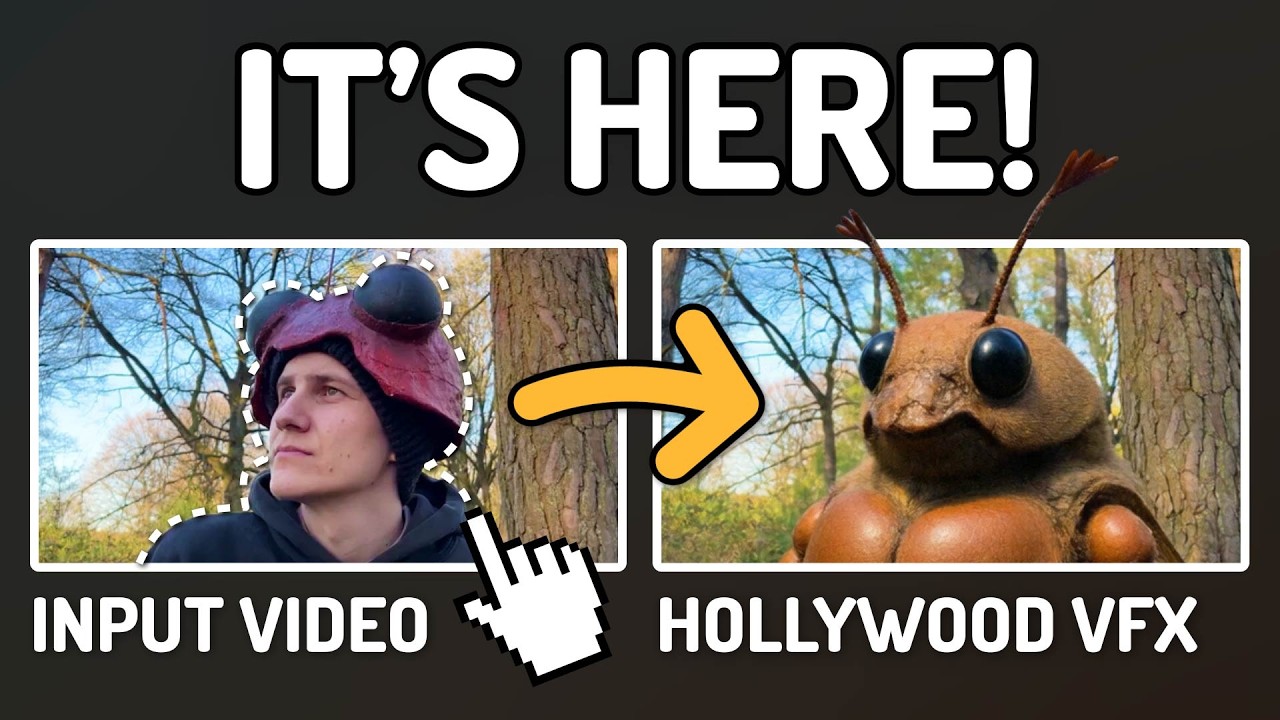
AI Documentary Creation: Generate B-Roll from Script Automatically
Transform documentary production with AI-powered B-roll generation. From script to finished film with Runway Gen-4, Google Veo 3, and automated...
AI Making Movies in 2026: The Current State and What's Actually Possible
Realistic assessment of AI filmmaking in 2026. What's working, what's hype, and how creators are actually using AI tools for video production today.
AI Music Videos: How Artists Are changing Production and Saving Thousands
Discover how musicians like Kanye West, A$AP Rocky, and independent artists are using AI video generation to create stunning music videos at 90% lower costs.