AI Influencer Face Consistency: 7 Techniques for Flawless Character Identity
Master face consistency for your AI influencer. Learn proven techniques to maintain identical facial features across hundreds of images using Apatero and advanced AI methods.

Face consistency is the single biggest challenge in AI influencer creation. I've seen countless promising AI influencer accounts abandoned because creators couldn't get their character to look the same across posts. One image shows a narrow nose, the next shows it wider. Eye shape drifts. Jawline changes. The character becomes unrecognizable.
Here's the truth that took me months to learn: face consistency isn't about finding the perfect prompt. It's about understanding how AI image generation works and using specific techniques to lock your character's identity in place. Once I figured this out, my AI influencers became indistinguishable from accounts run by real people.
This guide covers the seven techniques I use to maintain perfect face consistency, from basic approaches anyone can implement to advanced methods for serious creators.
Quick Answer: Achieving face consistency requires a combination of reference image quality, facial embedding technology like Apatero offers, consistent prompting formulas, and systematic quality control. Most creators fail because they rely on prompts alone without using face-locking technology or maintaining reference image standards.
:::tip[Key Takeaways]
- Key options include Batch by scene type: and Maintain session consistency:
- Multiple approaches exist depending on your goals
- Staying informed helps you make better decisions
- Hands-on experience is the best way to learn :::
- Why AI faces drift and how to prevent it
- The reference image strategy that locks identity
- How facial embedding technology works
- Prompt formulas for consistency
- Quality control workflows that catch drift early
Why AI Influencer Faces Become Inconsistent
Before we fix the problem, we need to understand why it happens. AI image generators don't actually understand what a face "is" the way humans do. They recognize patterns and probabilities.
When you prompt for "a woman with brown eyes and dark hair," the AI has millions of reference points. Each generation samples from this probability distribution differently. The result? Variations that compound over time.
Think of it like asking different artists to draw the same person from a written description. Each artist interprets slightly differently. AI does the same thing, but faster.
The factors that cause face drift include:
Prompt variations: Even small changes in your prompt affect facial features. Mentioning a new outfit, location, or pose can subtly shift which facial patterns the AI references.
Seed randomization: Unless you lock seeds, each generation starts from different random noise, leading to different outputs even with identical prompts.
Style mixing: Different lighting, angles, or artistic styles pull from different training data, affecting facial interpretation.
Resolution and model differences: Generating at different resolutions or switching between AI models introduces inconsistency.
Understanding these causes helps you target your consistency techniques effectively.
Technique 1: High-Quality Reference Image Sets
The foundation of face consistency starts before you generate a single piece of content. Your reference images determine everything.
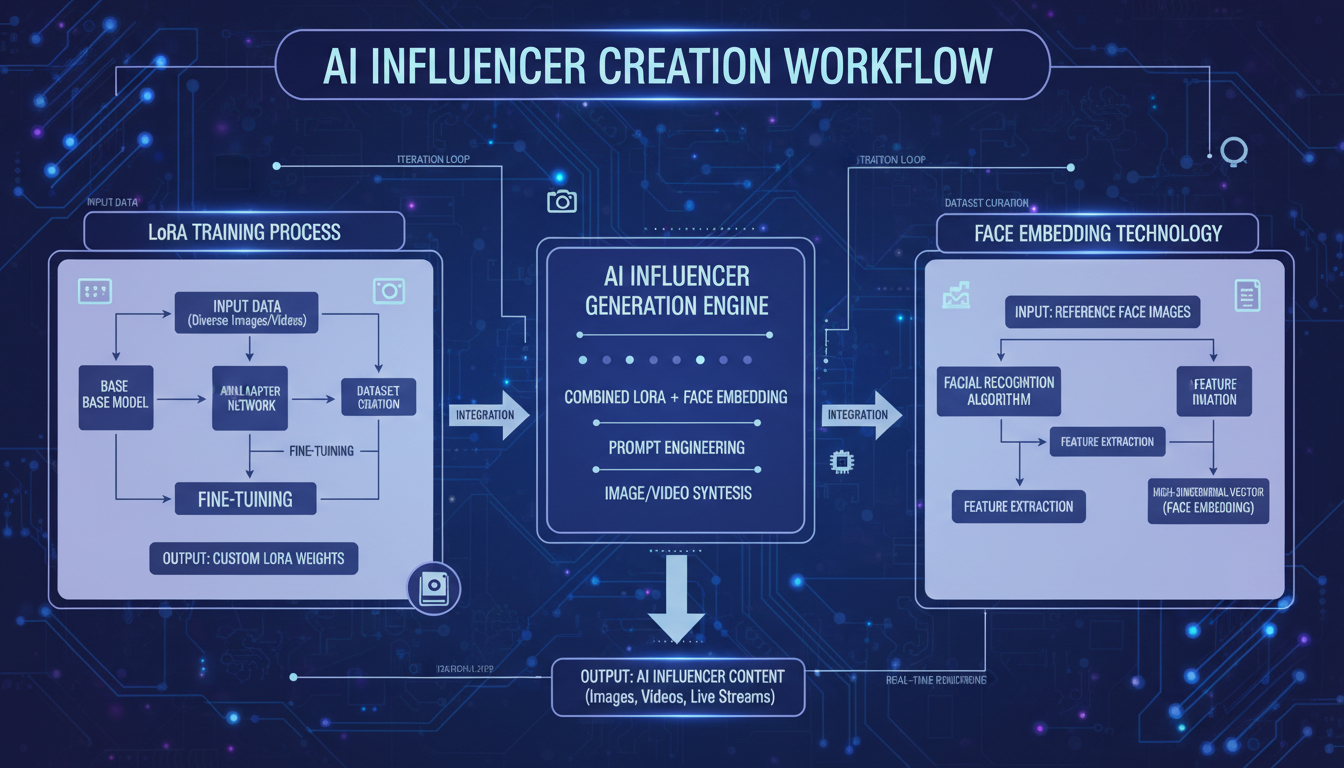 The face embedding process requires multiple high-quality reference angles
What Makes a Good Reference Set
A proper reference set includes:
Multiple angles: Front-facing, three-quarter view from both sides, and profile shots. The AI needs to understand your character's face from all perspectives.
Consistent lighting: All reference images should have similar lighting conditions. Mixing harsh shadows with soft lighting confuses the embedding.
Neutral expressions: Start with neutral or slight smile expressions. Extreme expressions can throw off baseline facial proportions.
High resolution: 1024x1024 minimum. Low-resolution references lose the fine details that make faces recognizable.
Clean backgrounds: Simple, non-distracting backgrounds help the AI focus on facial features rather than environmental context.
Building Your Initial Reference Set
When I create a new AI influencer, I generate 20-30 initial images and carefully select the 5-7 best ones for my reference set. Selection criteria include:
- Facial proportions look balanced and natural
- Features match my character concept exactly
- No anatomical oddities (weird pupils, asymmetric features)
- Consistent appearance across all selected images
This curation step is critical. Your reference set defines your character permanently. Spend time here.
Technique 2: Using Facial Embedding Technology
Raw prompts will never give you true consistency. You need technology specifically designed to lock facial identity.
Apatero uses facial embedding to solve this problem. Here's how it works technically:
How Facial Embedding Works
The system analyzes your reference images and creates a mathematical representation of your character's facial features. This embedding captures:
- Eye shape, spacing, and color
- Nose structure and proportions
- Jawline and face shape
- Unique identifying features
- Overall facial geometry
When you generate new content, this embedding gets injected into the generation process, forcing the AI to maintain your character's specific facial identity rather than sampling randomly from its training data.
Setting Up Your Character Properly
In Apatero's character creation:
- Upload your curated reference set (5-7 images minimum)
- Let the system process and create the facial embedding
- Generate 10-15 test images across different scenarios
- Verify consistency before committing to content creation
The test generation phase catches problems early. Look for subtle drift in eye shape, nose width, and jawline. If you see inconsistencies, add more reference images or select different ones.
Technique 3: Consistent Prompt Architecture
Even with facial embedding, your prompts affect consistency. I use a structured prompt architecture for all my AI influencer content.
The Consistency Prompt Formula
My prompts follow this structure:
[Character identifier] + [Core appearance locked] + [Pose/action] + [Environment] + [Style modifiers] + [Quality tags]
Example:
Elena, brunette woman with hazel eyes, wearing casual outfit, sitting in coffee shop, soft natural lighting, Instagram aesthetic, high quality portrait photography
Notice what stays consistent:
- Character name (helps the system reference the right embedding)
- Core appearance descriptors (even though embedded, reinforcement helps)
- Style modifiers (same lighting style, same photography approach)
What to Vary vs. Lock
Lock these elements:
- Character name reference
- Hair color and style descriptors
- Eye color
- Skin tone descriptors
- Photography style (always "Instagram aesthetic" or "editorial photography")
- Quality tags
Vary these elements:
- Outfit and clothing
- Pose and action
- Location and environment
- Time of day (but keep lighting style consistent)
- Expression (within natural range)
Keeping core descriptors identical while varying scene elements gives you diverse content while maintaining identity.
Technique 4: Seed Management and Batch Generation
Seeds control the random noise that starts each generation. Managing them properly significantly improves consistency.
When to Lock Seeds
Lock seeds when you want to:
- Generate the same pose in different outfits
- Create slight variations of a successful image
- Test prompt changes while keeping other variables constant
Don't lock seeds when you want:
- Natural variation in poses
- Diverse content for your feed
- To avoid your content looking too uniform
Batch Generation Strategy
Rather than generating one image at a time, I work in batches:
- Batch by scene type: Generate all gym content together, all coffee shop content together, etc.
- Maintain session consistency: Complete entire batches in single sessions without breaks
- Use consistent settings: Same resolution, same model version, same quality settings
Batching keeps you in a consistent mental framework and reduces the likelihood of accidentally changing settings between generations.
Technique 5: Quality Control Workflows
Even with all the right techniques, some images will drift. Systematic quality control catches problems before they reach your feed.
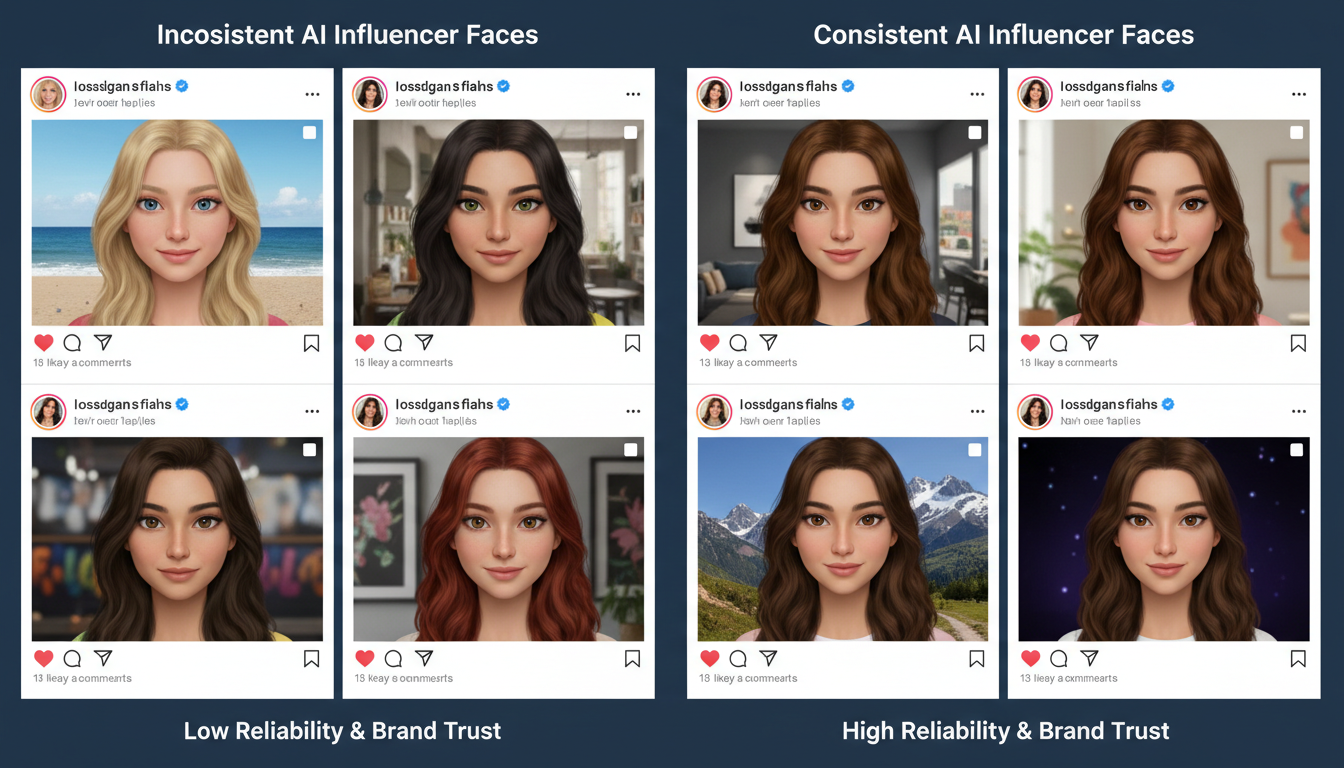 Regular quality checks prevent face drift from reaching your audience
The Three-Level Check
Level 1: Immediate review After each generation, ask yourself: Does this look like my character? If you hesitate, regenerate.
Level 2: Batch comparison After generating a batch, view all images as thumbnails. Your eye will catch inconsistencies that weren't obvious individually.
Level 3: Feed preview Before scheduling, preview how new content looks alongside existing posts. Scroll your planned feed. Any image that stands out as "different" needs replacement.
Building a Rejection Mindset
I reject about 25% of my generations. This sounds wasteful, but it's essential. The math works out: regenerating a few images costs almost nothing compared to damaging your character's recognizability.
Common rejection reasons:
- Eye shape looks different
- Nose appears wider or narrower than usual
- Jawline inconsistency
- Skin tone variation
- Hair color drift (common with certain lighting)
Be ruthless. Your audience notices more than you think.
Technique 6: Lighting and Style Standardization
Lighting dramatically affects how faces render. A character that looks identical in studio lighting might look like a different person in harsh sunlight.
Creating Your Lighting Playbook
Define 3-4 lighting scenarios for your character:
Primary lighting: Your default, used in 60% of content. For most AI influencers, this is soft, diffused natural light or clean studio lighting.
Secondary lighting: For variety, maybe golden hour or moody indoor lighting. Used in 25% of content.
Accent lighting: Special occasion lighting for standout posts. Used in 15% of content. Neon, dramatic shadows, etc.
Document exact prompt terms for each lighting type. Use them consistently.
Style Guide Development
Create a simple style guide document:
Character: [Name]
Primary lighting: "soft natural lighting, diffused"
Secondary lighting: "warm golden hour, soft shadows"
Accent lighting: "neon ambient lighting, cyberpunk aesthetic"
Always include: "high quality, detailed face, sharp focus"
Never include: "harsh shadows, distorted, low quality"
Reference this guide every time you generate content.
Technique 7: Regular Calibration and Refresh
Face consistency isn't a "set it and forget it" situation. Regular calibration keeps your character locked over time.
Monthly Calibration Routine
Once a month, I run a calibration check:
- Generate 5 standard test images (same prompt, same settings I've been using)
- Compare to original reference images
- Compare to content from 2-3 months ago
- Identify any drift patterns
If drift is detected, I adjust by:
- Adding new reference images that match the original aesthetic
- Adjusting prompts to counter the drift direction
- In extreme cases, creating a fresh character embedding
When to Refresh Your Character
Sometimes a full refresh is necessary:
- After major AI model updates
- If drift has accumulated beyond correction
- When pivoting your character's aesthetic
Refreshing means creating a new embedding from scratch using your best existing content as references. It's rare if you follow consistency practices, but occasionally necessary.
Common Mistakes That Destroy Consistency
Learning from others' failures saves you time. Here are the consistency killers I see most often:
Using a single reference image: One image doesn't provide enough data for proper facial embedding. Always use 5+ diverse angles.
Switching AI tools mid-project: Different AI models interpret faces differently. Pick one tool and stick with it.
Ignoring subtle drift: "Close enough" today becomes "obviously different" after 50 more posts. Catch drift early.
Over-prompting facial details: Paradoxically, describing facial features too specifically can cause variation. Let the embedding do its job; don't override it with detailed face prompts.
Generating in a rush: Quick generations without quality review lead to inconsistent posts. Slow down.
Your Face Consistency Action Plan
Ready to implement these techniques? Here's your starting point:
This week:
- Audit your current reference images. Do you have 5+ high-quality, diverse angles?
- Set up your character properly in Apatero with full reference set
- Generate 15 test images and assess consistency
Ongoing:
- Use the prompt architecture formula for all content
- Implement three-level quality control
- Run monthly calibration checks
Face consistency separates amateur AI influencer accounts from professional ones. With these seven techniques, your character will look identical whether it's the first image or the thousandth. The audience will never question whether they're looking at the same person.
That's the goal. An AI influencer that's as recognizable as any real person on Instagram.
FAQ
How many reference images do I need for face consistency?
Minimum 5, ideally 7-10. More references give the AI more data points to understand your character's unique features. Quality matters more than quantity though. Five excellent references beat twenty mediocre ones.
Can I achieve consistency without face-locking technology?
Very difficult. Some creators try with careful prompting and seed management, but it's tedious and unreliable. Tools like Apatero with facial embedding are specifically designed for this problem and produce dramatically better results.
My character's face looks different at different angles. Is that normal?
Slight variation at extreme angles is normal, even for real humans. However, the core features (eye shape, nose, jawline) should remain recognizable. If your character looks like a different person in profile vs. front-facing, your reference set needs more angle diversity.
What if I want to change my character's hairstyle or hair color?
You can vary hairstyle while maintaining face consistency. The facial embedding captures the face, not the hair. However, dramatic changes (going from dark to blonde, for example) may require reference set updates for best results.
How do I fix consistency issues with existing content?
If you've already posted inconsistent content, focus forward. Improve your techniques, and the older inconsistent posts will gradually be buried by newer consistent content. Don't delete old content unless the inconsistency is severe.
Reuse a character reference
Save a character as a Soul and put them in any scene, image or video, without retraining anything. Check your welcome allowance and the displayed cost before generating.
Related Articles

5 Proven AI Influencer Niches That Actually Make Money in 2025
Discover the most profitable niches for AI influencers in 2025. Real data on monetization potential, audience engagement, and growth strategies for virtual content creators.

AI Background Replacement: Professional Guide 2025
Master AI background replacement for professional results. Learn rembg, BiRefNet, and ComfyUI workflows for smooth background removal and replacement.

AI Character Consistency: How to Maintain Virtual Persona Identity Across Content
Learn techniques for maintaining AI character consistency across hundreds of images. Master the art of creating recognizable virtual personas with consistent visual identity.