AI Influencer Content Calendar: How to Plan 30 Days of Posts with Apatero
Complete content calendar template and strategy for AI influencers. Learn how to batch-create 30 days of consistent content using Apatero in just a few hours.
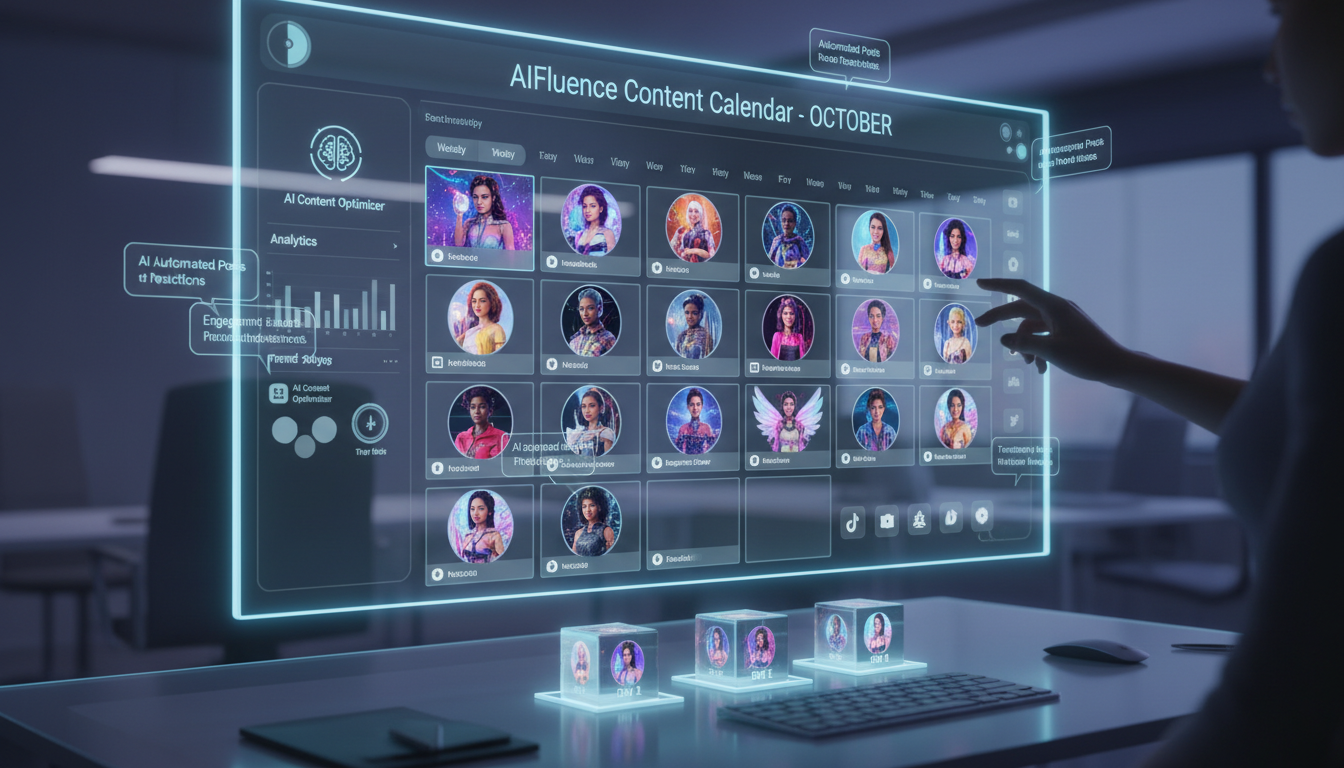
Here's a confession: I used to create AI influencer content day-by-day. Wake up, figure out what to post, generate the image, write the caption, schedule it. Every. Single. Day.
What a waste of time. Now I batch-create an entire month of content in one 4-hour session. The quality is better because I'm not rushed. The consistency is better because I plan the full narrative arc. And I get my life back.
This guide gives you my exact content calendar system for AI influencers. You'll learn how to plan 30 days of content, batch-generate all the images in Apatero, and schedule everything so your AI influencer runs on autopilot.
Quick Answer: An effective AI influencer content calendar includes 4-5 content pillars, follows a weekly template, and can be batch-created in one session. Plan for 1-2 posts daily, mix content types intentionally, and generate all images before scheduling. This approach saves 15+ hours per month compared to daily content creation.
:::tip[Key Takeaways]
- Key options include Monotony: and Randomness:
- Start with the basics before attempting advanced techniques
- Common mistakes are easy to avoid with proper setup
- Practice improves results significantly over time :::
- The content pillar framework for AI influencers
- A complete 30-day content calendar template
- How to batch-generate a month of images in Apatero
- Caption templates that drive engagement
- Scheduling strategies for maximum reach
Why Content Calendars Matter More for AI Influencers
Real influencers can wing it sometimes. Wake up with a creative idea, shoot a quick selfie, post with a casual caption. The spontaneity reads as authentic.
AI influencers can't do that. Every image requires generation. Every post needs intentional planning. Without a system, you end up with:
- Inconsistent posting schedules
- Repetitive content types
- Style drift as you rush generations
- Burnout from daily content decisions
A content calendar solves all of this. You think once, create in batches, and execute on autopilot.
The best AI influencer accounts I've analyzed post with machine-like consistency. Ironic, right? But that consistency is what the algorithm rewards.
The Content Pillar Framework
Before building your calendar, define your content pillars. These are the 4-5 categories that all your content falls into.
Why Pillars Matter
Pillars prevent two common problems:
- Monotony: Posting the same type of content repeatedly
- Randomness: Posting disconnected content that confuses your audience
Each pillar serves a specific purpose in your content strategy. Rotating through pillars keeps your feed varied while staying on-brand.
Pillar Examples by Niche
Fitness AI Influencer:
- Workout content (exercise demos, gym shots)
- Nutrition content (meals, supplements, kitchen)
- Motivation content (quotes, transformation themes)
- Lifestyle content (daily life, behind-scenes aesthetic)
- Promotional content (products, programs)
Fashion AI Influencer:
- Full outfit posts (complete looks)
- Detail shots (accessories, specific items)
- Styling tips (how-to content)
- Trend content (seasonal, what's hot)
- Personal style (casual, aesthetic vibes)
Finance AI Influencer:
- Educational content (concepts explained)
- Market commentary (current events)
- Tips and strategies (actionable advice)
- Lifestyle content (wealth aesthetic)
- Tool recommendations (apps, platforms)
Define your 4-5 pillars before creating any content. Write them down. Every piece of content you create should fit one pillar.
The Weekly Template
Now let's build a repeatable weekly structure. This becomes the backbone of your 30-day calendar.
Daily Post Schedule
For most AI influencers, I recommend:
- 1 main feed post daily (minimum)
- 2-3 story posts daily (engagement, polls, casual)
- 1 reel or video weekly (algorithm boost)
Weekly Pillar Rotation
Spread your pillars across the week:
| Day | Pillar | Content Type |
|---|---|---|
| Monday | Educational/Value | Tips, how-to, information |
| Tuesday | Lifestyle | Behind-scenes aesthetic |
| Wednesday | Core Niche | Primary content category |
| Thursday | Engagement | Questions, polls, community |
| Friday | Lifestyle/Casual | Weekend vibes, relaxed content |
| Saturday | Core Niche | Primary content category |
| Sunday | Promotional | Products, CTA, conversion focus |
This rotation ensures variety while maintaining strategic balance. Adjust the specific pillars for your niche.
The Engagement Pattern
Not every post should ask for the same thing:
- Mondays: Ask a question in caption (drive comments)
- Tuesdays: Share a personal take (encourage agreement/discussion)
- Wednesdays: Provide pure value (save-worthy content)
- Thursdays: Create debate/opinion content (high engagement)
- Fridays: Light, fun content (shareability)
- Saturdays: Inspirational content (emotional connection)
- Sundays: Soft promotion (conversion)
Varying your engagement asks prevents audience fatigue from constant questions or constant selling.
The 30-Day Content Calendar Template
Here's a complete template you can adapt for any AI influencer niche. I'll use a fitness AI influencer as the example.
Week 1: Foundation
| Day | Content | Caption Theme |
|---|---|---|
| 1 | Gym motivation shot | "Starting the week strong" + ask: What's your goal? |
| 2 | Morning routine lifestyle | Share your morning ritual |
| 3 | Workout demo (squat variation) | How-to with tips |
| 4 | Poll: favorite workout type | Community engagement |
| 5 | Casual weekend prep | "Friday means leg day" |
| 6 | Full workout outfit post | Saturday grind aesthetic |
| 7 | Supplement recommendation | Soft product promotion |
Week 2: Building Engagement
| Day | Content | Caption Theme |
|---|---|---|
| 8 | Nutrition tip + meal photo | Educational value post |
| 9 | Active recovery content | Behind-scenes lifestyle |
| 10 | Workout demo (upper body) | Technical how-to |
| 11 | Controversial fitness take | "Unpopular opinion..." |
| 12 | Weekend vibes lifestyle | Light, relatable content |
| 13 | Gym aesthetic shot | Motivation + save-worthy |
| 14 | Program/service promotion | Conversion focus |
Week 3: Deepening Connection
| Day | Content | Caption Theme |
|---|---|---|
| 15 | Progress/journey content | Storytelling + question |
| 16 | Healthy meal prep | Practical tips |
| 17 | Workout demo (core) | Educational value |
| 18 | Community shoutout/discussion | Engagement boost |
| 19 | "Real talk" lifestyle | Authentic-feeling share |
| 20 | Challenge or goal content | Weekend motivation |
| 21 | Favorite products roundup | Affiliate opportunity |
Week 4: Conversion Push
| Day | Content | Caption Theme |
|---|---|---|
| 22 | Results/transformation theme | Social proof content |
| 23 | Day in the life sequence | Story-driven content |
| 24 | Expert tips compilation | High-value save content |
| 25 | "What would you do?" scenario | Maximum engagement |
| 26 | Weekend warrior content | Relatable lifestyle |
| 27 | Gym partner aesthetic | Community connection |
| 28 | Month recap + promo | CTA for products/programs |
| 29 | Bonus: trending content | Algorithm boost |
| 30 | Bonus: preview next month | Build anticipation |
This template gives you the strategic thinking. Adapt the specific content to your niche.
Batch-Creating Content in Apatero
Now let's talk execution. You've got your calendar. Time to generate everything in one session.
Preparation Phase (30 minutes)
Before opening Apatero:
List all content needs: Write out every image you need (e.g., "gym motivation shot," "morning routine," etc.)
Group by setting: Organize by location/environment (gym shots, kitchen shots, lifestyle shots)
Note outfit requirements: Which posts need specific clothing
Write prompt templates: Prepare your base prompts for each content type
This prep work makes the generation session dramatically faster.
Generation Session (2-3 hours)
Work through your content in batches by setting:
Batch 1: Gym Content (45 min) Generate all gym-related images together:
- Workout shots
- Gym aesthetic posts
- Exercise demonstrations
- Equipment-focused content
Prompt template: "[Character name] in modern gym environment, [specific action/pose], athletic wear, professional fitness photography, natural lighting, high quality"
Batch 2: Lifestyle Content (45 min) Generate all casual/lifestyle images:
- Morning routine shots
- Home environment content
- Relaxed aesthetic posts
- Behind-scenes vibes
Prompt template: "[Character name] in [home/outdoor setting], casual [activity], lifestyle photography, warm lighting, authentic aesthetic"
Batch 3: Nutrition/Kitchen Content (30 min) Generate food and nutrition related:
- Meal photos with character
- Kitchen environment shots
- Healthy eating content
Batch 4: Special Content (30 min) Generate any unique or promotional content:
- Product showcase shots
- Promotional imagery
- Special campaign content
Quality Control (30 min)
Review all generated images:
- Check face consistency across the batch
- Look for anatomical issues (hands, limbs)
- Ensure clothing and setting match your plan
- Regenerate any that don't meet standards
I typically regenerate 15-20% of images. Budget time for this.
Final Output
By the end of your session, you should have:
- 30+ main feed images
- Variants for stories
- Backup images for each content type
Export and organize by date according to your calendar.
Writing Captions in Batches
With images done, batch your caption writing. This is faster than writing day-by-day.
Caption Templates
Educational Post:
[Hook statement about the topic]

Here's what most people get wrong about [topic]...

[2-3 bullet points of value]

The real secret? [Key insight]

Save this for your next [relevant action].

What's your experience with [topic]? Drop a comment.
Lifestyle Post:
[Casual opening that sets the scene]

[Brief personal share or observation]

[Relatable statement or question]

How does your [day/routine/approach] compare?
Promotional Post:
[Benefit-focused opening]

I've been using [product/service] for [time period], and here's what changed:

[Specific result or benefit]

If you're struggling with [pain point], this might help.

Link in bio to check it out.
Engagement Post:
[Provocative statement or question]

[Brief context or personal take]

I want to hear your thoughts. [Specific question]

Drop your answer in the comments.
Write captions using these templates. Customize for your character's voice.
Scheduling for Maximum Reach
Content created. Captions written. Now schedule everything.
Optimal Posting Times
General guidelines (adjust based on your analytics):
- Best days: Tuesday through Friday
- Peak times: 11am-1pm and 7pm-9pm (your audience's timezone)
- Avoid: Late night, early morning, weekends (lower engagement)
Scheduling Tools
Use scheduling platforms:
- Later: Visual planning, link in bio features
- Buffer: Simple and reliable
- Planoly: Good for visual aesthetics planning
- Meta Business Suite: Free, built-in Instagram scheduling
Schedule everything at once. Your entire month set up in one session.
Leave Room for Flexibility
Don't schedule 100% of your capacity. Leave 20% open for:
- Trending content opportunities
- Real-time engagement moments
- Platform feature updates
- Community responses
Your calendar is the foundation, not a prison.
Maintaining Consistency Month-to-Month
The first month is the hardest. After that, you're iterating on a proven system.
Monthly Review Process
At month end:
- Review analytics (what performed best?)
- Identify content gaps
- Note audience feedback
- Adjust pillar balance if needed
- Plan next month's calendar
Building Content Libraries
Over time, build reusable assets:
- Evergreen content that can be reposted
- Template prompts that consistently work
- Caption formulas that drive engagement
- Story templates for quick posts
Each month gets easier as your library grows.
Time Investment Reality
Here's what batch content creation actually looks like:
Monthly Time Investment:
- Calendar planning: 1 hour
- Image generation in Apatero: 3-4 hours
- Caption writing: 2 hours
- Scheduling: 1 hour
- Total: 7-8 hours per month
Compare to daily content creation:
- Daily generation + writing + posting: 45-60 minutes daily
- Total: 22-30 hours per month
Batch creation saves 15-22 hours monthly. That's almost three full workdays you get back.
Your First Content Calendar
Ready to build yours? Here's your action plan:
- Today: Define your 4-5 content pillars
- Tomorrow: Create your weekly template
- This week: Plan your full 30-day calendar
- Weekend: Batch-generate all images in Apatero
- Next week: Write captions and schedule everything
By this time next week, you could have an entire month of content ready to go.
The AI influencers who succeed aren't working harder. They're working smarter with systems like this. Your content calendar is the difference between sporadic posting and sustainable growth.
FAQ
How many images should I generate per content piece?
Generate 2-3 variations for each planned post. You'll use the best one and save alternatives for stories or future content.
What if something trending happens mid-month?
Keep 20% of your posting capacity unscheduled. This gives you flexibility to jump on trends without disrupting your core calendar.
How do I maintain my character's personality in batched captions?
Write a voice guide for your character. Reference it while batch-writing. After a few months, the voice becomes second nature.
Should I post the same times every day?
Consistency helps, but slight variation is fine. The algorithm cares more about regular posting than exact timing.
How far in advance can I schedule?
I recommend monthly batches. Longer than that, and your content may become dated. Plus monthly review keeps you agile.
Reuse a character reference
Save a character as a Soul and put them in any scene, image or video, without retraining anything. Check your welcome allowance and the displayed cost before generating.
Related Articles

5 Proven AI Influencer Niches That Actually Make Money in 2025
Discover the most profitable niches for AI influencers in 2025. Real data on monetization potential, audience engagement, and growth strategies for virtual content creators.

AI Background Replacement: Professional Guide 2025
Master AI background replacement for professional results. Learn rembg, BiRefNet, and ComfyUI workflows for smooth background removal and replacement.

AI Character Consistency: How to Maintain Virtual Persona Identity Across Content
Learn techniques for maintaining AI character consistency across hundreds of images. Master the art of creating recognizable virtual personas with consistent visual identity.