Training Real Character LoRAs for Qwen-Image-2512: Complete Guide
Train character LoRAs on real people with Qwen-Image-2512. Dataset preparation, musubi-tuner setup, and avoiding common face morphing issues.
I've trained dozens of character LoRAs, and Qwen-Image-2512 is both the most promising and most frustrating model I've worked with. The promise? Dramatically reduced "AI look" and richer facial details. The frustration? Training tools are still catching up, and real people's faces have a tendency to morph in ways SDXL never did.
Quick Answer: Training character LoRAs for real people on Qwen-Image-2512 works best with musubi-tuner, using 20-30 high-quality images, trigger word captioning, and careful attention to resolution matching. The model's improved realism makes face preservation both more important and more challenging than previous architectures.
- Musubi-tuner currently offers the most stable Qwen-2512 LoRA training
- Use 20-30 images minimum for real people
- QWEN Image Edit can generate consistent training datasets
- Resolution matching is critical for face accuracy
- The Turbo-LoRA dramatically speeds up inference
Why Qwen-Image-2512 for Character LoRAs?
Let me be direct: Qwen-Image-2512 produces the most realistic human faces I've seen from an open-source model. The model won over 10,000 blind comparison rounds on AI Arena, and when you use it, you understand why.
The December 2025 release notes specifically highlight "more realistic humans with dramatically reduced 'AI look' and richer facial and age details." This isn't marketing fluff. Side-by-side with SDXL or even Flux, Qwen-2512 faces look more natural.
But this realism creates a new challenge for character LoRAs. When the base model is this good at faces, small training errors become more visible. A LoRA that slightly distorts facial proportions creates an uncanny valley effect that less realistic models would hide.
The payoff for getting it right? Character LoRAs that genuinely look like the person, not an AI approximation of them.
Current State of Training Tools
The Qwen-Image-2512 training ecosystem is still maturing. Here's what actually works as of January 2025:
Musubi-Tuner (Recommended)
Musubi-tuner is currently the most reliable option. It handles Qwen-2512's architecture correctly and produces consistent results.
One user in the community reported: "It seems to be training very well, and even on my 5090 without much difficulty." That matches my experience. The tool is stable and the outputs are usable.
AI-Toolkit
AI-toolkit works but has mixed results. Some users report success; others find the outputs don't match expectations. If you're already comfortable with AI-toolkit, it's worth trying, but be prepared for some experimentation.
DiffSynth-Studio
DiffSynth-Studio provides official training scripts from the Qwen team. The target modules are documented:
to_q,to_k,to_v,add_q_proj,add_k_proj,add_v_proj,to_out.0,to_add_out,img_mlp.net.2,img_mod.1,txt_mlp.net.2,txt_mod.1
This is the "official" approach but requires more manual configuration than musubi-tuner.
Diffusion-Pipe
Worth mentioning but currently has "incorrect code regarding resolution matching" according to community reports. I'd wait for updates before using it for character LoRAs where accuracy matters.
Dataset Preparation: The Foundation
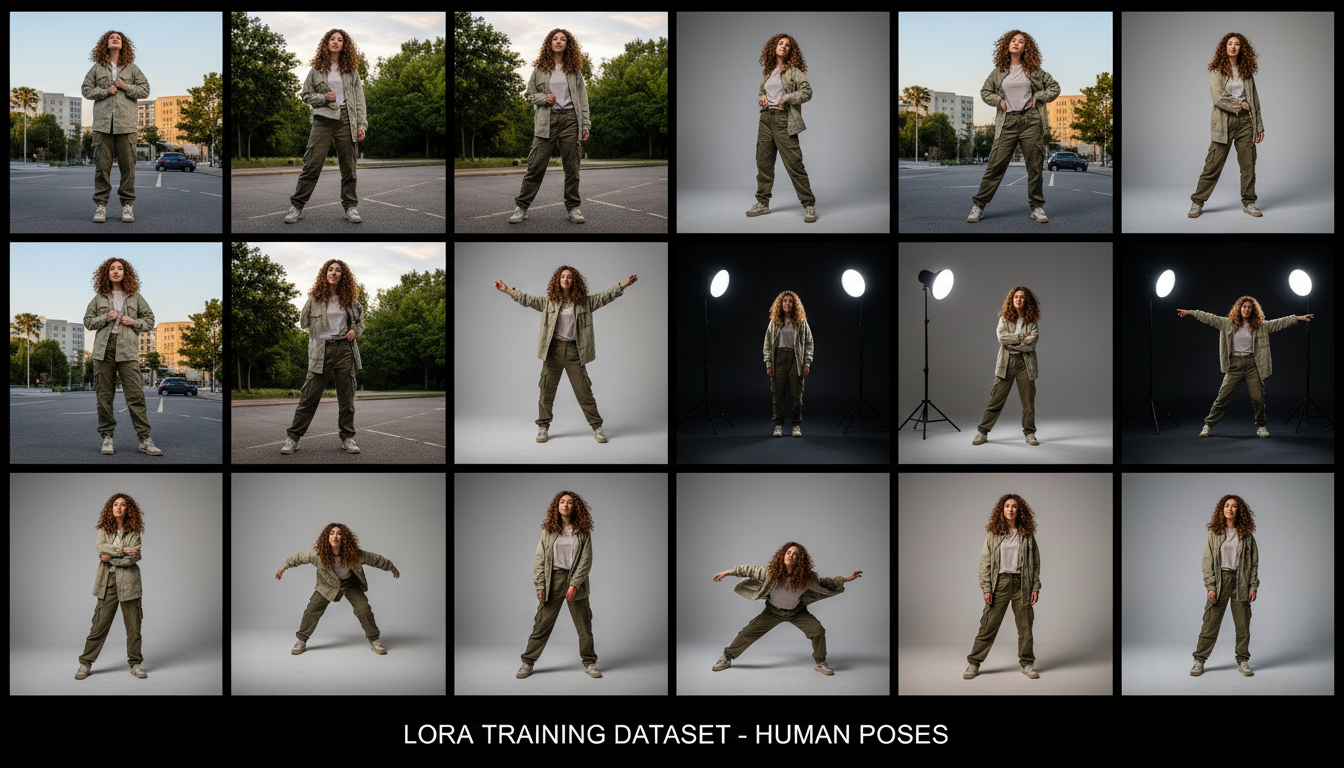 A diverse dataset with varied poses, angles, and lighting is essential for accurate character LoRAs
Your LoRA is only as good as your training data. For real people, this is where most failures happen.
Image Requirements
Quantity: 20-30 images minimum. More is better up to about 50. Beyond that, you get diminishing returns and longer training times.
Quality: High resolution, well-lit, in-focus. Blurry or low-res images produce blurry LoRAs.
Variety: Different angles, expressions, lighting conditions, and settings. A LoRA trained on 30 photos from the same angle will only work from that angle.
Consistency: All images should clearly show the same person. Mixed datasets with multiple people create confused LoRAs.
The Pose Problem
Here's something that caught me off guard: Qwen-2512 has strong opinions about body shape. One user reported that "the anypose lora is good and the most accurate, but with real people it changes their face and also body shape."
The solution is including varied poses in your training data. Don't just use headshots. Include:
- Full body shots
- 3/4 body shots
- Different sitting/standing positions
- Various arm positions
This teaches the model the person's actual proportions, not just their face.
Using QWEN Image Edit for Dataset Generation
This is a major improvement that I wish I'd discovered earlier. QWEN Image Edit can generate consistent variations of your subject from a single reference image.
The workflow provides "50 different variations (gender neutral and female version)" from one input. These variations maintain character consistency while providing the pose and setting diversity your training needs.
Here's the approach:
- Start with one excellent reference photo
- Use QWEN Image Edit to generate 30-50 variations
- Filter for quality and accuracy
- Use the filtered set for LoRA training
This method produces cleaner datasets than scraping random photos because every image shares the same identity baseline.
Captioning Strategy for Character LoRAs
Captioning tells the model what to associate with your trigger word. Get it wrong and your LoRA won't activate properly.
Trigger Word Selection
Choose a unique trigger word that doesn't exist in the model's vocabulary. I use the format sks_personname or ohwx personname. Examples:
sks_kevinohwx johnsmithjks_sarahj
Avoid common words or names that the model might already recognize.
Caption Format
Every caption should include:
- Your trigger word
- Description of the pose/setting
- Relevant details about clothing, expression, etc.
Example captions:
photo of sks_kevin, standing outdoors, casual clothing, natural lighting, smiling
portrait of sks_kevin, close-up headshot, professional attire, studio lighting, neutral expression
full body shot of sks_kevin, sitting on bench, park setting, autumn colors, relaxed pose
Auto-Captioning Options
For efficiency, you can use BLIP or WD14 tagger to generate base captions, then add your trigger word to each:
## Generate base captions
python caption_images.py --folder ./training_data --model blip

## Then prepend trigger word to each caption file
for f in ./training_data/*.txt; do
  sed -i 's/^/photo of sks_kevin, /' "$f"
done
Training Configuration
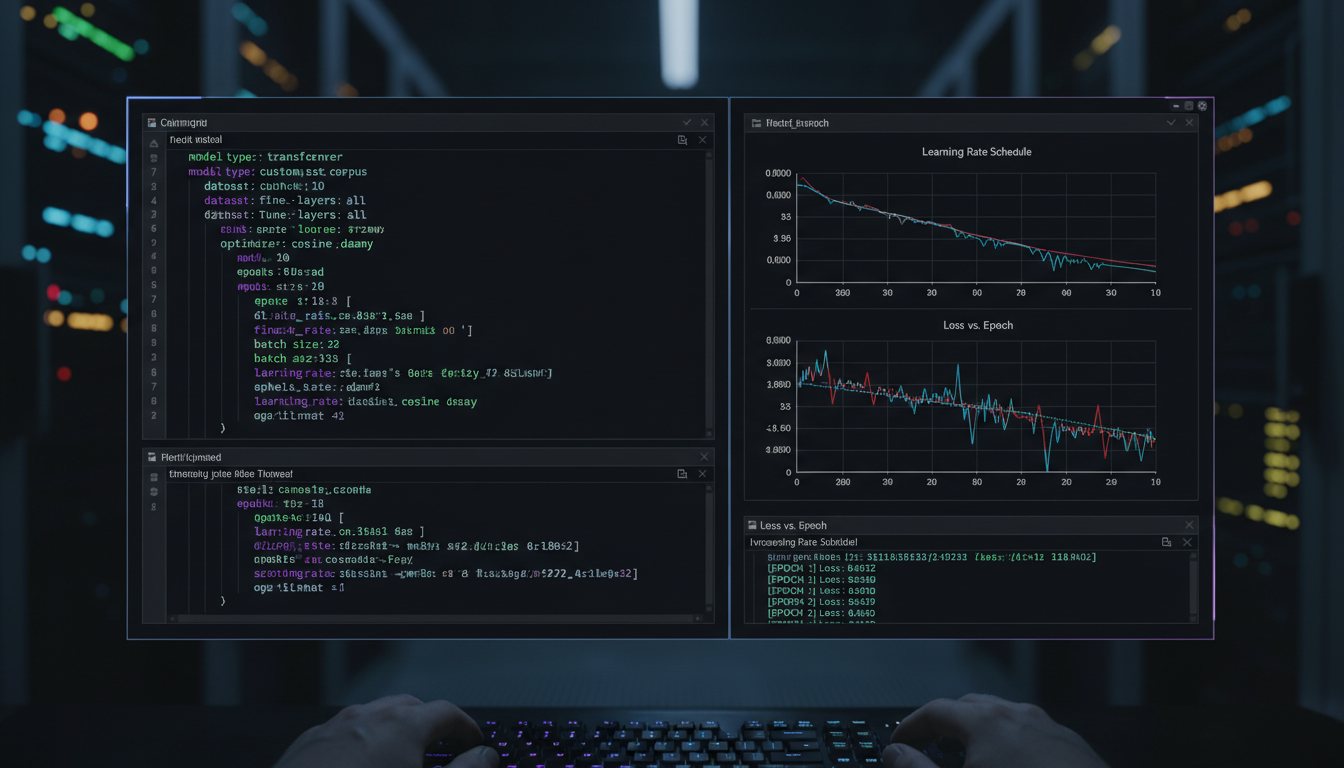 Proper training configuration is crucial for achieving accurate face reproduction
Here are the settings that work for me with musubi-tuner:
Basic Settings
pretrained_model: "Qwen/Qwen-Image-2512"
output_dir: "./output/my_character_lora"
train_data_dir: "./training_data"
resolution: 1024
train_batch_size: 1
learning_rate: 1e-4
max_train_epochs: 10
LoRA-Specific Settings
network_module: "networks.lora"
network_dim: 32
network_alpha: 16
The dim/alpha ratio affects LoRA strength. A 32/16 ratio is a safe starting point. Higher dim values capture more detail but risk overfitting.
Resolution Matching
This is critical for Qwen-2512. The model is sensitive to resolution mismatches between training and inference.
If you train at 1024x1024 but generate at 768x768, you'll see quality degradation. Always train at the resolution you plan to use for generation.
For character LoRAs, I recommend:
- Training resolution: 1024x1024
- Generation resolution: 1024x1024
Hardware Requirements
Qwen-2512 is demanding:
- Minimum: 12GB VRAM (with optimization)
- Recommended: 16GB+ VRAM
- Optimal: 24GB VRAM (RTX 4090, A6000)
Training time varies by hardware:
- RTX 4090: ~30 minutes for 10 epochs
- RTX 3090: ~45 minutes for 10 epochs
- RTX 3080: ~60 minutes for 10 epochs
Common Problems and Solutions
"Face Morphs Between Training and Inference"
This is the most common issue. The LoRA captures the general likeness but specific features shift.
Solutions:
- Increase training images from varied angles
- Lower learning rate to 5e-5
- Add more epochs (12-15)
- Ensure consistent captioning
"Body Shape Changes Unpredictably"
The model applies learned features to the whole body, not just the face.
Solutions:
- Include full-body shots in training
- Explicitly caption body type in descriptions
- Use a lower LoRA strength during inference (0.7-0.8)
"LoRA Only Works at Training Angle"
Limited pose variety in training data.
Solutions:
- Add more pose variety
- Use QWEN Image Edit to generate varied poses
- Include at least 5 different angles
"Results Look Too Different from Base Model"
Overfitting to training data.
Solutions:
- Reduce epochs
- Lower network_dim to 16
- Increase regularization
"Training Crashes or Produces NaN"
Memory or precision issues.
Solutions:
- Reduce batch size to 1
- Enable gradient checkpointing
- Use mixed precision training
- Clear VRAM before training
Using the Turbo-LoRA for Faster Inference
Once you have your character LoRA, combine it with the Qwen-Image-2512-Turbo-LoRA for 20x faster generation.
The Turbo-LoRA V2.0 (released January 2, 2026) offers improved color and detail over V1.0. Stack it with your character LoRA:
Character LoRA: strength 0.8
Turbo LoRA: strength 1.0
This combination gives you character accuracy with turbo speed. Perfect for iteration work.
Alternative: Face/Head Swap LoRA
If training from scratch isn't working, consider the Face/Head Swap LoRA approach. Available on CivitAI, this LoRA allows face swapping onto generated bodies.
It's not a replacement for proper character training, but it's useful when you need quick results or have limited training data.
Best Practices for Face Accuracy
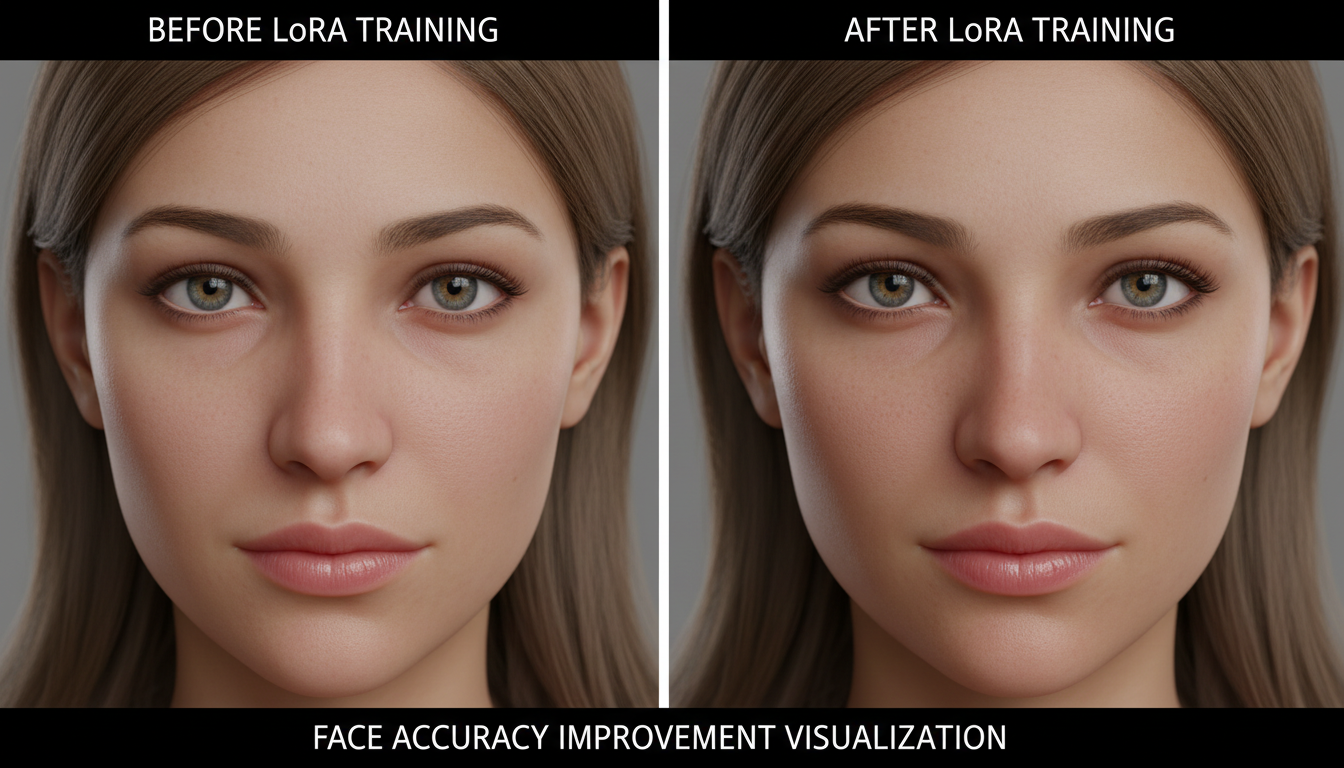 Proper training dramatically improves character likeness and consistency
After training dozens of character LoRAs, I've identified patterns that consistently improve face accuracy:
Lighting consistency matters more than you'd expect. Training images with wildly different lighting conditions confuse the model about skin tone and facial shadows. Try to include mostly naturally-lit photos, or at least group similar lighting conditions.
Age consistency prevents morphing. If your training data spans 20 years, the LoRA will average features across that time period. Stick to photos from a similar time period for tighter results.
Expression variety is good, extreme expressions are bad. Include smiling, neutral, and slightly serious expressions. Avoid extreme grimaces, wide-open mouth shots, or heavily squinting images. These distort facial geometry.
Background diversity helps generalization. If all your training images have white backgrounds, the LoRA may struggle with other settings. Include varied backgrounds to teach the model that the person remains consistent regardless of environment.
Workflow Summary
Here's my complete workflow for training a real person character LoRA:
- Collect 20-30 high-quality photos of the subject
- Generate 20-30 additional variations using QWEN Image Edit
- Filter the combined set for quality and accuracy (target: 40-50 final images)
- Create captions with consistent trigger word
- Configure musubi-tuner with recommended settings
- Train for 10-12 epochs at 1024x1024 resolution
- Test the LoRA with varied prompts
- Iterate if face accuracy isn't satisfactory
Total time investment: 2-3 hours from start to working LoRA.
Frequently Asked Questions
Can I train on just 10 images?
You can, but results will be limited. 20-30 is the practical minimum for face accuracy.
Does Qwen-2512 work with existing SDXL LoRAs?
No. Architecture differences prevent cross-compatibility. You need Qwen-specific LoRAs.
What's the best trigger word format?
Unique, non-dictionary words work best. sks_name or ohwx_name patterns are reliable.
Can I train on celebrity photos?
Technically yes, but consider the ethical and legal implications. Training on public figures without consent raises questions even if it's technically possible.
How do I know when training is done?
Monitor loss values and generate test images every few epochs. Stop when quality plateaus or starts degrading.
Should I use regularization images?
For character LoRAs, regularization helps prevent overfitting. Use 50-100 images of generic people in similar settings.
Can I combine multiple character LoRAs?
Yes, but strength management becomes critical. Use 0.5-0.6 strength for each when combining two characters.
What about training video LoRAs for Wan with Qwen-trained data?
The datasets are compatible. You can use QWEN Image Edit generated images to train Wan or Flux LoRAs as well.
Is the Turbo-LoRA required?
No, but it dramatically speeds up inference. Worth using if generation speed matters to you.
How long do character LoRAs stay accurate?
Indefinitely, unless the base model is updated. Your LoRA is tied to Qwen-Image-2512 specifically.
Wrapping Up
Training character LoRAs for Qwen-Image-2512 requires more care than previous models, but the results justify the effort. The realism improvements translate directly into more convincing character representations.
Key success factors:
- Diverse, high-quality training data
- Proper resolution matching
- Consistent captioning with unique trigger words
- Patience during iteration
For more LoRA training guidance, check out my Kohya SS training guide which covers fundamentals that apply across architectures. And for general Qwen-2512 usage, see the complete Qwen-Image-2512 guide.
If local training seems too complex, Apatero.com offers Qwen-2512 generation with LoRA support without the setup overhead.
Now go train some realistic characters.
Some models you cannot download at any VRAM
Veo, Kling and Nano Banana have closed weights. There is no local build, no quantization, no 24GB workaround. Run them in the browser instead. Check current model access and generation costs in the app.
Related Articles

5 Proven AI Influencer Niches That Actually Make Money in 2025
Discover the most profitable niches for AI influencers in 2025. Real data on monetization potential, audience engagement, and growth strategies for virtual content creators.

AI Background Replacement: Professional Guide 2025
Master AI background replacement for professional results. Learn rembg, BiRefNet, and ComfyUI workflows for smooth background removal and replacement.

AI Character Consistency: How to Maintain Virtual Persona Identity Across Content
Learn techniques for maintaining AI character consistency across hundreds of images. Master the art of creating recognizable virtual personas with consistent visual identity.