How to Create Your Perfect AI Girlfriend with Stable Diffusion and ComfyUI
Step-by-step guide to creating consistent AI girlfriend characters using Stable Diffusion and ComfyUI. Learn LoRA training, face consistency techniques, and character development.
Creating an AI girlfriend character that looks consistent across dozens or hundreds of images is one of the most sought-after skills in AI art. While apps like Replika provide pre-made companions, many creators want full control over their character's appearance, personality, and the content they can generate.
This guide teaches you to create AI girlfriend characters that maintain perfect consistency whether you're generating a single portrait or building an entire visual library. We'll cover everything from initial concept to advanced face-locking techniques that professionals use.
Quick Answer: Creating a consistent AI girlfriend requires three core components: a face model (either a trained LoRA or using IP-Adapter), a style consistency approach (character sheet or embedding), and a workflow that enforces these across generations. ComfyUI with IP-Adapter Plus provides the most reliable results for beginners, while custom LoRA training offers maximum control for advanced users.
:::tip[Key Takeaways]
- Follow the step-by-step process for best results with create your perfect ai girlfriend with stable diffusion and comfyui
- Start with the basics before attempting advanced techniques
- Common mistakes are easy to avoid with proper setup
- Practice improves results significantly over time :::
- Character concept and design fundamentals
- Face consistency using IP-Adapter technique
- Custom LoRA training for your character
- ComfyUI workflows for consistent generation
- Building a complete character image library
Understanding Character Consistency Challenges
Before exploring techniques, understanding why AI character consistency is difficult helps you appreciate the solutions. Stable Diffusion wasn't designed to remember faces. Every generation starts fresh, and even small prompt variations can drastically change facial features.
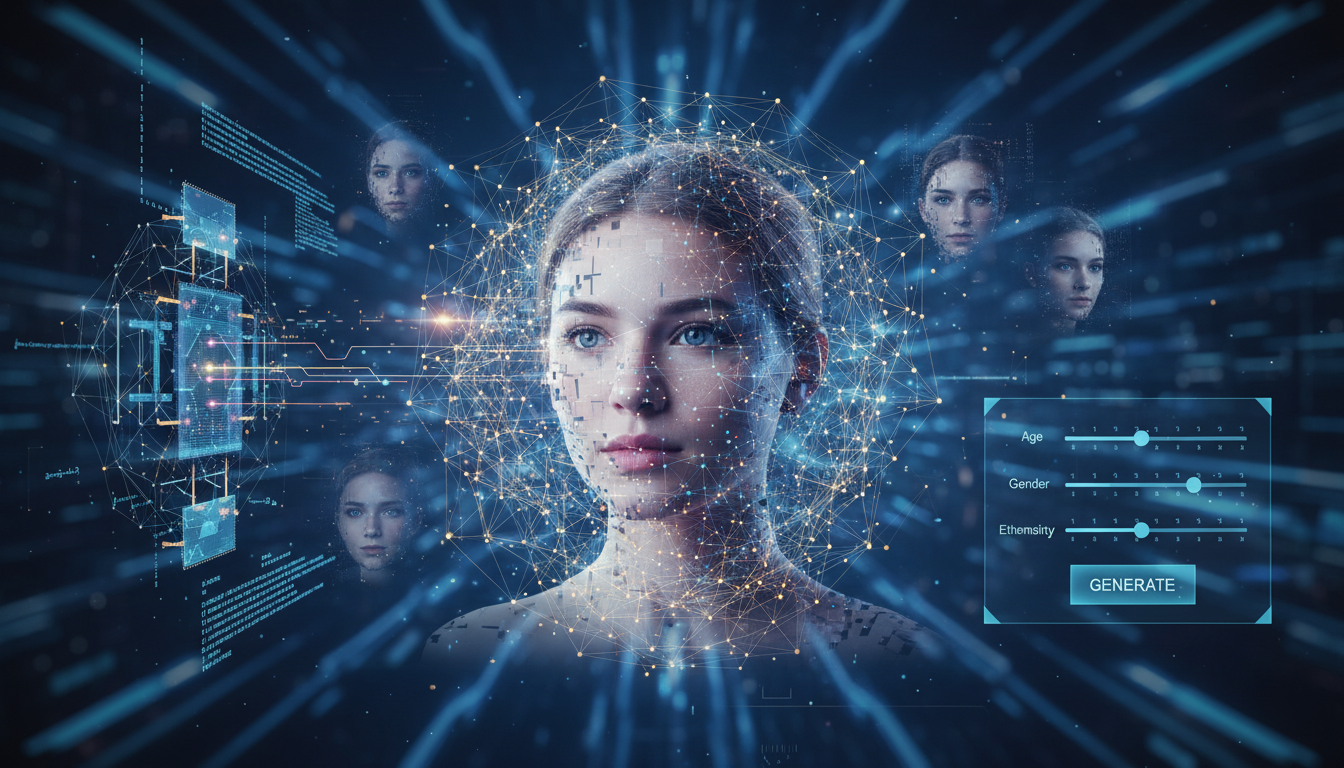 AI face generation requires special techniques to maintain consistency
Traditional prompting fails because describing a face with words lacks precision. "Blue eyes, blonde hair, oval face" could match thousands of different people. The AI interprets these descriptions differently each time, creating inconsistent results.
Three main approaches solve this problem. IP-Adapter locks onto reference images, essentially telling the AI "make faces that look like this photo." LoRA training teaches the model your specific character through custom fine-tuning. Face embedding stores facial features in a reusable format.
Each approach has trade-offs. IP-Adapter is fastest to set up but requires you always have a reference image handy. LoRA training takes time upfront but produces the most consistent long-term results. Face embedding falls between these in both effort and results.
Phase 1: Designing Your Character Concept
Strong characters start with clear concepts. Before touching any AI tools, document your character's visual identity thoroughly. This preparation dramatically improves consistency later.
Core Visual Elements
Define these attributes specifically rather than generally:
Face structure: Round, oval, square, heart-shaped, or diamond? Prominent cheekbones or soft features? Strong jaw or delicate? These structural elements anchor your character's recognizability.
Eyes: Beyond color, consider shape (almond, round, hooded, upturned), size relative to face, eyebrow shape and thickness, and eyelash prominence. Eyes communicate more personality than any other feature.
Hair: Style, color, texture, length, and how it frames the face. Hair often becomes the most recognizable aspect of animated or AI characters because it's easier to maintain than facial features.
Distinctive features: Birthmarks, freckles, dimples, or other unique characteristics that make your character memorable and identifiable even in varied images.
Personality Through Appearance
Visual design should reflect personality. A cheerful character might have naturally upturned lips and bright eyes. A mysterious character might have partially obscured features or dramatic lighting preferences.
Consider your character's "default expression" since this will be your most-generated look. A slight smile works well for companion characters as it appears friendly without being specific to any emotion.
Document your character with written descriptions and reference images from various sources. Even if you're creating something original, gathering inspiration images helps communicate your vision to the AI.
Phase 2: IP-Adapter Face Locking (Beginner Method)
IP-Adapter offers the fastest path to consistent characters. You provide reference images, and the model generates new images that preserve facial features. Setup takes minutes rather than hours.
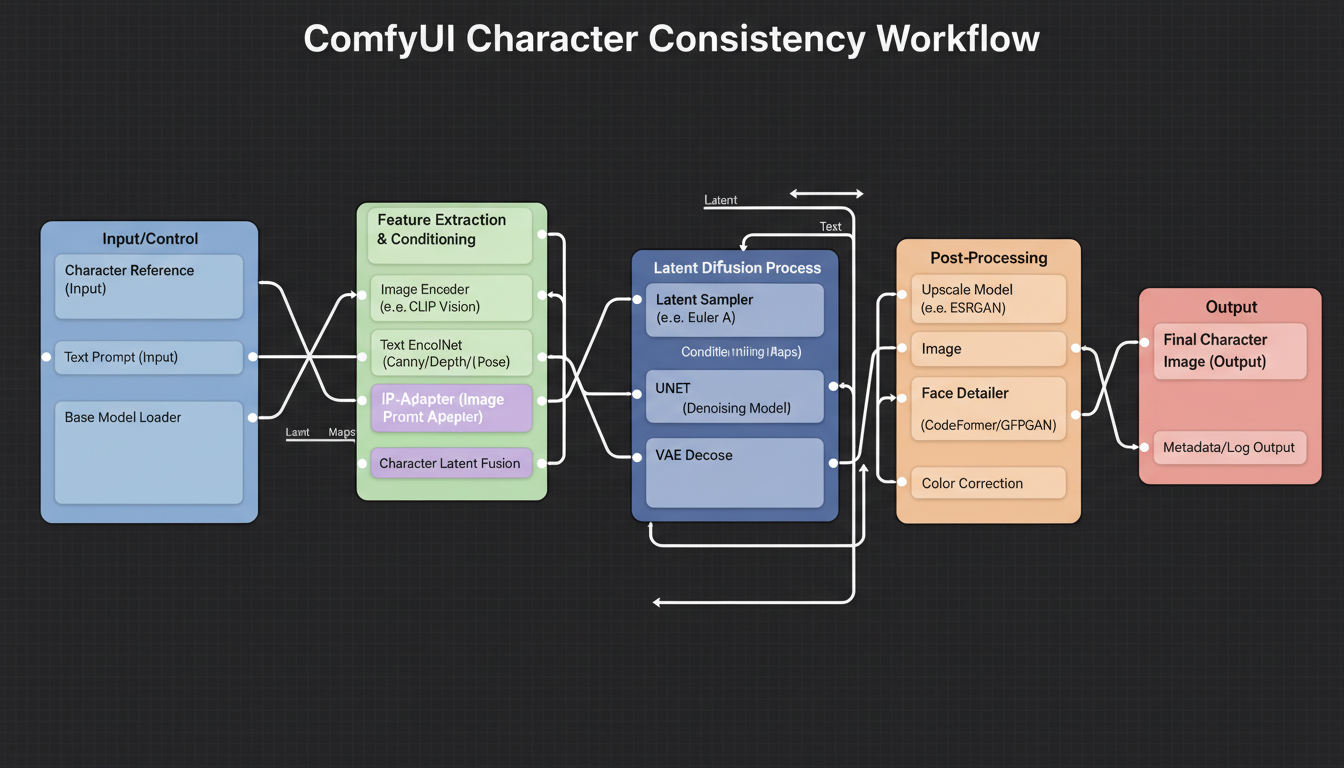 ComfyUI workflows enable powerful character consistency techniques
Setting Up IP-Adapter in ComfyUI
Install IP-Adapter through ComfyUI Manager if you haven't already. You'll need the IP-Adapter models (specifically IP-Adapter-FaceID for face-focused work) and the InsightFace models for face detection.
The basic workflow connects your reference image through the IP-Adapter node before the KSampler. The face analysis node extracts facial features, and these guide generation toward matching your reference.
Key settings to adjust include weight (0.7-0.85 works well for faces), start/end percentages (starting around 0.1 and ending around 0.9 maintains features while allowing some prompt influence), and face detection confidence threshold.
Creating Your Reference Set
Your reference images dramatically impact results. Start by generating 10-20 images of your character concept using standard prompting. Select the 3-5 images that best match your vision and show the face clearly from slightly different angles.
Good reference images show the face clearly without obstruction, have consistent lighting across the set, include slight angle variation (not all front-facing), match the general style you want to generate, and have sufficient resolution (512x512 minimum for face area).
Avoid references with heavy makeup, unusual expressions, or dramatic lighting that you don't want carried to all generations.
Basic Face-Locked Generation
With IP-Adapter configured and references ready, your generation workflow becomes:
Free ComfyUI Workflows
Find free, open-source ComfyUI workflows for techniques in this article. Open source is strong.
- Load your best reference image into the IP-Adapter Face node
- Write your prompt focusing on pose, clothing, background, and mood
- Avoid describing facial features in the prompt (let IP-Adapter handle this)
- Generate with standard settings
- Iterate on non-face elements while face remains consistent
This approach works immediately and produces good results for most use cases. The limitation is needing your reference image for every generation and some variance in exact features.
Phase 3: Custom LoRA Training (Advanced Method)
For maximum consistency and flexibility, training a custom LoRA model on your character produces superior results. The upfront investment of time pays off with faster generation and better consistency long-term.
Preparing Training Data
LoRA training needs 15-30 high-quality images of your character. If starting from scratch, use IP-Adapter to generate your training dataset. Focus on:
Variety in poses: Include front-facing, three-quarter, and profile views. Different head tilts and angles help the model learn three-dimensional facial structure.
Consistent features: Every training image must show the same character. Any variations in eye color, facial structure, or distinctive features will confuse the model.
Quality over quantity: 15 perfect images beat 100 mediocre ones. Each image should be sharp, well-lit, and clearly show the features you want preserved.
Caption carefully: Write descriptions focusing on elements outside the face. Describe clothing, background, poses, and expressions. Avoid describing the face itself since you want the model to learn that independently.
Training Configuration
Using tools like Kohya or the AI-Toolkit, configure training with these recommended settings:
- Network dimension (rank): 32-64 for characters
- Alpha: Equal to rank or half of rank
- Learning rate: 1e-4 to 5e-5 (lower is safer)
- Steps: 1500-3000 typically sufficient
- Batch size: 1-2 depending on VRAM
Training takes 30 minutes to 2 hours depending on hardware. Monitor loss values and generate test images periodically to avoid overtraining.
Using Your Character LoRA
Once trained, your character becomes a reusable asset. Loading the LoRA in ComfyUI or Automatic1111 activates your character's features. Typical workflow:
- Load your base model (SDXL, SD 1.5, or preferred checkpoint)
- Add your character LoRA at weight 0.7-1.0
- Include your character's trigger word in prompts
- Generate without needing reference images
The trigger word (defined during training) activates your character. Everything else in the prompt controls pose, expression, clothing, and environment. This separation gives you tremendous creative flexibility while maintaining consistency.
Phase 4: Building Your Character Library
With consistency techniques mastered, systematically build a versatile image library for your AI girlfriend character.
Want to skip the complexity? Apatero gives you professional AI results instantly with no technical setup required.
Essential Image Categories
Portrait shots: Standard headshots for profile pictures and close communication. Generate various expressions: happy, thoughtful, curious, playful, peaceful.
Lifestyle images: Daily activities like reading, cooking, exercising, working. These add personality depth and social media content variety.
Outfit variations: Different clothing styles show character range while maintaining face consistency. Professional, casual, elegant, sporty variations.
Environmental diversity: Indoor, outdoor, urban, nature settings. Location variety keeps content fresh without changing your character.
Seasonal content: Holiday themes, weather-appropriate clothing, seasonal activities. Plan ahead for timely content.
Batch Generation Workflows
ComfyUI supports batch processing for efficient library building. Create workflow templates for each category, then generate batches of 10-20 images per session.
Use prompt matrices to automatically vary elements while keeping face consistent. For example, vary clothing color while keeping pose and expression constant.
Review and curate aggressively. Not every generation is usable. Keep only images meeting your quality standards. A smaller library of excellent images beats a large library of mediocre ones.
Advanced Techniques
Once you've mastered basics, these advanced techniques elevate your character work.
Expression Transfer
Using ControlNet with facial landmark detection, transfer specific expressions from reference images while keeping your character's face. This lets you match expressions to specific scenarios precisely.
Style Consistency
Beyond face consistency, maintaining consistent artistic style matters for professional results. Use style LoRAs or embeddings alongside your character LoRA. Alternatively, include style descriptions in every prompt template.
Earn Up To $1,250+/Month Creating Content
Join our exclusive creator affiliate program. Get paid per viral video based on performance. Create content in your style with full creative freedom.
Animation Preparation
If planning to animate your character with tools like AnimateDiff or Stable Video Diffusion, generate images specifically designed for animation. Consistent poses and centered framing work better for video generation.
For more on animation workflows, check our AnimateDiff guide for video generation techniques.
Common Mistakes and Solutions
Face Drift Across Generations
Problem: Character looks slightly different in each image despite using consistency techniques.
Solution: Increase IP-Adapter weight or LoRA strength. Reduce prompt descriptions of facial features. Use seed locking for critical shots.
Inconsistent Style
Problem: Face is consistent but overall image style varies wildly.
Solution: Add style LoRAs, use consistent checkpoint, include style descriptions in every prompt, or use style reference images with IP-Adapter Style.
Overtraining (LoRA)
Problem: Character appears but looks artificial or only works in specific poses.
Solution: Train for fewer steps, use more diverse training data, reduce learning rate, increase regularization.
Wrong Face in Multi-Person Scenes
Problem: AI applies your character's features to the wrong person in group shots.
Solution: Use regional prompting to specify which area gets your character. ControlNet pose guidance helps direct which figure matches your character.
Tools and Resources
Essential tools for AI girlfriend character creation:
ComfyUI: The most flexible platform for character consistency workflows. Free and open source with extensive node ecosystem. Start with our ComfyUI beginner guide if you're new to the platform.
IP-Adapter: Face consistency without training. Multiple versions for different use cases.
Kohya_ss: Popular LoRA training interface with GUI. Well-documented and actively maintained.
AI-Toolkit: Alternative training solution, particularly good for newer model architectures.
InsightFace: Face detection and analysis powering many consistency tools.
Frequently Asked Questions
How long does it take to create a consistent AI girlfriend character?
Using IP-Adapter, you can have basic consistency within hours. Custom LoRA training adds 2-4 hours but produces better long-term results. Full character library development takes weeks of gradual generation.
Can I create AI characters that look like real people?
Technically possible but ethically and legally problematic. Creating characters resembling real people without consent violates most platform terms and potentially laws regarding likeness rights. Create original characters instead.
What hardware do I need?
For IP-Adapter workflows, 8GB VRAM minimum (12GB+ recommended). For LoRA training, 12GB+ VRAM or cloud GPU services. Generation can run on consumer graphics cards; training benefits from more powerful hardware.
How many reference images do I need for IP-Adapter?
3-5 high-quality reference images work well. More can help but quality matters more than quantity. Ensure references show consistent features from various angles.
Should I use SDXL or SD 1.5 for character creation?
SDXL produces higher quality images with better faces. SD 1.5 has more available LoRAs and faster generation. For new projects, SDXL is recommended. For existing SD 1.5 ecosystems, both work well with proper techniques.
Can I monetize AI girlfriend content?
Depends on platform policies, local laws, and content nature. Non-explicit content faces fewer restrictions. Always check platform terms and consult legal advice for commercial use. Many creators successfully monetize on platforms like Fanvue.
How do I prevent my character from looking same in every image?
Vary prompts for pose, expression, clothing, and environment while keeping face-locking active. Use different seeds for each generation. Add variety intentionally while maintaining consistency in the face.
What's the difference between IP-Adapter and LoRA for characters?
IP-Adapter references images at generation time for similar faces. LoRA embeds character knowledge into the model through training. IP-Adapter is faster to set up; LoRA is more consistent long-term.
Next Steps
Creating your AI girlfriend character is just the beginning. Consider these next steps for expanding your capabilities:
- Build a comprehensive image library covering expressions, outfits, and scenarios
- Experiment with animation using AnimateDiff for dynamic content
- Create voice content using RVC voice cloning for audio presence
- Develop social media presence strategy for your character
- Explore monetization options through appropriate platforms
The techniques covered here apply beyond AI girlfriends to any consistent character creation. Virtual influencers, game characters, illustration series, and brand mascots all benefit from these approaches.
For platform recommendations if you're considering sharing your character's content, explore our AI influencer guide for comprehensive strategies.
Ready to Create Your AI Influencer?
Join 115 students mastering ComfyUI and AI influencer marketing in our complete 51-lesson course.
Related Articles

10 Best AI Influencer Generator Tools Compared (2025)
Comprehensive comparison of the top AI influencer generator tools in 2025. Features, pricing, quality, and best use cases for each platform reviewed.

5 Proven AI Influencer Niches That Actually Make Money in 2025
Discover the most profitable niches for AI influencers in 2025. Real data on monetization potential, audience engagement, and growth strategies for virtual content creators.

AI Action Figure Generator: How to Create Your Own Viral Toy Box Portrait in 2026
Complete guide to the AI action figure generator trend. Learn how to turn yourself into a collectible figure in blister pack packaging using ChatGPT, Flux, and more.