AI Influencer Video Creation: Complete Beginner's Guide for 2025
Learn how to create engaging videos for your AI influencer without complex tools. Step-by-step guide covering image-to-video conversion, talking head videos, and content strategies.
Video content is no longer optional for AI influencers. The algorithms prioritize video, audiences expect video, and monetization opportunities favor creators who deliver video content. Yet most AI influencer creators stay stuck in static images because video seems technically overwhelming.
I was in that exact position a year ago. My AI influencer had great static content but zero video presence. The moment I cracked video creation, engagement tripled and revenue followed. The best part? It's significantly easier than I expected.
This guide covers everything beginners need to know about creating videos for AI influencers. No complex software required. No animation degree necessary. Just practical techniques that produce professional results from your existing AI influencer images.
Quick Answer: AI influencer videos can be created through image-to-video conversion tools, talking head generators, and simple motion techniques. Start with slideshow-style content using your Apatero images, then progress to animated talking head videos. Most effective AI influencer videos require under 30 minutes of work per piece.
:::tip[Key Takeaways]
- Follow the step-by-step process for best results with ai influencer video creation: complete beginner's guide for 2025
- Start with the basics before attempting advanced techniques
- Common mistakes are easy to avoid with proper setup
- Practice improves results significantly over time :::
- Why video matters more than ever for AI influencers
- The different types of AI influencer video content
- Image-to-video conversion techniques and tools
- Creating talking head videos without animation skills
- Platform-specific video optimization strategies
Why Video Changes Everything for AI Influencers
The shift toward video content has accelerated dramatically. Instagram now prioritizes Reels in its algorithm. TikTok continues dominating attention. YouTube Shorts competes for short-form viewers. Every major platform rewards video creators with reach that static image posts simply cannot achieve.
For AI influencers specifically, video solves a critical problem: believability. Static images, no matter how well-crafted, can feel artificial. A face that never moves triggers uncanny valley responses in some viewers. Video with subtle motion, lip sync, or animated expressions makes AI influencers feel more alive and relatable.
The numbers support this shift. AI influencer accounts that incorporate video content see 2-4x higher engagement rates compared to image-only accounts. Brand partnerships increasingly require video deliverables. Monetization through platforms like TikTok Creator Fund requires video content.
If you're serious about your AI influencer business, video isn't something to eventually explore. It's a capability you need to develop now.
Types of AI Influencer Video Content
Not all video content requires the same production approach. Understanding the different types helps you choose the right technique for each content goal.
Slideshow and Motion Graphics Videos
The simplest video type uses static images with added motion, transitions, and music. These are essentially animated slideshows but can be highly effective when well-executed.
This approach works well for:
- Transformation content (before/after reveals)
- Product showcases with multiple angles
- Outfit reveals and fashion content
- Tip compilations with text overlays
- Trending audio participation
The advantage is accessibility. You're using your existing Apatero images with minimal additional processing. The disadvantage is limited perceived authenticity since the character isn't actually moving.
Image-to-Video Animation
Modern AI tools can add subtle motion to static images. Hair flowing, slight head movements, blinking eyes, and ambient motion bring images to life without full video production.
This middle-ground approach provides more realism than slideshows while remaining accessible to non-technical creators. Tools like Runway, Pika Labs, and similar services handle the technical complexity.
Talking Head Videos
The most engaging format for AI influencers is talking head content where your character speaks directly to the audience. This requires lip sync technology and often voice generation or voice-over.
Talking head videos create the strongest audience connection but require more production effort. They're essential for certain content types like tutorials, story time content, and direct engagement with followers.
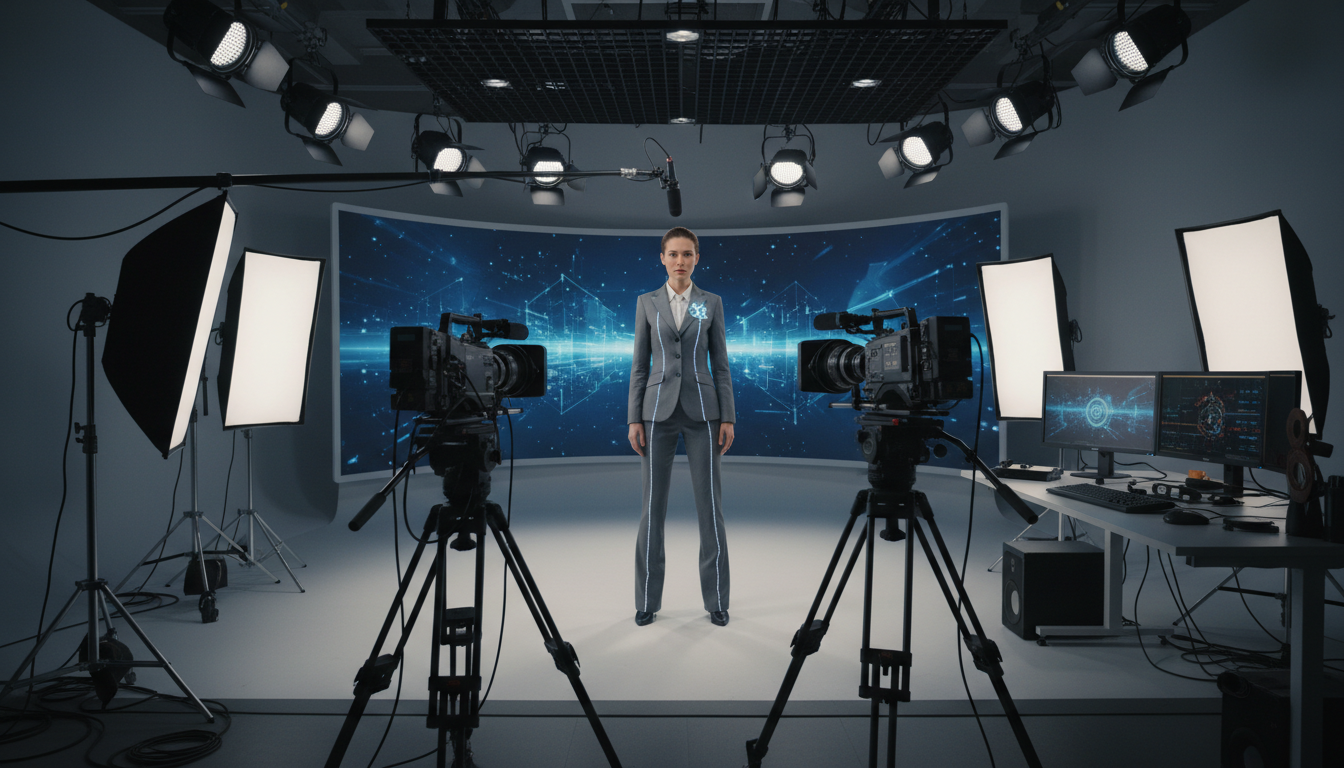 Professional-looking video content doesn't require complex setups for AI influencers.
B-Roll and Lifestyle Videos
Some content works best with your AI influencer as context rather than focal point. B-roll style videos showing environments, products, or activities with your character appearing occasionally blend realism with practical production.
This approach works for:
- Product reviews with product footage as primary content
- Day-in-the-life vlogs combining real footage with AI character
- Tutorial content with screen recordings and occasional character appearance
Creating Slideshow Videos: The Starting Point
Every AI influencer creator should master slideshow-style videos first. They're the foundation for more advanced techniques and often perform better than expected.
Essential Elements
Effective slideshow videos combine several elements:
Strong visual sequence: Your Apatero images arranged in a compelling order. Usually 5-15 images for a typical social video.
Appropriate pacing: Image transitions timed to music or content rhythm. Generally 1-3 seconds per image depending on content type.
Motion and transitions: Subtle zoom, pan, and transition effects that add dynamism without being distracting.
Audio selection: Music that matches the mood and preferably trending audio for algorithm benefits.
Text overlays: Key messages, tips, or context that enhance rather than clutter.
Step-by-Step Process
Start by selecting 8-12 images that tell a coherent story or convey a clear message. Arrange them in logical sequence, considering visual flow and narrative arc.
Import images into your editing tool. CapCut offers free, powerful editing perfect for beginners. Canva provides simpler alternatives. InShot works well for mobile-first creators.
Add motion to each image. The Ken Burns effect (slow zoom or pan) works universally. Apply subtle zoom-in for emphasis, zoom-out for context reveals, and horizontal pans for wider shots.
Layer transitions between images. Match transitions to your content tone. Smooth fades for elegant content, quick cuts for high-energy pieces, creative transitions for trend participation.
Select and add audio. Use trending sounds when appropriate for algorithm discovery. Match energy levels throughout the video length.
Add text overlays where they enhance understanding. Use consistent fonts and colors matching your brand aesthetic.
Export at platform-optimal settings and upload with appropriate captions and hashtags.
Common Slideshow Mistakes
Several mistakes commonly undermine slideshow video performance:
Too many images: Rapid-fire images overwhelm viewers. Quality over quantity.
Mismatched audio: Music that doesn't fit the visual mood creates disconnection.
Overdone transitions: Flashy transitions distract from content. Subtlety wins.
Missing hook: The first image must grab attention. Start with your strongest visual.
Poor pacing: Monotonous timing bores viewers. Vary image duration based on content importance.
Image-to-Video Conversion Tools
When slideshow videos don't provide enough realism, image-to-video AI tools bridge the gap between static and fully animated content.
How Image-to-Video Works
These tools analyze your static image and generate plausible motion. They understand physics, anatomy, and natural movement patterns. Hair flows, fabric sways, backgrounds animate, and subtle expressions appear.
The technology has improved dramatically in recent years. Early tools produced uncanny results. Current generation tools create genuinely impressive output that blends naturally with real video content.
Recommended Tools
Runway Gen-2/Gen-3: Professional-grade results with significant control over motion type and intensity. Higher learning curve but powerful capabilities.
Pika Labs: Accessible interface with strong results for character animation. Good balance of quality and ease of use.
Kling AI: Strong performance for human subjects specifically. Worth testing for AI influencer use cases.
Stable Video Diffusion: Open-source option for technical users wanting maximum control.
Best Practices for Conversion
The quality of output depends heavily on input preparation:
Image selection matters: Choose images with clear subjects, good lighting, and appropriate composition. Busy backgrounds or complex poses challenge the AI.
Resolution requirements: Higher resolution inputs produce better outputs. Use the highest quality images available from your generation process.
Motion guidance: Most tools allow specifying desired motion type. Be specific about what movements you want.
Multiple attempts: AI generation varies. Generate multiple versions and select the best result.
Post-processing: Light editing after generation improves final quality. Color correction, cropping, and speed adjustments help.
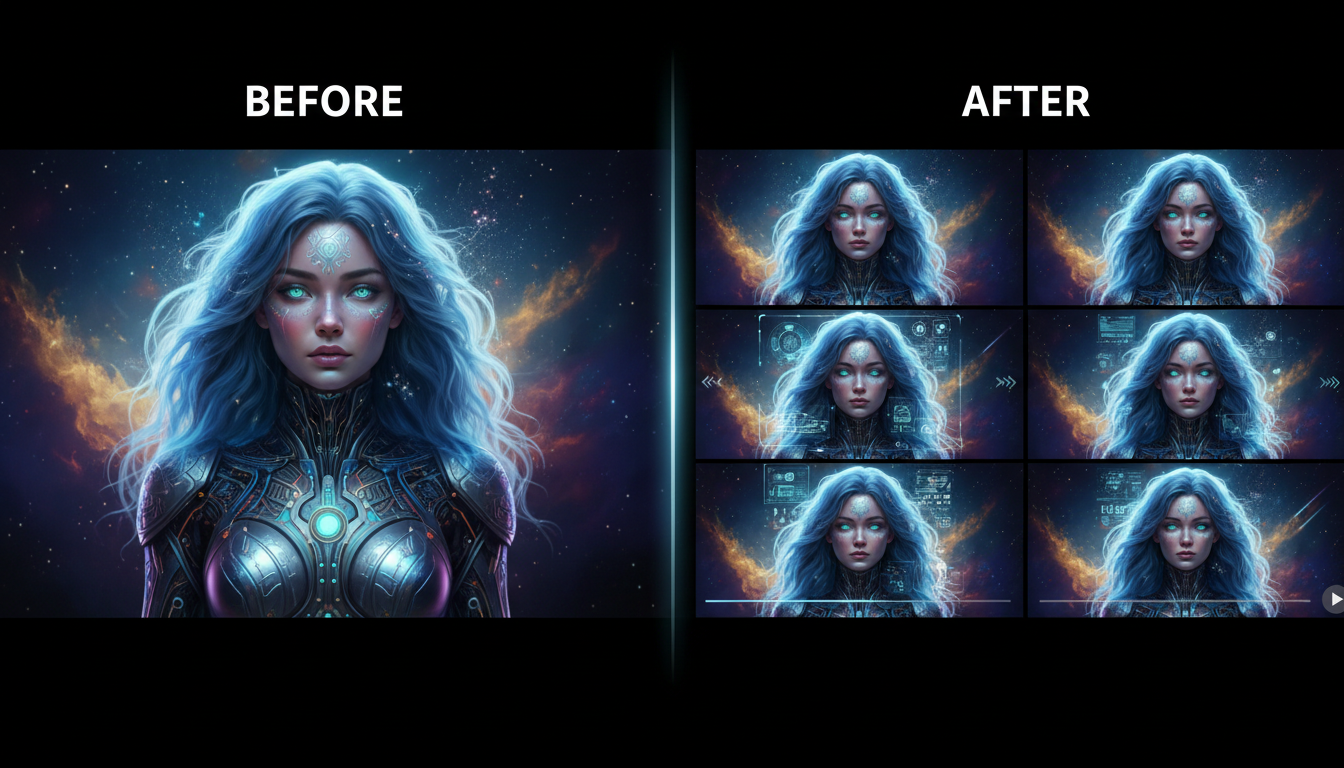 Image-to-video conversion adds natural motion to static AI influencer images.
Creating Talking Head Videos
Talking head content represents the pinnacle of AI influencer video. Your character speaking directly to the audience creates powerful connection and opens content possibilities that static images cannot achieve.
The Components Required
Talking head videos combine several elements:
Base image: A high-quality, front-facing image of your AI influencer character. Neutral expression typically works best as the starting point.
Audio source: Either generated AI voice matching your character or voice-over recording that you provide.
Lip sync technology: Software that animates the mouth and face to match the audio.
Post-processing: Editing to add intros, outros, text, and refine the output.
Audio Creation Options
You have two paths for audio:
AI voice generation: Tools like ElevenLabs, Murf, and similar services create realistic synthetic voices. You can define a consistent voice for your character used across all content.
The advantage is complete control and consistency. The disadvantage is that AI voices, while impressive, may not match the naturalness of human voices for all content types.
Voice-over recording: You or a voice actor record the script, which then drives the lip sync. This produces more natural audio but requires consistent voice acting across content.
Many successful AI influencers use human voice-over rather than AI voices. The combination of AI visuals with human voice often produces the most engaging result.
Lip Sync Tools
Several tools handle the technical challenge of matching mouth movement to audio:
D-ID: User-friendly with good results for forward-facing portraits. The go-to starting point for beginners.
HeyGen: More advanced features including multiple angles and motion. Professional-grade output.
Synthesia: Enterprise-focused but powerful for consistent character video creation.
SadTalker (open source): Free option for technically inclined creators. Requires local setup but avoids subscription costs.
The Complete Workflow
Here's how to create a talking head video from start to finish:
Step 1: Generate or select a high-quality, front-facing portrait of your AI influencer in Apatero. Neutral expression, good lighting, appropriate background.
Step 2: Write your script. Keep it conversational. Plan for natural pauses and emphasis.
Step 3: Create or record your audio. If using AI voice, generate with appropriate emotion and pacing. If recording, match the energy and personality of your character.
Step 4: Upload image and audio to your lip sync tool of choice. Configure settings for natural movement.
Step 5: Generate the video. Review for quality issues like sync problems or unnatural movement.
Step 6: Post-process in a video editor. Add intro, outro, text overlays, background music, and any additional elements.
Step 7: Export at platform-optimal settings and publish.
Quality Considerations
Talking head videos can look amazing or terribly uncanny. Quality depends on:
Image suitability: Not all images work well for animation. Front-facing, neutral expressions, high resolution.
Audio quality: Poor audio quality undermines even good visual output. Invest in good recording or voice generation.
Subtlety of motion: Excessive motion looks fake. Subtle, natural movement appears more realistic.
Length appropriateness: Longer videos increase chances of uncanny moments. Start with shorter content (15-30 seconds) before attempting longer pieces.
Platform-Specific Video Strategies
Each platform has different requirements and audience expectations for video content. Optimization matters.
Instagram Reels
Instagram currently favors Reels heavily in its algorithm. Key considerations:
Aspect ratio: 9:16 vertical format required Length sweet spot: 15-30 seconds for highest performance Hook requirement: First frame must grab attention immediately Audio importance: Trending audio significantly boosts reach Hashtag strategy: Use relevant hashtags in caption, not video
TikTok
TikTok pioneered short-form video and has specific expectations:
Authenticity valued: Overly polished content often underperforms raw, genuine-feeling videos Trend participation: Engaging with trending sounds and formats matters enormously Comments matter: Videos that generate comments receive algorithm boost Cross-posting: TikTok detects and may deprioritize content from other platforms
YouTube Shorts
YouTube Shorts appeals to a slightly different audience:
Searchability: YouTube's search relevance means optimized titles and descriptions matter more Longer tolerance: 60-second Shorts perform well here while struggling on other platforms Repurposing opportunity: Shorts can drive traffic to longer YouTube content Monetization: YouTube Shorts monetization potentially more lucrative than other platforms
Platform Content Strategy
A smart approach uses each platform's strengths:
Create content in the most demanding format first (typically vertical 9:16). Adapt for other platforms with appropriate adjustments. Use cross-posting tools but customize where possible for each platform's preferences.
For AI influencers specifically, consider which platforms your target audience uses most. Fitness content might prioritize Instagram and TikTok. Finance content might emphasize YouTube where longer explanation works better.
Building Your Video Content System
Sustainable video creation requires systematized workflows rather than ad-hoc production.
Batch Production
Create multiple videos in single sessions:
Generate all needed images for the week in one Apatero session. Prepare base images optimized for video conversion. Write multiple scripts while in writing mode. Record audio in batches with consistent energy and environment. Process through video tools in sequence. Edit all content together.
Batching dramatically increases efficiency while improving consistency across content.
Template Creation
Develop reusable templates for common content types:
Intro templates: Branded intro sequences used across videos Text overlay styles: Consistent fonts, colors, animations Outro templates: Standardized calls-to-action and end screens Transition sets: Go-to transitions that maintain brand consistency
Templates reduce decision fatigue and ensure professional-looking output.
Quality Control Checkpoints
Before publishing any video, verify:
Technical quality: Resolution, audio clarity, sync accuracy Brand consistency: Does this match your character's established identity? Platform optimization: Correct aspect ratio, length, format for target platform Content value: Does this actually provide value to your audience? Call to action: Is the viewer guided toward engagement or next steps?
Advancing Your Video Skills
Once you've mastered basics, progression paths include:
Multi-camera angles: Creating the illusion of different camera setups Advanced animation: More complex motion and expression ranges Live streaming: Real-time AI influencer appearances Interactive content: Videos that respond to viewer input
Each advancement opens new content possibilities but requires additional skill development. Progress gradually while maintaining quality on your foundation content.
Common Video Creation Mistakes
Avoid these pitfalls that undermine AI influencer video performance:
Uncanny valley triggers: Excessive or unnatural motion that breaks immersion. Less is often more.
Inconsistent character: Visual variations that make your character unrecognizable. Maintain strict identity standards.
Poor audio quality: Viewers tolerate average visuals but not bad audio. Prioritize sound quality.
Missing personality: Technically competent but personality-free content doesn't build connection. Inject character voice and perspective.
Platform mismatch: Content optimized for wrong platform underperforms. Customize for each destination.
Skipping editing: Raw output without post-processing looks amateur. Always edit and refine.
Your Video Creation Action Plan
Start implementing video content this week:
Day 1-2: Create your first slideshow video using 10 existing Apatero images with music and simple transitions.
Day 3-4: Experiment with an image-to-video tool. Convert your best portrait to a 5-second animated clip.
Day 5-6: Write a 30-second script and create your first talking head video using D-ID or similar tool.
Day 7: Review what worked, identify improvement areas, and plan your ongoing video content schedule.
The creators winning with AI influencers right now are the ones who invested early in video capability. Every week you delay is a week of algorithm advantage lost. Start simple, iterate constantly, and build toward sophisticated video content that sets your AI influencer apart from the competition.
FAQ
How long should AI influencer videos be?
Platform dependent. Instagram Reels and TikTok perform best at 15-30 seconds. YouTube Shorts can extend to 60 seconds. Talking head content works well at 30-60 seconds. Match length to platform and content type.
Do I need expensive software?
No. CapCut handles most editing needs for free. Free tiers of lip sync tools suffice for starting out. You can create professional AI influencer videos with zero software investment initially.
How often should I post video content?
Minimum once weekly to establish presence. 3-5 times weekly is ideal for growth phases. Quality matters more than quantity, but consistency matters most of all.
Will viewers know my influencer is AI when using video?
Current technology produces results that pass casual observation for most viewers. Some audiences appreciate knowing it's AI. Others engage regardless. Quality video content matters more than disclosure debates.
Can I use copyrighted music?
On major platforms, their licensed music libraries are safe. External music requires licensing. Trending audio on TikTok and Instagram is generally safe within those platforms.
How do I handle comments about uncanny appearances?
Some viewers will notice AI artifacts. Respond with humor or transparency depending on your brand positioning. Most engaged followers care more about content value than technical perfection.
Reuse a character reference
Save a character as a Soul and put them in any scene, image or video, without retraining anything. Check your welcome allowance and the displayed cost before generating.
Related Articles

5 Proven AI Influencer Niches That Actually Make Money in 2025
Discover the most profitable niches for AI influencers in 2025. Real data on monetization potential, audience engagement, and growth strategies for virtual content creators.

AI Background Replacement: Professional Guide 2025
Master AI background replacement for professional results. Learn rembg, BiRefNet, and ComfyUI workflows for smooth background removal and replacement.

AI Character Consistency: How to Maintain Virtual Persona Identity Across Content
Learn techniques for maintaining AI character consistency across hundreds of images. Master the art of creating recognizable virtual personas with consistent visual identity.