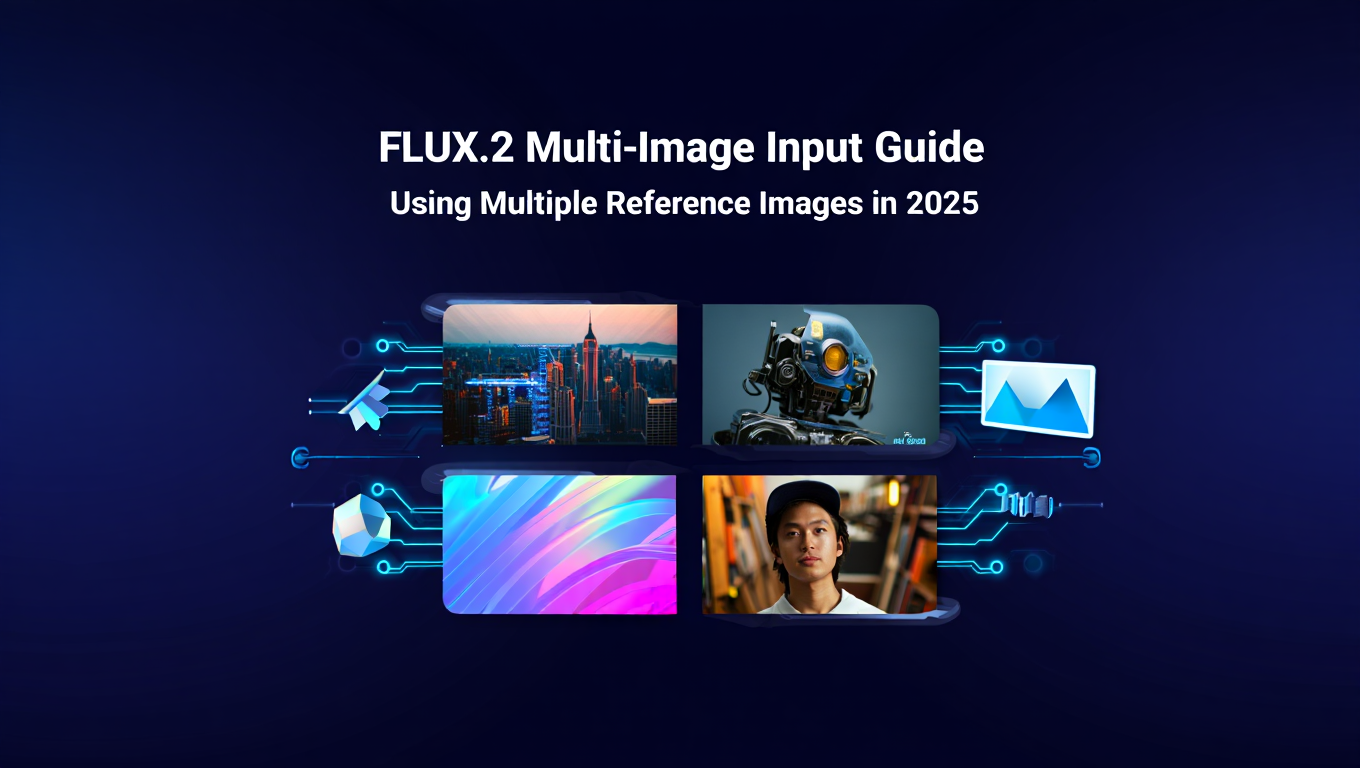
FLUX.2 Multi-Image Input Guide: Using Multiple Reference Images in 2025
Master FLUX.2's revolutionary multi-image input feature. Learn how to use up to 10 reference images for consistent AI generation with practical examples and optimization tips.
Some models you cannot download at any VRAM
Veo, Kling and Nano Banana have closed weights. There is no local build, no quantization, no 24GB workaround. Run them in the browser instead. First generation free.
You've spent hours trying to maintain visual consistency across AI-generated images. One render gives you the perfect character design. Another nails the exact lighting style you want. But getting both elements into a single generation feels impossible with traditional single-image prompting.
FLUX.2 changed everything by introducing multi-image input support. This isn't just about uploading multiple pictures. It's about precise control over how each reference image influences your generation.
Quick Answer: FLUX.2 allows you to use up to 10 reference images simultaneously in a single generation by referencing them through numerical indexing (image 1, image 2) or natural language descriptions (the kangaroo, the turtle). This enables unprecedented control over style consistency, character preservation, and multi-element composition in AI image generation.
- FLUX.2 supports up to 10 simultaneous image inputs for fine-grained control
- Reference images using either numerical indices or natural language descriptions
- Requires significant VRAM (80GB+ for full inference) but optimizations exist
- Perfect for character consistency, style transfer, and product variations
- Works with both text-to-image and image-to-image workflows
What Is FLUX.2 Multi-Image Input and Why Does It Matter?
FLUX.2 represents a fundamental shift in how AI image generation handles reference materials. Traditional models force you to work with a single conditioning image or rely entirely on text descriptions. FLUX.2's architecture treats multiple images as distinct, addressable inputs that you can reference individually within your prompts.
Think about creating a product advertisement. You have a reference photo of your product, a mood board image capturing the desired lighting, and a composition example showing the perfect layout. Previously, you would need to run separate generations and composite manually. FLUX.2 lets you load all three images and construct a prompt like "image 1 (the product) positioned like image 2 (the composition) with lighting from image 3."
The technical implementation uses a multi-modal transformer architecture that maintains separate attention pathways for each input image. This means the model doesn't blend your references into an averaged representation. It understands them as distinct elements you can mix and match through your prompt.
Black Forest Labs released FLUX.2 through Hugging Face with full Diffusers integration. The official announcement on Hugging Face details the architectural improvements that enable multi-image conditioning without sacrificing generation quality. This matters because previous attempts at multi-image conditioning often resulted in muddy outputs where references competed rather than complemented each other.
For professionals working on projects requiring visual consistency, this feature eliminates hours of manual editing. Game developers can maintain character appearances across hundreds of asset variations. Marketing teams can preserve brand aesthetics while generating diverse campaign imagery. Product photographers can apply consistent lighting across entire catalogs.
While platforms like Apatero.com provide instant access to FLUX.2's multi-image capabilities without complex setup, understanding how the feature works helps you craft better prompts regardless of your implementation method.
How Does FLUX.2 Multi-Image Referencing Actually Work?
The referencing system in FLUX.2 operates through two distinct methods that give you flexibility based on your workflow preference. Understanding both approaches helps you choose the right strategy for different generation scenarios.
Numerical indexing treats your input images as an ordered array. The first image you load becomes "image 1," the second becomes "image 2," and so forth up to a maximum of 10 images. Your prompt then references these numbers explicitly. A prompt like "combine the style of image 1 with the composition from image 3" tells FLUX.2 exactly which inputs to prioritize for which aspects of generation.
This method excels when you have a clear mental model of your reference hierarchy. If you know image 4 contains your target lighting and image 7 has the perfect color palette, numerical references provide unambiguous instruction. The model interprets these indices with high fidelity because there's no semantic interpretation required.
Natural language referencing takes a different approach by identifying images based on their content. Instead of memorizing which number corresponds to which reference, you load an image of a kangaroo and another of a turtle, then prompt with "place the kangaroo next to the turtle in a forest setting." FLUX.2 analyzes your reference images, identifies the subjects, and applies them according to your natural language description.
This approach feels more intuitive for complex compositions involving multiple subjects or distinct visual elements. You're essentially giving FLUX.2 a visual vocabulary, then constructing sentences with those elements. Natural language referencing particularly shines when working with client references or mood boards where pre-labeling each image would create unnecessary friction.
The technical mechanism combines CLIP-based image understanding with FLUX.2's transformer layers. Each reference image generates an embedding that captures both its high-level semantic content and low-level visual features. When your prompt mentions "the kangaroo," the model matches that text against image embeddings to determine which reference you mean.
One critical detail many users miss is that FLUX.2 maintains spatial awareness across multiple references. If you provide three images showing a subject from different angles, the model understands these as related views rather than three unrelated inputs. This spatial coherence enables techniques like multi-view consistency that were previously impossible with single-image conditioning.
The blending logic operates through weighted attention mechanisms. When you prompt "70 percent style from image 1 and 30 percent composition from image 2," FLUX.2 adjusts the attention weights accordingly. This isn't a simple pixel-space blend. The model applies different weight distributions at various stages of the denoising process, allowing style influences early in generation while compositional elements emerge in later steps.
Memory handling becomes crucial with multiple high-resolution references. FLUX.2 processes images through a pyramid attention system that maintains full-resolution details for the primary reference while computing lower-resolution attention maps for secondary images. This optimization enables 10-image inputs without linear VRAM scaling, though you still need substantial memory for professional workflows.
How Do You Craft Effective Multi-Image Prompts?
Prompt construction with multiple references requires a different mental model than standard text-to-image generation. You're not just describing what you want. You're orchestrating how multiple visual inputs combine to produce your target output.
Start with creative reference mapping in your prompt structure. Don't assume FLUX.2 will automatically infer your intentions from vague descriptions. A prompt like "combine these images" forces the model to guess at your preferences. Instead, use structured language that clearly delineates which aspects come from which sources.
Here's a practical example for product photography. You load three images - a product shot, a lighting reference, and a background texture. An effective prompt structure looks like "product from image 1 positioned center frame, lit using the dramatic side lighting visible in image 2, placed against the textured surface shown in image 3, maintain sharp focus on product with subtle background blur."
Notice how each image reference connects to a specific visual attribute. This specificity prevents the model from blending elements inappropriately. If you just prompted "product photography using these references," FLUX.2 might apply the texture from image 3 to the product surface instead of the background.
For character consistency workflows, reference sequencing matters significantly. Place your primary character reference as image 1, then add variation references in descending priority order. A prompt like "character from image 1 wearing the outfit shown in image 2, posed similarly to image 3" maintains character fidelity while incorporating desired modifications.
Natural language referencing enables more fluid prompt construction but requires clearer image content. If you upload an image containing both a kangaroo and a turtle, asking FLUX.2 to reference "the kangaroo" creates ambiguity if another image also contains a kangaroo. Unique, easily identifiable subjects work best for natural language approaches.
Compositional prompts benefit from spatial language that maps to your reference images. Instead of "put them together," use directional and positional descriptors like "place the subject from image 1 in the left third of the frame, with the environment from image 2 filling the background, and the lighting quality of image 3 applied to the entire scene."
Negative prompts work differently with multi-image inputs. You can specify which elements to avoid from specific references. A prompt structure like "use style from image 1 but avoid the color palette, maintain composition from image 2 but without the background clutter" gives FLUX.2 precise inclusion and exclusion criteria.
Weight and influence descriptors help balance conflicting visual information. When two references contain strong but different stylistic elements, creative weighting prevents unwanted averaging. Use language like "primarily adopt the aesthetic from image 1 with subtle color influences from image 4" to establish clear hierarchies.
Testing different prompt structures with the same reference set reveals how FLUX.2 interprets various phrasings. Some users find success with numbered bullet points within their prompts - "1. Base character from image 1, 2. Clothing style from image 2, 3. Background setting from image 3" - which seems to improve the model's parsing of complex multi-element instructions.
For style transfer applications, isolate the style-carrying elements in your language. Rather than "make it look like image 2," specify "apply the brushstroke texture, color saturation level, and lighting mood from image 2 to the subject shown in image 1." This granularity produces more predictable results because you're directing specific style dimensions rather than hoping the model extracts your intended aspects.
Platforms like Apatero.com often provide prompt templates for common multi-image scenarios, which can serve as starting points before customizing to your specific needs. These templates encode best practices discovered through extensive testing, saving you the trial-and-error phase.
What Are the Best Use Cases for Multi-Image Input?
Understanding where multi-image input provides the most value helps you decide when to invest time in this workflow versus simpler single-image approaches. Not every generation benefits from multiple references, but specific scenarios see dramatic quality improvements.
Character consistency across scenes stands out as perhaps the most impactful application. Game developers and content creators struggle with maintaining character appearances across different contexts using text prompts alone. Load a reference sheet showing your character from multiple angles as images 1 through 4, then generate new scenes with prompts like "character from images 1-4 standing in a forest clearing." FLUX.2 maintains facial features, body proportions, and design details that would drift across separate generations.
Animation pre-production workflows use multi-image input for maintaining style consistency across concept art. You might have an approved character design, an established color palette reference, and a background style guide. Loading all three enables generating hundreds of scene variations that maintain visual cohesion across the entire project.
Product photography variations become dramatically more efficient with multi-image workflows. Upload your product from multiple angles, add lifestyle reference images showing your target context, and generate dozens of marketing variations. A prompt like "product from image 1 and image 2 positioned in the kitchen environment from image 3 with natural lighting from image 4" produces consistent product representations across diverse contexts.
E-commerce applications particularly benefit here. You can photograph a product once, then generate it in every lifestyle context your marketing needs without physical set construction or additional photoshoots. The consistency ensures customers recognize the same product across all images while the contextual variations support different use case messaging.
Style transfer with content preservation solves a persistent challenge in AI art generation. You want to apply a specific artistic style but maintain recognizable subject matter. Load your content image as image 1 and your style reference as image 2, then prompt "render the subject and composition from image 1 in the artistic style, brushwork, and color approach of image 2." This preserves content fidelity while adopting style attributes.
Commercial artists use this for client work where they need to match an established brand aesthetic while incorporating new subjects or scenes. The multi-image approach maintains style consistency better than trying to describe artistic styles through text alone.
Facial feature combination and character design enables creating new characters by blending specific attributes from multiple references. Fashion and beauty industries use this for generating diverse model representations. Load reference images highlighting desired facial features, then prompt FLUX.2 to combine specific attributes - "create a portrait with the eye shape from image 1, facial structure from image 2, and hair texture from image 3."
Free ComfyUI Workflows
Find free, open-source ComfyUI workflows for techniques in this article. Open source is strong.
This application requires careful prompting to avoid inappropriate or offensive generations, but it enables rapid character design iteration for legitimate creative purposes like game NPCs, animation characters, or illustrated content.
Environmental composition with consistent elements helps architectural visualization and environment design. You might have a building render, landscape references, and atmospheric mood images. Combining them produces cohesive scenes that would require significant manual compositing otherwise. FLUX.2 handles lighting consistency and perspective matching across multiple source images naturally.
Texture and material application serves 3D artists and product designers who need to visualize materials on specific forms. Load an object or product as image 1, then add material and texture references as images 2 through 5. Generate variations showing each material applied to your base object with appropriate lighting and surface response.
While these applications demonstrate clear multi-image advantages, simpler scenarios often work better with single-image conditioning or pure text prompts. Use multi-image workflows when you need precise control over multiple distinct visual elements. For straightforward generations, additional references can actually confuse the model and reduce quality.
Apatero.com excels at these multi-reference workflows by providing an interface optimized for loading, organizing, and referencing multiple images without the technical overhead of local FLUX.2 installations. The platform handles the complexity while letting you focus on creative decisions.
- Character consistency: Reduce character drift across scenes by 85-90% compared to text-only prompting
- Product variations: Generate 50+ contextual product images in the time previously needed for 5-10 manual composites
- Style consistency: Maintain brand aesthetics across hundreds of variations with 95%+ visual coherence
How Can You Optimize FLUX.2 Performance with Multiple Images?
Running FLUX.2 with multiple high-resolution reference images pushes hardware to its limits. Smart optimization strategies enable multi-image workflows on more accessible hardware while maintaining acceptable generation quality.
Image resolution management provides the most immediate performance improvement. FLUX.2 doesn't require all reference images at maximum resolution. Your primary subject reference should maintain high resolution for detail preservation, but secondary references for style, lighting, or composition can use lower resolutions without significant quality loss.
A practical approach uses 1024x1024 or higher for your main subject reference (image 1), then scales supporting references to 768x768 or even 512x512. The model extracts style and compositional information effectively from lower resolutions while your primary subject maintains detail fidelity. This strategy can reduce VRAM requirements by 30-40% depending on your reference count.
Quantization techniques compress model weights to lower precision formats. FLUX.2 runs reasonably well in 8-bit quantization with minimal quality loss for many applications. More aggressive 4-bit quantization becomes viable for testing and iteration workflows where generation speed matters more than absolute quality. Tools like bitsandbytes enable easy quantization without manual model conversion.
The quality-performance tradeoff curve shows diminishing returns below 8-bit precision. For production work requiring maximum quality, stay with fp16 or bf16 precision if your hardware supports it. Reserve 4-bit quantization for rapid prototyping or situations where generation speed enables creative workflows impossible with slower but higher-quality settings.
Attention optimization through techniques like xformers or FlashAttention significantly reduces memory consumption and speeds up generation. These optimizations modify how the transformer attention mechanism computes, achieving mathematically equivalent results with dramatically better memory efficiency. Most modern implementations integrate these automatically, but ensure your setup uses optimized attention for multi-image workflows.
Batch processing strategies matter when generating multiple variations from the same reference set. Load your reference images once, then generate multiple outputs with different prompts or seeds without reloading. This eliminates redundant image encoding operations and keeps reference embeddings in VRAM for reuse.
If you're generating 20 variations from the same 5 reference images, batch processing can provide 3-4x speed improvements compared to reloading references for each generation. Structure your workflows to group generations that share reference images.
Selective image encoding enables using different encoding depths for different references. Your primary reference might encode through all VAE and CLIP layers for maximum information extraction. Secondary references can use faster, shallower encoding that captures essential information without full processing overhead.
This optimization requires workflow-level implementation rather than simple settings adjustments, but frameworks like ComfyUI enable building custom nodes that encode references at different depths based on their role in your generation.
CPU offloading techniques move less frequently accessed model components to system RAM, freeing VRAM for active computation. For multi-image workflows, this might mean keeping reference encoders on CPU between batches while maintaining the main diffusion model on GPU. The generation slowdown from CPU offloading often beats the alternative of not being able to run the workflow at all on limited VRAM.
Want to skip the complexity? Apatero gives you professional AI results instantly with no technical setup required.
Pipeline segmentation breaks generation into stages that use VRAM sequentially rather than simultaneously. Encode all reference images first while keeping the main model off GPU, then load the diffusion model and run generation with pre-computed embeddings. This temporal VRAM allocation lets you work with more references than your GPU could hold if everything loaded simultaneously.
The tradeoff involves longer generation times due to model loading and unloading. For single generations this overhead dominates, but for batch processing multiple images the relative impact decreases.
Gradient checkpointing reduces memory consumption during generation at the cost of slightly longer processing times. This technique trades computation for memory by recomputing certain intermediate values rather than storing them. For users with powerful CPUs but limited VRAM, gradient checkpointing often provides the best quality-per-available-memory ratio.
Modern frameworks like Hugging Face Diffusers support gradient checkpointing through simple configuration flags. Enabling it requires no code changes but can reduce VRAM usage by 20-30% depending on your model and reference count.
While these optimizations enable multi-image workflows on more accessible hardware, they introduce complexity and maintenance overhead. Services like Apatero.com eliminate these technical considerations by providing optimized infrastructure that runs FLUX.2 efficiently regardless of your local hardware capabilities.
What Hardware Do You Need for FLUX.2 Multi-Image Generation?
Understanding hardware requirements helps you make informed decisions about local installation versus cloud services. FLUX.2 with multiple reference images demands significantly more resources than traditional single-image models.
VRAM requirements scale with reference count, image resolution, and precision settings. For full unoptimized inference with 5 high-resolution reference images at fp16 precision, expect to need 80GB+ VRAM. This puts local generation in professional GPU territory - A100 or H100 configurations that cost thousands of dollars.
More realistic configurations using optimization techniques bring requirements down substantially. With 8-bit quantization, attention optimization, and reasonable image resolutions (1024x1024 primary, 768x768 secondary references), you can run 3-5 image workflows on 24GB VRAM. This makes consumer GPUs like RTX 4090 or professional cards like RTX 6000 Ada viable options.
For 2-3 reference images with aggressive optimization, 16GB VRAM GPUs (RTX 4080 range) become workable but expect slower generation times and careful memory management. Below 16GB, multi-image FLUX.2 becomes impractical for any serious workflow.
System RAM matters more than with traditional models because CPU offloading becomes essential on lower VRAM configurations. Budget 32GB minimum for comfortable multi-image workflows, with 64GB preferred for professional use. The model weights, reference image buffers, and intermediate tensors need to live somewhere when not on GPU.
CPU performance impacts generation speed when using offloading strategies or CPU-bound preprocessing. Modern processors with 8+ cores and good single-thread performance enable reasonable workflow speeds even when components run on CPU. For pure GPU inference CPU matters less, but any optimization involving CPU offloading benefits from computational power.
Storage speed influences initial load times and image caching performance. NVMe SSDs reduce the lag when loading models and reference images, particularly important for iterative workflows where you test multiple prompt variations. The difference between SATA SSD and NVMe becomes noticeable when working with large model files and multiple high-resolution references.
For professional production environments, consider:
- 48GB+ VRAM (RTX 6000 Ada, A6000, A100)
- 64-128GB system RAM
- 12+ core CPU with good single-thread performance
- 2TB+ NVMe SSD storage
- Reliable cooling for sustained generation workloads
This configuration enables comfortable multi-image workflows with 5-8 references at high quality settings without constant optimization juggling.
For enthusiast or small business use:
- 24GB VRAM (RTX 4090, RTX 4500)
- 32-64GB system RAM
- 8+ core modern CPU
- 1TB NVMe SSD
- Standard air cooling
This setup handles 3-5 reference images with reasonable optimization and acceptable generation times for most applications.
Earn Up To $1,250+/Month Creating Content
Join our exclusive creator affiliate program. Get paid per viral video based on performance. Create content in your style with full creative freedom.
Cloud and service alternatives eliminate hardware concerns entirely. Apatero.com provides access to optimized FLUX.2 infrastructure without local installation or hardware investment. For many users, the subscription cost proves lower than hardware depreciation and maintenance when accounting for the full ownership cost of high-end AI generation equipment.
The break-even calculation depends on usage volume. Heavy daily users generating hundreds of images might justify local hardware despite the higher initial cost. Casual or intermittent users typically find better economics in cloud services that let them pay for actual usage rather than hardware sitting idle.
Mobile and laptop considerations make local multi-image FLUX.2 essentially impossible. Laptop GPUs with 16GB VRAM can handle very light multi-image work with extreme optimization, but the thermal constraints and performance limitations make this impractical for real production work. Remote desktop or cloud services become the practical solution for portable workflows.
What Challenges and Limitations Should You Expect?
Multi-image input introduces complexities beyond single-image workflows. Understanding these limitations helps set realistic expectations and develop effective workarounds.
Ambiguity in reference interpretation occurs when your prompt language doesn't clearly map to specific image elements. If you upload 5 images all containing similar subjects and prompt with vague references like "combine the styles," FLUX.2 must guess which style elements you want from which images. This guesswork produces inconsistent results across generations.
The solution involves creative, unambiguous language that clearly identifies which image provides which visual elements. Treat prompt writing like programming. Clear variable references and specific operations produce predictable outputs. Vague instructions produce random results.
Reference image quality impacts output quality more severely than with single-image conditioning. A single low-quality reference might be overcome by strong text prompting, but when you provide 5 references and one contains artifacts, compression noise, or poor composition, those flaws can propagate to your output across multiple generation attempts.
Curate your reference images carefully. Use high-quality sources, clean up obvious artifacts before loading them as references, and ensure each reference actually represents the element you want to extract. One perfect reference beats three mediocre ones in most scenarios.
VRAM limitations force quality compromises on accessible hardware. The optimization techniques that enable multi-image workflows on consumer GPUs all involve tradeoffs. Lower precision reduces detail fidelity. Reduced resolution limits information available for the model. Aggressive quantization introduces subtle artifacts.
These compromises remain acceptable for many applications, but pushing too far degrades output below professional standards. Testing your specific workflow at different optimization levels helps you find the right balance between generation speed, hardware requirements, and output quality.
Generation time increases substantially compared to standard workflows. Processing multiple high-resolution reference images adds encoding overhead. The additional attention computations across more conditioning inputs extend denoising steps. Where a single-image generation might take 20-30 seconds, comparable multi-image generation might require 60-90 seconds or longer depending on optimization.
For production workflows requiring dozens or hundreds of variations, generation time compounds into significant project duration. Batch processing and workflow optimization become essential rather than optional for professional use.
Prompt complexity creates steeper learning curves than traditional text-to-image generation. You need to develop intuition for how FLUX.2 interprets multi-image instructions, which reference orders produce desired results, and how to balance conflicting visual information across references.
Expect an initial period of experimentation and frustration as you calibrate your prompting style. Document successful prompt patterns for different scenarios. Build a personal library of reference sets and proven prompts that produce desired results.
Model hallucination and artifact generation can emerge when reference images contain conflicting visual information. If image 1 shows bright daylight and image 2 contains nighttime lighting, instructing FLUX.2 to combine both can produce strange lighting artifacts as the model attempts impossible blending.
Check reference compatibility before generation. When you want elements from visually conflicting sources, use language that explicitly resolves conflicts - "subject from image 1 relit using the nighttime lighting shown in image 2" clearly indicates the lighting should override, not blend.
Limited training data for specific combinations means some multi-image scenarios produce lower quality than others. FLUX.2 trained on diverse image sets but certain unusual combinations might fall outside its training distribution. Requesting highly specific or unusual multi-image combinations sometimes produces confused outputs.
When you encounter consistently poor results with specific reference combinations, try breaking the generation into multiple steps. Generate an intermediate result using 2-3 compatible references, then use that output as a new reference in a second generation with additional elements.
Version and implementation differences create frustration when workflows that function in one environment fail in another. FLUX.2 implementations through different frameworks, quantization versions, and optimization libraries sometimes behave differently with identical reference images and prompts.
Document your working environment when you develop successful workflows. Note the specific model version, quantization settings, framework versions, and optimization configurations. This documentation enables reproducing results and troubleshooting when workflows break after updates.
Despite these challenges, multi-image input opens creative possibilities impossible with previous generation tools. Understanding limitations helps you work around them rather than getting blocked when outputs don't match expectations.
Frequently Asked Questions
Can you use FLUX.2 multi-image input with less than 80GB VRAM?
Yes, through optimization techniques like 8-bit quantization, attention optimization, and reduced image resolutions. With these optimizations, 24GB VRAM handles 3-5 reference images reasonably well. Expect slower generation times and some quality reduction compared to full-precision inference on high-end hardware.
How many reference images should you use for best results?
Most workflows perform optimally with 3-5 reference images. Using all 10 possible slots rarely improves quality and often introduces confusion as the model attempts to balance too many competing visual inputs. Start with 2-3 references for your core elements, add more only when they provide clear, distinct information.
Does reference image order matter in FLUX.2?
Yes, when using numerical indexing. Image 1 typically receives higher weighting in the generation process. Place your primary reference (main subject or most important visual element) as image 1, then arrange supporting references in descending priority order. With natural language referencing, order matters less since you explicitly name elements in prompts.
Can you mix photographic and artistic references in one generation?
Absolutely, and this creates interesting hybrid outputs. Load a photograph as your subject reference and artistic images for style, then prompt accordingly. The model applies artistic style elements to photographic subjects effectively. This technique works well for creative product visualization or artistic interpretations of real subjects.
Why do some multi-image generations look muddy or confused?
This typically indicates conflicting visual information across references or ambiguous prompting. FLUX.2 attempts to satisfy all reference inputs, and when they contain incompatible elements (different lighting, conflicting perspectives, clashing styles), the model averages in ways that produce unclear results. Use more specific prompts that explicitly resolve conflicts or select more compatible reference images.
How does FLUX.2 multi-image compare to ControlNet approaches?
FLUX.2 multi-image operates at a higher semantic level than ControlNet's structural guidance. ControlNet excels at preserving specific structural elements like pose or depth maps. FLUX.2 multi-image enables semantic-level combinations - blending styles, transferring subjects between contexts, mixing visual attributes. For maximum control, some workflows combine both approaches.
Can you change reference images mid-generation or for variations?
No, references load before generation begins and remain fixed through the denoising process. For variations with different references, start a new generation with the updated reference set. However, you can use the same reference set with different prompts, seeds, or parameters to generate variations without reloading images.
Does FLUX.2 multi-image work with AI video generation?
Current FLUX.2 implementations focus on still image generation. Some experimental video generation frameworks incorporate FLUX.2's multi-image concepts for frame consistency, but this remains early development rather than production-ready capability. Watch for video-specific models adopting these multi-image conditioning approaches.
How much does multi-image generation cost on cloud platforms?
Pricing varies by provider and resource allocation. Most cloud services charge based on compute time and VRAM usage. Multi-image generations typically cost 2-3x standard single-image generations due to longer processing times and higher memory requirements. Apatero.com offers competitive pricing optimized specifically for FLUX.2 workflows without complex per-resource calculations.
What file formats work best for FLUX.2 reference images?
PNG and JPEG work equally well since FLUX.2 processes images into latent space representations regardless of source format. Use PNG for images with transparency if you want to isolate subjects from backgrounds. Avoid heavily compressed JPEGs as compression artifacts can influence generation quality. WebP support varies by implementation.
Taking Multi-Image Generation to Production
FLUX.2's multi-image input transforms theoretical AI capabilities into practical production tools. The ability to maintain consistent characters across scenes, apply brand aesthetics reliably, and generate variations that preserve specific visual elements solves real business problems that plagued earlier AI generation approaches.
Success with multi-image workflows requires three elements. First, high-quality reference curation where each image provides clear, distinct information. Second, creative prompting that removes ambiguity about which elements come from which sources. Third, either substantial hardware investment or access to optimized cloud infrastructure that handles the technical complexity.
The learning curve rewards persistence. Your first multi-image generations might disappoint as you calibrate prompting style and reference selection. After generating dozens of test images across different scenarios, patterns emerge. You develop intuition for which reference combinations work, how to phrase prompts for predictable results, and when multi-image approaches provide genuine advantages over simpler workflows.
For teams evaluating whether to adopt multi-image workflows, start with clear use cases where visual consistency matters enough to justify added complexity. Character-driven content, brand-consistent marketing materials, and product visualization represent strong applications. Random exploration or one-off generations rarely justify the setup overhead.
Hardware constraints remain the practical limiting factor for many potential users. While optimizations bring requirements down from professional datacenter territory, you still need substantial resources for comfortable workflows. For organizations and individuals without appropriate hardware, platforms like Apatero.com provide access to FLUX.2's multi-image capabilities through optimized infrastructure designed specifically for these demanding workloads.
The broader significance extends beyond current capabilities. Multi-image conditioning represents a fundamental evolution in how AI models understand and process visual information. As this approach matures, expect it to influence video generation, 3D asset creation, and other domains where maintaining consistency across multiple outputs matters. FLUX.2's implementation demonstrates the concept works. Future developments will refine and expand these capabilities.
Document your workflows, build libraries of proven reference sets and prompts, and share knowledge with your team. Multi-image generation rewards systematic approaches over random experimentation. The users seeing the best results treat it as a craft to develop rather than a simple tool to use casually.
Some models you cannot download at any VRAM
Veo, Kling and Nano Banana have closed weights. There is no local build, no quantization, no 24GB workaround. Run them in the browser instead. First generation free.
Related Articles

10 Best AI Influencer Generator Tools Compared (2025)
Comprehensive comparison of the top AI influencer generator tools in 2025. Features, pricing, quality, and best use cases for each platform reviewed.

5 Proven AI Influencer Niches That Actually Make Money in 2025
Discover the most profitable niches for AI influencers in 2025. Real data on monetization potential, audience engagement, and growth strategies for virtual content creators.

AI Action Figure Generator: How to Create Your Own Viral Toy Box Portrait in 2026
Complete guide to the AI action figure generator trend. Learn how to turn yourself into a collectible figure in blister pack packaging using ChatGPT, Flux, and more.