AI Influencer Ultimate Resource Guide: Tools, Platforms, and Learning Materials
The complete resource collection for AI influencer creators. Every tool, platform, learning resource, and community you need to succeed.
Make AI images and video in your browser
Characters, video, photo packs. No GPU, no setup. Your first generation is free.
Finding the right tools and resources can mean the difference between struggling through every task and operating efficiently. This comprehensive resource guide compiles everything AI influencer creators need, organized by category and stage of development.
Building an AI influencer requires tools across multiple categories: image generation, content scheduling, analytics, design, community management, and more. Rather than discovering these one by one through trial and error, this guide provides a curated collection tested and used by successful creators.
I spent my first year discovering tools and resources the hard way. Each discovery meant research, testing, and integration into existing workflows. This guide gives you in one place what took me countless hours to compile, saving you time to focus on what matters: creating great content.
Quick Answer: Essential AI influencer tools include image generation (Apatero for consistency), scheduling (Later, Buffer, or Hootsuite), design (Canva, Photoshop), analytics (native + third-party), and community management tools. Supplement with learning resources, communities, and templates. Invest in quality tools for core functions; use free options for secondary needs.
:::tip[Key Takeaways]
- Follow the step-by-step process for best results with ai influencer ultimate resource guide: tools, platforms, and learning materials
- Start with the basics before attempting advanced techniques
- Common mistakes are easy to avoid with proper setup
- Practice improves results significantly over time :::
- Image generation and editing tools
- Content scheduling and management
- Analytics and tracking
- Design and creative tools
- Learning and community resources
Image Generation Resources
The foundation of AI influencer content creation.
Primary Generation Tools
Your main image creation platform determines everything else.
Apatero - Recommended primary tool
Apatero stands out for AI influencer creation because it prioritizes character consistency. Unlike general image generators, Apatero understands that virtual influencers need to look like the same person across hundreds of images.
Key strengths include face consistency technology, intuitive interface for non-technical users, and output quality suitable for social media. The platform bridges the gap between complex AI tools and creator-friendly workflows.
Alternative generation platforms:
- Midjourney: High-quality artistic output, requires Discord
- DALL-E 3: OpenAI's offering, good for diverse styles
- Stable Diffusion: Open source, requires technical setup
- Leonardo AI: Web-based with multiple models
Image Editing Tools
Post-processing and refinement after generation.
Professional options:
- Adobe Photoshop: Industry standard, subscription-based
- Affinity Photo: One-time purchase, full-featured
- GIMP: Free, open-source, learning curve
Quick editing:
- Canva: Web-based, template-rich, easy to use
- Pixlr: Browser-based editing
- Photopea: Free Photoshop alternative in browser
- Snapseed: Mobile editing
AI-enhanced editing:
- Remove.bg: Background removal
- Let's Enhance: AI upscaling
- Cleanup.pictures: Object removal
- FaceApp: Face editing (use carefully for consistency)
Mobile Creation Tools
Creating and editing on the go.
Camera and capture:
- Lightroom Mobile: Professional editing
- VSCO: Filters and editing
- Snapseed: Comprehensive mobile editing
- TouchRetouch: Remove unwanted elements
Quick graphics:
- Canva Mobile: Full functionality on phone
- Over: Text and graphics overlay
- Unfold: Story templates
- InShot: Video and photo editing
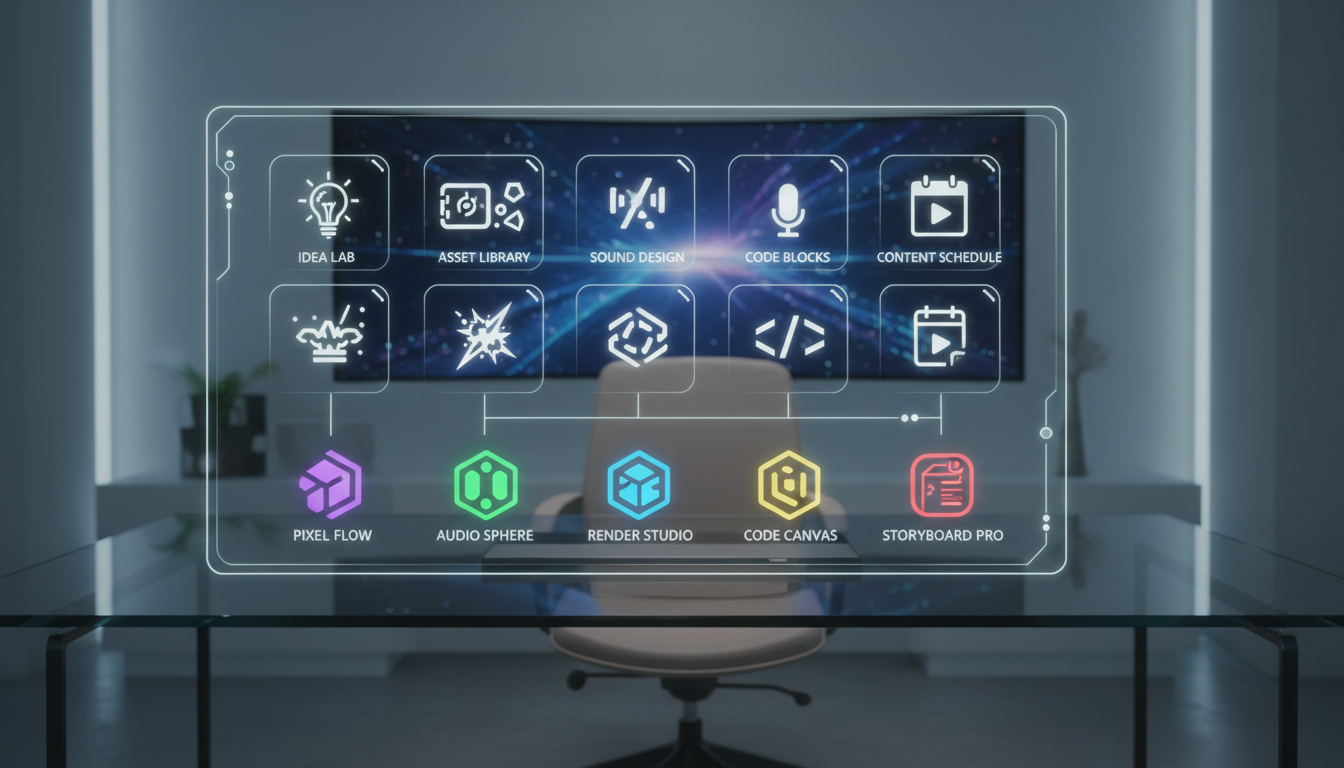 The right combination of tools streamlines your entire workflow.
Content Scheduling Resources
Automating publication for consistency.
Scheduling Platforms
Tools that handle posting timing.
Later: Visual-first scheduling with Instagram focus. Drag-and-drop calendar, optimal time suggestions, link in bio feature, and visual planning grid. Free tier available with paid plans for more features.
Buffer: Simple, clean interface across platforms. Analytics included, team collaboration features, browser extension for quick scheduling. Affordable pricing tiers.
Hootsuite: Comprehensive social media management. Advanced analytics, team workflows, monitoring features. Better suited for larger operations or agencies.
Creator Studio (Meta): Free, native scheduling for Instagram and Facebook. Limited features but reliable and no cost. Good starting point.
Planoly: Visual planning focused on Instagram. Grid preview, story scheduling, analytics. Popular with visually-focused creators.
Content Calendar Tools
Planning and organizing content strategy.
Notion: Flexible database and calendar system. Build custom content workflows, track ideas, manage pipeline. Free tier generous.
Trello: Kanban-style content organization. Move content through stages (idea > creation > scheduled > posted). Visual and intuitive.
Airtable: Database-powered content management. More powerful than spreadsheets, custom views and automations. Great for complex workflows.
Google Sheets: Free, accessible, familiar. Works well for simple content calendars. Easy to share and collaborate.
Link Management
Maximizing your bio link.
Linktree: Most popular link-in-bio solution. Free tier available, customization options, analytics included.
Stan Store: Commerce-focused link page. Sell products directly, collect emails, schedule calls.
Beacons: Creator-focused link page. Email collection, media kit, store features.
Carrd: Build simple landing pages. One-time purchase for pro features. More customization than link tools.
Analytics Resources
Measuring and optimizing performance.
Native Analytics
Built-in platform insights.
Instagram Insights: Professional account required. Follower demographics, content performance, reach and engagement metrics. Foundation for all analysis.
TikTok Analytics: Creator or business account needed. Video performance, audience insights, trending content data.
Twitter/X Analytics: Available to all users. Tweet performance, audience insights, engagement tracking.
YouTube Studio: Comprehensive video analytics. Watch time, retention, traffic sources, audience data.
Third-Party Analytics
Enhanced analysis beyond native tools.
Iconosquare: Deep Instagram and Facebook analytics. Competitor tracking, optimal posting times, detailed reports. Paid service.
Sprout Social: Enterprise-level social analytics. Cross-platform reporting, team features, listening tools. Higher price point.
Metricool: Affordable multi-platform analytics. Competitor analysis, reporting, scheduling included.
Not Just Analytics: Instagram-focused insights. Growth tracking, engagement analysis, hashtag research.
Hashtag Research
Finding optimal hashtags.
Free ComfyUI Workflows
Find free, open-source ComfyUI workflows for techniques in this article. Open source is strong.
Display Purposes: Free hashtag generator. Enter topic, receive related hashtags with size indicators.
Hashtagify: Hashtag research and trending. Track hashtag performance over time.
RiteTag: Instant hashtag suggestions. Browser extension for quick research.
All Hashtag: Generator, creator, and analytics. Multiple tools in one.
Design Resources
Creating polished visual content.
Graphic Design Tools
Beyond photo editing for graphics and text.
Canva: Essential for creators. Templates for every format, easy drag-and-drop, brand kit features. Free tier works well; Pro adds significant value.
Adobe Express: Adobe's simple design tool. Templates, brand tools, integration with Adobe ecosystem.
Crello (now VistaCreate): Canva alternative with animation focus. Similar features, different template library.
Figma: Professional design tool. Overkill for most creators but powerful for complex graphics.
Template Resources
Pre-made designs for quick content.
Canva Templates: Built into Canva. Thousands of options for every platform and content type.
Creative Market: Paid templates and graphics. High quality, unique options. One-time purchase.
Envato Elements: Subscription access to templates, graphics, fonts. Comprehensive library.
Etsy: Creator templates from indie designers. Instagram templates, media kits, planners.
Font Resources
Typography for branded graphics.
Google Fonts: Free, web-safe fonts. Large selection, easy to use.
Adobe Fonts: Included with Creative Cloud. Premium selection.
Font Squirrel: Free fonts for commercial use. Curated quality.
Dafont: Huge free font library. Variable quality, check licenses.
Stock Assets
Photos, videos, and graphics to supplement content.
Want to skip the complexity? Apatero gives you professional AI results instantly with no technical setup required.
Unsplash: High-quality free photos. No attribution required.
Pexels: Free photos and videos. Good variety and quality.
Pixabay: Free images, videos, and vectors. Large library.
Envato Elements: Paid subscription for premium stock. High quality, unique content.
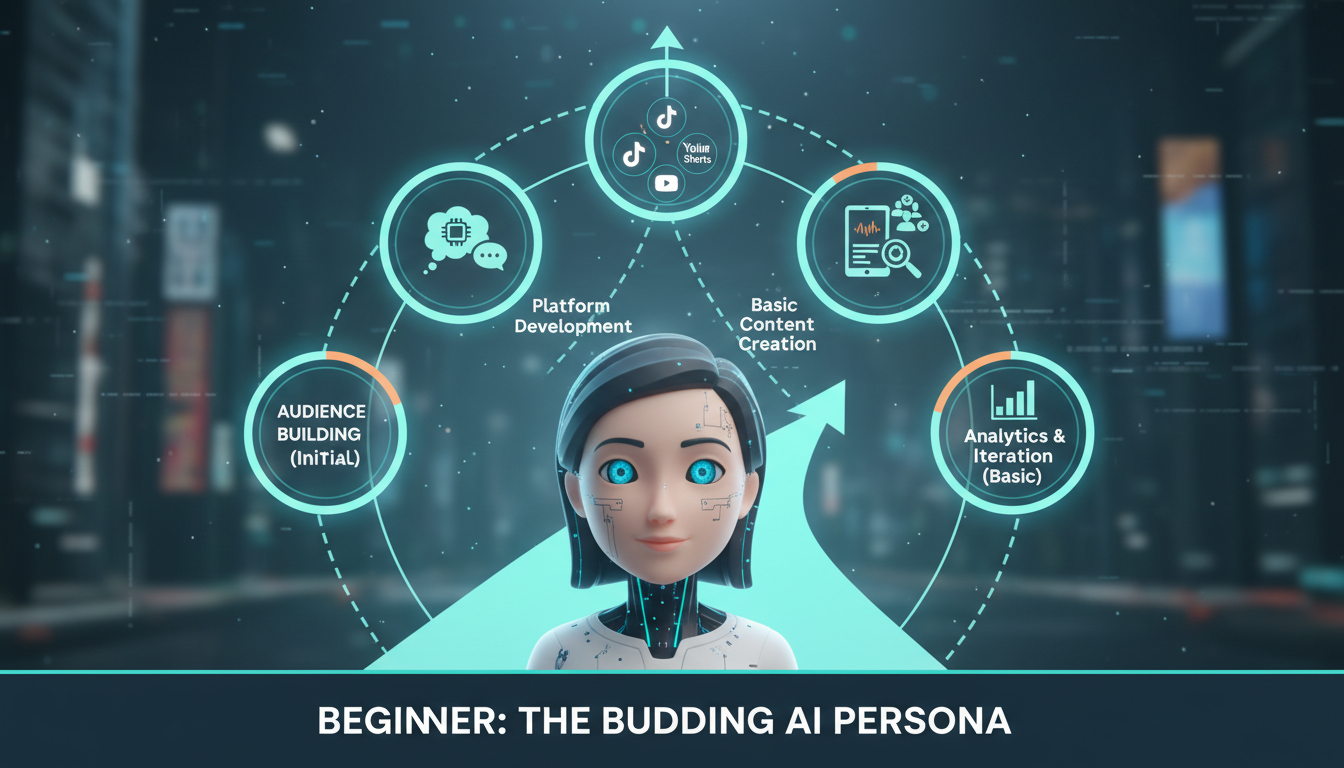 Resources evolve as you progress from beginner to established creator.
Community and Learning Resources
Growing knowledge and connections.
Online Communities
Connect with other creators.
Reddit communities:
- r/InstagramMarketing: Platform strategy discussions
- r/influencermarketing: Industry insights
- r/socialmedia: Broad social media topics
- r/AIart: AI image generation discussions
Facebook groups:
- Search for "Instagram creators" or "influencer marketing"
- Niche-specific creator groups
- Tool-specific user communities
Discord servers:
- AI art generation communities
- Creator-focused servers
- Tool-specific user servers (Midjourney, etc.)
Educational Platforms
Structured learning for creators.
Skillshare: Creative and business courses. Social media marketing, photography, design, branding.
Udemy: Wide course selection at affordable prices. Look for sales on social media courses.
LinkedIn Learning: Professional development focus. Business and marketing courses.
YouTube: Free education on every topic. Search for specific tools, strategies, or platforms.
Podcasts
Learn while commuting or working.
Marketing and social media:
- Social Media Marketing Podcast
- The Influencer Podcast
- Marketing School
Creator economy:
- Creator Lab
- The Colin and Samir Show
- Creator Science
Books and Reading
Deeper learning for foundational knowledge.
Recommended reading:
Earn Up To $1,250+/Month Creating Content
Join our exclusive creator affiliate program. Get paid per viral video based on performance. Create content in your style with full creative freedom.
- "Crushing It!" by Gary Vaynerchuk: Personal branding
- "Building a StoryBrand" by Donald Miller: Brand messaging
- "Influence" by Robert Cialdini: Psychology of persuasion
- "Jab, Jab, Jab, Right Hook" by Gary Vaynerchuk: Social media strategy
Newsletters:
- Social Media Today
- Later blog
- Buffer blog
- Hootsuite blog
Business Resources
Managing the business side.
Finance and Payments
Handling money as a creator.
Payment processing:
- PayPal: Universal payment option
- Stripe: Professional payment processing
- Wise: International payments
Invoicing:
- Wave: Free invoicing and accounting
- FreshBooks: Simple invoicing
- QuickBooks: Full accounting solution
Creator monetization:
- Gumroad: Sell digital products
- Patreon: Subscription content
- Ko-fi: Tips and memberships
Legal Resources
Protecting yourself and your brand.
Contracts and agreements:
- HelloSign: Electronic signatures
- DocuSign: Professional document signing
- Contract templates from legal sites
Trademark and IP:
- USPTO (US): Trademark registration
- Legal Zoom: Legal services
- Consult entertainment/IP attorney for serious protection
Productivity Tools
Working efficiently.
Organization:
- Notion: All-in-one workspace
- Asana: Project management
- Todoist: Task management
Time management:
- Toggl: Time tracking
- RescueTime: Productivity monitoring
- Focus modes on devices
Communication:
- Slack: Team communication
- Discord: Community management
- Email management tools
Resource Selection Strategy
Choosing the right tools for your stage.
Beginner Toolkit (Essential Only)
Starting minimal and effective.
Must-haves:
- Apatero for image generation
- Instagram account (professional)
- Canva free tier
- Later free tier or Creator Studio
- Google Sheets for content calendar
- Native analytics
Total monthly cost: $0-30
Growing Creator Toolkit
Expanding capabilities.
Add to basics:
- Scheduling tool paid tier
- Link in bio premium
- Basic third-party analytics
- Premium Canva
- Email marketing tool
Total monthly cost: $50-100
Established Creator Toolkit
Full operation support.
Complete toolkit:
- All basics plus...
- Advanced analytics platform
- Team collaboration tools
- Advanced scheduling
- CRM for partnerships
- Professional editing software
Total monthly cost: $150-300+
Resource Maintenance
Keeping your toolkit current.
Regular Review
Audit your tools periodically.
Monthly check:
- Are you using all paid tools?
- Any tools underperforming?
- New options worth testing?
Quarterly assessment:
- Tool ROI evaluation
- Stack simplification opportunities
- Upgrade or downgrade decisions
Staying Current
The tool landscape evolves quickly.
Stay informed:
- Follow tool company blogs
- Monitor creator communities
- Test new tools periodically
- Share discoveries with network
FAQ
What's the minimum investment needed to start?
$0-30 monthly. Apatero, free scheduling, and Canva's free tier provide basics. Grow investment with growth.
Should I use all the tools listed?
No. Select 1-2 per category based on your needs. Too many tools creates complexity without benefit.
How do I choose between similar tools?
Trial multiple options. Most have free tiers. Choose based on your workflow fit, not feature lists.
When should I upgrade to paid tools?
When free limitations impact your operation. Growth usually justifies investment in better tools.
Are expensive tools always better?
Not necessarily. Expensive tools offer more features, but simpler needs don't require them. Match tool to need.
How often should I switch tools?
Rarely. Switching costs time and learning. Only change when current tool fails your needs significantly.
What's the biggest tool mistake beginners make?
Buying too many tools too early. Start with essentials, add tools only when specific needs arise that free options can't meet.
Should I use the same tools as successful creators?
Their tools might suit their workflow, not yours. Use their choices as suggestions to explore, not mandates to follow. Your workflow and needs are unique.
Building Your Resource Stack
The tools and resources in this guide represent options, not requirements. Building an effective resource stack means selecting what serves your specific needs, workflow, and goals rather than collecting everything available.
Start minimal. Add tools only when clear needs arise. Evaluate regularly. Replace what doesn't work. This approach builds a lean, efficient toolkit that enhances rather than complicates your AI influencer operation.
The best toolkit is the one you actually use consistently. A smaller set of well-integrated tools outperforms a complex collection of underutilized options every time. Focus on mastering your core tools before expanding, and your AI influencer operation will run more smoothly than those cluttered with unused subscriptions and forgotten platforms.
Make AI images and video in your browser
Characters, video, photo packs. No GPU, no setup. Your first generation is free.
Related Articles

10 Best AI Influencer Generator Tools Compared (2025)
Comprehensive comparison of the top AI influencer generator tools in 2025. Features, pricing, quality, and best use cases for each platform reviewed.

5 Proven AI Influencer Niches That Actually Make Money in 2025
Discover the most profitable niches for AI influencers in 2025. Real data on monetization potential, audience engagement, and growth strategies for virtual content creators.

AI Action Figure Generator: How to Create Your Own Viral Toy Box Portrait in 2026
Complete guide to the AI action figure generator trend. Learn how to turn yourself into a collectible figure in blister pack packaging using ChatGPT, Flux, and more.