AI Influencer Content Repurposing: Maximize Every Piece You Create
Transform one piece of content into many. Learn systematic repurposing strategies that multiply your AI influencer content output without multiplying effort.
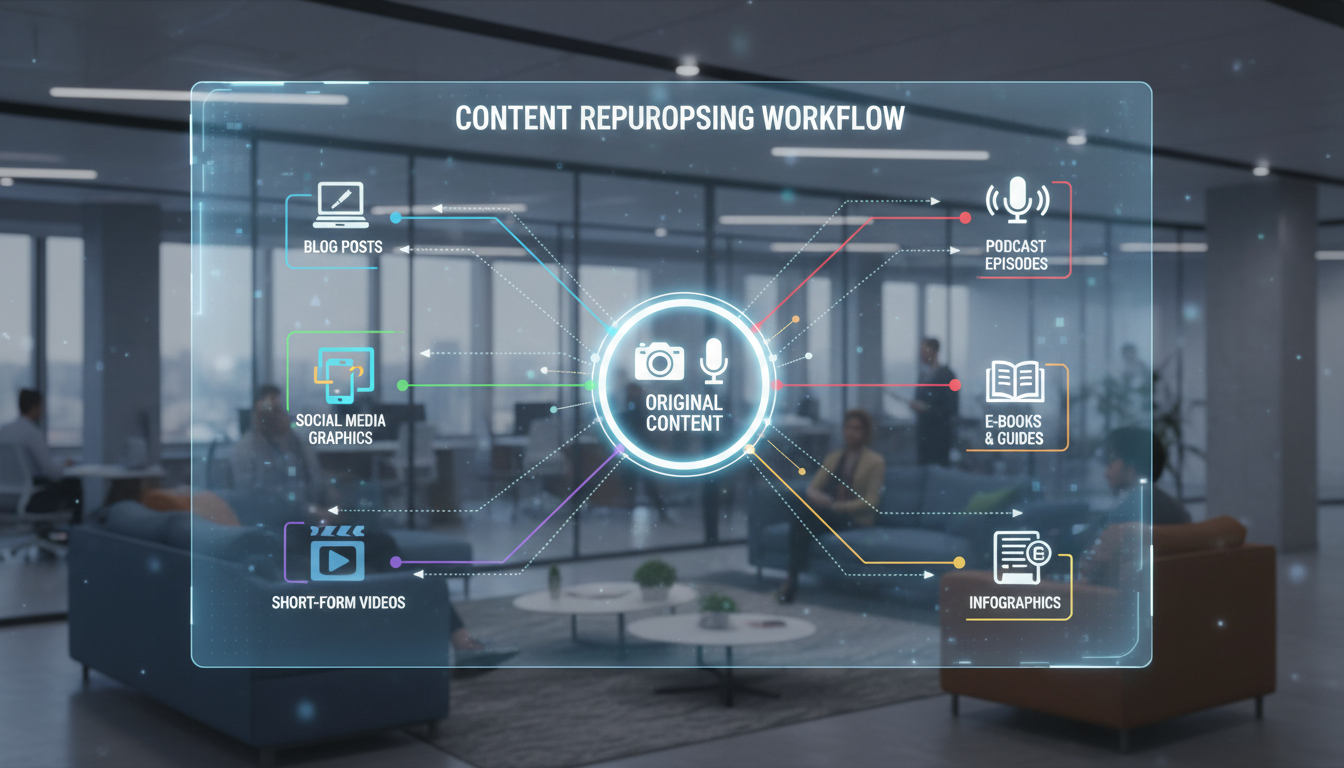
Creating content from scratch for every post is exhausting and unnecessary. One piece of quality content can become five, ten, or more pieces through strategic repurposing. The AI influencers who post consistently without burnout understand this multiplication principle.
I used to create every piece of content independently. Each post required fresh ideas, new generation sessions, unique captions. I was always behind, always scrambling, always running out of content ideas. Then I learned to think about content as raw material to be transformed rather than single-use products.
Now, one strong concept becomes a feed post, multiple stories, a carousel, a reel, Twitter content, and Pinterest pins. Same core idea, different formats. My content output tripled while actual creative effort decreased.
This guide covers systematic content repurposing for AI influencers, helping you extract maximum value from every piece you create.
Quick Answer: Content repurposing transforms one piece into multiple pieces for different platforms and formats. A single Apatero image can become an Instagram feed post, multiple story frames, a carousel, a Pinterest pin, and a Twitter post. Repurposing multiplies output 3-5x without proportional effort increase. Plan for repurposing during creation, not after.
:::tip[Key Takeaways]
- AI Influencer Content Repurposing: Maximize Every Piece You Create represents an important development in its field
- Multiple approaches exist depending on your goals
- Staying informed helps you make better decisions
- Hands-on experience is the best way to learn :::
- The repurposing mindset and philosophy
- Systematic repurposing workflows
- Format-specific transformation techniques
- Platform adaptation during repurposing
- Avoiding repetitiveness while repurposing
The Repurposing Philosophy
Understanding why repurposing works changes how you approach content creation.
Why Repurposing Works
Audiences don't see everything you post. Different people are active at different times, on different platforms, preferring different formats. The same message presented in different ways reaches different segments of your audience.
The reach reality:
- Instagram feed post reaches 20-30% of followers
- Story reaches different subset
- Reel reaches non-followers through discovery
- Other platforms reach entirely different audiences
Repurposing ensures your best ideas reach maximum audience.
The Efficiency Multiplication
Creating one piece of content takes concentrated creative effort. Transforming that content into other formats takes far less:
Original creation: Concept + Generation + Editing + Caption = 100% effort Repurposed version 1: Format adjustment + New caption = 20% effort Repurposed version 2: Platform adaptation = 15% effort Repurposed version 3: Minor modification = 15% effort
One 100% effort piece becomes four pieces with 150% total effort instead of 400%.
The Quality Concentration
Repurposing encourages focusing creative energy on fewer, better original pieces:
Without repurposing: Create 7 medium-quality posts weekly With repurposing: Create 3 high-quality originals, repurpose into 12+ pieces
Higher quality originals repurpose better and perform better overall.
The Core Content Strategy
Build your content system around "core content" that repurposes well.
What Makes Good Core Content
Core content worth repurposing has:
Evergreen relevance: Not dated quickly Clear message: One strong idea or takeaway Visual quality: Worth showing in multiple formats Depth potential: Can be expanded or condensed Multi-format fit: Works across different presentations
Plan core content with repurposing in mind.
Core Content Types for AI Influencers
Lifestyle images: Versatile, repurposeable into many contexts Educational content: Can expand into carousels, contract into tips Quote/motivation: Works as image, story, tweet, pin Tutorial content: Expandable and condensable Behind-the-scenes: Adaptable to multiple angles
Generate Apatero images with future repurposing in mind.
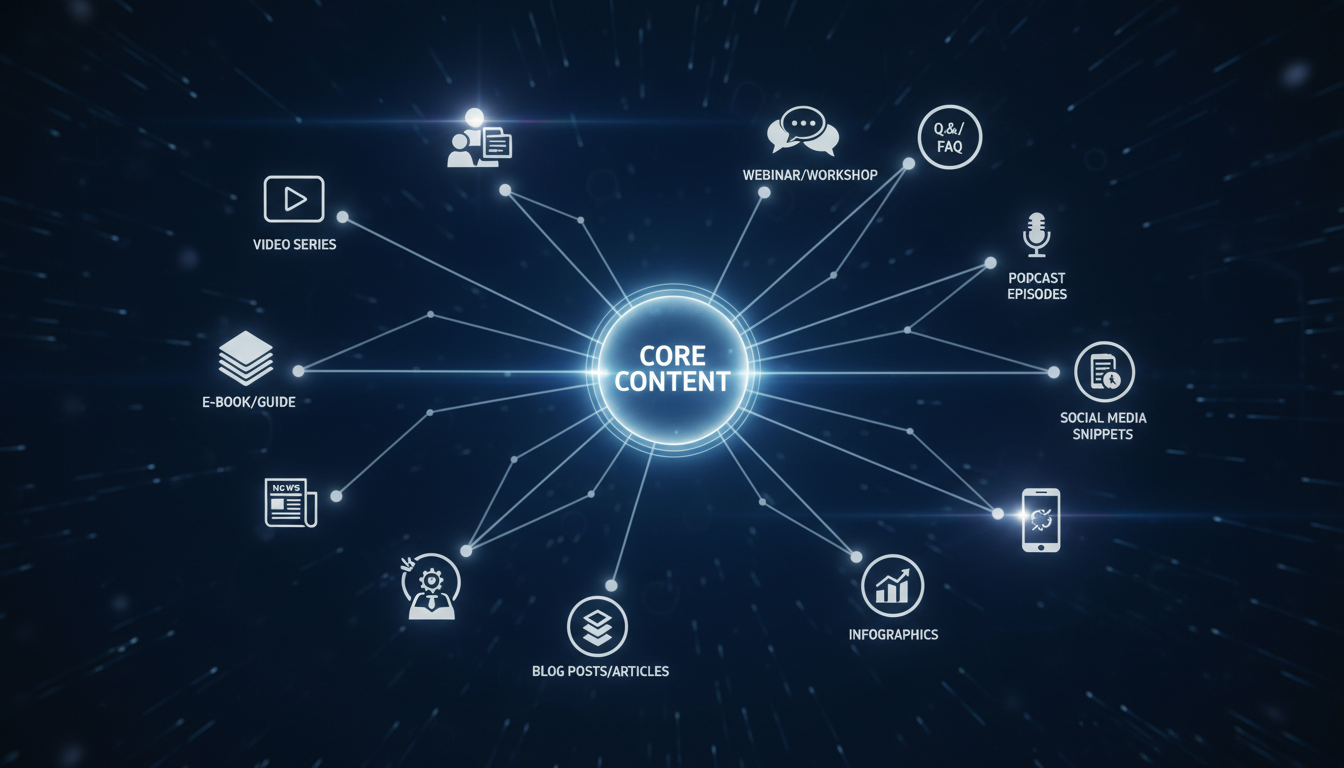 Strong core content can multiply into numerous pieces across formats and platforms.
Planning for Repurposing
During content creation, ask:
Before generation:
- What formats could this become?
- What platforms could this serve?
- What aspect ratios do I need?
- What variations would extend this?
During generation:
- Generate multiple variations
- Create different aspect ratios
- Save outtakes for stories
- Build content library, not single posts
Format Transformation Workflows
Specific techniques for transforming between formats.
Feed Post to Stories
Transform single image into story sequence:
Transformation techniques:
- Add animated text overlays to static image
- Create zoomed/cropped versions highlighting details
- Add poll, question, or sticker to drive engagement
- Use as background with text overlay
- Create countdown or reveal sequence
One feed image easily becomes 3-5 story frames.
Feed Post to Carousel
Expand single idea into multi-slide presentation:
Expansion approach:
- Slide 1: Hook (original image with text)
- Slides 2-5: Expand on the message
- Slide 6-8: Additional details or tips
- Final slide: CTA or summary
Generate additional images in same aesthetic to support slides.
Carousel to Individual Posts
Extract carousel content into standalone pieces:
Extraction approach:
- Each carousel slide can become standalone tip post
- Best performing slides become individual posts later
- Strongest images become feed posts
- Tips become quote graphics
Long Caption to Thread
Transform detailed Instagram caption into Twitter thread:
Thread transformation:
- Opening tweet: Hook from caption
- Thread tweets: Key points, one per tweet
- Final tweet: CTA or summary
- Add images to relevant tweets
Image to Video
Transform static image into video content:
Video transformation techniques:
- Slow zoom/pan over image
- Before/after reveal
- Slideshow with music
- Image with animated text overlays
- Image as video background
Reel and TikTok content from static generation.
Video to Static
Extract still frames from video content:
Static extraction:
- Key moment screenshots
- Quote frames from video text
- Preview/thumbnail images
- Behind-the-scenes frames
Platform-Specific Repurposing
Adapt content for each platform's requirements.
Instagram to TikTok
Adaptations needed:
- Aspect ratio (9:16 if not already)
- Shorter duration preference
- Trending audio consideration
- Different hashtag strategy
- More casual tone in captions
Instagram to Twitter
Adaptations needed:
- Character limit for text
- Fewer hashtags (1-2 max)
- More conversational tone
- Consider thread format
- Different image sizing
Instagram to Pinterest
Adaptations needed:
- Vertical format (2:3 ratio)
- Text overlay for context
- SEO-focused description
- Keyword-rich boards
- Link destination if applicable
Instagram to YouTube
Adaptations needed:
- Shorts format for Reels-style content
- Longer format for expanded content
- Thumbnail optimization
- Description with timestamps
- Card and end screen consideration
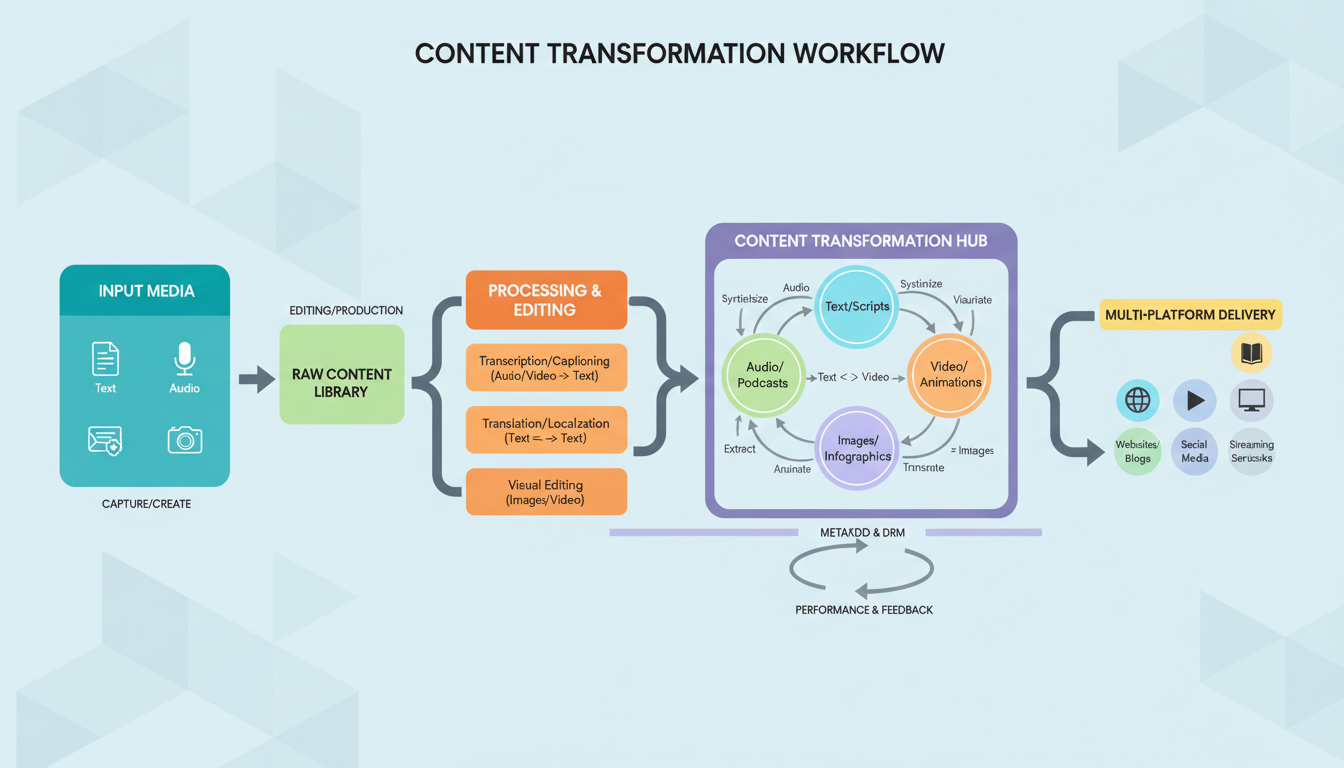 Systematic workflows transform content efficiently across formats and platforms.
The Repurposing Workflow
Systematic approach to repurposing.
Step 1: Create Core Content
Focus creative energy on quality:
Core creation session:
- Generate best possible original images
- Write comprehensive caption/message
- Create in formats that enable repurposing
- Save all variations and outtakes
Step 2: Immediate Repurposing
Right after core creation, transform while fresh:
Same-session repurposing:
- Create story version
- Adapt for secondary platforms
- Generate additional aspect ratios
- Write adapted captions
Step 3: Scheduled Distribution
Space repurposed content strategically:
Distribution approach:
- Don't post all versions same day
- Instagram feed → Stories next day → Reel later
- Different platforms at different times
- Create content calendar for all versions
Step 4: Performance-Based Repurposing
Let performance guide further repurposing:
Analytics-driven repurposing:
- High performers get more repurposing
- Underperformers get one version only
- Successful formats get priority
- Test what repurposing works for your audience
Advanced Repurposing Strategies
Sophisticated approaches for maximum efficiency.
The Content Pillar System
Organize repurposing around content pillars:
Pillar structure:
- Pillar 1: Main theme long-form content
- Sub-content: Related posts, stories, shorts
- Each pillar generates 5-10 pieces monthly
Plan pillars, then populate with repurposed variations.
The Content Recycling System
Reuse content on appropriate timelines:
Recycling approach:
- Evergreen content can repost after 3-6 months
- Update captions and hashtags
- Refresh images if needed
- Track what's been recycled
Your best content deserves multiple audiences over time.
The Content Atomization System
Break large content into smallest usable pieces:
Atomization levels:
- Long video → Shorts, images, quotes, threads
- Carousel → Individual tips, images, stories
- Article → Social posts, pins, threads
Extract maximum value from comprehensive content.
The Cross-Pollination System
Let different content types inform each other:
Cross-pollination examples:
- Popular stories become feed posts
- High-engagement comments become content
- DM questions become FAQ content
- Trending topics become timed content
Your audience tells you what to create more of.
Avoiding Repetitiveness
Repurposing shouldn't feel redundant to followers.
Timing Gaps
Space similar content appropriately:
Timing guidelines:
- Same platform: 1-2 weeks between similar content
- Different platforms: Can be simultaneous
- Stories: Same day as feed is fine
- Reels: At least few days after feed
Presentation Variation
Change how content appears:
Variation techniques:
- Different crops and compositions
- Different text/caption approaches
- Different hooks and angles
- Different CTAs
Audience Segmentation
Remember different audiences see different content:
Segmentation reality:
- Story viewers vs. feed browsers vs. Reel discoverers
- Platform-specific audiences
- Time-zone based visibility
- Algorithm-filtered reach
Most followers won't see all versions.
Common Repurposing Mistakes
Avoid these errors that undermine repurposing value.
Mistake 1: Identical Cross-Posting
Posting exact same content everywhere without adaptation.
Problems: Looks lazy, doesn't optimize for platform, may have wrong formatting Fix: Adapt format, caption, and style for each platform
Mistake 2: Repurposing Poor Content
Multiplying content that isn't good enough to multiply.
Problems: Spreads low-quality content further, wastes time on failures Fix: Only repurpose content that performs well initially
Mistake 3: Forgetting to Repurpose
Creating content without repurposing plan.
Problems: Misses efficiency opportunity, creates extra work later Fix: Plan repurposing during initial creation
Mistake 4: Over-Repurposing
Repurposing everything to the point of audience fatigue.
Problems: Followers see same message too often, feels repetitive Fix: Selective repurposing of best content only
Your Repurposing Action Plan
Implement repurposing systematically:
Week 1: Audit and Plan
- Review current content process
- Identify repurposing opportunities missed
- Plan core content categories
- Set up tracking for multiple versions
Week 2: Build Systems
- Create templates for different formats
- Establish repurposing checklist
- Set up multi-platform scheduling
- Define timing rules
Week 3: Execute
- Create core content with repurposing in mind
- Execute immediate repurposing
- Schedule all versions appropriately
- Track performance
Week 4: Optimize
- Review what repurposing worked
- Identify best-performing formats
- Refine workflow
- Plan ongoing repurposing system
Content repurposing transforms AI influencer management from endless content creation to strategic content multiplication. Your Apatero generations become libraries of assets rather than single-use posts. This efficiency enables consistent posting without burnout and maximizes return on creative investment.
FAQ
Won't followers notice I'm posting the same thing?
Most won't due to algorithm filtering and varied attention. Those who do often appreciate seeing content in formats they prefer.
How much should I change when repurposing?
Minimum: Format adaptation. Ideal: Format + caption + presentation adjustments. Maximum: Substantial rework (not really repurposing anymore).
How often can I repost evergreen content?
3-6 months between identical posts on same platform. Refresh caption and hashtags when reposting.
Should I repurpose everything?
No. Repurpose your best performing and highest quality content. Let poor performers stay single-use.
How do I track what's been repurposed?
Spreadsheet or content management system. Track original, all versions created, where posted, and when.
Does repurposing hurt algorithm performance?
No, if done properly with platform-appropriate adaptation. Each platform sees "native" content that happens to share origin.
Reuse a character reference
Save a character as a Soul and put them in any scene, image or video, without retraining anything. Check your welcome allowance and the displayed cost before generating.
Related Articles

5 Proven AI Influencer Niches That Actually Make Money in 2025
Discover the most profitable niches for AI influencers in 2025. Real data on monetization potential, audience engagement, and growth strategies for virtual content creators.

AI Background Replacement: Professional Guide 2025
Master AI background replacement for professional results. Learn rembg, BiRefNet, and ComfyUI workflows for smooth background removal and replacement.

AI Character Consistency: How to Maintain Virtual Persona Identity Across Content
Learn techniques for maintaining AI character consistency across hundreds of images. Master the art of creating recognizable virtual personas with consistent visual identity.